
Summary
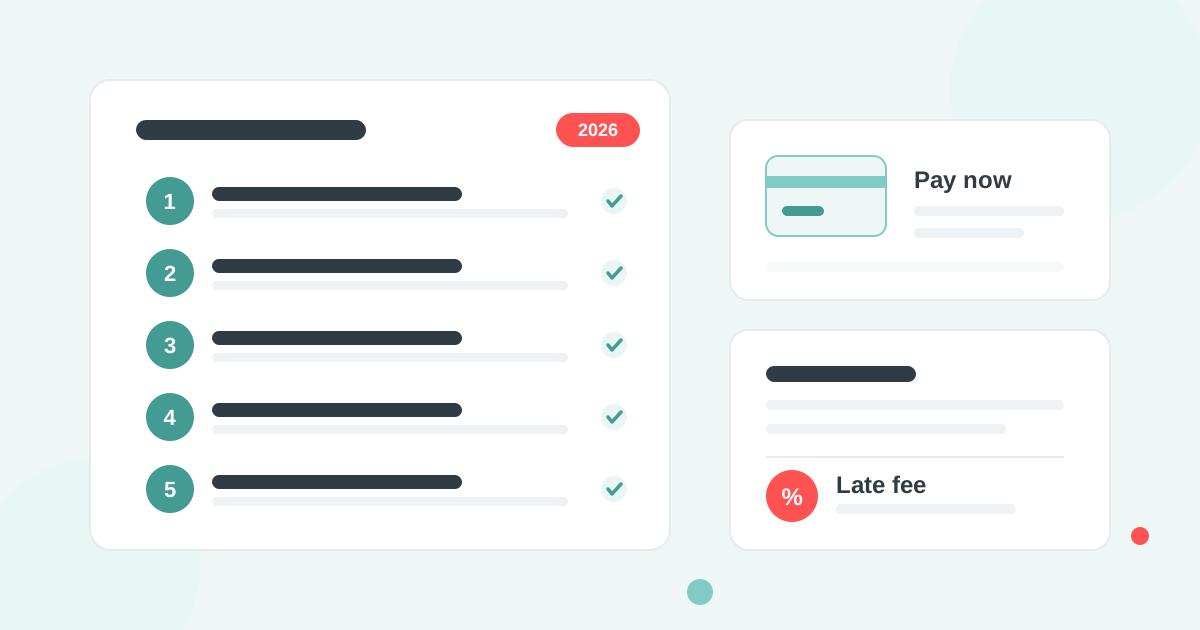
QuickBooks Online in Canada has no automatic late fee feature: the Late fees setting exists in the US product only. A Canadian business adds a late fee by hand as a line item on the overdue invoice, or connects Paidnice, which applies late fees and interest to overdue QuickBooks invoices automatically and posts them to the ledger.
- The default rate: Where your terms say interest is payable but set no rate, section 3 of the Interest Act fixes it at 5% a year.
- The disclosure rule: Section 4 of the Interest Act limits a monthly or daily rate to 5% a year unless the contract also states the equivalent annual rate, so 2% a month must read 24% a year.
- The ceiling: Section 347 of the Criminal Code makes any interest above 35% APR a criminal rate, in force since 1 January 2025.
Does QuickBooks Online Canada have automatic late fees?
No. QuickBooks Online Canada has no late fee setting. Intuit's "Turn on automatic late fees" option, under Settings, Account and settings, Sales, is in the US edition of QuickBooks Online only. QuickBooks Online in the United Kingdom and Australia has no late fee setting either.
Even in the US the native fee is silent: it is added as a line and never emailed. A Canadian company has two routes: add the fee by hand, or connect an app that raises it on the ledger for you.
| Option | How the fee is applied | Annual rate stated | Customer told |
|---|---|---|---|
| QuickBooks Online US (native) | Flat or percentage fee added as a line item after a grace period | No | No, the fee is silent |
| QuickBooks Online Canada (manual) | You add a late fee line to the overdue invoice or raise a separate invoice | Only if you write it in | Only when you send the invoice |
| Paidnice on QuickBooks Online Canada | Interest or a flat fee raised automatically on the ledger, per customer group | Yes, rate per annum, prorated daily | Yes, by email with the invoice |
How do you add a late fee to a QuickBooks Canada invoice by hand?
A late fee is added to a QuickBooks Online Canada invoice as a product or service line, because there is no fee setting to switch on. The fee sits on the invoice like any other charge and appears in the customer's balance.
- Go to Settings, then Products and services, and create a service called Late payment fee with its own income account.
- Work out the interest owed for the days overdue at the rate in your terms, or use the flat fee your terms name.
- Open the overdue invoice, add the late fee line and save, or raise a separate invoice for the fee so the original stays as issued.
- Send the updated invoice to the customer. QuickBooks does not send it for you.
The manual route holds for a handful of invoices a month and breaks when a customer part-pays or is late every month.
How much can you legally charge for a late fee in Canada?
A Canadian business can charge any late fee or interest rate the customer agreed to in the contract or terms before the invoice was issued, up to the criminal rate of 35% APR under section 347 of the Criminal Code, in force since 1 January 2025.
Two rules in the federal Interest Act shape the number. Section 3 sets the rate at 5% a year where interest is payable but no rate was agreed. Section 4 limits any rate stated per day, week or month to 5% a year unless the contract also states the equivalent annual rate. A term that reads "2% per month" recovers only 5% a year; "2% per month (24% per annum)" recovers the full 24%.
Common practice is 1% to 2% a month, stated with its annual equivalent. On a $5,000 invoice, 24% a year is $3.29 a day, so 30 days late comes to $98.63. The Canada late fee guide has a calculator and the wording for your terms.
How does Paidnice add late fees to QuickBooks Canada?
Paidnice is accounts receivable automation for QuickBooks Online that raises late fees and interest on overdue invoices automatically, to the rules in your terms, and posts each fee to the QuickBooks ledger as a Draft or Approved invoice.
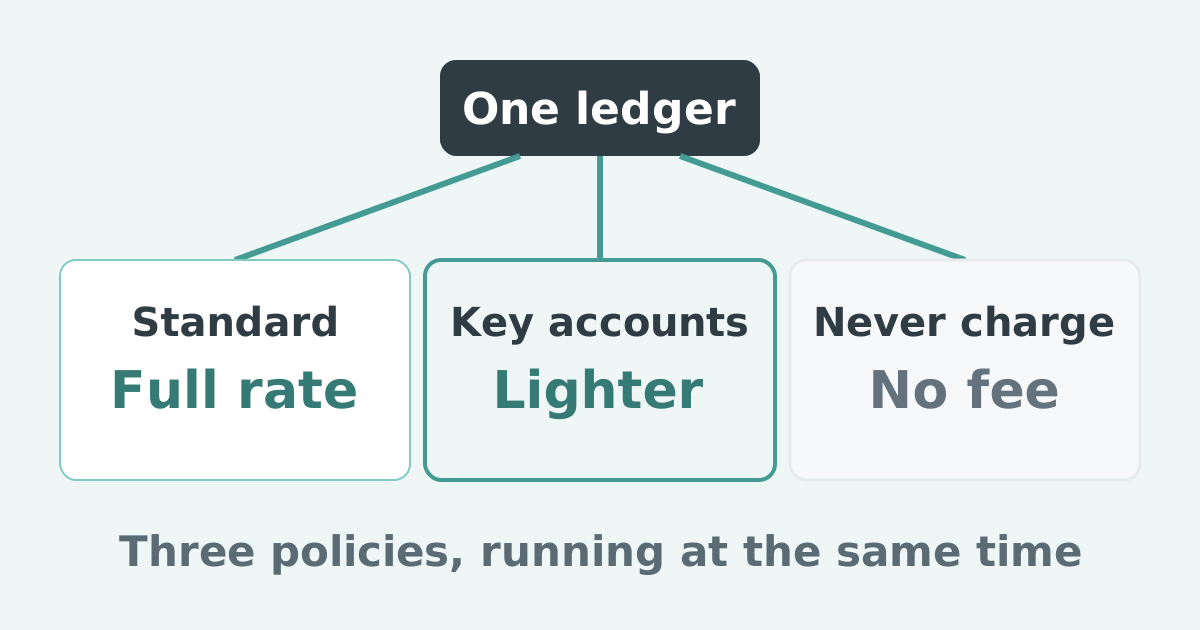
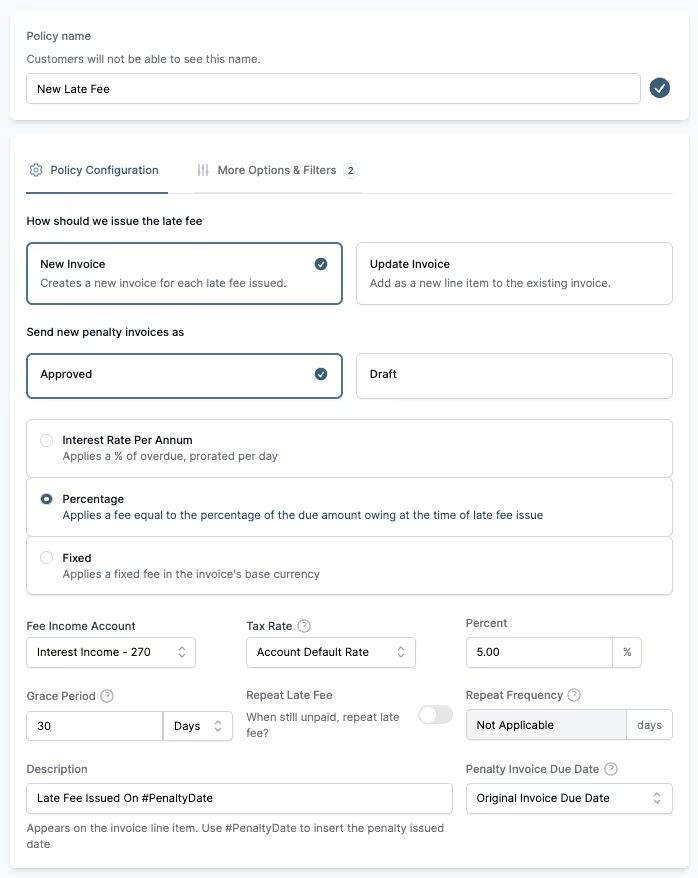
A policy runs as a flat fee per overdue invoice, a percentage, or an interest rate per annum prorated daily, with a grace period before it applies. Policies live under customer groups, so key accounts can have a 30-day grace period while everyone else has 14. Interest compounds by default, with a toggle for simple interest, and a fee can be waived or credited inside Paidnice.
Only a fee on the ledger is a receivable, has a tax treatment and enters the customer's aged payables and payment run. The fee is a lever: paired with email and SMS reminders, automatic statements and escalation workflows, a customer who reads "a late fee of $98.63 will be charged in 7 days" pays before it is raised.
How do you connect Paidnice to QuickBooks Canada?
Connecting Paidnice to QuickBooks Online Canada takes three steps, and Paidnice picks up invoices that were already open at connection, not only new ones.
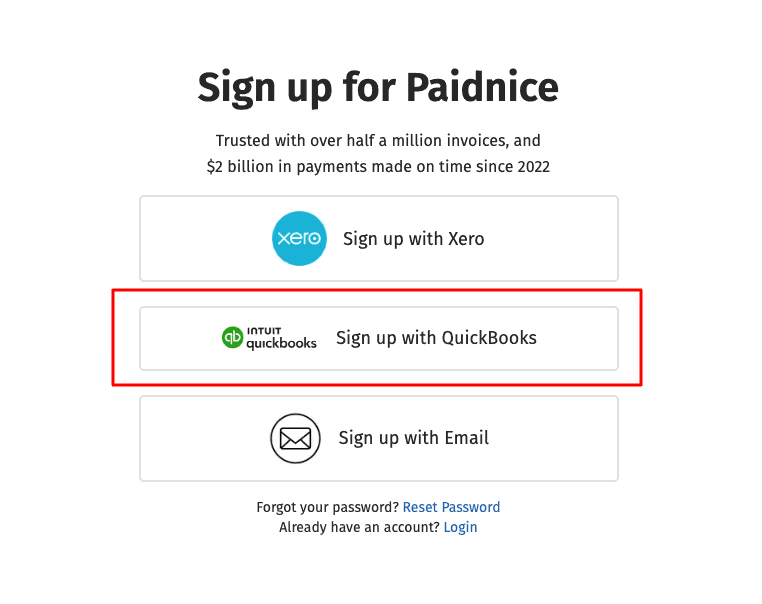
1. Sign up and connect
Signing up is free, needs no credit card, and the first 20 actions are free with no time limit.

Connect QuickBooks Canada to Paidnice with a single click.

2. Set the late fee policy
Choose the fee type (percentage, flat fee, or both), state the rate per annum so it matches your terms, and set the grace period, for example 14 days after the due date.

3. Add reminders and escalation
- Set payment reminders (for example 5 days before due, on the due date, 10 days after), naming the coming fee.
- Schedule automatic statements, monthly or quarterly.
- Create escalation steps for invoices that stay overdue.
Common questions
Can I charge a late fee if my terms do not mention one? No. In Canada a late fee or interest is only recoverable when the customer agreed to it before the invoice was issued. Add the rate, with its annual equivalent, to your terms first.
Does QuickBooks Canada tell the customer about a late fee? No. QuickBooks Online Canada has no fee to send. Paidnice emails the fee invoice and can name the coming fee in a reminder before it is raised.
Start using Paidnice today to apply late fees in QuickBooks Canada, or book a demo.
Stop chasing invoices.
Start getting paid.
Paidnice is accounts receivable automation that enforces your payment terms, trusted by thousands of businesses on Xero and QuickBooks. Credit control and debtor management, run for you.
Try it Now - It's FreeNo card required.