


Are you tired of your Xero invoices ending up in your customers' spam folders or not being received at all? If so, you're not alone. Many businesses face this frustrating issue, which can lead to delayed payments, increased administrative work, and strained client relationships.
We'll explore the reasons behind this problem and introduce a simple, effective solution: Paidnice.
Xero sends millions of invoices every day, and while their system is reliable, the sheer volume of emails sent from the same domain can trigger spam filters. Additionally, Xero's email templates are not customizable, which means that all invoices come from the same Xero domain. This lack of personalization can make it easier for spam filters to flag these emails as potential spam.
If you're unsure whether an invoice has been sent successfully in Xero, you can check the invoice status within the platform. However, this doesn't guarantee that your customer has received the invoice in their inbox. It's possible that the invoice has been sent but ended up in their spam folder or was blocked entirely by their email provider.
If you're a customer waiting for an invoice from a business using Xero, it's possible that the invoice has been sent but was filtered into your spam folder. Be sure to check your spam or junk mail folder regularly, and consider adding the sender's email address to your safe senders list to ensure future invoices reach your inbox.
As a customer, you don't need a Xero account to receive invoices from businesses using the platform. Invoices are typically sent to the email address provided by the business.
However, if you're not receiving invoices or they're going to spam, it's worth contacting the business to confirm they have your correct email address and to discuss alternative delivery methods.
Sending invoices from Xero will typically trip up spam filters, as they are not customizable beyond the text content of the email. To stop your Xero invoices going to spam you need to send them from a custom domain, with a custom email template. You can use a tool like Paidnice, which seamlessly integrates with Xero, offering a powerful way to ensure your invoices reach your customers' inboxes.
With Paidnice, you can customize every element of the email, including the sender's email address and domain. This means you can send invoices from your own email address or any domain you choose, greatly reducing the likelihood of your invoices being flagged as spam.
One of the key advantages of Paidnice is that it allows you to create custom email templates that reflect your brand's unique style and voice. By personalizing your invoice emails, you not only improve deliverability but also provide a more professional and engaging experience for your customers.
In addition to sending invoices, Paidnice can help you streamline your accounts receivable process with follow-up email reminders and SMS reminders. These reminders are fully customizable and can be scheduled based on your business's unique needs, helping you get paid faster and maintain a healthy cash flow.
Setting up Paidnice to send your Xero invoices is a simple and straightforward process. Here's how to get started:
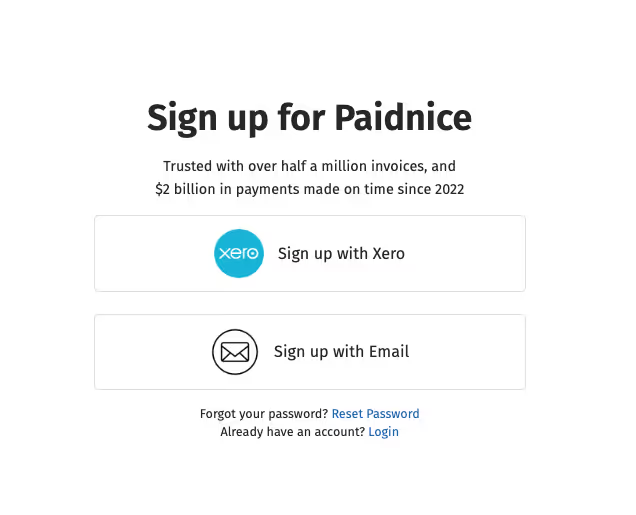
1. Sign up for a Paidnice account. It's free for the first 30 days, giving you plenty of time to explore the platform's features. To enable custom domains, select the Professional plan during signup.
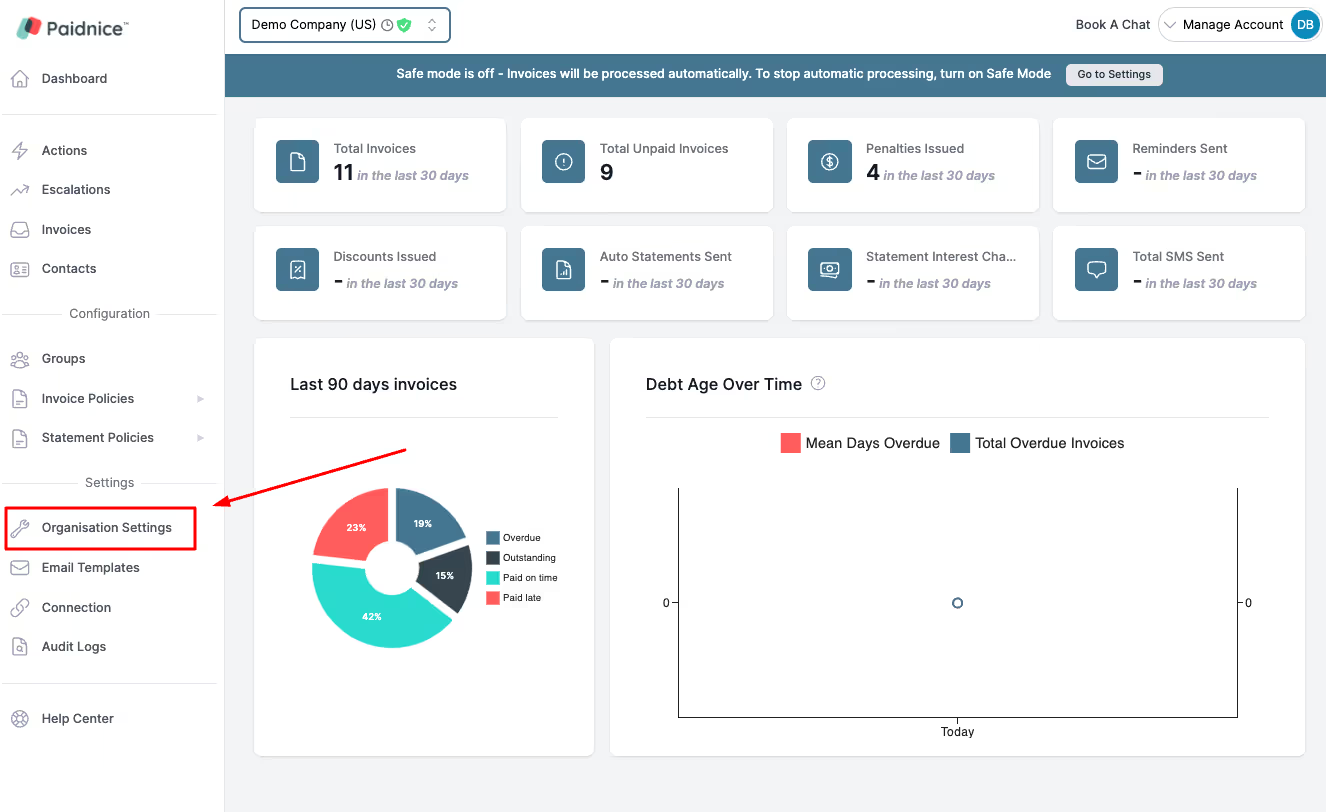
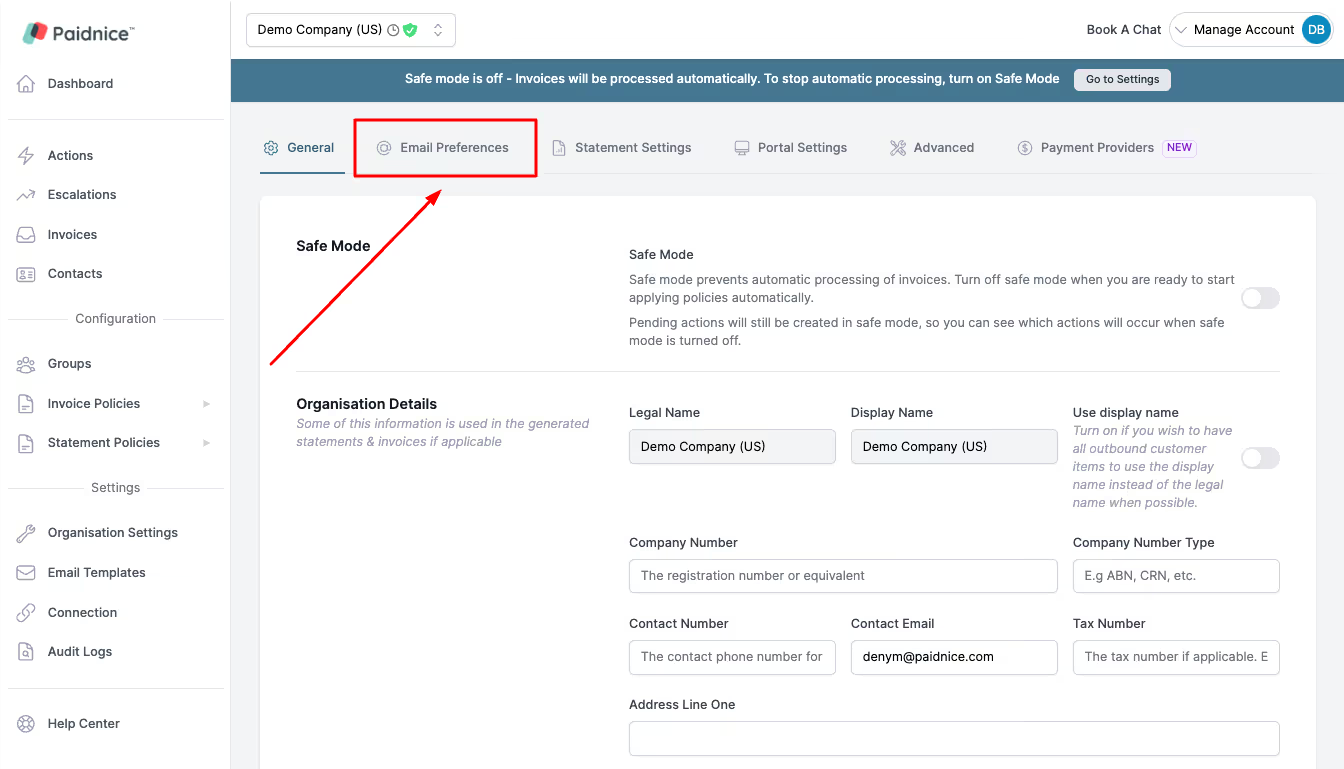
2. Once you're inside your account, navigate to the Organization Settings and select Email Preferences.
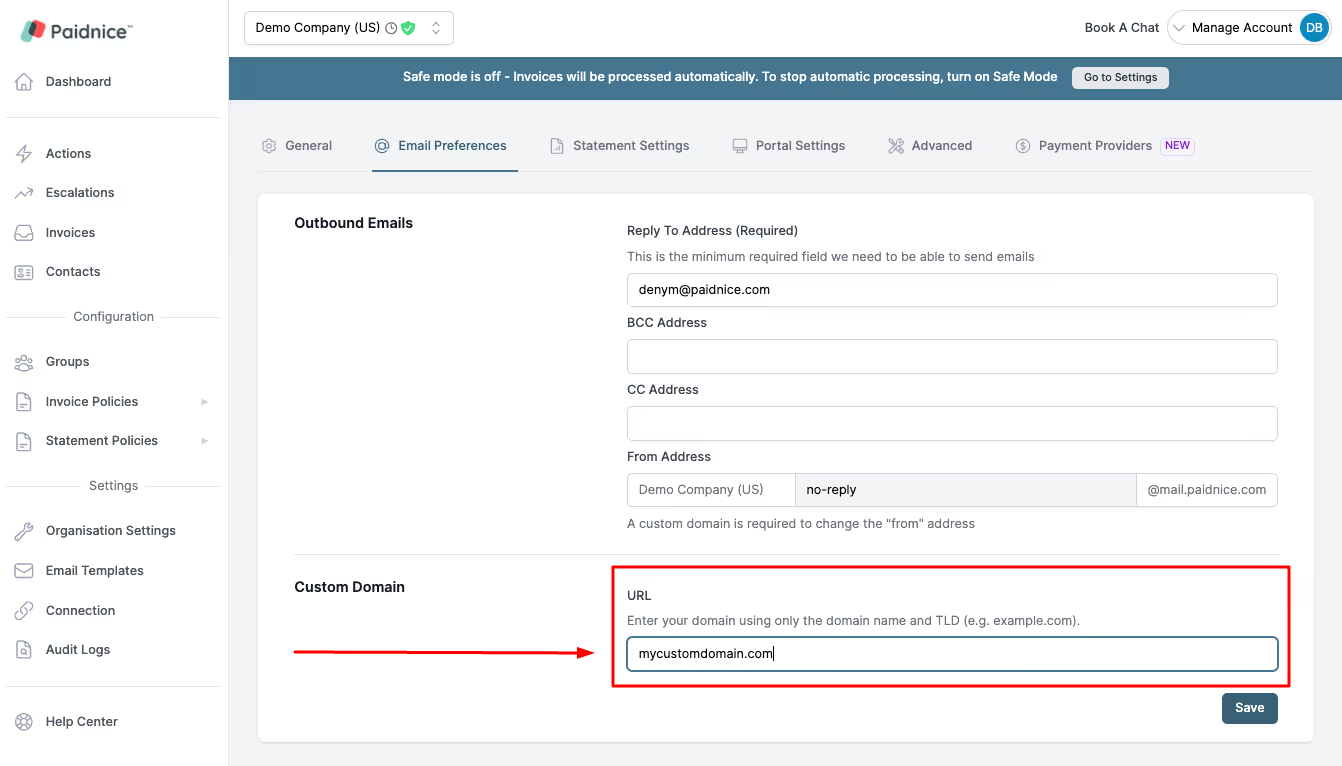
3. Set up your Custom Domain (eg myurltosendinvoices.com), input the details into your domain host, and then come back to verify the domain (our team can help with verification with your host)
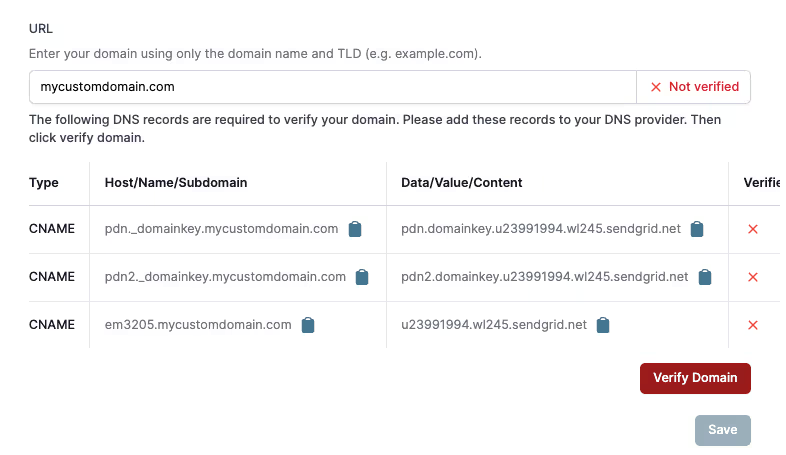
Great! You're now set up to send Xero invoices from your own custom domain! Next, let's set up the final step so that you can automatically send them out when you create invoices in Xero.
1. Go to Emails, and Create a New Email template to send out.
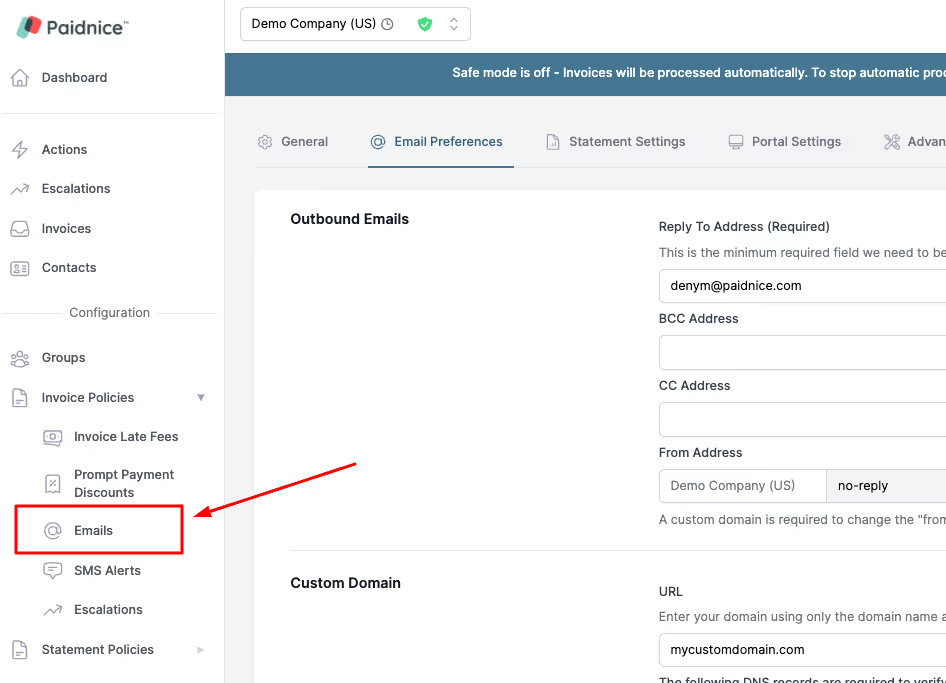
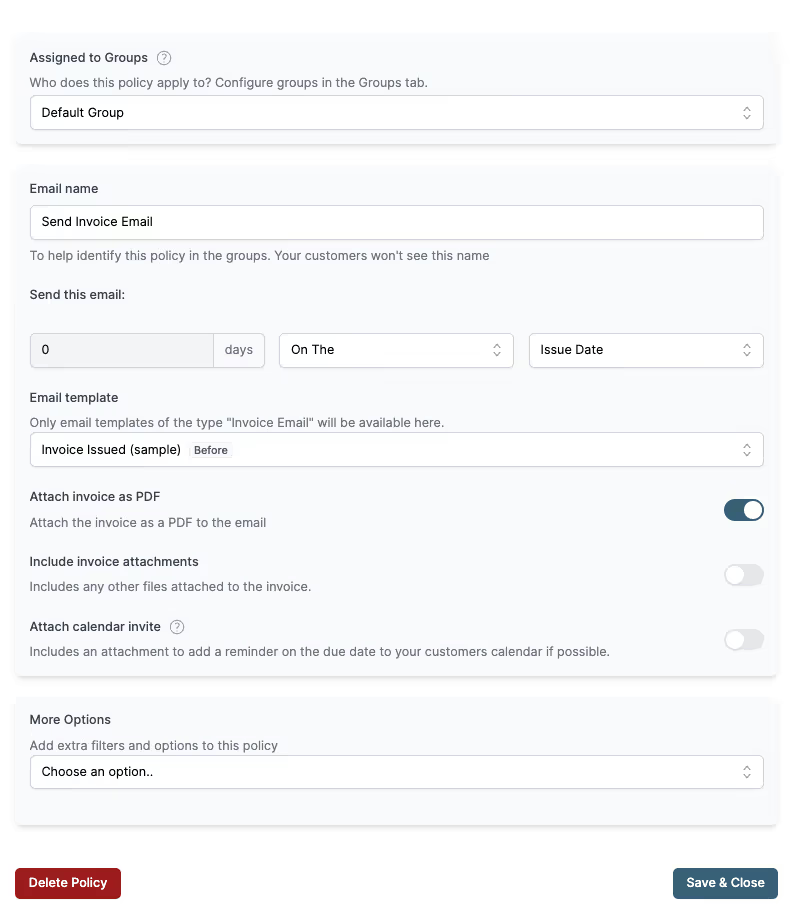
2. Make sure the 'Send this email' settings are set to '0 days', and to send 'On The' 'Issue Date' to ensure that this sends the invoice, that Paidnice picks up from Xero, on the day it was created by you (the issue date).
3. Select an Email Template from the dropdown (you can customize this 100% with your own logo or text)
4. Ensure that you tick the options for what attachments you would like to include (specifically the PDF, invoice attachments, or even a calendar invite for when the invoice is due!)
5. Lastly, head to Groups, and make sure that the 'Send invoice email' is enabled in the Group settings for the Default Group (so that it always sends to your Xero contacts)
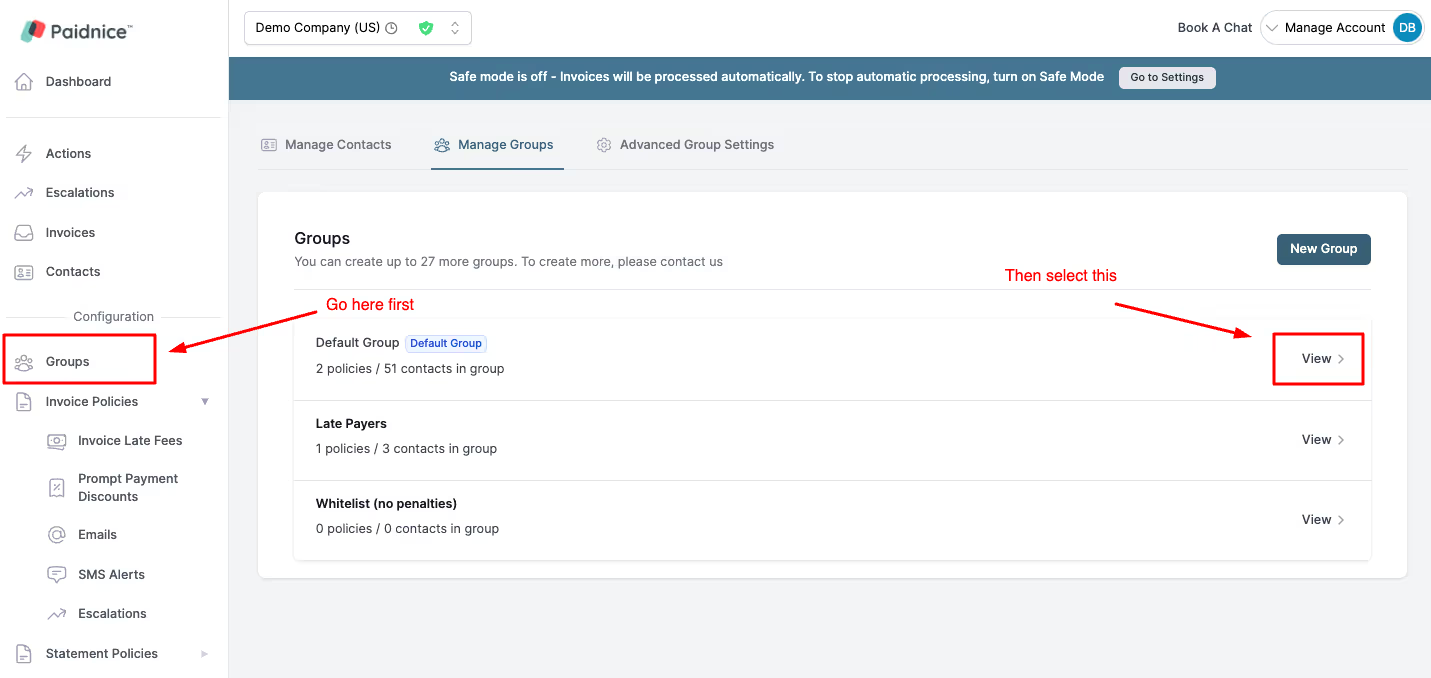
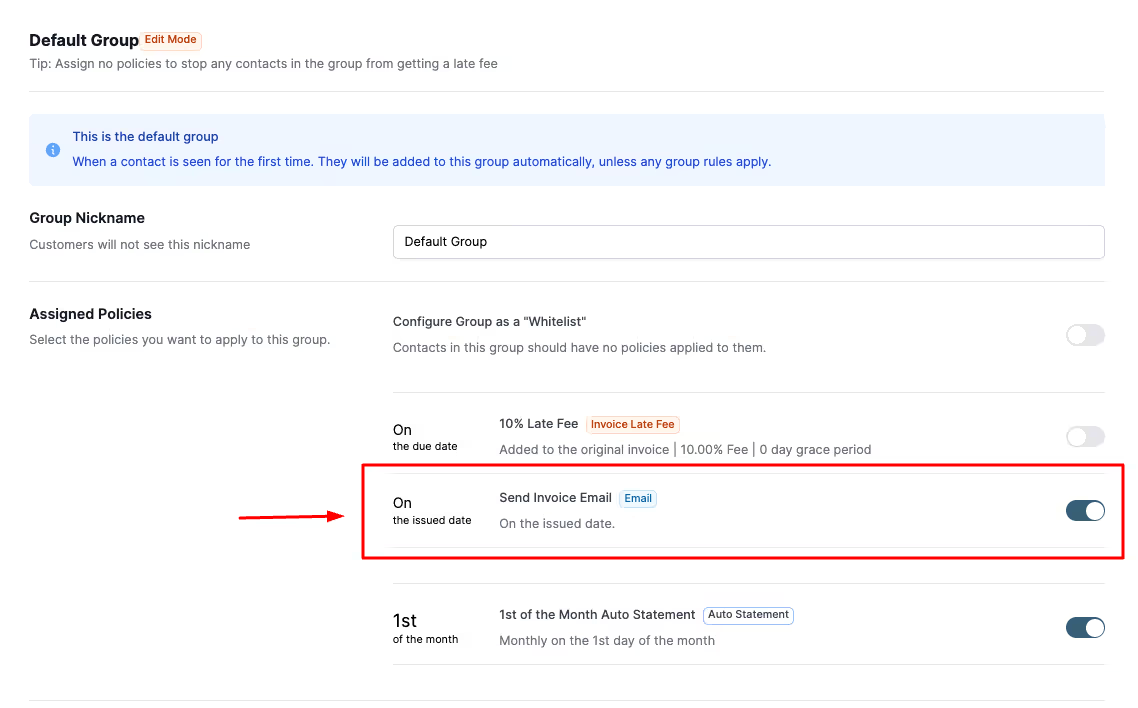
Fantastic! You have now stopped your Xero invoices going to spam! All of your future invoices that are generated in Xero will now be sent, via your custom email template, to your customers automatically.
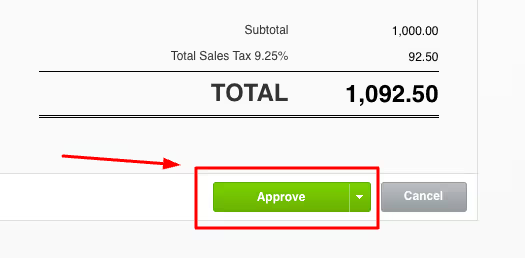
When creating invoices inside of Xero, mark invoices as 'Approved' and Paidnice will automatically pick them up and send them for you.
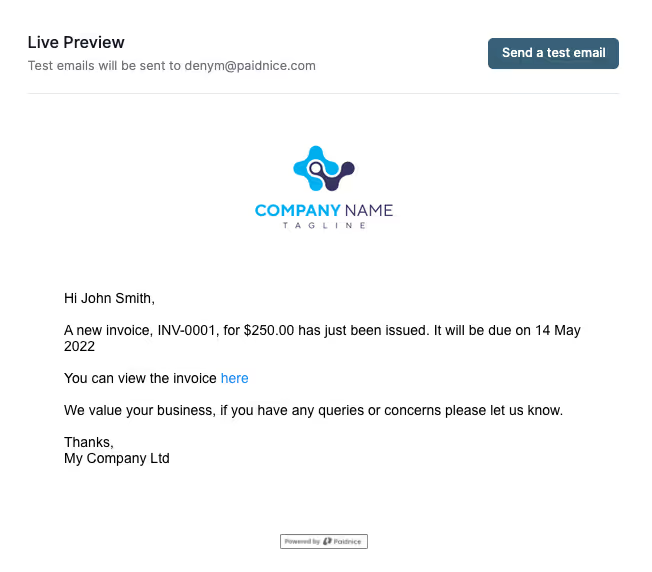
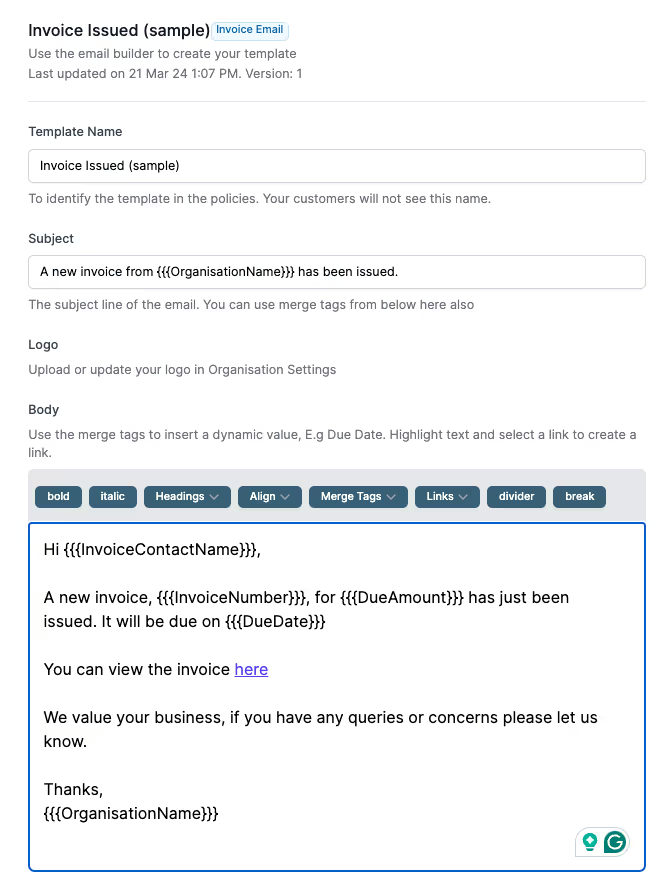
By implementing Paidnice, you can say goodbye to the frustration of Xero invoices going to spam and hello to a more efficient, effective accounts receivable process. With customizable email templates, custom domains, and automated reminders, Paidnice is the best solution for businesses looking to optimize their invoicing and improve their cash flow.
Don't let spam filters hold your business back. Sign up for Paidnice today and take control of your accounts receivable process. Our team is here to help you every step of the way, from setting up your custom domain to creating engaging email templates that showcase your brand. With Paidnice, you can focus on what you do best – running your business – while we handle the rest.
Start solving your Xero invoice delivery problems today with Paidnice. Sign up for your free trial and see it for yourself. What have you got to lose?
Paidnice is accounts receivable automation that enforces your payment terms, trusted by thousands of businesses on Xero and QuickBooks. Credit control and debtor management, run for you.
Try it Now - It's FreeNo card required.

Optimize your cash flow with our suite of financial tools designed for AR professionals. Calculate DSO, aging analysis, late fees, and more.