

We're excited to announce a new feature that will help your customers have another touch point for handling your payments. With calendar notifications, Paidnice will automatically create a calendar event for the due date of your invoice.
Free: Payment reminder email templatesCopy the reminder emails for before, on and after the due date.Add the invoice due dates to your customers' calendar 📅
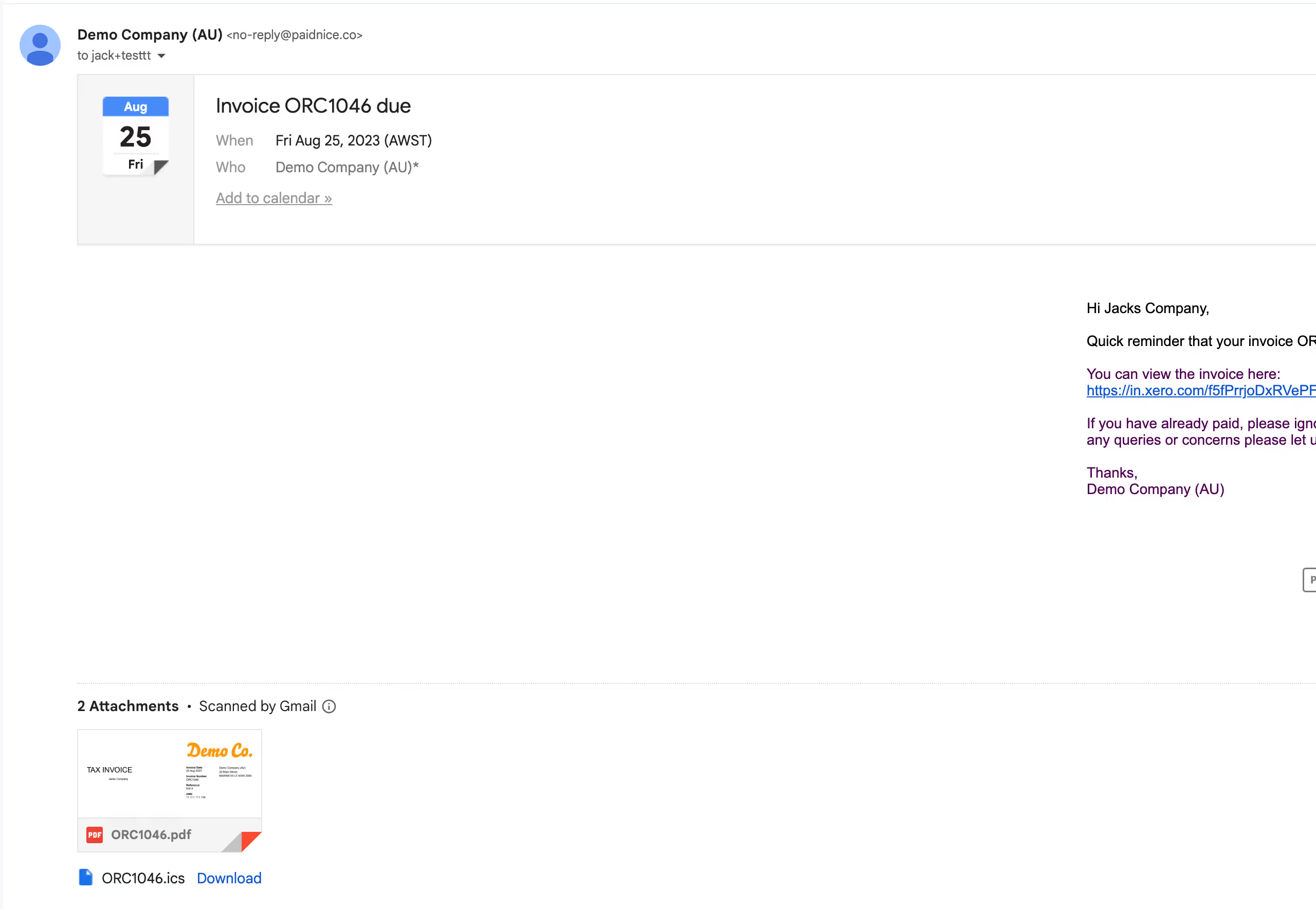
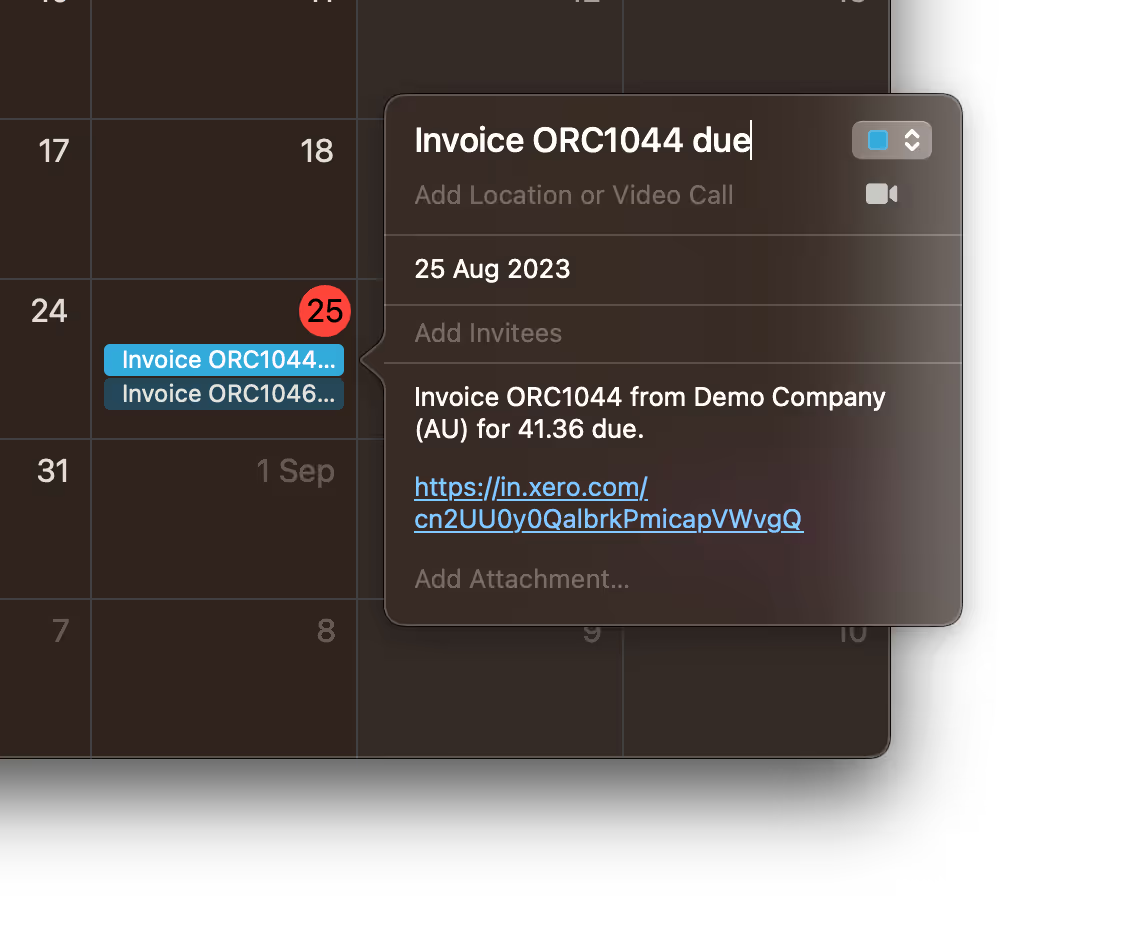
Paidnice will now automatically detect your invoice due dates, and send these to your customers via reminders (when toggled on). It does this via an ICS file that accompanies our reminder emails. When you send a reminder email via Paidnice, you now have the option to automatically attach a reminder to create this event automatically.
How it works 🛠️
When your customer opens the reminder email, they will see a prompt to add the invoice payment due date to their calendar. All it takes is a single click, and the reminder is set in their calendar.
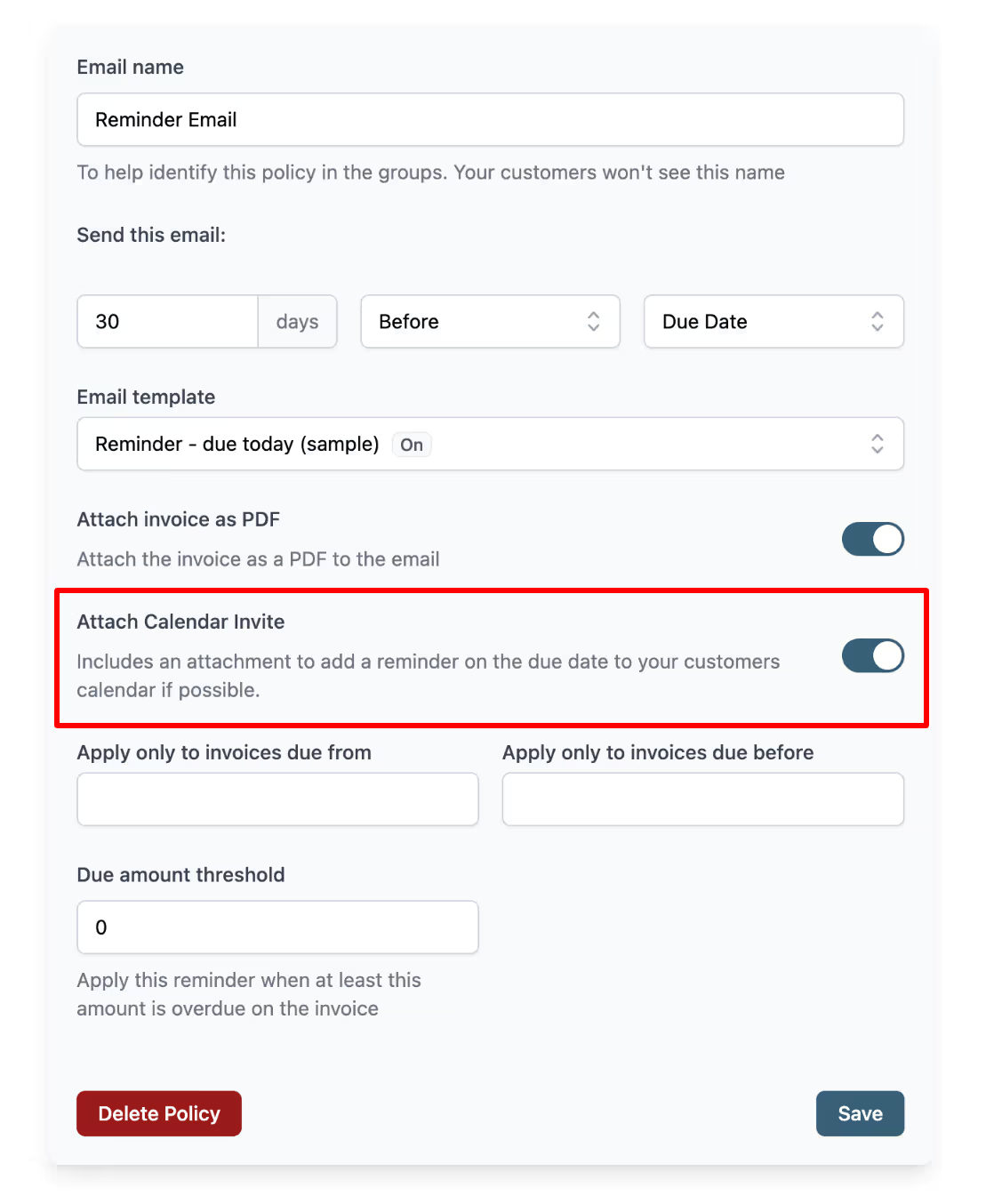
We recommend that you only enable this option for one reminder to avoid duplicate calendar events.
Why use calendar events for due dates? 🌟
Efficient Reminders
This feature is aimed at giving you another way of nudging your customers toward timely payments without the need for multiple reminders. The calendar event serves as a personal notification system, helping you get paid on time.
User-Friendly
Your customers will appreciate the ease and convenience, reducing the mental load of remembering due dates. It’s a win-win for both parties involved.
Works with your existing setup
Like all things Paidnice, this new feature is designed to work flawlessly with your existing setup. There’s no need for any additional software; everything works right from the reminder email.
Getting Started 🚀
To start using the Calendar Notification feature, simply go to your reminder email settings and select the option to attach an ICS file. And that's it: Paidnice takes care of the rest.
Wrap-Up
We're committed to providing you with the tools you need to manage your accounts receivable with less effort. Calendar Notifications is another step in that direction, making sure that getting paid, nice and timely, is easier than ever.
If you are not yet using Paidnice, get started here, or login to your existing account here.
Thank you for being a part of the Paidnice family. Your success is our mission. Stay tuned for more updates and features that simplify your financial management.
Paidnice features in this article
About the editorial team
Denym started Paidnice in 2022 after customers paying late left his own business short on payroll. He has led it to $1 billion collected on time across more than 1 million invoices, and writes about credit control, late fees and getting paid on Xero and QuickBooks.
 App of the Year