It's removed 99% of the chasing!Mantas S.
Automated estimate reminders for your QuickBooks Online estimates. Paidnice follows up every estimate before it expires and lets the customer accept it online.
Estimates go quiet when nobody has time to follow up. Paidnice reminds every customer on time and makes it easy to say yes.
Each reminder links to the estimate. Customers accept or decline it in the Paidnice portal, and the new status is written back to QuickBooks.
Remind customers a set number of days after the issue date or before the expiry date. Reminders stop as soon as the estimate is accepted or declined.
The estimates list mirrors each estimate’s status in QuickBooks Online and syncs every hour, or on demand. Accepted and declined estimates get no more reminders.
When a customer accepts or declines in the portal, Paidnice emails the people on your team who asked to hear about it, so sales can act the same day.
Email performance covers your estimate emails too. See the open and click rate of each follow-up, so the wording that wins work gets used more.
Estimate reminders run in the same policies as your invoice reminders, for each customer group.
| Setting | What you choose |
|---|---|
| When it sends | A set number of days after the issue date or before the expiry date |
| When it stops | As soon as the estimate is accepted or declined |
| Customer answer | Accept or decline in the Paidnice portal, written back to QuickBooks |
| Team alert | An email to each person who has quote responses switched on |
| Ledger | QuickBooks Online estimates, with the status mirrored from QuickBooks |
| Sync | Every hour, or on demand |
It’s the debt collection system I’ve been looking for, for the last 15 years.

Paidnice has everything your business needs to run a best-in-class receivables process, from the first reminder to the money landing in your account.
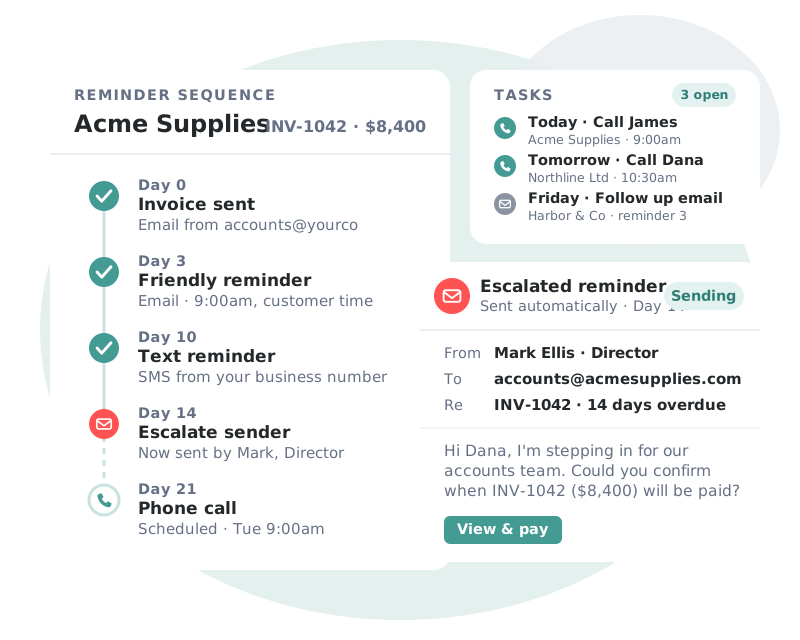
Sequences that adapt to each customer’s payment behavior, so every invoice gets the right nudge at the right moment.
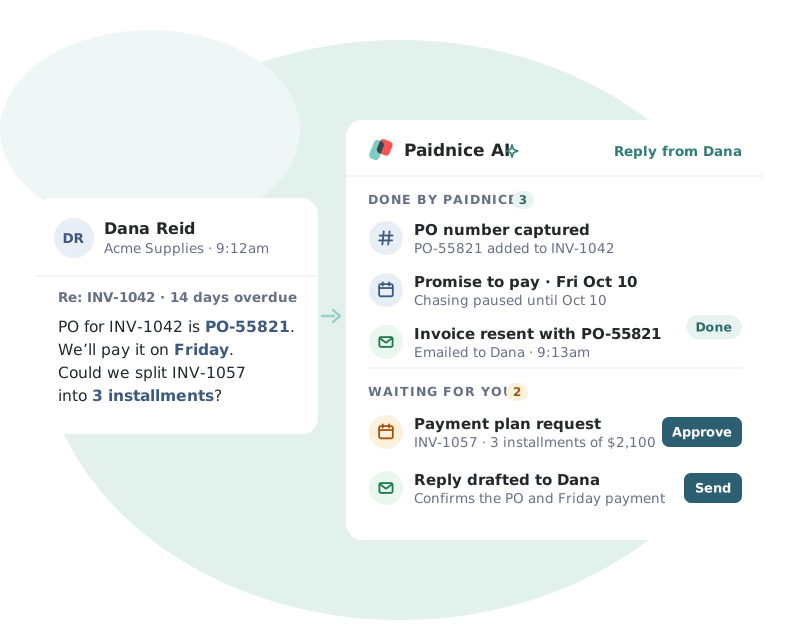
Paidnice AI reads each customer reply and turns it into the next step, so nothing gets lost in your inbox.
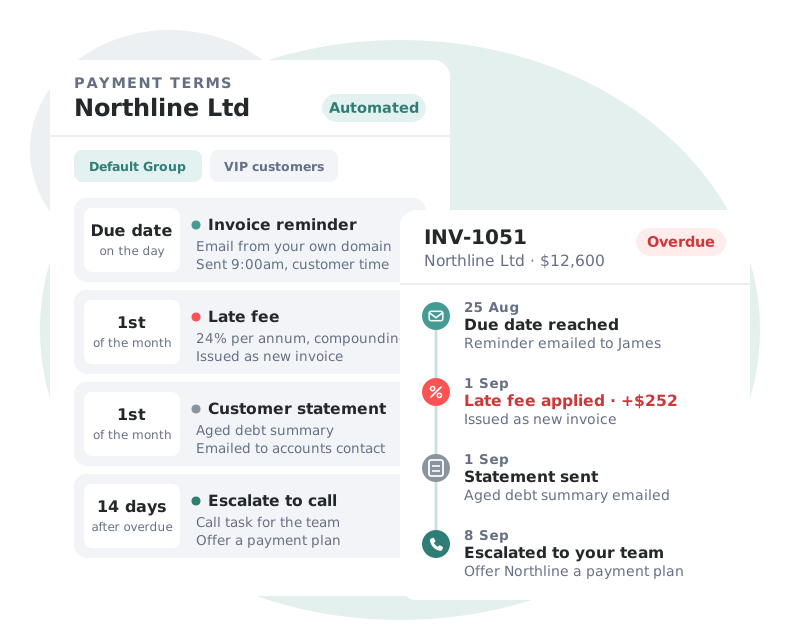
Your policies enforce themselves. Incentives and penalties are applied on schedule and written straight back to your ledger.
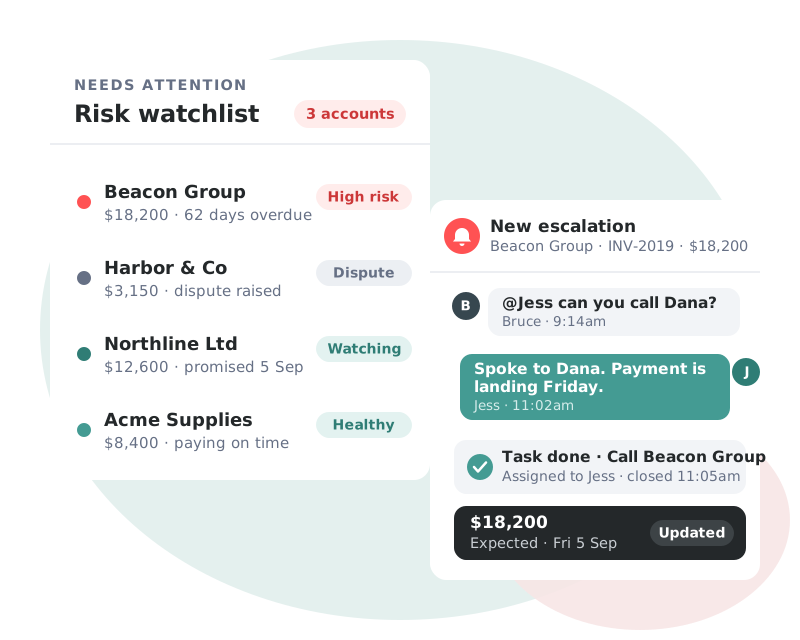
Real-time visibility of your AR health, with the accounts that need attention surfaced before they become a problem.
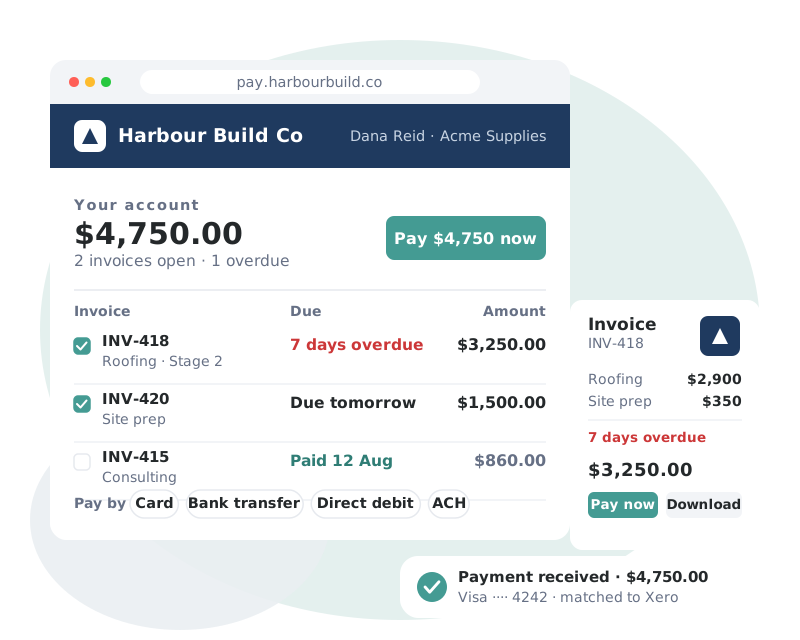
A branded, self-service portal that removes every excuse between your customer and the Pay button.
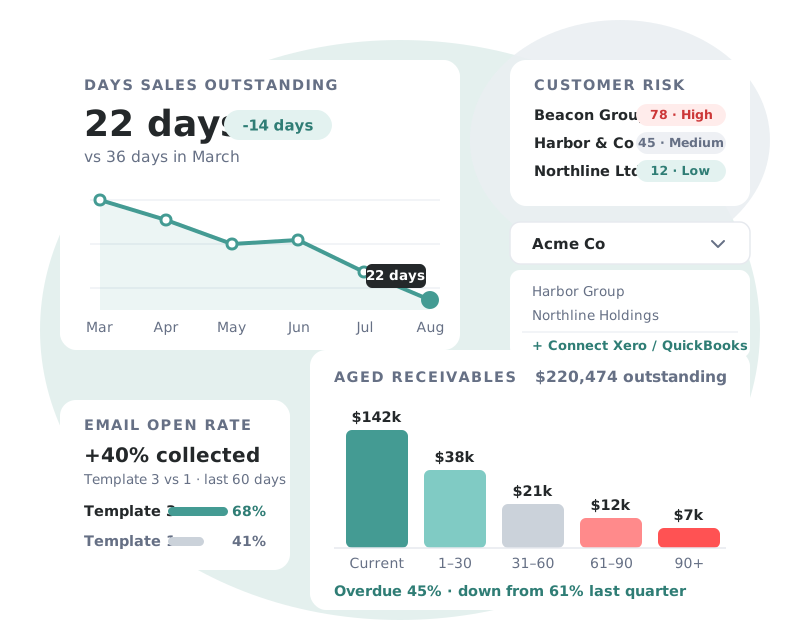
Complete visibility of receivables performance, across every entity you manage.
 Bookkeeping & AccountingNew Zealand
Customer story
“For the cost of the subscription versus money in your bank, it’s definitely a no-brainer.”
 Haley ReynersFounder, My Two Cents

When an estimate is converted to an invoice in QuickBooks, the same reminders, statements and portal take over.
Integrations
Paidnice connects to your ledger, payment providers, CRM and team chat, so every invoice is chased, paid and recorded without manual data entry.
See all integrations →Estimate reminders are follow-up emails that go to a customer after you send an estimate, before it expires. Paidnice sends them from your QuickBooks Online estimates and stops when the estimate is accepted or declined.
Paidnice reads your open estimates from QuickBooks Online and sends the reminders on the days you set. How to follow up estimates in QuickBooks.
Yes. Customers accept or decline in the Paidnice portal, and Paidnice writes the new status back to QuickBooks.
The status syncs into Paidnice and reminders stop. Paidnice sends the team email only when the customer answers in the Paidnice portal.
A common pattern is one reminder a week after sending and another a few days before the estimate expires. In Paidnice you set the days from the issue date or the expiry date.
Yes. Estimates count as invoices toward your monthly plan limit. See pricing.
Yes. Use the free estimate generator to make an estimate, or create estimates in QuickBooks and let Paidnice follow them up.
Book a call with the founders to learn more about how Paidnice can help you take the pain away from getting paid.
Great hands on experience. Ashley helped us through everything.
 Janet X.
 App Marketplace★★★★★160+
I’ve contacted support a few times, and Denym has always replied with really detailed and thoughtful explanations, even taking the time to jump on a video call to help.
 Jon M.App Marketplace★★★★★160+
So happy with the service provided by Ashley at Paidnice. The best service I have had from anyone in years.
 Anna H.App Marketplace★★★★★160+
Very simple to set up and the few questions we had were quickly and expertly dealt with by Denym. It has already made a huge difference to our debtor days and has massively helped.
 Jenny M.App Marketplace★★★★★160+
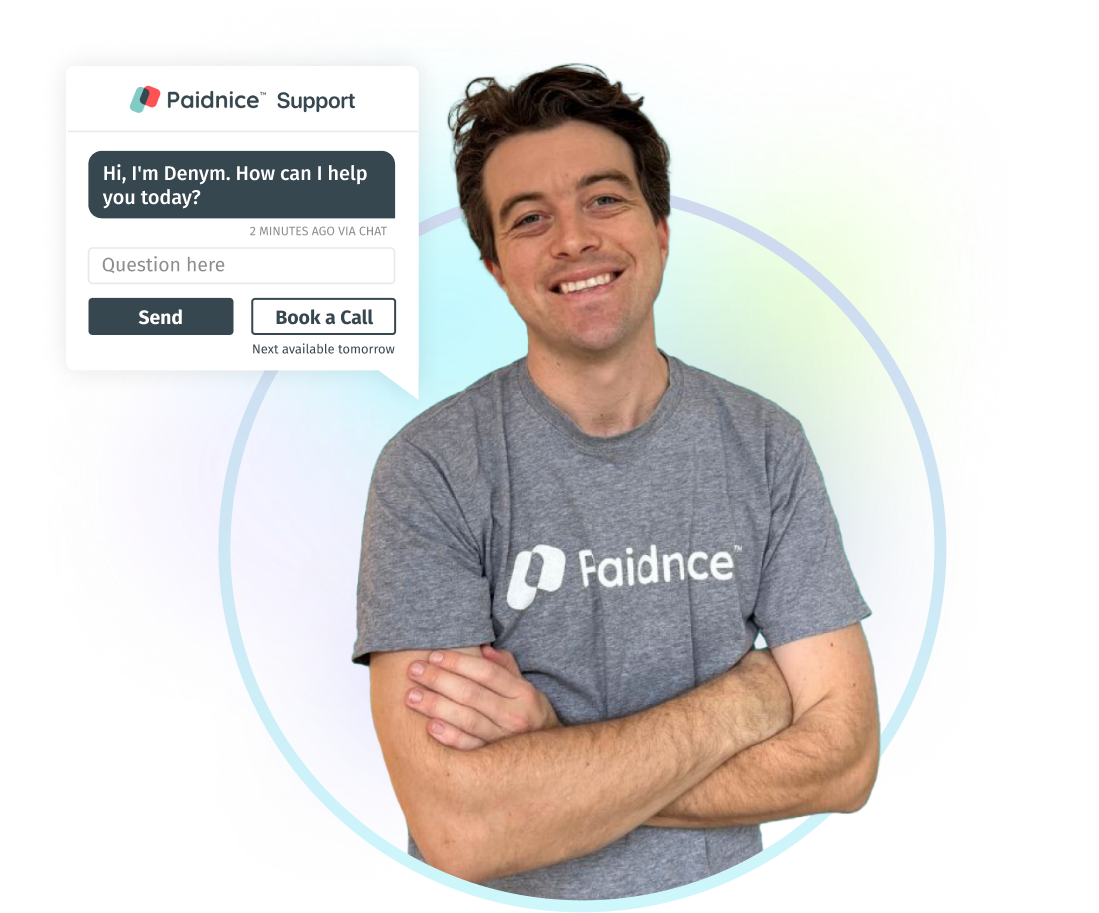
Connect QuickBooks Online and Paidnice picks up your open estimates. Nothing sends until you approve it.

 Sep 28 · your sales team is emailed