
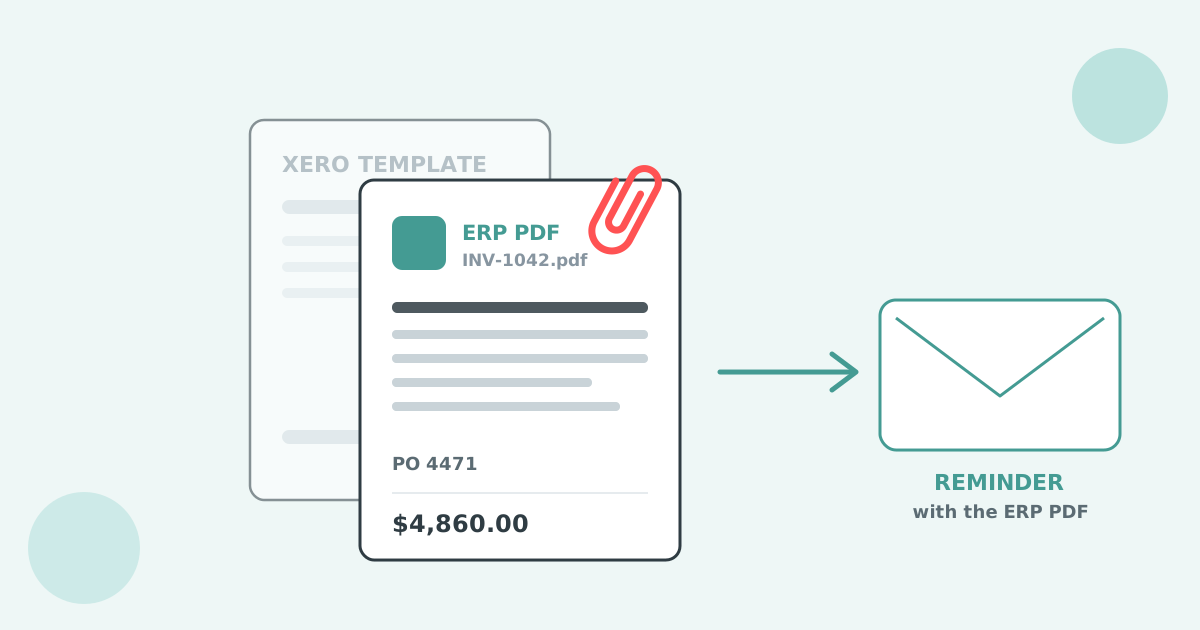

ERP connectors send invoice data to Xero, and Xero rebuilds the invoice with its own template. Put your ERP's PDF on the Xero invoice and Paidnice sends that file on every reminder, statement link and portal download instead.
The sync sends invoice data: the contact, the line items, tax and totals. Xero then draws its own document from that data. Your ERP's PDF travels only if you configure it.
Wholesale, distribution and inventory systems raise the invoice where the order lives. The connection to Xero exists to post that sale to the ledger, so it moves the fields an accounting record needs. When anyone opens or sends the invoice from Xero, Xero renders it through a branding theme. The document your customer received from your ERP on day one and the document Xero produces are two different files.
Some teams look at eInvoicing over the Peppol network as a way around this. Peppol moves structured invoice data between systems, which is a different job from sending your own PDF. More on that in the FAQ below.
The customer approved your ERP's invoice. A reminder built from Xero's template can arrive without the references, layout and detail their accounts payable team matched it against.
Some AP teams also refuse links. The Xero ideas board request Invoice reminder: auto include PDF of invoice describes accounting departments whose security policy blocks clicking links in emails but allows PDF attachments. Xero reminders send a link.
Your ERP can attach its PDF to the Xero invoice through its accounting connection settings, through the vendor's support or your IT team, or through Zapier or Make.
Open the Xero connection settings in your ERP and look for an option to send attachments or the invoice document with the sync. Names vary by product. If the option exists, switch it on and check one synced invoice in Xero for the file.
Ask one exact question: can the sync attach our generated invoice PDF to the Xero invoice, with Include with online invoice ticked? The Xero API accepts a file attachment on an invoice, with an option to include it with the online invoice, so a vendor or IT team with API access can add this step.
Zapier's Xero app has an Upload Attachment action that puts a file on a Xero resource, with a limit of 10 attachments per resource. Make also supports putting an attachment on a Xero invoice. Trigger the automation from the event that creates the invoice and pass the ERP's PDF, so no one attaches files by hand.
Whichever route you use, fix the filename pattern before the first invoice syncs. Paidnice picks the file whose name contains your prefix, such as INV-, so set the ERP or automation to name every PDF with that prefix from the first sync.
One setting tells Paidnice to use the attached file whose name matches your prefix in place of the Xero PDF. Setup takes about five minutes.
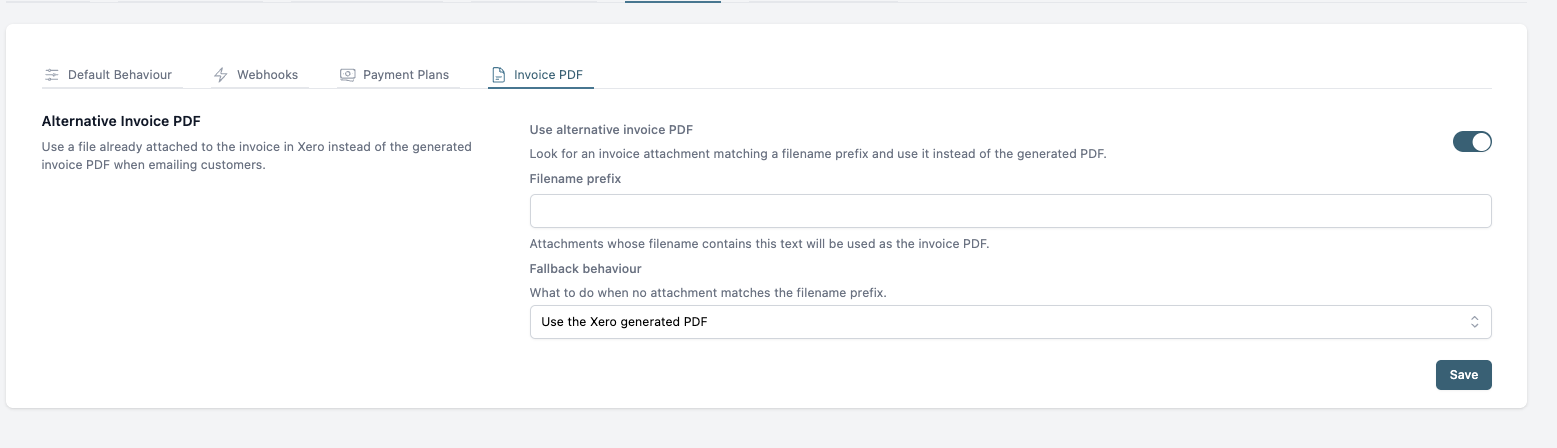
The attachment on the Xero invoice needs Include with online invoice ticked for Paidnice to match it. For the full walkthrough of each Xero screen, read how to send your own invoice PDF instead of the Xero one, or the help centre article on Alternative Invoice PDF.
Reminders, one-off sends, late fee and discount emails, statement links and portal downloads all carry your ERP's invoice, so the customer sees one version of it.
When the fallback is "send with no PDF" or "don't send, report an error", the Xero-generated invoice is hidden from the customer. Each later reminder carries the same document as the first send, with the PO number and the itemised lines where the AP team found them.
Treat the ERP's PDF as the document of record. The ERP keeps owning the invoice, Xero keeps the ledger, and Paidnice runs the chasing, late fees and statements from the ledger with that file attached.
Four checks confirm the ERP's invoice, and only that invoice, goes out on every follow-up. Run them on one synced invoice before switching on reminders.
Short answers on specific ERPs, eInvoicing and what happens when a file is missing.
Yes, once the ERP's PDF is attached to the Xero invoice with Include with online invoice ticked. Paidnice reads the attachment on the Xero invoice, so it works the same way whichever system created the file. Check your connection settings, ask the vendor, or use Zapier or Make to attach it.
The same rule applies. If the PDF is on the Xero invoice and the filename carries your prefix, Paidnice sends it. If your ERP connects to Xero through a custom build, ask the team who built it to add the attachment step.
They do different jobs. Peppol sends structured invoice data from one system to another. Xero's ideas board also holds a separate request to include a PDF when invoices go out over the Xero Network, so some Xero users want both. Paidnice chases with the PDF by email and in the portal, and does not send over Peppol.
Paidnice applies your fallback: the Xero PDF, no PDF, or no send. With "don't send, report an error", the error is emailed to you so you can fix the attachment and let the reminder run.
Yes. On the Pro plan, reminders send from your own domain, with the ERP's PDF attached.
Attach the ERP's PDF to the Xero invoice, switch on Alternative Invoice PDF, and every follow-up carries the invoice your customer approved.
See how Paidnice works with Xero, then connect Xero to Paidnice, no credit card required, or book a demo to walk through the setup.
Paidnice is accounts receivable automation that enforces your payment terms, trusted by thousands of businesses on Xero and QuickBooks. Credit control and debtor management, run for you.
Try it Now - It's FreeNo card required.
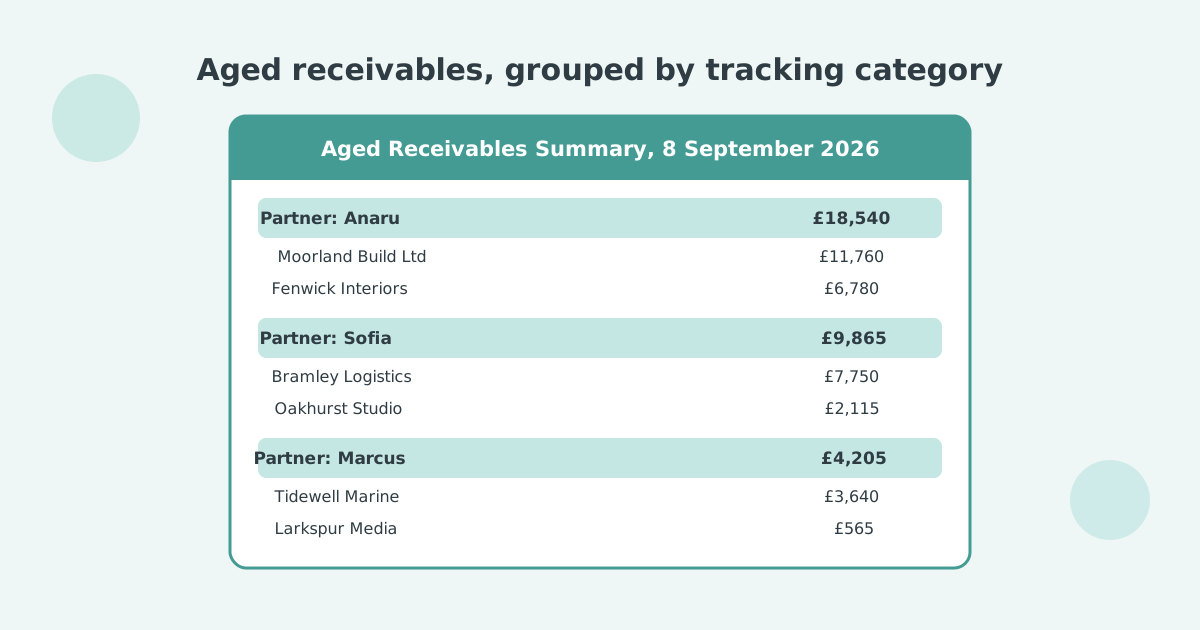

Optimize your cash flow with our suite of financial tools designed for AR professionals. Calculate DSO, aging analysis, late fees, and more.