



Summary
Aged debt is receivables 90 days or more overdue, usually older than the reminder process now running on your ledger. You reduce it with a one-off sweep, not a new reminder policy: a policy set to fire at 90 days never sends to an invoice already 400 days overdue, because a policy watches forward from the day it starts.
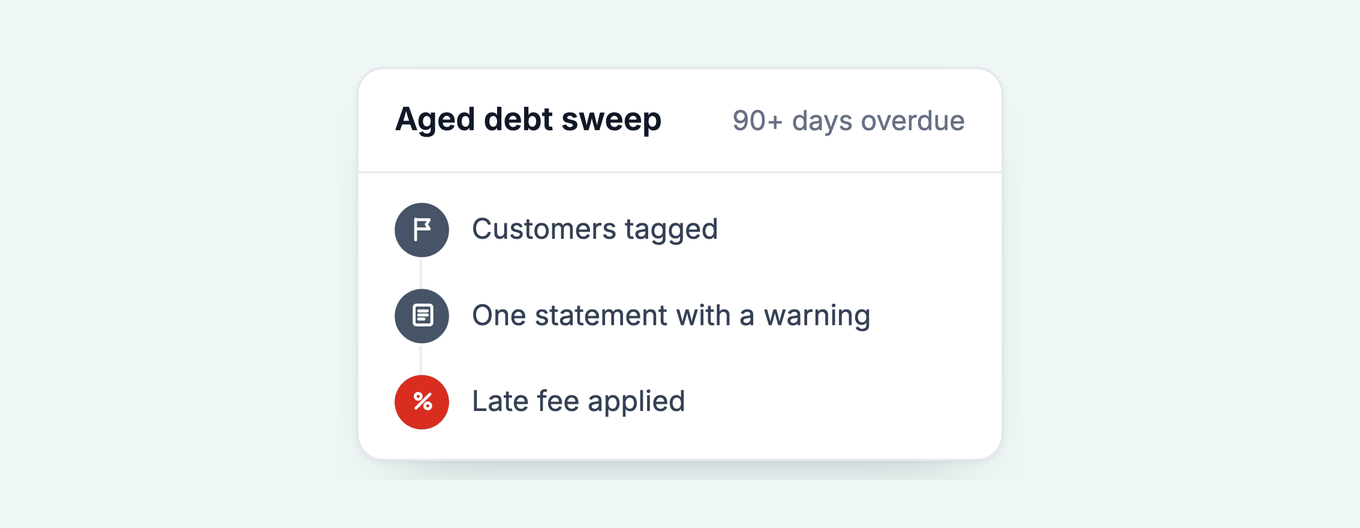
- The sweep, four moves: Filter the ledger by age and amount, tag the customers, send one statement with a plain warning, then apply the consequence you named: a late fee, interest, or collections.
- Why tag, not group: A customer sits in one group at a time and the group decides how their new invoices are chased; a tag marks them for the one-off sweep without touching the live ladder.
- Check first: Confirm the limitation date in your jurisdiction before working the list: six years in England and Wales, Australia and New Zealand, five in Scotland, three to ten in the US by state.
The video shows the whole sweep on a sample ledger in under seven minutes: filter, tag, statement, consequence.
What is aged debt, and why does it need its own process?
This question reached me from a customer who had done everything right. She had turned on 30, 60 and 90 day reminder policies, new invoices were getting paid faster, and now she wanted to send one firm email to a group of invoices dated from January 2023 through May 2026. Her worry was the sensible one: she did not want that email to become a standing sequence, and she did not want it to reach a customer who had received a 90 day reminder last week.
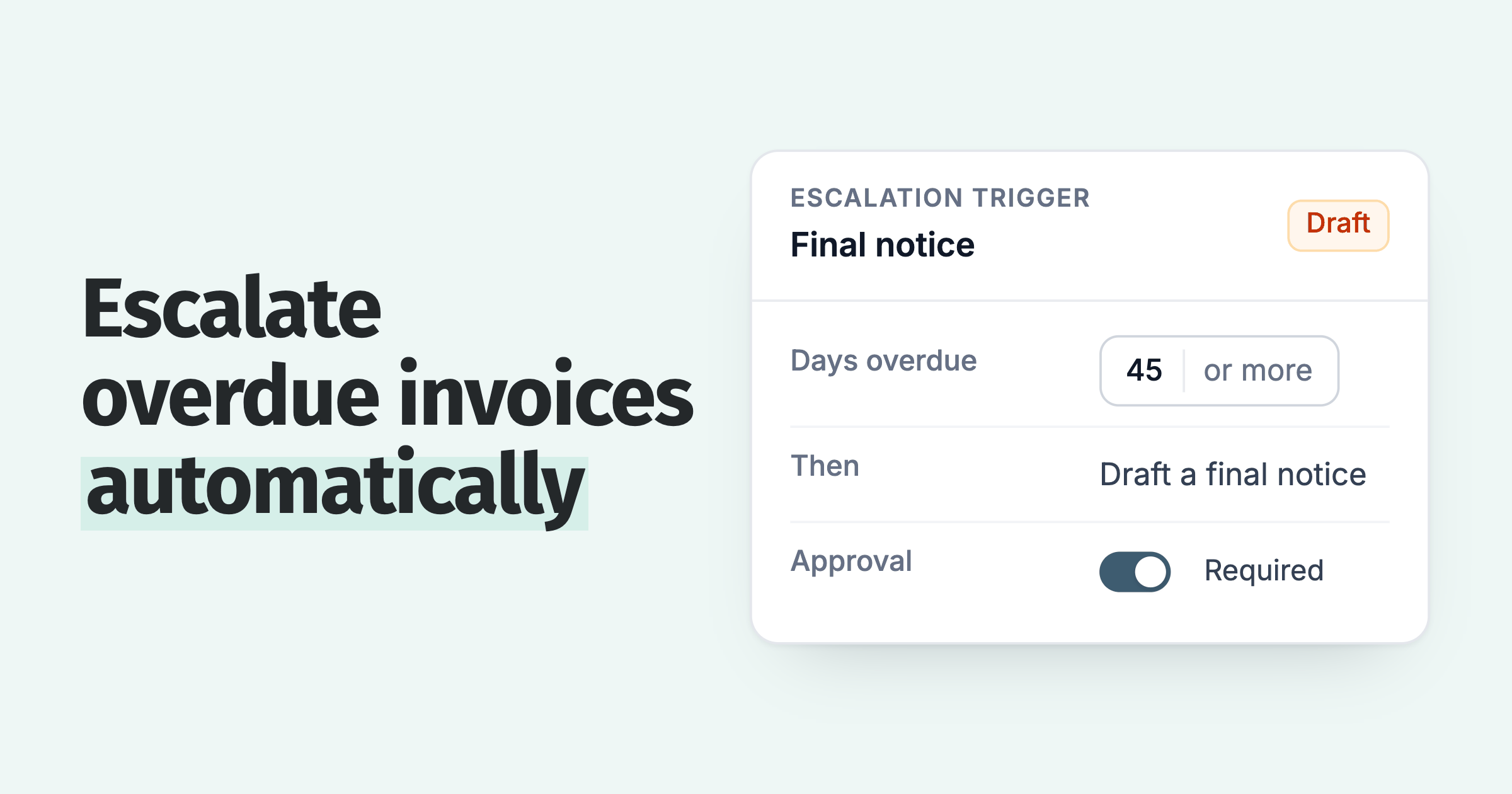
Her draft policy, "Invoice reminder +90 days after due date", was not picking up the invoices she expected. That is the trap. A policy fires on the day an invoice reaches the trigger. An invoice that is already 400 days overdue passed day 90 more than a year ago, so the policy has nothing to fire on. Nothing is broken. The schedule is doing what schedules do, which is why a backlog needs a different tool.
There is a second reason to keep the two apart. Designing a standing 180 day reminder tells your ledger that six-month-old debt is a normal state of affairs. It should not be. The escalation ladder exists so nothing gets that old again. The backlog is a one-time cleanup of what happened before the ladder was in place.
Original dataClear the oldest invoices first. Of invoices 7 days overdue, 1 in 5 is still unpaid 180 days after the due date. At 30 days overdue it is 2 in 5, and at 90 days 3 in 4.
Source: our analysis of invoice data from over 1,000 Paidnice customers. See when an overdue invoice becomes bad debt.
See how likely an overdue invoice is to stay unpaid as it ages.
Free: Aging analysis calculatorSort open invoices into aging buckets in a minute.Step 1: which invoices go in the sweep?
Start with your aged receivables report or the invoice list in your credit control tool, whichever lets you filter by days overdue. Set the age band first (90 days plus, or 120 plus if the 90 day bucket is still active in the live ladder). If you have a few hundred invoices in that band, add an amount filter. A balance of $40 that is two years old is not worth the same hour as a balance of $4,000 that is 120 days old.
Save the filtered list under a name that says what it is: "Large overdue debt" or "Legacy debt, pre-2026". In Paidnice this is a saved invoice view, and there is a matching saved contact view for the customer-level version. The point of saving it is that the sweep has three or four passes over several weeks, and you want the same list each time, minus the invoices that got paid.
Decide now which invoices to exclude. Disputed invoices, customers already on a payment plan, and anyone your team is actively talking to should come out before anything sends. Do this at the invoice level where you can, so one contested invoice does not pull a whole customer out of the sweep.
Step 2: why tag the customers instead of grouping them?
It is tempting to make a group called "Old debtors" and drop everyone in it. The problem shows up the week one of them gets a new invoice. If they still trade with you, that invoice should flow through the normal 30, 60, 90 ladder with everyone else. A separate group means a separate set of policies, so you either duplicate the ladder or the new invoice gets a different treatment. Either way you have made the live system messier to solve a one-off problem.
A tag is passive. In Paidnice a customer sits in one group at a time, and moving them drops the old group's policies, while tags are many per customer and are how exceptions are made inside a group. The help centre's own advice is to reach for a tag before making a new group. A tag marks the customer so you can find them, filter on them and act on them in bulk, and it changes nothing about how their invoices are chased. When the sweep is done, remove the tag or leave it as a note on their payment history. Nothing else has to be undone.
Step 3: what does the one statement say?
Send this at the customer level, not the invoice level. A customer with ten old invoices should get one statement listing all ten, not ten separate reminders on the same morning. The statement is also the right document for the job: it shows the whole position, which is harder to argue with than a single invoice they may claim never to have seen.
Use a dedicated template rather than your standard reminder. Something like: "In reviewing our accounts we noticed that your account carries a significant overdue balance, detailed below. We need this settled or a payment arrangement agreed within seven days. If we do not hear from you, the account will be referred to our collections partner and late fees applied under our terms." Keep a second and a third version ready for the customers who do not respond to the first. Our collection letter templates cover the escalating series.
Preview before you send. This is a bulk action to a list you built with filters, and one wrong filter sends a collections warning to a customer who paid last week. Read the list, then send.
Step 4: which consequence do you apply?
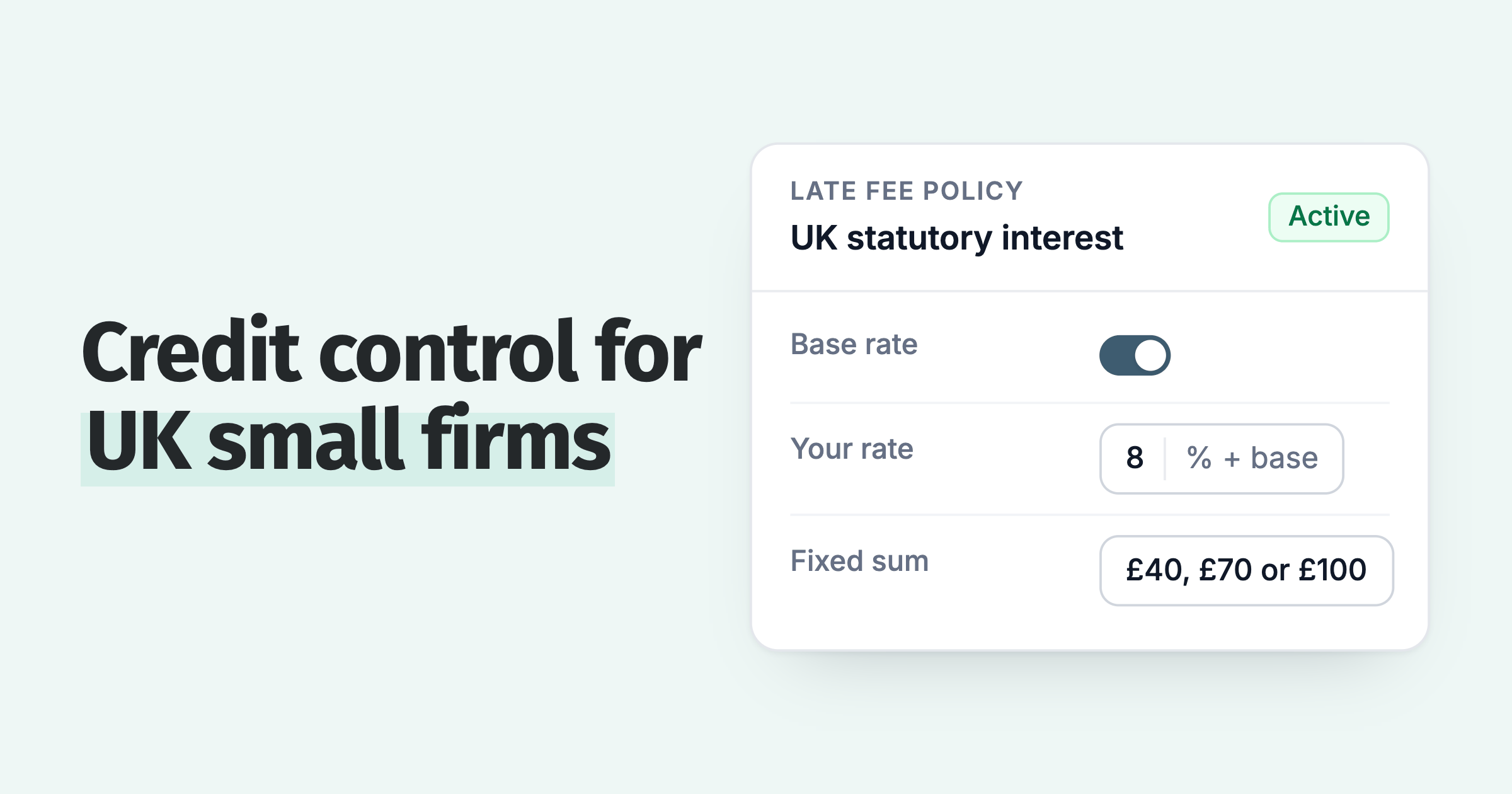
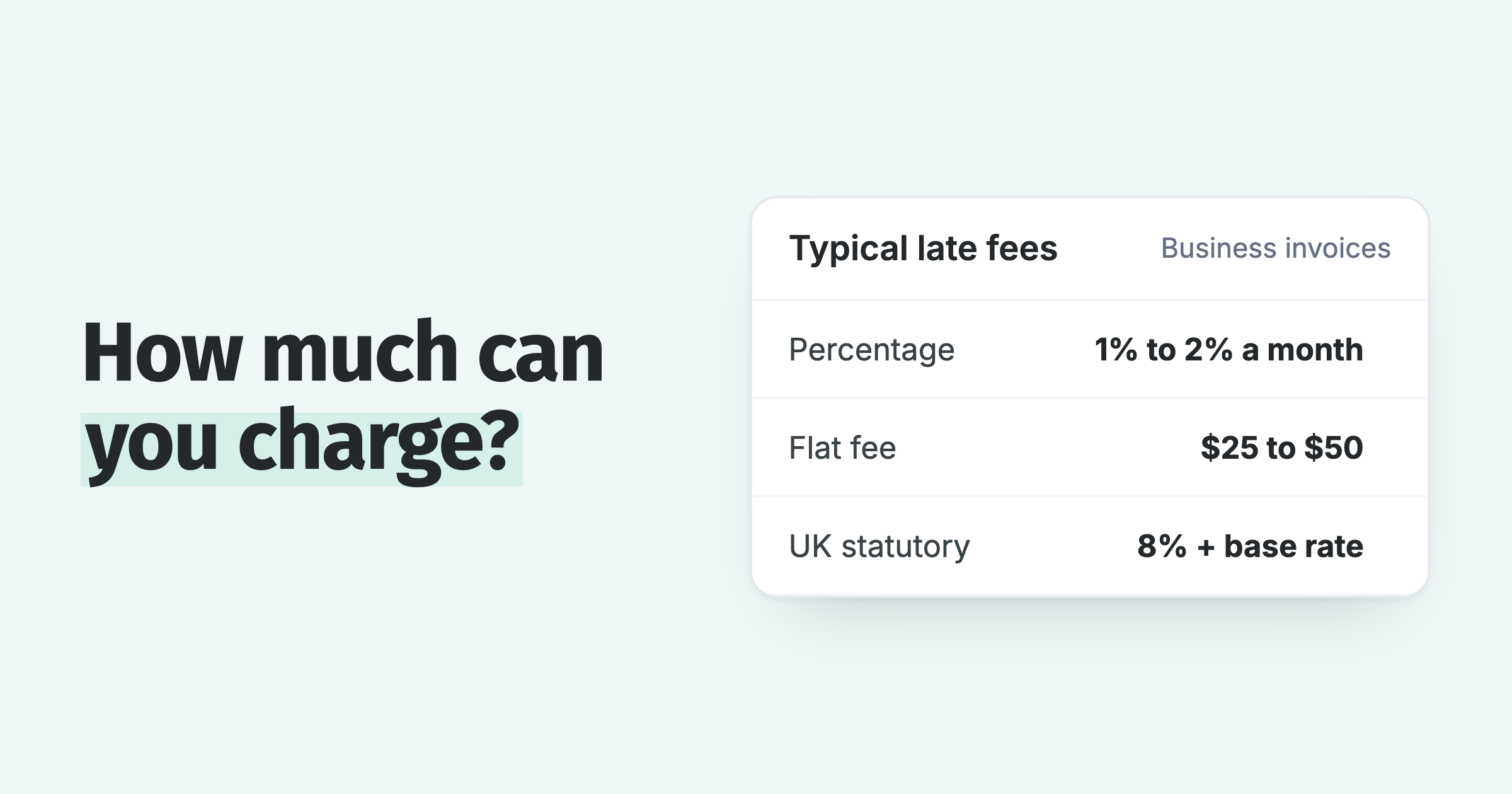
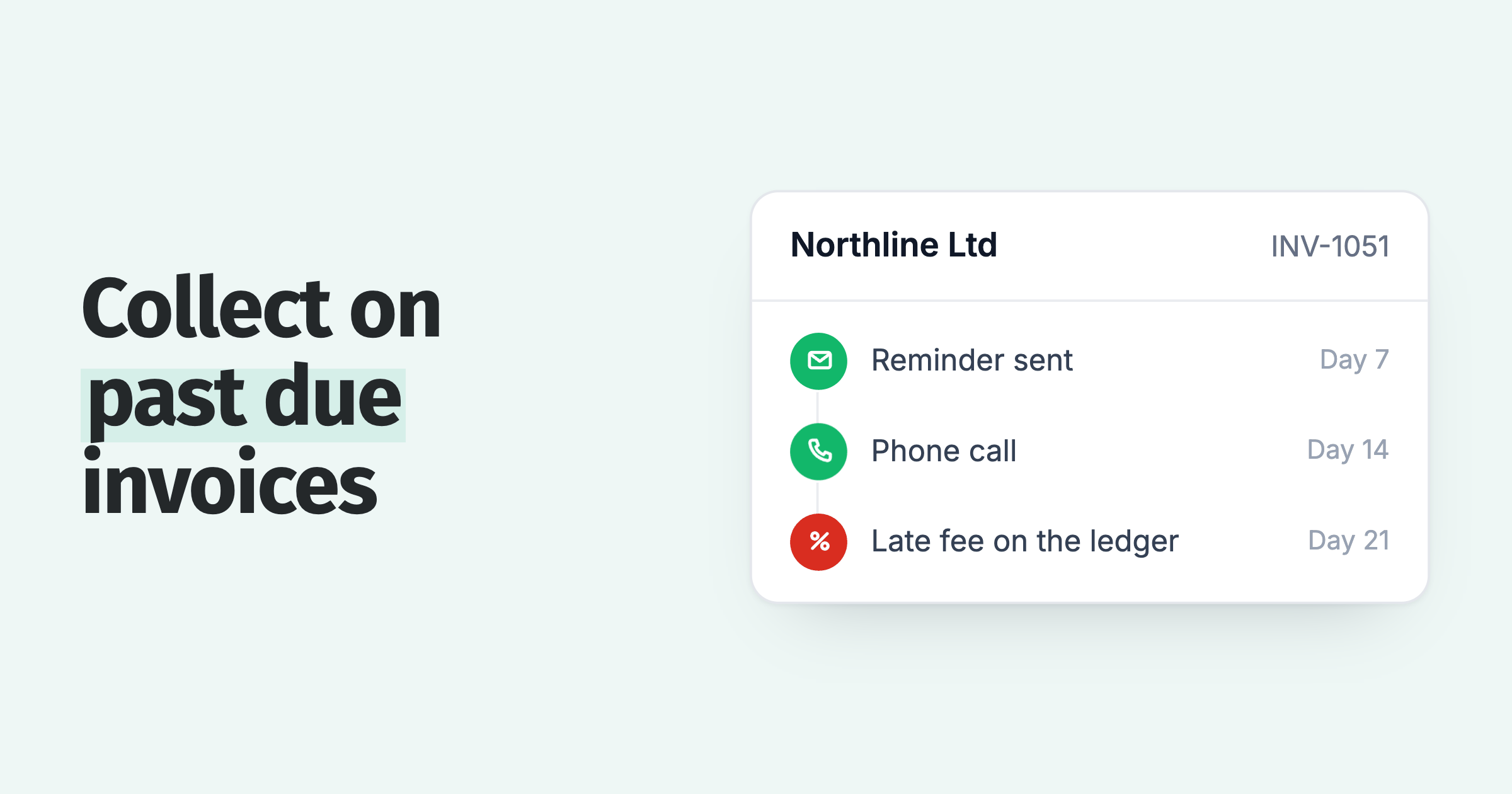
A late fee on just the old invoices is often the best first consequence, because it costs you nothing, sits on the ledger as a real receivable, and lands in the customer's own aged payables where their finance team has to deal with it. If your terms allow interest, a statement interest charge on the whole overdue balance does the same job at the customer level. Charge it on the tagged customers only, not the whole ledger, and check the cap in your market. In the UK that is the Bank of England base rate plus 8% a year under the late payment legislation. Our guide to late fees and interest covers the settings.
Collections or legal action is the answer for the larger balances where the fee did nothing. That is a human decision, made per customer, and it belongs at the end of the sweep rather than the start. Be honest about the small stuff: an old balance below your collections partner's minimum, from a customer who has gone quiet, is usually a write-off. Recognizing it as bad debt is cleaner than carrying it for another year. Before you write it off, check the UK insolvency tracker, to see how many companies in that customer's industry are failing.
When does an old invoice become statute barred?
In the UK, Australia and New Zealand a written acknowledgement or part payment from the debtor generally restarts the clock.
The periods for an ordinary business debt are:
- England and Wales: six years from the date the debt fell due, under the Limitation Act 1980. Scotland: five years, under the Prescription and Limitation (Scotland) Act 1973.
- Australia: six years in most states and territories, three years in the Northern Territory.
- New Zealand: six years under the Limitation Act 2010, with a late-knowledge extension in some cases.
- United States: set by each state, ranging from three to ten years for written contracts.
Two things follow. First, an invoice from early 2023 is not time barred anywhere on that list yet, but it is closer than it looks, so the oldest invoices go to the front of the queue. Second, the restart rule cuts both ways: a customer who replies to your statement acknowledging the balance has, in most of these jurisdictions, just given you a fresh period. That is one more reason the first message should ask for contact, not only payment. None of this is legal advice; confirm the period with your adviser before relying on it.
What do you do with the tag once the sweep is done?
The sweep is a diagnostic as well as a cleanup. If a customer you tagged in September has a fresh invoice in the 90 day bucket in December, the problem is not the backlog anymore. Something in the live process is letting invoices age: a policy that stops at day 60, a customer group with reminders switched off, or terms that do not allow a fee so nothing happens at day 30. Fix the rung, not the symptom.
Some businesses do want a scheduled version of the sweep, and one bounded policy can do that: a reminder that applies only to invoices dated before a set date and after another. It works. I still think the one-off action is the better tool, because the moment you schedule it you have made old debt a category with its own process, and the goal is for that category to be empty.
How does Paidnice run the sweep and the live ladder together?
The bulk actions are send a statement, send a reminder, charge a late fee or charge interest, each applied to the tagged customers and nobody else.
The backlog is a one-time job and the ladder is a standing one, and the software should let you do both without one interfering with the other. In Paidnice you filter, tag, save the view, pick a template and send, then come back to the same view for the fee or the referral. The 30, 60 and 90 day policies keep running on every new invoice while you do it. If you would rather bound the work with dates, a policy can be limited to invoices due before and after a date you choose.
The judgment calls stay with you: which invoices to exclude, which customers get a fee and which go to collections, and what to write off. See how escalation workflows hand those decisions to a named person with the full history attached.
Frequently asked questions
How do I reduce aged debt without upsetting customers I still trade with?
Send one statement at the customer level, written as a routine account review rather than a threat, and give a clear date and a way to talk to you. Customers who still trade with you usually pay or call once they see the full position in one document. Keep the live reminder ladder running unchanged on their new invoices, so nothing about the normal relationship shifts.
Why is my 90 day reminder policy not sending to my old invoices?
Because a reminder policy fires on the day an invoice reaches the trigger, and your old invoices passed that day months ago. Automation watches forward from the moment you switch it on. To reach a backlog you filter the invoices by age, select them, and send a one-off reminder or statement as a bulk action.
Should I send old invoices to a collections agency?
Only after a direct statement and a named deadline have failed, and only for balances above your agency's minimum. Agencies keep a share of what they recover, so the fee-first route often gets you more on mid-sized balances. Very small, very old balances from customers who have gone quiet are usually a write-off.
How long can I chase an unpaid invoice?
Until it becomes statute barred: six years in England and Wales, Australia (three in the Northern Territory) and New Zealand, five in Scotland, and three to ten years in the United States depending on the state. A written acknowledgement or part payment from the debtor generally restarts the period in the UK, Australia and New Zealand. Confirm the rule for your jurisdiction with an adviser.
Can I charge a late fee on an invoice that is a year old?
If your terms provided for a fee or interest when the invoice was issued, yes, subject to the cap in your market. In the UK that is the Bank of England base rate plus 8% a year under the late payment legislation. Apply it to the old invoices only, tell the customer it is coming in the statement, and post it to the ledger so it is a real receivable rather than a note in an email.
About the editorial team
Ashley is a co-founder and lead developer of Paidnice, and builds the Xero and QuickBooks connections that put reminders, late fees and payments on the ledger. Before Paidnice he co-founded A2X, ecommerce accounting software for Xero and QuickBooks.
 App of the Year