


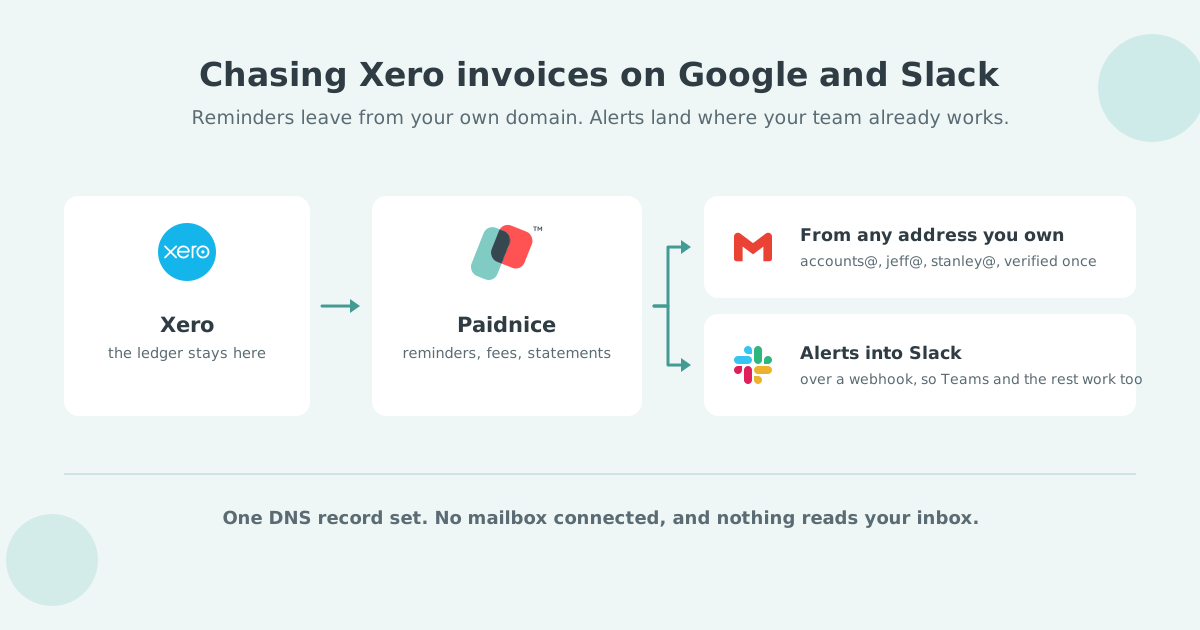
Xero cannot send invoices from your own domain: every invoice email goes out from [email protected], and only the reply-to address is yours. To send Xero invoices from your own domain, connect Paidnice to your Xero organisation, verify your domain once with the DNS records it gives you, and set an Email Policy to send each invoice on its issue date.
Xero Small Business Insights measures the wait a reminder schedule is built to shorten.
| Country | Days to be paid | Year on year |
|---|---|---|
| Australia | 20.3 days | -4.3 days |
| New Zealand | 23.2 days | -0.9 days |
| US | 29.1 days | +1.6 days |
| UK | 29.3 days | -0.3 days |
| Canada | 29.5 days | +1.9 days |
Source: Xero Small Business Insights, June 2026. See the full data on the Paidnice accounts receivable statistics dashboard.
A reminder that lands in spam does nothing to it.
Xero does not let you send invoices from your own domain. Every invoice, quote and reminder Xero emails leaves from [email protected], and the only address you control is the reply-to, which is set to your user email. Your customer's mail server sees Xero's domain as the sender, so your own domain's reputation and authentication records play no part in whether the email lands.
The request has its own thread on the Xero ideas board, Xero mail: send as company name.com, where Xero's response is that a feature of this kind is complex, needs steps outside Xero, and is not planned. The route that works today is a connected app that sends the invoice for you.
Sending invoices from your own domain means the email is authenticated by your domain's SPF and DKIM records, so the receiving server can verify that the message really came from your business rather than from a shared third-party address. Three things change:
To send Xero invoices from your own domain, connect Paidnice to Xero, verify your domain with the DNS records Paidnice gives you, and create an Email Policy that sends each approved invoice on its issue date. Custom-domain sending is on the Pro plan and above. Five steps:
Create a Paidnice account and connect your Xero organisation. Sign-up is free with no credit card, and the Xero connection is a two-click authorisation.
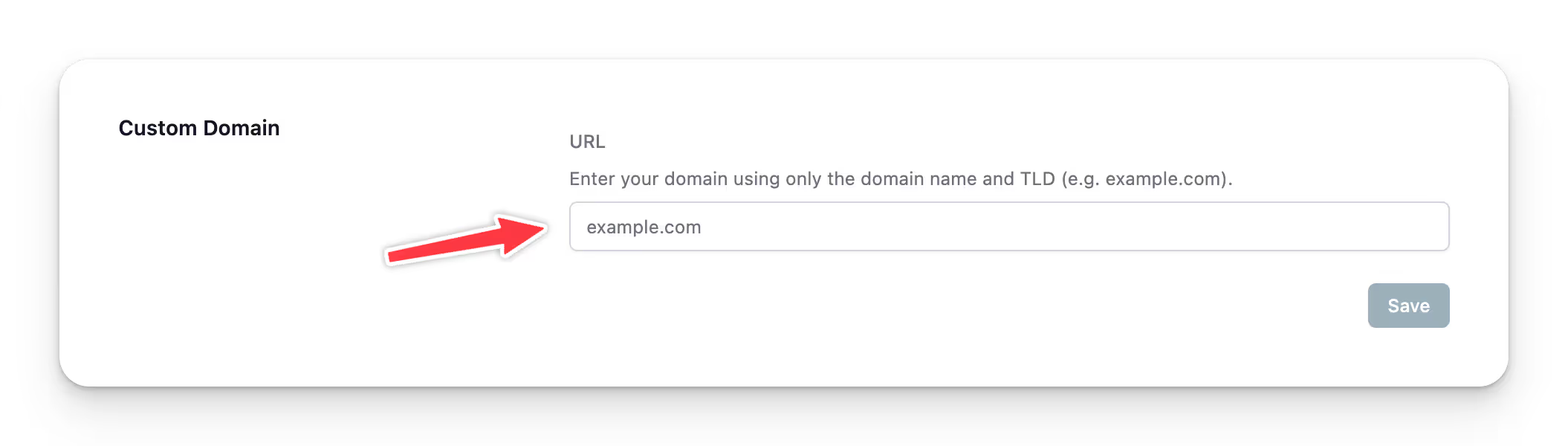
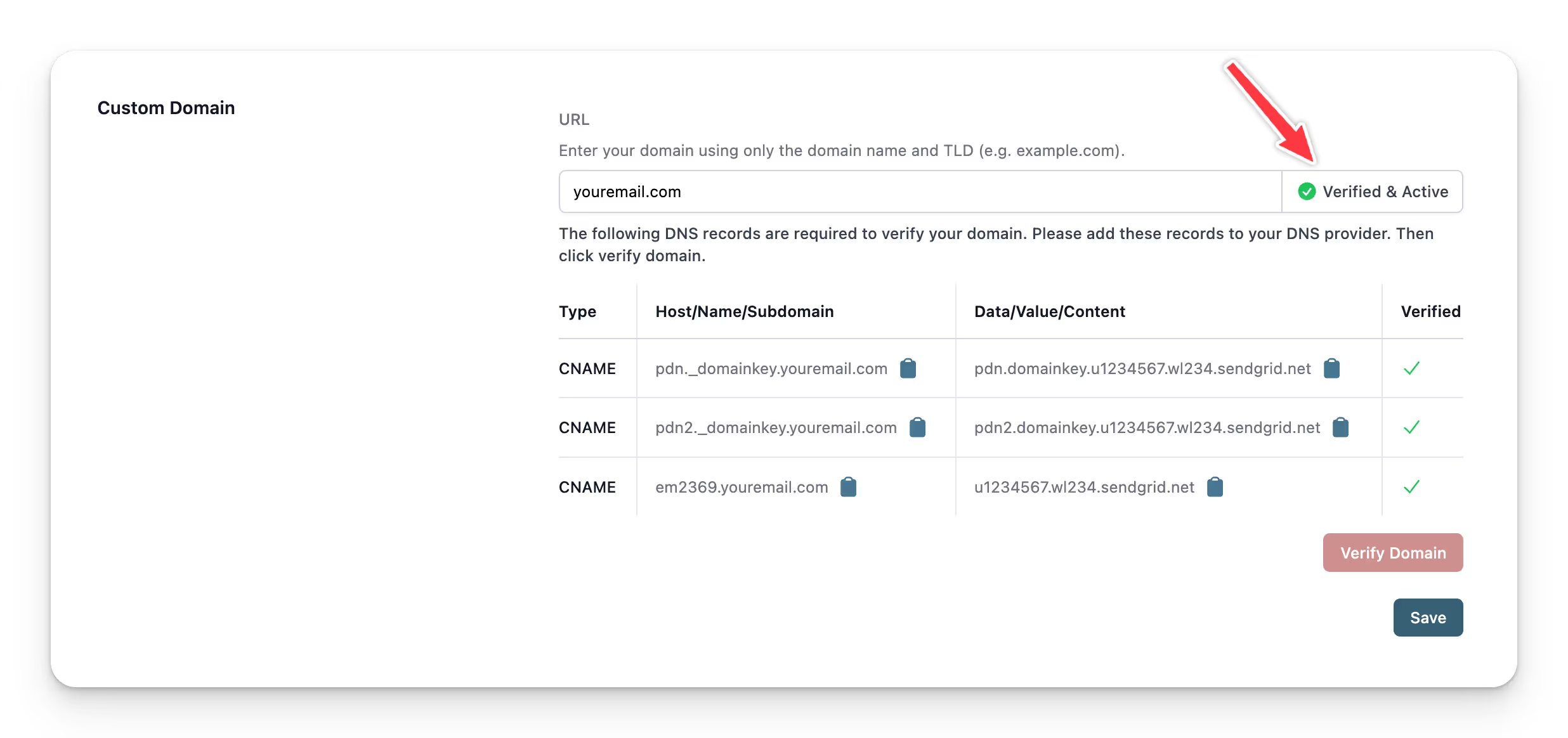
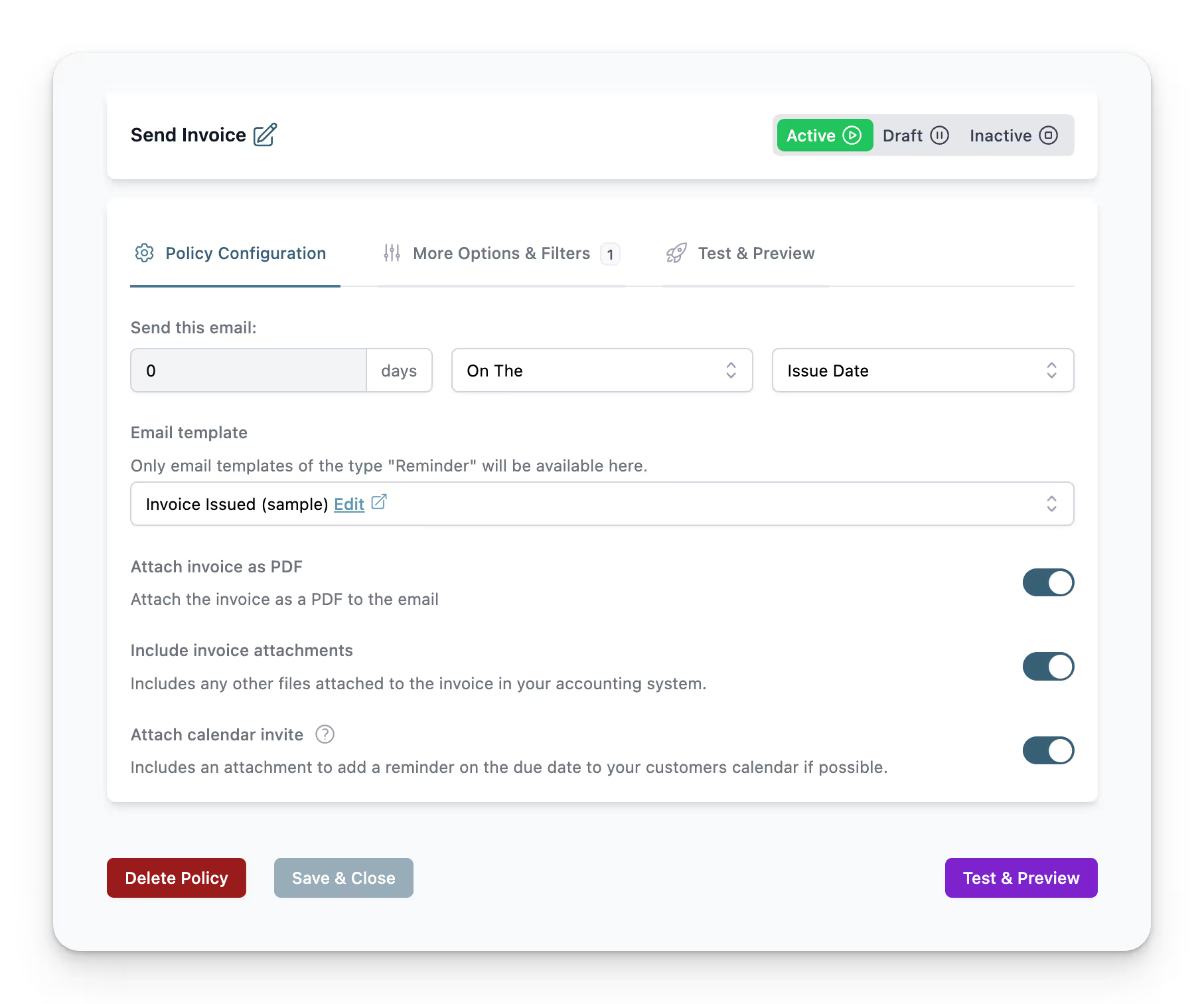
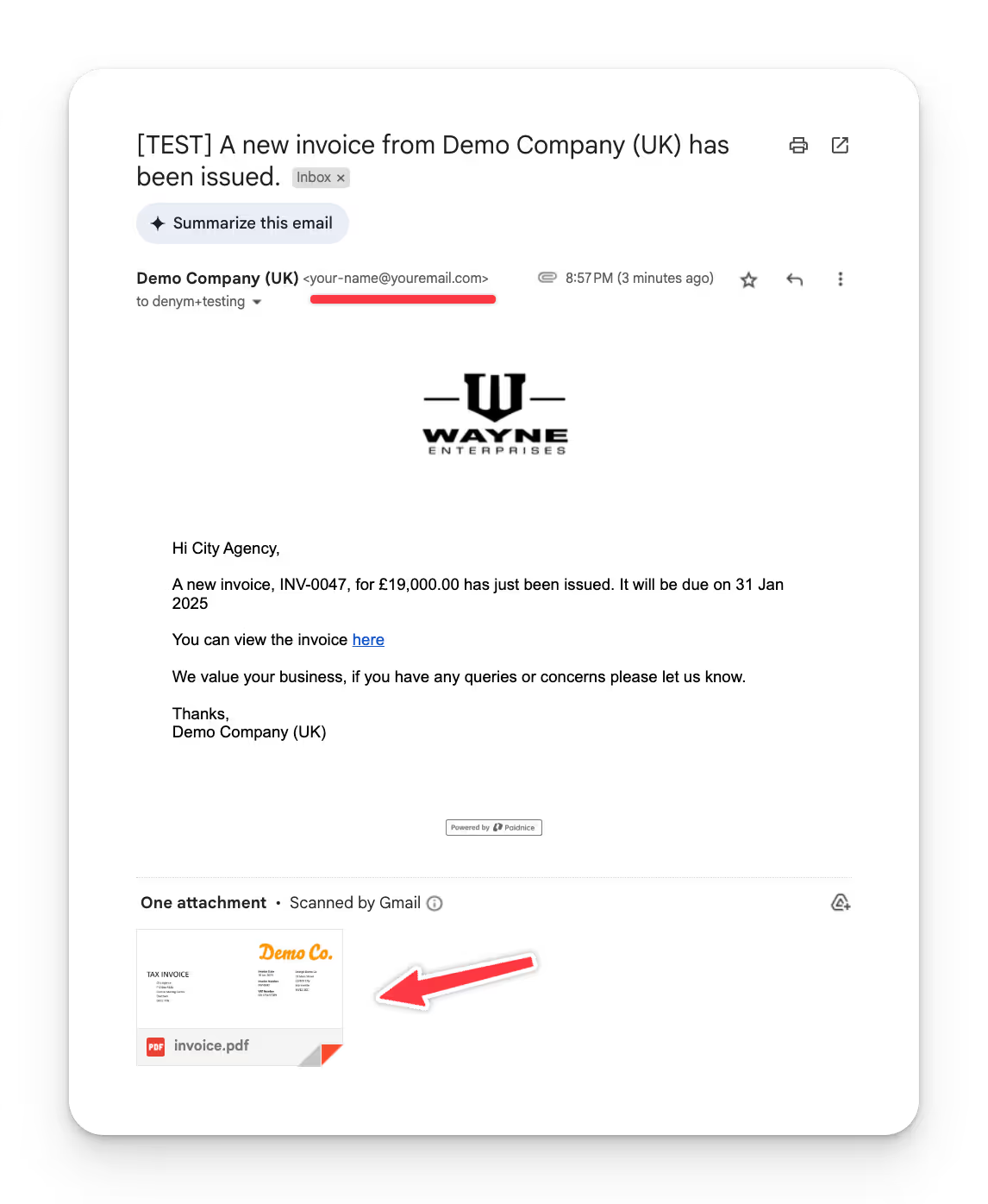
Switch the policy from Draft to active and turn off Global Safe Mode. From then on, every invoice you approve in Xero is emailed from your own domain on its issue date.
No. Xero's invoice emails are sent and authenticated under Xero's own domain, post.xero.com, so adding Xero to your SPF record changes nothing about them; Xero's own deliverability advice is for the recipient to allow @xero.com and @post.xero.com. The DNS records you publish are for Paidnice, and they authorise your domain to send the invoices Paidnice emails on your behalf.
Once the domain is verified, every email Paidnice sends for that Xero organisation can use it: invoice sends, pre-due and overdue reminders, late fee and interest notices, prompt payment discount offers, and customer statements. Sender Profiles set the from name, from address and reply-to per policy, so a reminder can come from accounts@ on the due date, a named credit controller at 7 to 14 days, and a director at 21 days and beyond. One verified domain can also be linked to your other Paidnice organisations with no new DNS records.
No. Paidnice shows the exact records to publish, and most domain hosts have a support team that will add them for you. The whole step takes one DNS edit and one verify click.
No. Xero stays the ledger. Paidnice reads approved invoices from Xero, sends the email, and marks the invoice as sent in Xero so nothing in Xero is duplicated.
Yes. Reminders, late fee notices, statements and thank-you emails all send from the verified domain under the same policies.
Try Paidnice for free, or read the guide to automating invoice reminders.
Related Articles:
Paidnice is accounts receivable automation that enforces your payment terms, trusted by thousands of businesses on Xero and QuickBooks. Credit control and debtor management, run for you.
Try it Now - It's FreeNo card required.
![An image featuring a vintage red rotary dial telephone on the right side, with the handset lifted off and angled to suggest it's ready for use. The background is a solid teal color. On the left side, there's white text that reads "8 Call Scripts For Payment & Collection Reminders" and below in brackets "[FREE CALL SCRIPTS]". The overall design suggests a promotional or informational graphic related to telephone communication strategies in financial contexts.](/assets/wf/67c598f1ee8aa243f89da1b6_8_Effective_Call_Scripts_For_Payment_-_Collection_Reminders.avif)
Optimize your cash flow with our suite of financial tools designed for AR professionals. Calculate DSO, aging analysis, late fees, and more.