

Last quarter, your AE closed a $48,000 expansion deal with a long-time customer. The contract went out, sales-side champagne was opened. Two days later, finance flagged that the same customer was 52 days overdue on a $9,000 invoice that had been sitting in the AR queue for two months.
Nobody on the revenue side knew. The reminders had been firing. Paidnice was doing its job. But the trail of customer-facing emails lived in Xero and the customer's inbox. Your sales team's CRM was completely blind to it.
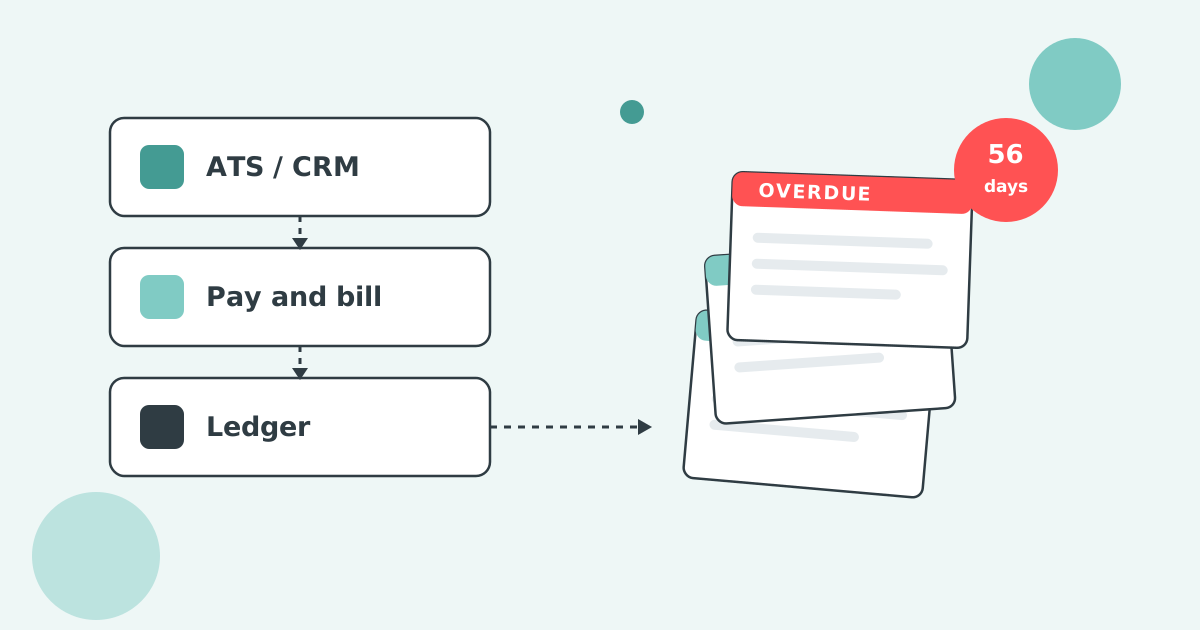
This post fixes that. Specifically: how to route the right Paidnice emails into HubSpot, Salesforce, Pipedrive, Microsoft Dynamics 365 or any CRM that accepts BCC-to-record. So your revenue team gets early signal on accounts that are slipping, without anyone having to manually log AR activity.
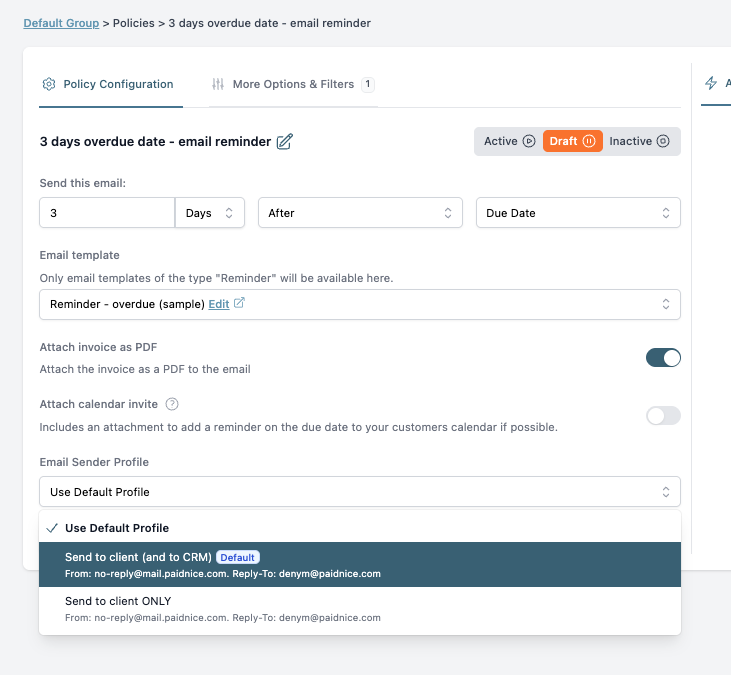
Use Paidnice Sender Profiles. Each profile has a BCC field. Set the BCC to your CRM's record-receiving email (HubSpot's BCC address, Email-to-Salesforce, your Pipedrive personal address, Microsoft Dynamics' tracking address). Apply the right profile to the right policy. Early reminders go to a Client only profile, day 14+ reminders and final notices go to a Client + CRM profile. Your CRM then attaches every overdue communication to the matching contact record automatically.
Most AR-to-CRM integrations are heavy: a built integration, a sync schedule, IT involvement, a renewal fee. For SMBs, the lift outweighs the value. Especially when the only thing the revenue team really needs is a yes/no on "is this customer in good standing?"
BCC-to-CRM bridges that gap with one email field. The CRM thinks a real email was sent and received; it attaches the message to the contact; sales sees a tidy timeline of "reminder sent day 7, day 14, day 30, final notice day 45." No build, no schedule, no extra fees.
The leverage shows up in two places.
A sender profile is a reusable email identity in Paidnice. Each profile has its own:
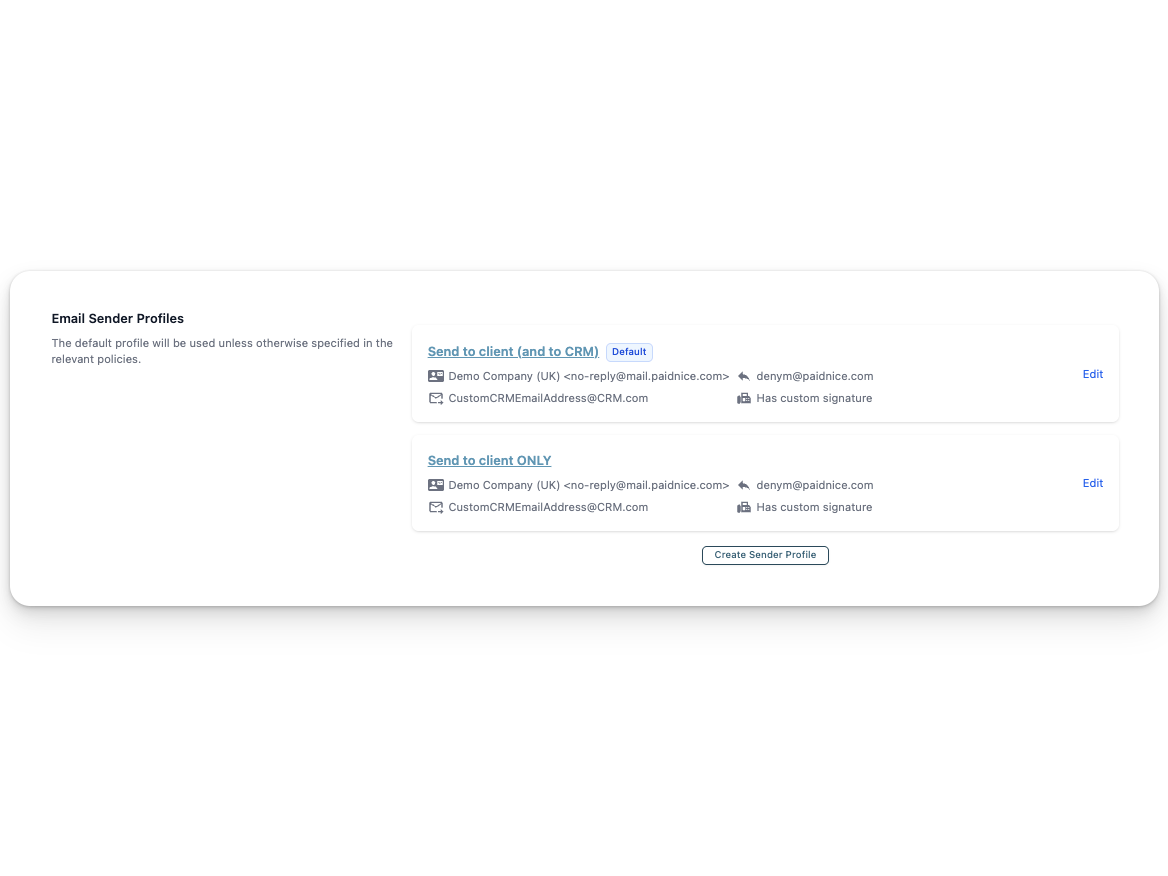
You can have as many sender profiles as you need. Then you assign a profile to each reminder or statement policy. The policy uses the profile's settings every time it fires.
Used for the friendly pre-due nudge and the first overdue reminder. No BCC. Your CRM doesn't need to see these. They're noise, and they'll bury the real signal.
Used from day 14 onwards. BCCs into the CRM so the timeline starts to populate when there's actually something for sales to know about.
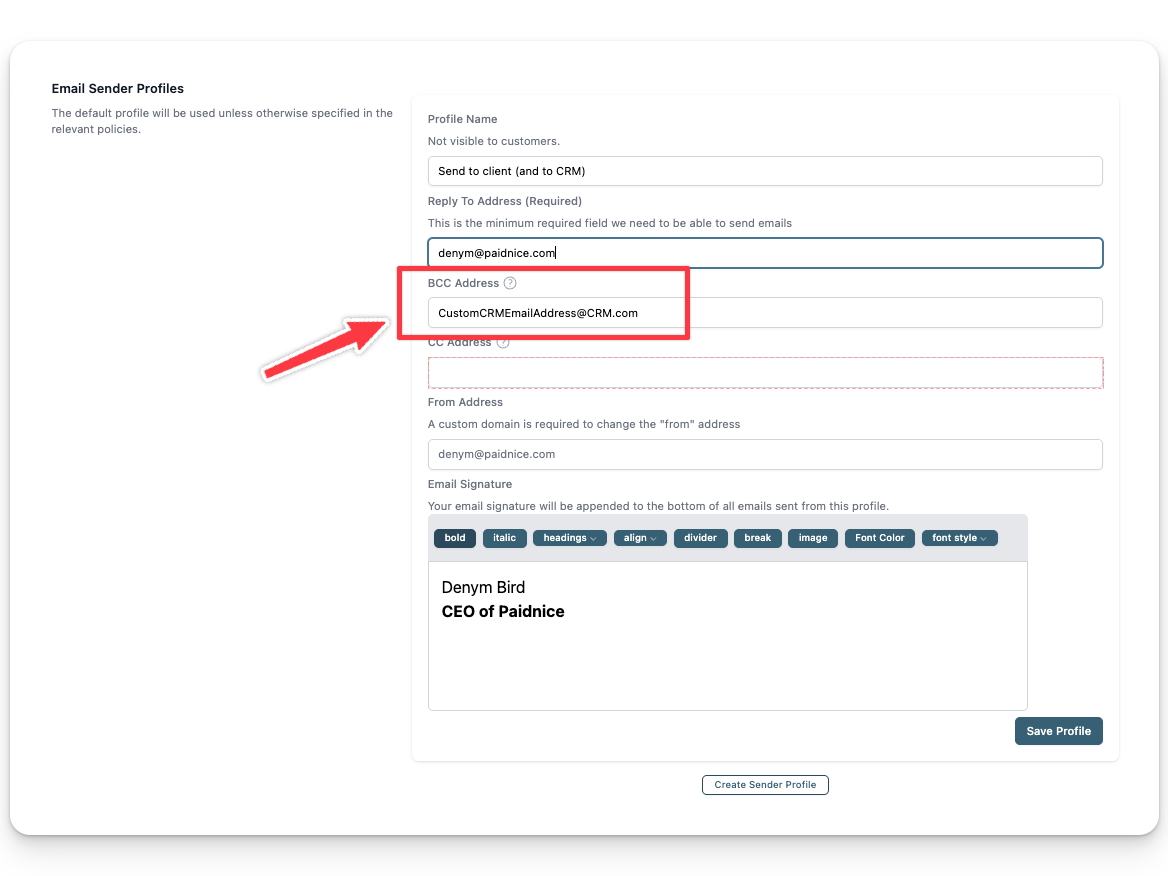
Used from day 30 / final-notice onwards. BCCs the CRM and CCs the sales manager directly, so by the time a notice is going out, the sales lead is on the thread and can step in.
On each reminder policy:
AR data is the most under-used customer signal in most SMBs. Sales has CRM signal. Marketing has product-usage signal. Customer success has support-ticket signal. AR has the cleanest possible behavioral read on a customer (are they paying or not), and it usually lives in a silo.
Paidnice customers cut their average wait for payment in half within 30 days, and report 90% less manual follow-up. The CRM bridge is a separate compounding effect: once your sales team has visibility into AR signal, they get better at retention conversations and at choosing which accounts to push expansion against. Paidnice was named 2025 Xero Global App of the Year and AU Small Business App of the Year on the back of exactly this kind of practical, high-leverage tooling.
Will the customer see the BCC address?
No. BCC is invisible to recipients by design. The customer sees only the From and To addresses on the reminder.
Can I have a different signature per sender profile?
Yes. Each profile has its own signature block, so a final notice can be signed by your AR lead while early reminders go out under a generic accounts signature.
Do I need a custom domain?
Not for the BCC routing. Custom domains are required only if you want the From address to come from your own domain instead of mail.paidnice.com. Custom domains improve deliverability and reduce spam-filter flagging, worth setting up regardless.
Can different policies use different sender profiles within one customer group?
Yes. Sender profile is a per-policy setting. You can have day 7, day 14 and final-notice policies in the same group, each pointing at a different profile.
Does this work with QuickBooks?
Yes. Sender profiles work the same way on the QuickBooks integration.
Can I do this for statements too?
Yes. Statement policies have a sender profile setting too. A common pattern: send statements under the "Client only" profile, and route reminders / final notices through the CRM-bridged profile.
Setting up CRM-routing through sender profiles takes about ten minutes, including grabbing your CRM's BCC address. The gain is permanent: every overdue communication, attached to the right contact, automatically.
Paidnice has a free trial and a one-click install on the Xero App Store. You don't need to migrate anything. Paidnice reads your existing Xero data and starts closing the gap between invoice and payment from the next reminder onwards.
Install Paidnice from the Xero App Store →
Paidnice is accounts receivable automation that enforces your payment terms, trusted by thousands of businesses on Xero and QuickBooks. Credit control and debtor management, run for you.
Try it Now - It's FreeNo card required.

Optimize your cash flow with our suite of financial tools designed for AR professionals. Calculate DSO, aging analysis, late fees, and more.