This app is a game changer!Lesley B.
Paidnice is accounts receivable automation for Xero & QuickBooks that fills the amount due and invoice number into your own checkout link on every reminder, so customers can pay through the provider you already use.
If your provider has a checkout link that takes values in the URL, Paidnice fills in the amount and invoice number for every reminder.
Paste your checkout link once and drop in the merge tags. Paidnice swaps in the real values from Xero or QuickBooks for each invoice it chases.
Any provider with a hosted checkout link that accepts values in the URL works. Providers that need a signed request or the amount in cents do not.
The same Pay Now link goes everywhere Paidnice chases, sent under your company name. Email buttons can show the amount due.
It’s the debt collection system I’ve been looking for, for the last 15 years.

Paidnice has everything your business needs to run a best-in-class receivables process, from the first reminder to the money landing in your account.
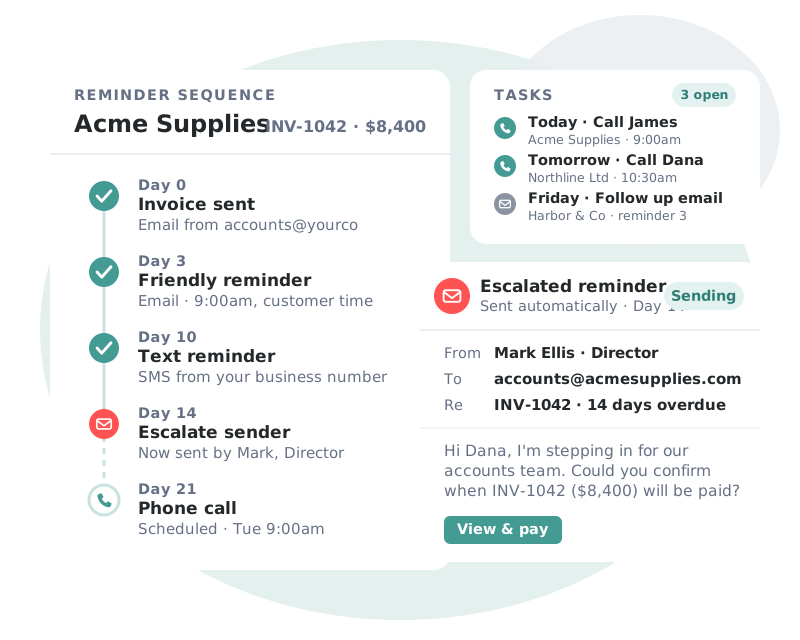
Sequences that adapt to each customer’s payment behavior, so every invoice gets the right nudge at the right moment.
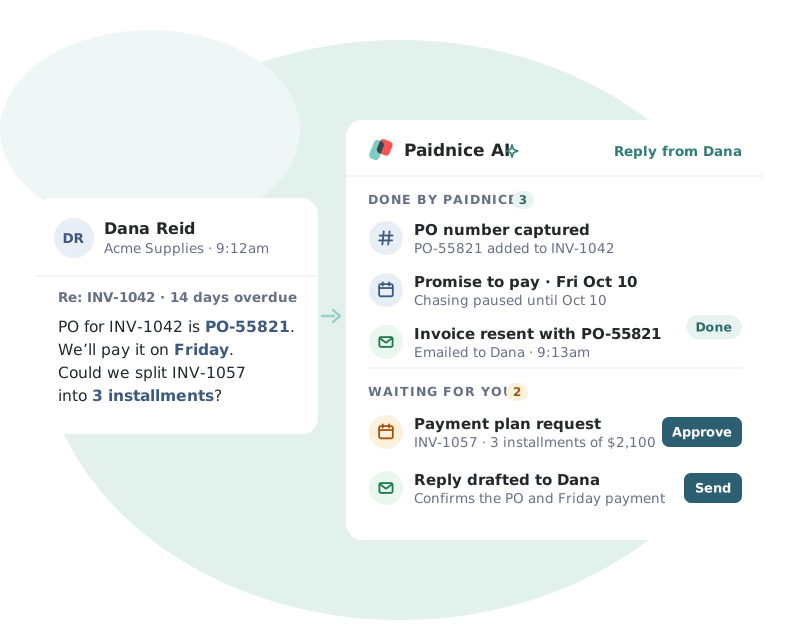
Paidnice AI reads each customer reply and turns it into the next step, so nothing gets lost in your inbox.
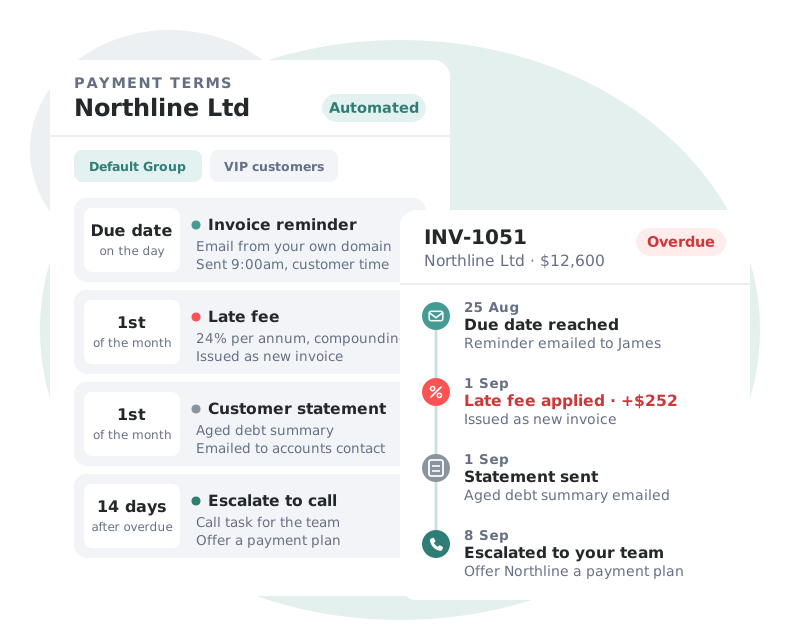
Your policies enforce themselves. Incentives and penalties are applied on schedule and written straight back to your ledger.
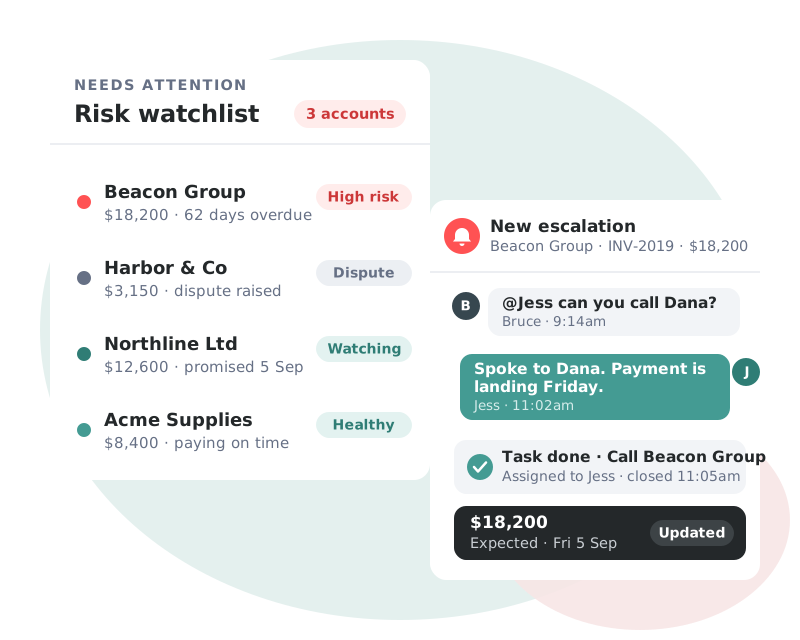
Real-time visibility of your AR health, with the accounts that need attention surfaced before they become a problem.
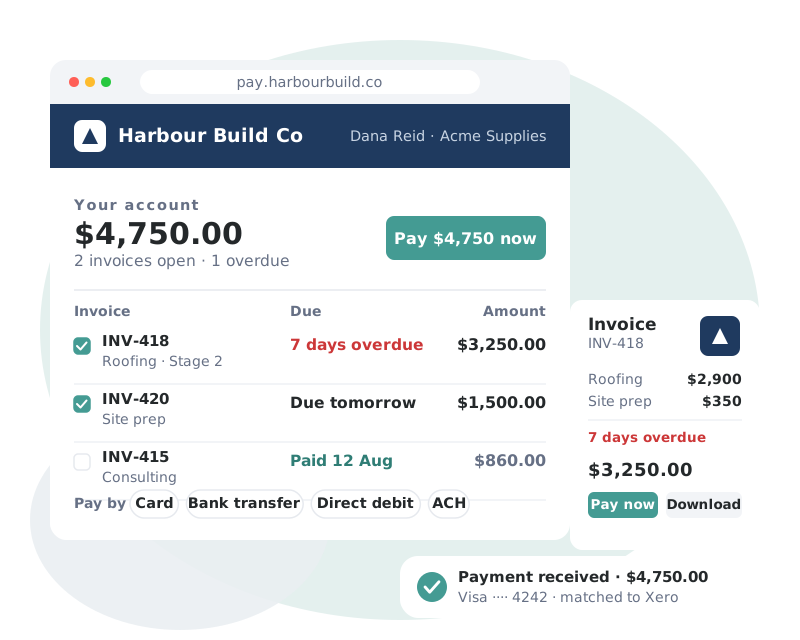
A branded, self-service portal that removes every excuse between your customer and the Pay button.
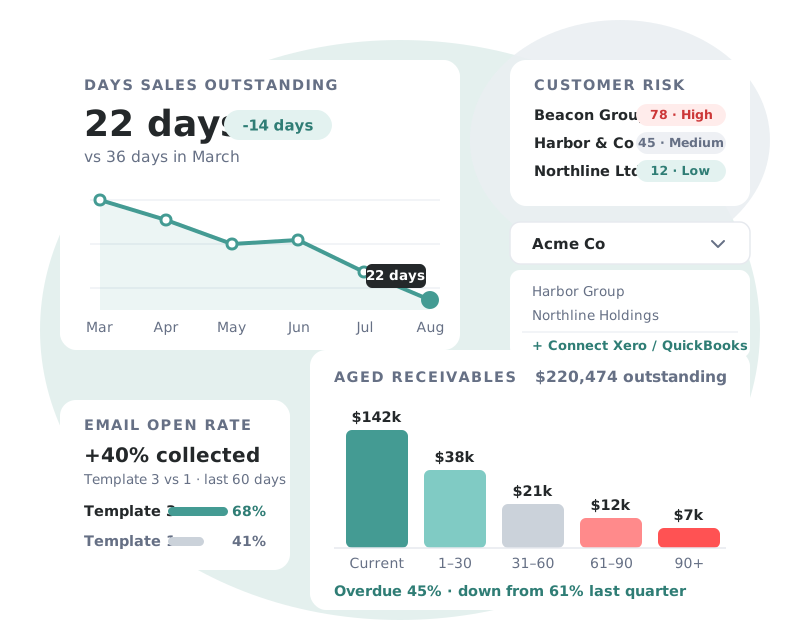
Complete visibility of receivables performance, across every entity you manage.
 Digital Marketing AgencyAustralia
“It’s perfect set-and-forget automation. We went from chasing payments to getting paid the same day we invoice out.”
 Will QuFounder, RankRise

Accounting, payments, CRM and team tools. Paidnice reads invoices from your ledger, takes payment through your provider and logs every email in your CRM.
 Xero
Xero QuickBooks Online
 NetSuite
 Sage Accounting
 Stripe
 PayPal
 Wise
Wise HubSpot
 Slack
Slack Microsoft Teams
 Zapier
Any provider with a hosted checkout link that takes values in the URL, such as PayPal and PayFast. Read the setup guide.
The amount due, the invoice number, the invoice currency and your account short code, read from Xero or QuickBooks for each invoice.
In email reminders, SMS reminders, statements and the customer portal. Email buttons can show the amount, for example "Pay now $2,480.00".
Use the DueAmount merge tag in the link, then test with a real invoice.
Providers that only work through an API, need a signed request for each payment or need the amount in cents. Stripe Payment Links cannot take an amount, so use the Stripe integration instead.
All of them. Paidnice is priced by invoice volume, not by your revenue. See pricing.
Book a call with the founders to learn more about how Paidnice can help you take the pain away from getting paid.
Great hands on experience. Ashley helped us through everything.
 Janet X.App Marketplace★★★★★160+
I’ve contacted support a few times, and Denym has always replied with really detailed and thoughtful explanations, even taking the time to jump on a video call to help.
 Jon M.App Marketplace★★★★★160+
So happy with the service provided by Ashley at Paidnice. The best service I have had from anyone in years.
 Anna H.App Marketplace★★★★★160+
Very simple to set up and the few questions we had were quickly and expertly dealt with by Denym. It has already made a huge difference to our debtor days and has massively helped.
 Jenny M.App Marketplace★★★★★160+

Book a demo to learn more about how Paidnice and your own payment links can help you take the pain out of getting paid.



 WellPaid co.