


 Read by Denym Bird8 min
Summary
An invoice escalation ladder is a pre-agreed sequence that fires as an invoice ages: reminders in the first 30 days, a statement and late fees by 60 days, and a final demand plus a human decision (payment plan, collections, or write-off) by 90 days.
- The rule: Escalate on a fixed schedule tied to invoice age, not on how anyone feels that week, because consistency is what signals you are serious.
- What Paidnice automates: Reminders by email and SMS, statements, late fees and interest, sender escalation to a named person, and payment-plan offers all run on a schedule set once on top of Xero or QuickBooks.
- The human step: The day-90 decision (collections, legal action, or write-off) stays a person's call, because it depends on the customer and the amount.
What is an invoice escalation ladder (and what is it not)?
An invoice escalation ladder is a pre-agreed sequence of steps, set by invoice age, that takes an overdue invoice from a reminder to a final demand. See the full entry on the escalation process for collections.
- A ladder is not dunning. Dunning is the planned series of reminders. The ladder includes it and carries on past it, to a statement, late fees, a final demand and a decision on what happens next.
- A ladder is not a single reminder. An invoice reminder is one message. It is one rung of the ladder.
- A ladder is not a collection agency. An agency is one possible outcome at day 90. A person makes that call, and the ladder does not send an invoice there on its own.
This matters because every rung has a day number, so the ladder fires whether or not anyone feels like chasing. The sections below set the rungs at 30, 60 and 90 days overdue.
Free: Payment reminder email templatesCopy the reminder emails for before, on and after the due date.Why should invoice escalation run on a schedule?
Here is the pattern I see in thousands of Xero and QuickBooks businesses. An invoice goes overdue. Nobody wants to be the bad guy, so the reminder waits. It waits until the cash gets tight, or until that customer does something else irritating, and then a sharp email goes out at day 52 that would have been better as a calm one at day 7. The problem was never the customer. It was that escalation depended on a mood.
A ladder takes the decision out of your hands. Each rung has a day number attached, and it fires whether you are busy, on leave, or feeling generous that week. That consistency is the whole point: it is also fairer to the customer, because everyone is treated the same and nobody gets surprised by a demand that jumped three steps because you happened to be short that month.
The numbers back it up. Across our customers, there are half as many late invoices in the first 30 days once a scheduled ladder is running, and finance teams cut manual chasing by up to 90%. Not because the messages are cleverer, but because they go out on time, every time, without anyone having to work up the nerve.
The escalation ladder, by invoice age
Set clear terms at the start
The invoice goes out with a due date, a late-fee clause, and a payment link. Nothing to escalate yet, but every rung above depends on this being unambiguous.
AutomatedReminders by email and SMS
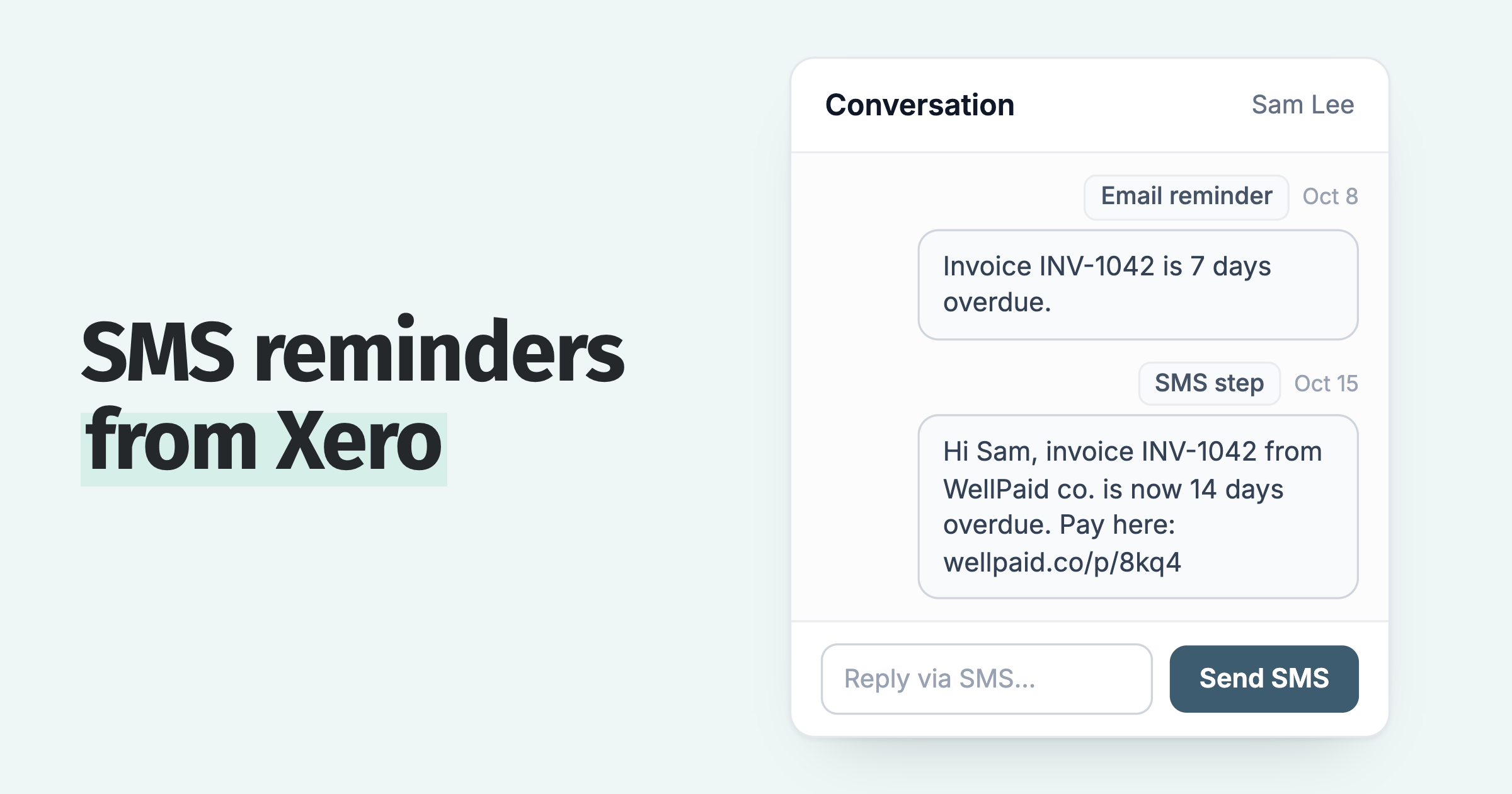
A pre-due nudge, a polite reminder the day it falls overdue, then firmer follow-ups at roughly day 7 and day 14. SMS lands where email gets buried. Most invoices clear here.
AutomatedStatement, late fee or interest, and a named sender
Send a full account statement, apply the late fee or interest you set out in your terms, and move the sender from accounts@ to a named credit controller or director.
AutomatedFinal demand and a payment-plan offer
A factual final notice stating the next concrete step, paired with an off-ramp: a payment plan for a customer who wants to pay but cannot pay in full today.
AutomatedLetter before action, collections, or write-off
The account has aged past the automated rungs. Now a human decides: send a letter before action, hand it to a collections partner, or write it off. This call is yours to make.
Human decisionEscalate on a schedule. Of invoices 7 days overdue, 1 in 5 is still unpaid 180 days after the due date. At 30 days overdue it is 2 in 5, and at 90 days 3 in 4.
How many invoice reminders should you send?
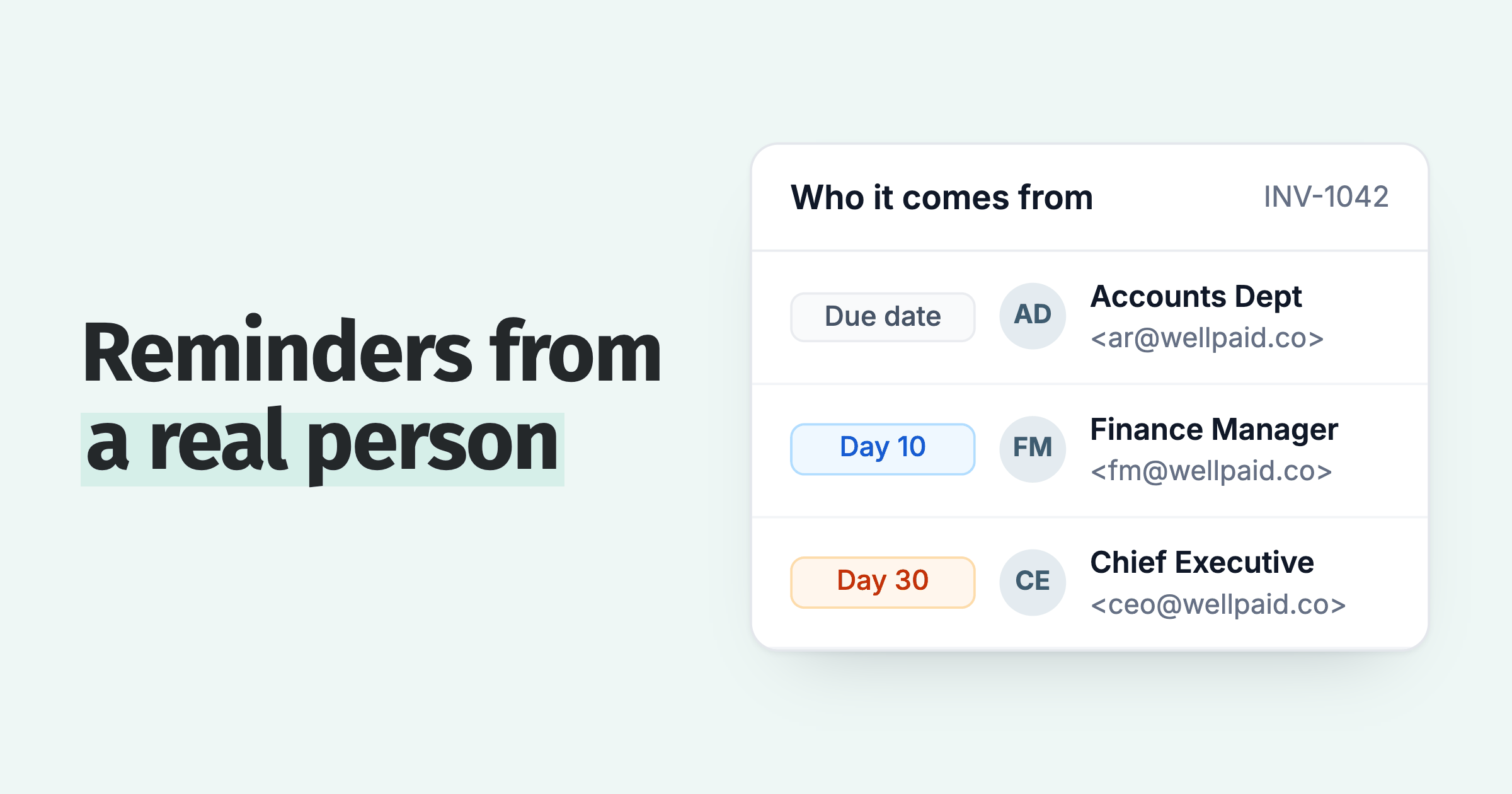
The accounting ledgers set the ceiling. Xero lets you create up to five invoice reminders for the organisation. QuickBooks Online gives you three automatic reminders (a first, second and third), each up to 90 days before or after the due date. Four or five is enough, as long as the sender changes with them: accounts@ on the due date, a named credit controller at day 7 to 14, then a director at day 21 and on the late fee. Paidnice assigns a sender profile per policy, so the shift in who is asking runs on the same schedule as the shift in tone.
What should you do at 30 days overdue?
The first 30 days are for reminders. A nudge before the due date, a friendly note the day it goes overdue, then a firmer follow-up around day 7 and day 14. Vary the channel so it does not become wallpaper: email for the paper trail, SMS for the ones who never open email. Paidnice customers get 8 in 10 invoices paid within the first 60 days of using Paidnice, so by day 30 overdue you are dealing with the genuine stragglers.
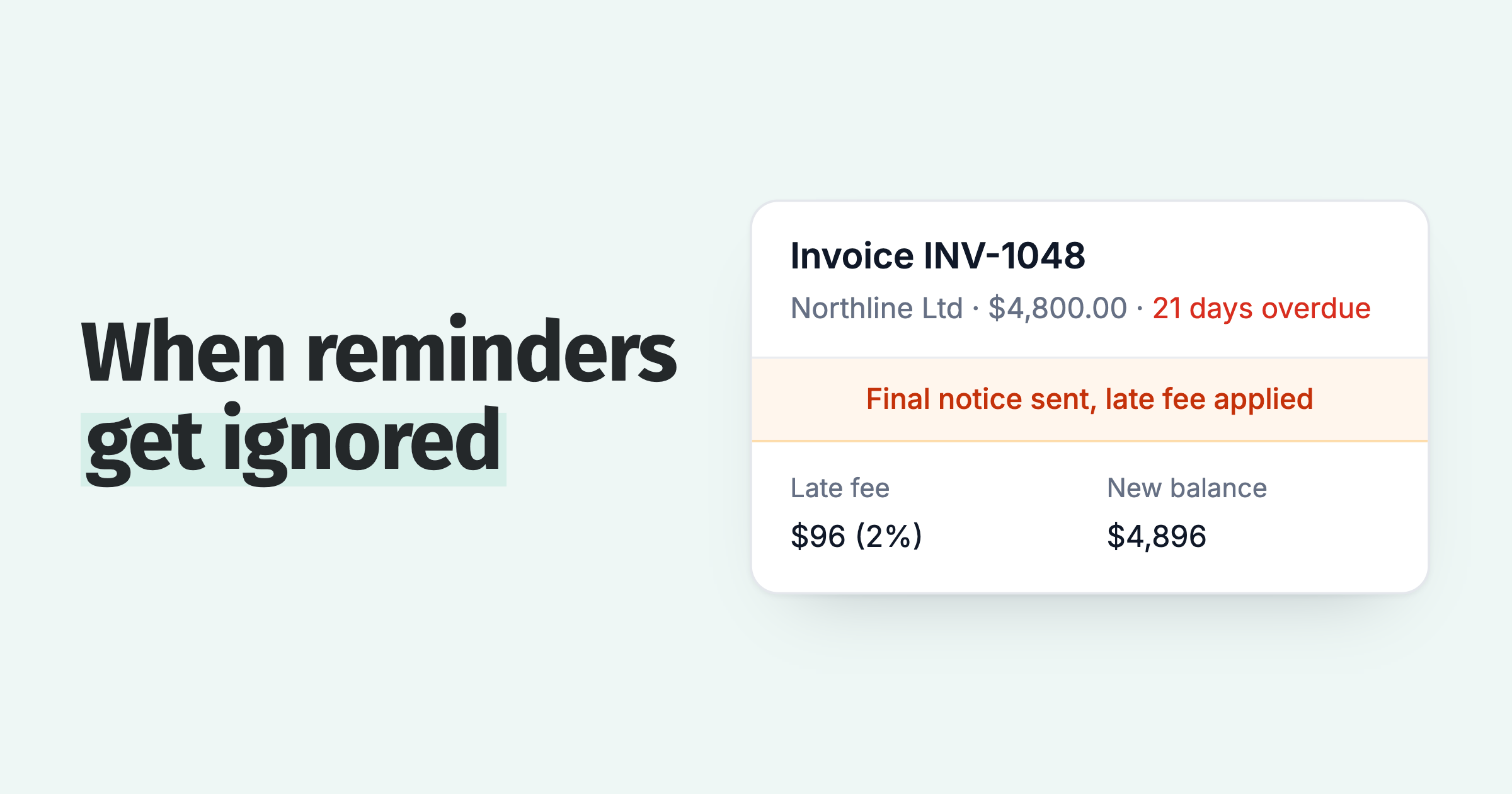
At the 30-day mark, the message changes from "have you seen this?" to "this now has a cost." Send a statement that shows every open invoice in one place, because a customer running late on one is often late on several. Apply the late fee or interest your terms allow, automatically, so it does not depend on you feeling brave. One detail matters here: Paidnice recalculates statement interest at the moment the statement is sent, not at the last policy run, so the figure the customer opens is correct that morning. A manual interest invoice raised once is stale within a week. For the exact UK statutory interest and fixed sum on a given invoice, use the £ table in customers paying late: what to do.
Then change the sender. A reminder from accounts@ is easy to file. The same message from a named credit controller at day 7 to 14, and from a director at day 21 and on the late fee, is not. Paidnice does this with sender profiles: one per policy, each with its own From name and Reply-To, so the escalation in tone is matched by an escalation in who is asking. If you want a person to speak to the customer, an escalation at this rung can create a phone-call task, emailed to a named team member with the invoice details attached.
What should you do at 60 days overdue?
Sixty days is where a lot of businesses freeze. The relationship feels strained, so the invoice drifts. Do not let it. A final demand at this stage is not a threat, it is information: it states the amount, the fees applied, and exactly what happens next if the account is not settled by a specific date.
The move that separates firm from cold is offering an off-ramp at the same time. Some customers are late because they are disorganized. Others are late because cash is genuinely tight, and for them a demand alone gets you nothing. A payment plan turns a stuck balance into scheduled installments you can actually collect. Firm on the money, fair to the customer: you still expect to be paid, you are just giving a workable way to do it.
What should you do at 90 days overdue?
By 90 days the automated ladder has done its job. The reminders went out, the fees applied, the final demand landed, the payment plan was offered. If the invoice is still open, more of the same will not move it. This is the point the whole ladder was built to reach cleanly, with a full documented trail behind you.
You have three options. Send a formal letter of demand (letter before action) as a last step before legal proceedings. Hand the debt to a collections partner. Or write it off and stop spending time on it. There is no automating this decision, and you should not try to, because the right answer depends on the customer, the amount, and whether the relationship is worth keeping. Paidnice gets you to day 90 with everything in order. The choice at day 90 is yours.
Is there a legal minimum number of reminders before legal action?
There is no legal minimum number of reminders before you act: a letter before action follows the last reminder. If the debtor is an individual, including a sole trader, the Pre-Action Protocol for Debt Claims applies in England and Wales: it requires one Letter of Claim, gives the debtor 30 days to reply, and sets no reminder count. Debts owed by a limited company sit outside it.
One-page escalation policy
- Day 0. Every invoice ships with a due date, a late-fee clause, and a payment link. No exceptions.
- Days 1 to 30. Automated reminders by email and SMS: pre-due nudge, due-date note, plus firmer follow-ups at day 7 and day 14.
- Day 30. Send a full account statement. Apply the agreed late fee or interest automatically. Move the sender to a named credit controller or director.
- Day 60. Issue a final demand naming the next step and date. Offer a payment plan at the same time.
- Day 90. Human decision: letter before action, collections partner, or write-off. Log the reason.
- Routing. VIP customers get a lighter touch. Repeat late payers get the full ladder from day one.
- Rule. Steps fire on the calendar date, never on how anyone feels that week.
- Pauses. Skip a rung while a payment is promised or a query is open. When the date passes unpaid, the next rung applies.
Illustrative policy template. Adjust the day numbers to your terms and cash-flow needs.
If the customer has stopped responding, see Your customer is ignoring invoice reminders: what to do next.
When should an invoice skip a rung of the ladder?
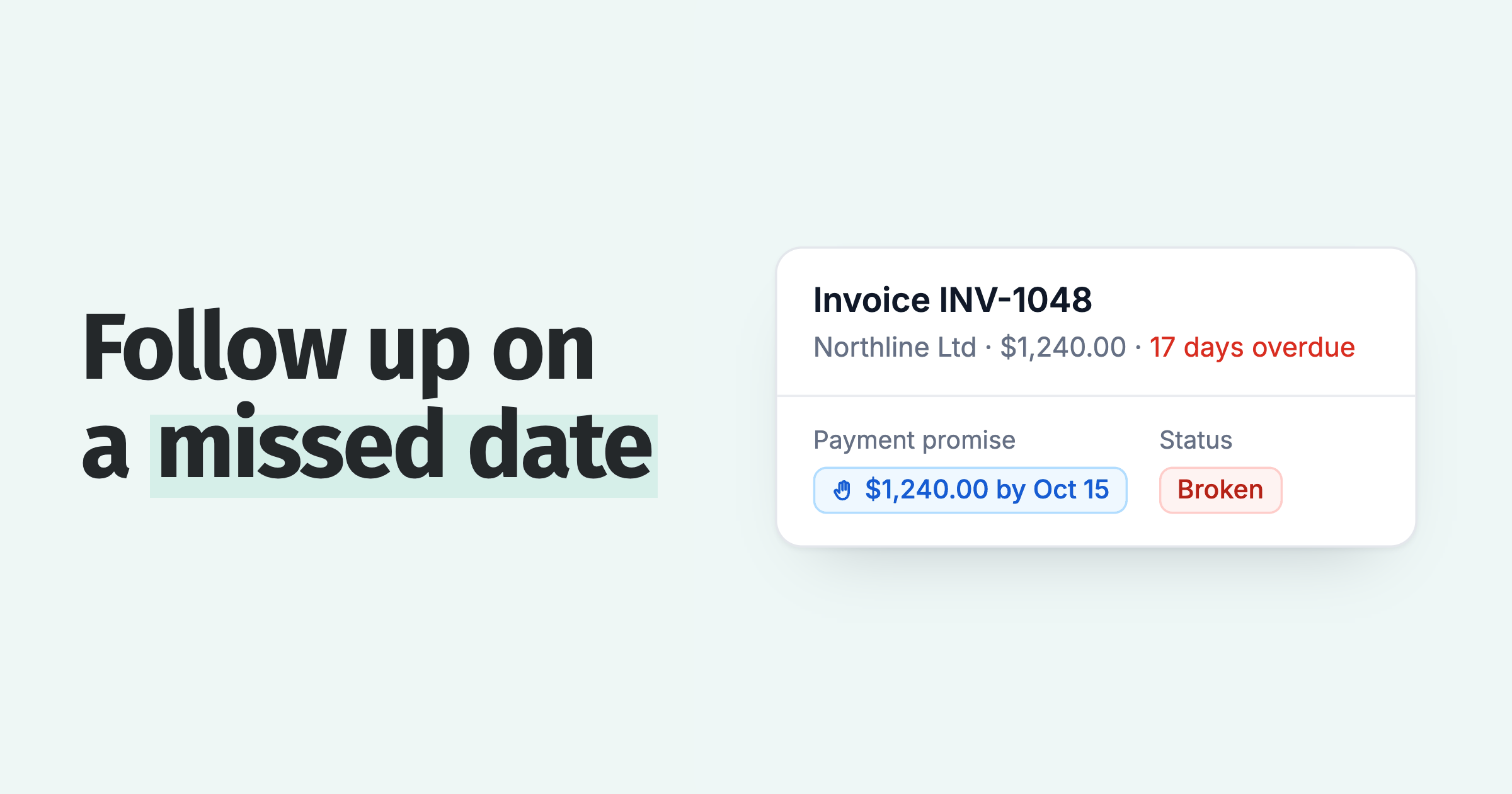
A ladder fires on the calendar, so it needs two written exceptions. The first is a promise. A customer who commits to a date on a named invoice has told you when the money lands, so pause the rungs until that date. If the date passes unpaid, the next rung applies, and a customer promised to pay and didn't covers the follow-up.
In Paidnice, a customer can promise a date from the invoice page in the customer payment portal. Your team can also record one after a call: the date, the amount and a note, with the option to set the invoice's expected payment date.
Reminders, late fees and escalations each have a switch to skip when a payment is promised, so those rungs wait until the date. If the promise is marked broken, the person the invoice is assigned to can get a Broken Payment Promise email.
The second exception is a query. A customer who says the invoice is wrong needs an answer before the next rung, so pause that invoice until it is settled. Paidnice lets a customer query an invoice from the portal, and each of those rungs has a second switch to skip it while the query is open. If you are not sure whether the problem is a dispute, a delay or a cash problem, work that out first.
Why fix your payment terms before automating the ladder?
I have watched businesses bolt an escalation sequence onto payment terms that read "payment due on receipt" with no fee clause and no defined due date. The ladder fires, the customer replies "we always pay net 60," and the whole thing collapses into a negotiation. The automation was never the weak link. The terms were.
So fix the terms first. Put a specific due date on every invoice. State the late fee or interest rate in writing, and keep it within what the law allows in your market. Make the payment method obvious. Once the terms are clear and agreed, the ladder has something solid to enforce, and each rung stops being a debate. For the full workflow around who owns each step and how it fits your wider process, see our accounts receivable collections process guide. This post is the day-by-day ladder; that one is the process around it.
Which rungs of the ladder does Paidnice automate?
Paidnice closes the gap between invoice and payment by making the ladder run itself. You set the days and the rules once. Reminders go out by email and SMS from your own domain, statements send on time, late fees and interest apply automatically, and the sender steps up from accounts@ to a named credit controller to a director as the invoice ages. Where a person needs to act, an escalation creates a task (a phone call, a stop-credit hold, or a template legal letter) and emails the instructions to whoever owns it. Payment plans are offered before things get tense. Contact groups mean a VIP gets a gentle nudge while a repeat late payer gets the full sequence, so you are firm where it counts and fair where it matters.
Where Paidnice stops is the day-90 decision. Collections, legal action, and write-offs are judgment calls that belong to a person who knows the customer, and we do not pretend otherwise. See how escalation workflows work, or read how we built escalation triggers. Customers see half as many late invoices in the first 30 days once the ladder is running, and 8 in 10 invoices paid within the first 60 days of using Paidnice.
Frequently asked questions
When should I escalate an overdue invoice?
Escalate on a fixed schedule tied to invoice age, not on how you feel. Reminders run in the first 30 days, consequences (a statement plus late fees or interest) start at day 30, a final demand and payment-plan offer go out around day 60, and a human decision follows at day 90. Setting the days in advance means escalation happens consistently instead of only when an invoice finally annoys you.
When should I send an invoice to collections?
Consider a collections partner at 90 days overdue, once the automated ladder has run its course: reminders sent, late fees applied, a final demand issued, and a payment plan offered and declined. Collections is one of three choices at that point, alongside a letter before action or a write-off, and it is a human decision that depends on the amount, the customer, and whether the relationship is worth keeping.
Should I charge late fees or call the customer first?
Do both, in order. Late fees should apply automatically at day 30 as set out in your terms, so the consequence is consistent and not personal. An invoice with a promised payment or an open query can skip the fee. A phone call from your team works best as the human touch at the same stage, and Paidnice can create that call as a task for a named person. The fee makes lateness cost something; the call gives the customer a chance to explain and pay.
How many reminders should I send before escalating?
Send one reminder before the due date and three to four after it across the first 30 days, then escalate: a nudge a few days before due, a note on the due date, and firmer follow-ups around day 7, day 14 and day 21 to 30. Vary the channel between email and SMS so the messages do not blur together. If the invoice is still open after 30 days, stop reminding and move to consequences: a statement, late fees, and a message from a named person.
Does Paidnice handle the whole escalation ladder?
Paidnice automates rungs 1 to 4: reminders by email and SMS, statements, late fees and interest, sender escalation to a named person, and payment-plan offers, all on a schedule you set once on top of Xero or QuickBooks. The day-90 decision (a letter before action, collections, or a write-off) stays a human call, because that judgment depends on the customer and the amount.
Paidnice features in this article
About the editorial team
Denym started Paidnice in 2022 after customers paying late left his own business short on payroll. He has led it to $1 billion collected on time across more than 1 million invoices, and writes about credit control, late fees and getting paid on Xero and QuickBooks.
Ashley is a co-founder and lead developer of Paidnice and has built accounting software for more than 10 years. He builds the ledger connections that put reminders, late fees and payments into Xero, QuickBooks and ERPs such as NetSuite and Business Central. Before Paidnice he co-founded A2X, ecommerce accounting software for Xero and QuickBooks.
 App of the Year