
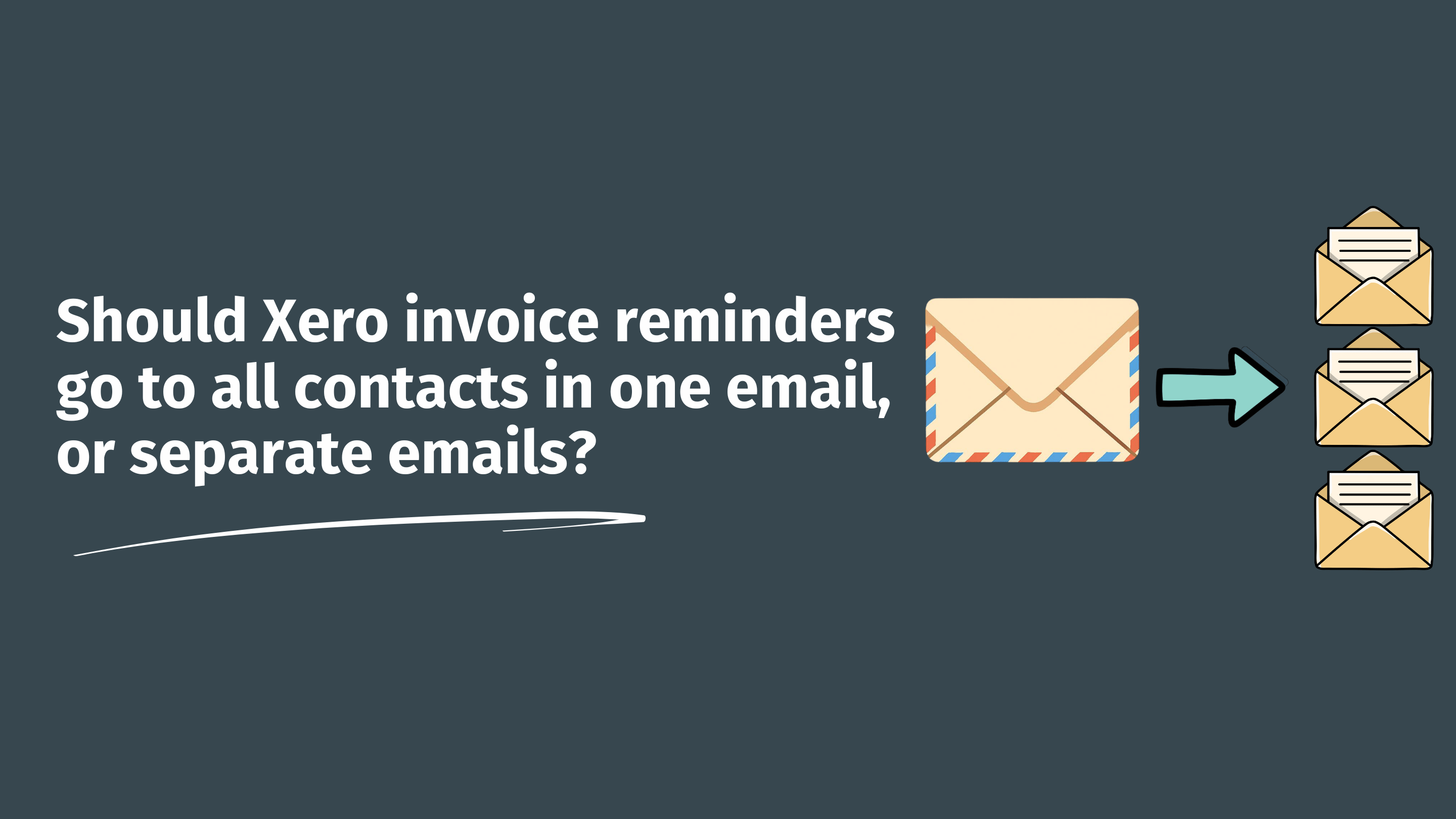

Acme Co has three contacts on the customer record: Maya in AP, Tom the office manager, and Sarah the CEO.
An invoice is overdue. The reminder fires. Two paths from here.
Path A: one email goes out, with all three contacts on the To line. Maya replies, Tom replies, Sarah replies, all of them seeing each other's responses.
Path B: three separate emails, one to each contact, each one personalized to its recipient. Each can be replied to without the others knowing.
Both are reasonable. They give you very different relationships with your customer. This post is about which one to pick, and how to set it.
Paidnice has a single toggle for this, in Settings → Email Preferences → General Email Settings: Include all contact persons in same email. On = one email, all contacts on the To line (1-to-many). Off = separate emails per contact (1-to-1, with the primary contact's name in the body).
Xero sends to whichever contacts are flagged for emails on the customer record. There's no setting that says "one email with everyone" or "separate emails to each". You get whatever the contact flags happen to give you. Personalizing the content per recipient isn't possible at all.
This is the pattern most SMB-to-SMB teams default to. It works when:
The downside: senior contacts can feel exposed when their inbox starts filling up with reminders intended for the AP team. Pair 1-to-many with the "Only send to primary contact" toggle for early reminders if you want to protect those relationships.
This is the pattern that bigger or more relationship-sensitive customers respond better to. It works when:
The downside: if Maya replies and Tom replies separately, you can end up handling two parallel threads about the same invoice. Match this with discipline: a clear primary owner of the invoice on your side, replying through one consolidated thread.
Two settings in Settings → Email Preferences govern who Paidnice emails on a given customer record.
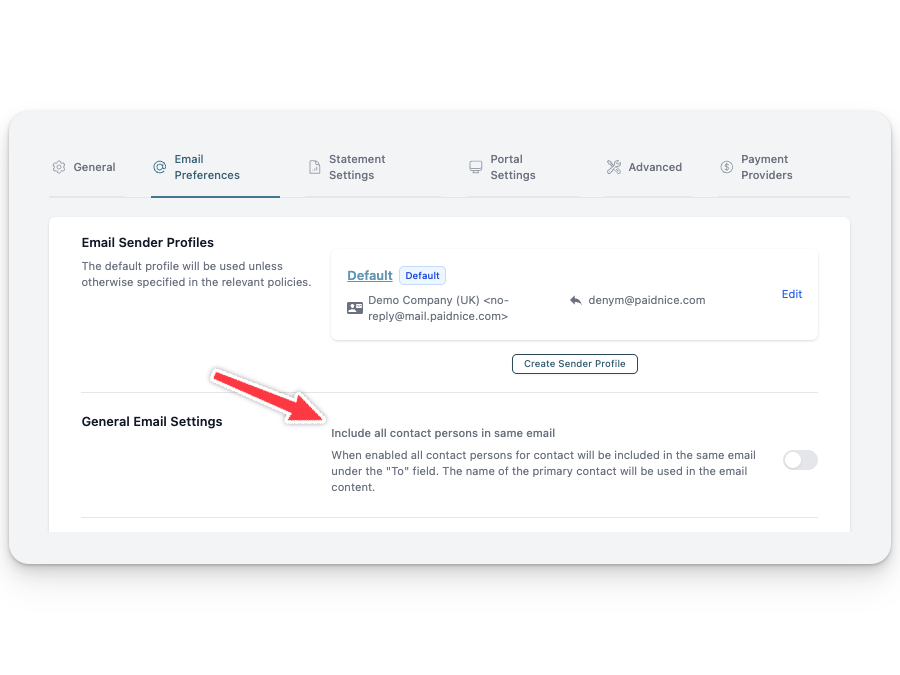
Combination 1: Primary contact only.Only send to primary contact = ON. The other toggle is irrelevant. The cleanest, safest default. Best for early reminders and most SMB use cases.
Combination 2: All contacts, one shared email.Only send to primary contact = OFF. Include all contact persons in same email = ON. Works for small SMB-to-SMB customers where everyone wants visibility.
Combination 3: All contacts, separate emails.Only send to primary contact = OFF. Include all contact persons in same email = OFF. Works for larger or more formal customer relationships, and where personalization matters.
Combination 4: Mixed by policy.Set the org-level default to one combination, then override at policy level. Common pattern: primary contact only for friendly reminders, all-contacts-shared-email for final notices, where escalation is part of the message.
Paidnice customers see eight in ten invoices get paid on time, and a 70% drop in invoices going more than 30 days overdue, once their reminder cadence is dialed in. A good reminder ladder isn't only about the schedule and the words. It's about who gets the email. The wrong audience makes the right message feel pushy. The right audience makes a firm reminder feel routine.
Whose name goes in the email body when I'm sending separate emails?
In Paidnice, the body always greets the contact the email is being sent to. Each separate email reads as if it were written for that contact. No "Hi all" awkwardness.
Whose name goes in the email body when I'm using the shared 1-to-many setup?
The primary contact's name is used in the body. The other contacts are visible on the To line.
Does this also apply to statements and late-fee notices?
Yes. The two audience toggles govern every customer-facing email Paidnice sends: reminders, statements, late-fee notices, payment-plan notifications.
Can I exclude a specific contact from all of this?
Yes. Untick the "include in emails" flag on that contact inside Xero. Paidnice respects it across all audiences.
Will recipients see each other's email addresses on the 1-to-many setup?
Yes. They'll be on the To line, visible to all recipients. If you want all contacts to receive but not see each other, use 1-to-1 separate emails, or pair primary-contact-only with sender profile CC fields for internal stakeholders.
Does this work with QuickBooks?
Yes. Audience controls work the same on Xero and QuickBooks.
Picking the right audience pattern takes about a minute. Decide which combination fits your customer base, set the two toggles in Email Preferences, and override per policy where you need different behavior.
Paidnice has a free trial and a one-click install on the Xero App Store. You don't need to migrate anything. Paidnice reads your existing Xero data and starts closing the gap between invoice and payment from the next reminder onwards.
Install Paidnice from the Xero App Store →
Paidnice is accounts receivable automation that enforces your payment terms, trusted by thousands of businesses on Xero and QuickBooks. Credit control and debtor management, run for you.
Try it Now - It's FreeNo card required.
Optimize your cash flow with our suite of financial tools designed for AR professionals. Calculate DSO, aging analysis, late fees, and more.