

Summary
The best invoice chasing and credit control software for Xero depends on your size and whether you need enforcement or only reminders. Chaser suits larger UK businesses that need credit checks. Paidnice suits Xero businesses that want late fees, statements and payment plans in one plan. Xero's own reminders cover a short overdue list at no extra cost.
- Paidnice: Best for Xero businesses that want reminders, scheduled statements, late fees posted to the ledger and payment plans in one plan, from £49 / US$69 a month, priced by invoice volume.
- Chaser: Best for businesses past £4m that need credit checks alongside chasing, from £199 a month, priced on company revenue.
- Kolleno: Best for finance teams above US$1m turnover whose bottleneck is matching bank payments, from US$650 per user a month.
- Xero's built-in reminders: Best for under five overdue invoices a month: up to five reminder emails on one schedule, included with your Xero subscription.
This guide compares six credit control apps that connect to Xero: Paidnice, Chaser, Upflow, Satago, Kolleno and ezyCollect. Each one is matched to the business it suits, and each entry names its limitation, including ours.
When is Xero's own credit control enough?
Xero's own credit control is enough under about five overdue invoices a month, and dedicated credit control software earns its cost once you pass that. Below that line, turn the reminders on, send a statement by hand each month, and spend the budget elsewhere.
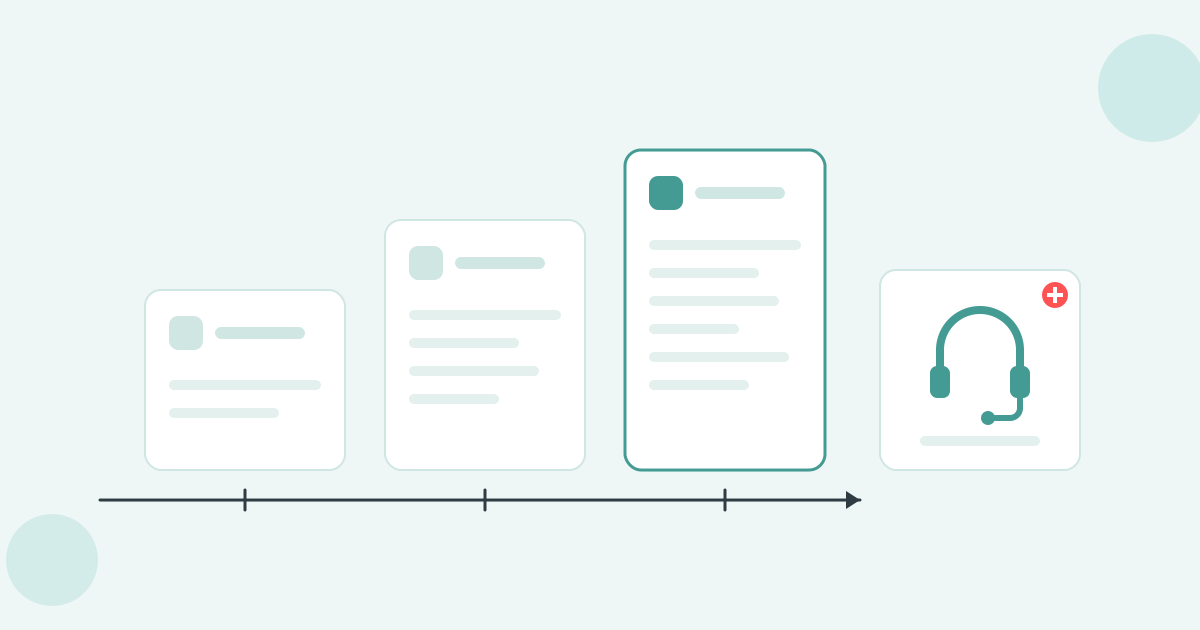
Xero has four native tools. Each does one job, and each stops in the same place.
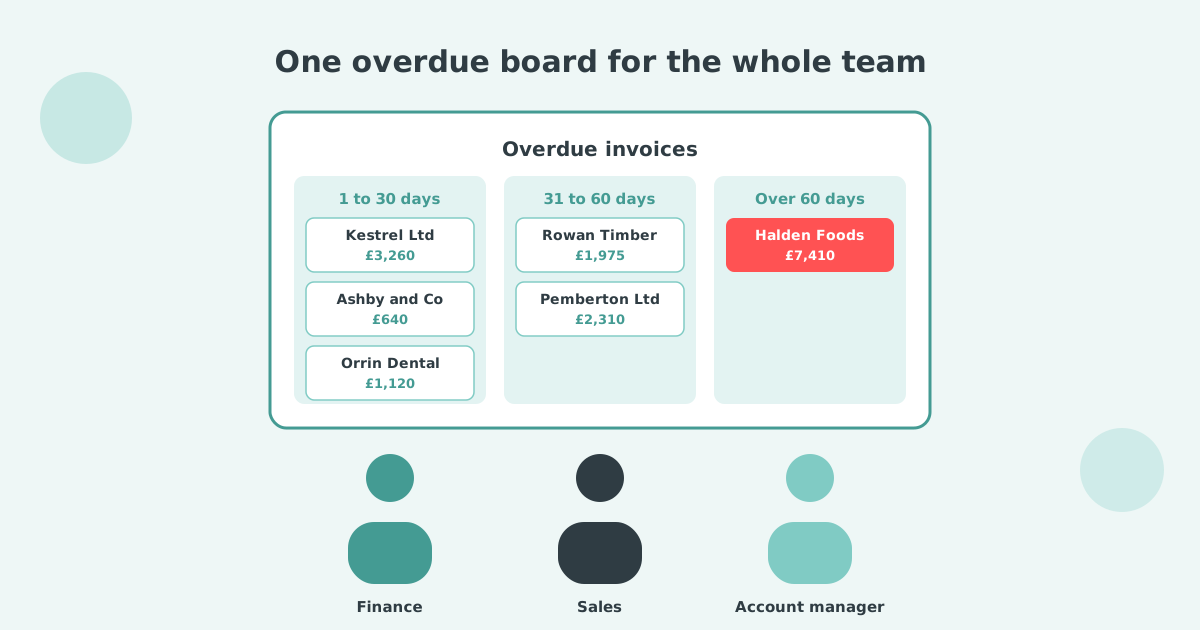
- Aged Receivables report. Tells you who is late and by how long. It does not act on any of it.
- Invoice reminders. Five emails on a single schedule for the whole Xero organisation, fired at every invoice marked as sent. The same sequence for your best customer and your worst payer.
- Customer statements. Accurate, and sent by hand. There is no schedule, so somebody has to remember on the first of the month.
- Credit limits. A cap per contact that can block new invoices. There is no credit data behind it, so the number is a guess.
What none of them do: charge interest, escalate to a named person, pause on a disputed invoice, or take payment on a plan.
Xero's own setup guide points readers at the Xero App Store once they need more than that.
Two signs you have hit the ceiling: the overdue list stops shrinking between runs, and someone is chasing by hand after the fifth reminder. At that point an app costs less than the hours it replaces.
Judge a tool against the wait it is meant to remove. Xero Small Business Insights tracks payment times in five markets.
| Country | Days to be paid | Year on year |
|---|---|---|
| Australia | 20.3 days | -4.3 days |
| New Zealand | 23.2 days | -0.9 days |
| US | 29.1 days | +1.6 days |
| UK | 29.3 days | -0.3 days |
| Canada | 29.5 days | +1.9 days |
Source: Xero Small Business Insights, June 2026. See the full data on the Paidnice accounts receivable statistics dashboard.
The four capabilities below are the ones that move that number.
What does a credit control tool for Xero have to do?
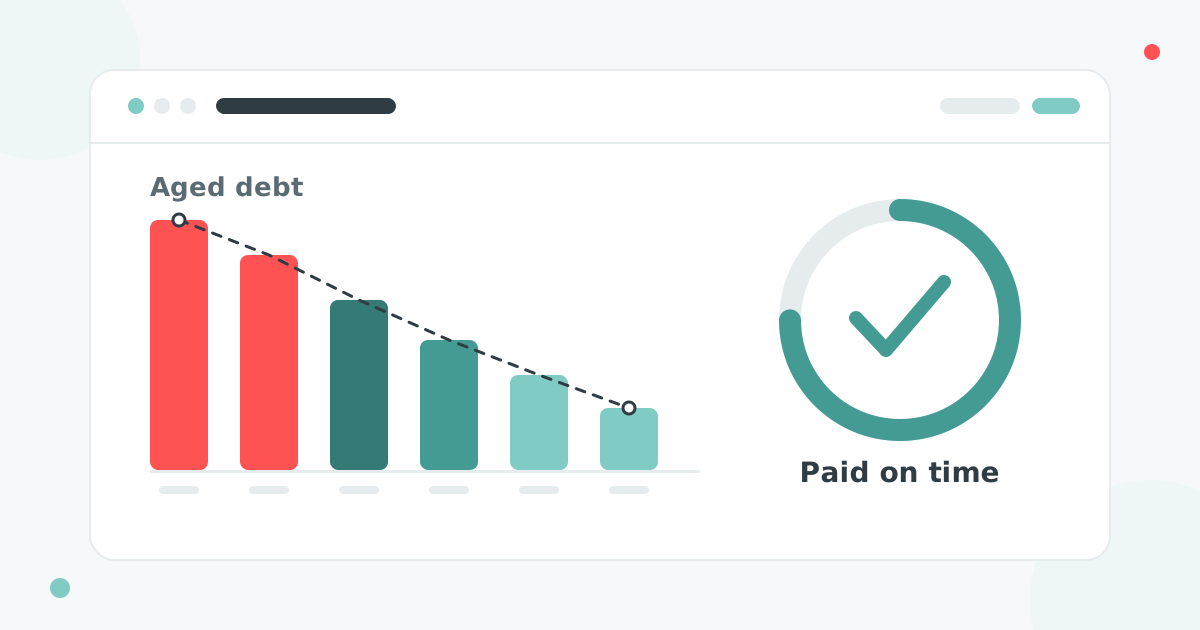
Credit control software automates accounts receivable management and invoice chasing, and shortens the time it takes to get paid. Four capabilities decide whether it works.
- Your domain in the From line. Reminders from a generic app address get ignored, and replies go somewhere nobody reads.
- Writes back to Xero. A payment at 9am has to stop the 10am chase on its own.
- Statements on a schedule. A statement is what your customer's accounts payable team works from. Sending it by hand never survives a busy month.
- Rules that vary by customer. A retainer client and a 60-day account should not get the same email on the same day. Agencies on retainers can see credit control software for marketing and creative agencies.
Those four make a tool usable. What makes it worth buying is everything Xero cannot do at all: posting interest and late fees to the ledger, taking payment on an installment plan, escalating to a named person, pausing on a disputed invoice, and giving the customer a portal to settle in.
That is the real dividing line in this category. A chasing tool sends better emails. An automation platform enforces the terms you already agreed, and the six below are split fairly evenly between the two.
Which credit control app is best for your situation?
The best credit control app for your situation depends on your size, your ledger and your real bottleneck, because the six tools below do different jobs. Start with the row that describes you.
| If this is you | Start with |
|---|---|
| High invoice volume on Xero, statements going out constantly, and you want it all in one plan |  |
| Larger UK business, happy to sign a longer contract, and you need credit checks as well as chasing |  |
| Enterprise B2B running many entities and wanting one system that does everything |  |
| You want to finance an invoice as well as chase it |  |
| You want AI-driven order-to-cash, and matching payments is the real bottleneck |  |
| Australian or New Zealand distributor with an ERP in the stack |  |
How do the credit control apps for Xero compare?
The credit control apps for Xero differ most in what they automate, whether they post a charge back into your ledger, and what they cost, and Xero's own tools sit in the first row for reference. The automates column is the one to read first: it separates a tool that sends better emails from a platform that runs the process.
| Tool | Size fit | Ledger | Best for | Automates | Posts fees to the ledger | Price from |
|---|---|---|---|---|---|---|
| Xero built-in | Under five overdue invoices a month | Xero | A short overdue list at no extra cost | Up to five reminder emails on one schedule | No | Included with Xero |
| Paidnice | Any size up to US$50m | Xero, QuickBooks Online | Late fees, statements and payment plans in one plan | Chasing, statements, fees, plans, portal | Yes | £49 / US$69/mo |
| Chaser | £4m to £100m | Xero, QuickBooks, Sage, ERPs | Credit checks alongside chasing | Email and SMS chasing, credit checks | Yes, one global rule | £199/mo |
| Upflow | Large B2B, by invoice value | Xero, QuickBooks, NetSuite | Multi-entity collection analytics | Chasing, collection analytics | No | Price on request |
| Satago | UK, any size | Xero, Sage 50, QuickBooks | Credit scores and invoice finance | Chasing, credit checks, invoice finance | Not published | £25 to £45/mo |
| Kolleno | Above US$1m | Xero, QuickBooks Online, NetSuite, SAP | Matching bank payments | Chasing, cash application, credit risk | Not published | US$650 per user/mo |
| ezyCollect | AU and NZ | Xero, MYOB, ERPs | Debtor risk scoring in AU and NZ | Chasing, debtor risk scoring | Not published | About A$275/mo |
Row order follows the list below, not a ranking. A cell reads "not published" where the vendor documents nothing either way, rather than where a capability is known to be absent.
The posts-fees column is the one worth a second look. Most of these read your ledger and mark an invoice paid. Chaser adds its fee as a line on the existing Xero invoice under one global rule, and Upflow states plainly that it does not create invoices. Posting a fee into Xero is a deeper integration, and it is why a charge raised in Paidnice reaches your customer's accounts payable rather than sitting on a dashboard.
How was this list put together?
Each tool is placed against the job it does best rather than scored out of ten, because a £700k builder and a £40m distributor are buying different products. We read each vendor's own pricing tiers, weighted ratings by review count with the Xero App Store first, and list a limitation for every entry, including ours; prices change, so verify before you buy.
Paidnice
Paidnice: Best for automating UK statutory interest and late fees per customer group, posted straight back to the Xero ledger, from £49 a month.
Paidnice is credit control software for Xero that automates invoice reminders by email and SMS from your own domain, scheduled statements, late fees and interest, payment plans, a customer payment portal and escalation, in one plan priced by invoice volume.
- On Xero: see how Paidnice runs credit control for Xero
- Fits: any size up to US$50m a year, or 50,000 invoices a year, on Xero or QuickBooks Online, priced on invoice volume rather than company revenue
- Regions: UK, Australia, New Zealand, US, Canada and South Africa
- Entry cost: £49 / US$69 a month for 150 invoices, Pro from £74 / US$99. No per-seat fees, and unlimited users on Pro
- Rated: 5/5 from 83 Xero App Store reviews; 4.9/5 on Capterra
- Awards: 2025 Xero Global Small Business App of the Year 🏆; New Zealand Small Business App of the Year at the Xero Global App Awards 2026


- Runs on: built natively on Xero and QuickBooks Online, plus Stripe, Pinch, HubSpot, Pipedrive and Zapier
- Statutory late fees: flat, percentage or compounding, set per customer group, with the UK rate auto-indexed to the Bank of England base rate
- The one thing it does best: volume at the entry price. Scheduled statements with 30/60/90 aging, reminders, fees, payment plans and a portal are all in the base product
The limitation. Credit checks run through Creditsafe on the Custom plan only. On Essentials and Pro there is no bureau data, no risk score and no monitoring feed, so vetting new accounts otherwise has to happen somewhere else. Native support is Xero and QuickBooks Online only; other ledgers are a Custom-plan conversation.
Being built for two ledgers rather than eight is the trade. It is why the Xero integration goes deeper than a sync, and why a Sage or NetSuite business should look elsewhere on this list.
Chaser
Chaser: a UK credit control suite, best for larger businesses past £4m where vetting customers matters as much as chasing them, from £199 a month.
The most established suite here, founded in 2014. The pricing tiers are built for businesses well past the typical Xero small business.
- Fits: £4m to £100m turnover in practice. The £199 entry tier caps at £4m, and the tiers that unlock the useful limits are £599 and £899 a month
- Regions: UK founded and UK led, sold internationally
- Entry cost: £199 a month to £4m turnover, £599 to £10m, £899 to £100m, priced on company revenue rather than invoice volume
- Rated: 4.98/5 from 374 Xero App Store reviews, the deepest review base in the category
- Runs on: Xero, QuickBooks, Sage 50, 200 and Intacct, NetSuite, Dynamics 365, SAP
- Statutory late fees: yes, four calculation types including a UK base rate option, but one global rule that cannot vary by customer group, and fees do not apply to payment-plan or partially-paid invoices
- The one thing it does best: credit checking and monitoring, payer ratings and a late-payment predictor, sold as metered credits alongside the chasing
The limitation. It is the oldest product on this list and it shows in how little bends. The late fee rule is global. Statements go monthly on a fixed day, with recipients and senders you cannot change. Payment plan chasing follows the invoice due date rather than the installment dates, which their own documentation tells you to work around by hand.
Pricing on company revenue is the other thing to model carefully. A low-volume, high-value business can land on a £599 tier for a handful of invoices a month.
Upflow
Upflow: an enterprise accounts receivable platform, best for B2B finance teams running many entities who want collections, analytics and payments in one place. Price on request.
The enterprise answer in this list, rather than a chasing tool with reporting attached.
- Fits: large B2B and SaaS businesses, tiered by annual gross invoice value, and comfortable at multi-entity scale
- Regions: US and Europe, headquartered in New York
- Entry cost: not published. Third-party captures from 2024 put the paid tiers around US$440 and US$880 a month
- Rated: 4.8/5 from 233 G2 reviews
- Runs on: Xero, QuickBooks, NetSuite, Sage Intacct, Stripe Billing, Chargebee, Zuora
- Statutory late fees: no native calculation. Fees are applied on the ERP side
- The one thing it does best: breadth at enterprise scale, with collection analytics and payer behavior reporting deep enough to take to a board
The limitation. No late fees, no payment plans beyond promise-to-pay, and pricing has moved entirely to contact-sales, which usually signals a move upmarket. The free tier reports and does not act.
Satago
Satago: UK credit control with credit reports and invoice finance, best for businesses that want to vet customers, chase them and fund the invoice in one place, from £25 a month.
Half credit control software and half lender, with credit reports and single-invoice finance in the same subscription. Strongest inside the Sage 50 ecosystem, where it is bundled cheaply.
- Fits: UK businesses, particularly those already on Sage 50
- Regions: UK only
- Entry cost: £25 a month embedded in Sage 50, £45 standalone, rising to £80 and £200
- Rated: no published review volume
- Runs on: Xero, Sage, Sage 50, QuickBooks, KashFlow, FreeAgent
- Statutory late fees: not verifiable from public materials
- The one thing it does best: credit reports and suggested limits alongside chasing, plus finance against single invoices when cash is tight
The limitation. Roughly half the product serves the lending side, so a business that only wants chasing pays for a finance product it may never use. UK only, and the review record is thin enough that you should ask for references.
Kolleno
Kolleno: an AI order-to-cash platform, best for larger finance teams whose real problem is matching payments rather than sending reminders, from US$650 per user a month.
An AI order-to-cash platform where chasing is one module beside reconciliation, remittance parsing and credit risk.
- Fits: finance teams above roughly US$1m turnover, priced per user
- Regions: London headquartered, sold internationally
- Entry cost: US$650 per user a month, US$545 annually, rising to US$1,245
- Rated: 4.9/5 from 99 G2 reviews
- Runs on: Xero, QuickBooks Online, NetSuite, SAP, Sage Intacct, Dynamics 365, Workday, Oracle
- Statutory late fees: no evidence found in vendor documentation
- The one thing it does best: cash application: bank file formats, remittance parsing and multi-currency reconciliation
The limitation. Per-user pricing punishes the setup that works best, which is several named senders escalating an invoice as it ages. No late fee automation found, and the product has moved upmarket from small business credit control.
ezyCollect
ezyCollect: Australian and New Zealand debtor management, best for distributors with an ERP in the stack and a large debtor book, from about A$275 a month.
Long established in the Australian and New Zealand mid-market, strongest where the ledger is MYOB or an ERP rather than Xero alone.
- Fits: Australian and New Zealand wholesalers and distributors
- Regions: AU and NZ led
- Entry cost: about A$275 a month plus a setup fee, billed annually; last published, ezyCollect now hides its prices, so request a quote
- Rated: 4.9/5 from 35 Xero App Store reviews in Australia; 4.7/5 from 25 on G2
- Runs on: Xero, QuickBooks, MYOB AccountRight and Exo, NetSuite, SAP Business One, Pronto
- Statutory late fees: no evidence found in vendor documentation
- The one thing it does best: debtor risk scoring and pay-now links across a long ERP integration list
The limitation. An annual commitment plus a setup fee is a real barrier for a business that wants to try before it buys, and no late fee or interest automation appears anywhere in the help documentation.
How do you choose credit control software by size?
Choosing credit control software for Xero comes down to two questions: how big the ledger is, and what the actual problem is. Five common situations and where they land.
| Your situation | What to look at |
|---|---|
| Under £500k, fewer than 25 invoices a month | Stay on Xero's own reminders and a monthly statement run. Automating twenty minutes of work is not a saving. |
| High invoice volume on Xero, statements going out weekly or monthly | Look for scheduled statements, fees and plans in the base product rather than as paid add-ons. |
| Extending trade credit to accounts you cannot vet | Credit data. This is the one job the cheaper tools genuinely do not do. |
| Several entities, and a board asking about DSO every month | An enterprise platform with multi-entity reporting, not a chasing tool with a dashboard bolted on. |
| Payments arrive but nobody can match them | Cash application and reconciliation. Your problem is not chasing, and a chasing tool will not fix it. |
Two situations sit outside this list. If you run several Xero organisations, start with credit control across multiple Xero companies. If your team lives in Google or Microsoft, the sending setup matters more than the feature list, and that is covered in credit control software for Xero, Gmail and Slack and the Outlook and Teams version.
What should you check beyond the feature list?
Six demo questions separate credit control apps for Xero, because every vendor writes its feature grid to the same checklist. None of the six appear on a pricing page.
- How does it authenticate to send as you? Some apps sign into one person's mailbox and relay through it, which borrows that account's daily send limit and puts chasing bounces on the mailbox your team uses all day. Authenticating your domain avoids both.
- Where does the fee land? A late fee only creates leverage once it is a posted invoice, because that is what enters your customer's accounts payable and their payment run.
- Is the price on invoices or on turnover? Revenue-based pricing means a low-volume, high-value business pays enterprise money for a small problem.
- Can you vary rules by customer group, or is there one global setting? Retainer clients and 60-day accounts should not get the same treatment.
- Can you exclude a single disputed invoice without switching the whole customer out of automation?
- What happens when the person who set it up leaves? Anything tied to one mailbox or one named user stops working that week.
The question that changes the most demos is the second one. Ask the vendor to raise a late fee during the call and then show you that fee sitting in Xero as an approved invoice against the customer. Plenty of tools will show you a fee on a dashboard. Fewer will show you one on the ledger, and only the ledger version reaches your customer's payment run.
For the native-versus-app decision, see Xero invoice reminders vs a credit control app: what changes. If chasing is the only job you need done, the shorter list is invoice chasing software for Xero. To compare apps by your annual revenue, with US dollar prices, see accounts receivable automation for Xero. A practice running the same policy across client organisations should read credit control software for accountants, which covers one login across every client ledger and the partner discount.
Not sure which one fits?
If you still cannot tell which credit control app fits, ask us. Most of this decision comes down to how much of the process you want automated and what your ledger looks like.
- Book a call and we will look at your overdue list with you, then say which of these is the right fit. Including when it is not us.
- Start a free Paidnice account if you want to try it against your own ledger first. No card, and it connects to Xero in a couple of minutes.
We would rather point you at the right tool than sell you the wrong one. Three of the six above do things Paidnice does not, and we will tell you when one of them is the better answer.
What else do people ask about credit control software for Xero?
What is the best credit control software for Xero?
The best credit control software for Xero depends on your situation rather than a single winner. Paidnice suits Xero businesses wanting late fees, statements and payment plans in one plan, Chaser suits larger UK businesses needing credit checks, and Upflow suits multi-entity enterprises. The head-to-head is in Chaser vs Upflow. Chaser against Kolleno on price and reconciliation is in Chaser vs Kolleno.
Does Xero have credit control built in?
Xero has credit control features rather than a module: Aged Receivables, up to five automated reminders per Xero organisation, manual statements and per-contact credit limits. There is no interest, no statement schedule and no escalation.
How much does credit control software for Xero cost?
Entry pricing runs from under US$100 a month at the small end to US$650 per user a month at the enterprise end. Most Xero small businesses land under US$250 a month, depending on invoice volume and what is bundled.
Which credit control apps charge late fees and interest automatically?
Paidnice applies flat, percentage or compounding charges per customer group, with the UK rate indexed to the Bank of England base rate. Chaser offers four calculation types but applies them as a single global rule. The rest do not automate fees.
Which one has credit checks?
Chaser and Satago. Chaser sells credit checking and monitoring as metered credits alongside chasing; Satago bundles credit reports with invoice finance. If vetting new accounts matters, those are the two to look at.
Where do I find credit control apps for Xero?
In the Xero App Store, under the debtor management and accounts receivable categories. Filter by your region, because availability and payment integrations vary by country, and read the review count as well as the score.
Is there free credit control software for Xero?
Not meaningfully. Xero's own reminders, statements and credit limits come with your subscription and are enough for a short overdue list. Beyond that the category is paid, though most tools offer a trial rather than a free plan.
Is there a credit control software Xero download?
No. Every credit control tool for Xero runs in the browser and connects through the Xero App Store using your Xero login. There is no installer and nothing is added to your desktop.
What if I use Sage or QuickBooks instead of Xero?
Four of these six run on QuickBooks and four run on some version of Sage. The two most Xero-specific are Paidnice, which is Xero and QuickBooks Online only, and Satago, which is strongest inside Sage 50.

 App of the Year