

Xero has no built-in way to add late payment fees or interest to your invoices.
It will flag an invoice as overdue, but it won't calculate what you're owed, apply a charge, or raise a fee invoice for you. To add late fees in Xero you either do it manually, by adding a line to the invoice or raising a separate fee invoice, or you automate it with an app like Paidnice that applies your fee rules the moment an invoice goes overdue. This guide shows you both: how to add late fees manually in Xero, the rules on how much you can charge, and how to automate the whole process.
No. Xero has no native feature to calculate late payment interest or apply a late fee to an overdue invoice. It marks invoices as overdue, but working out what you're owed, adding the charge, and sending it is all on you.
This is one of the longest-running requests on the Xero Product Ideas board. The thread Sales invoices: add interest to late invoices has been open since 29 March 2012 and holds 1,112 votes. Xero's last response, on 7 July 2025, gave no committed plans to build the feature. If you want Xero to add it natively, it's worth adding your vote there.
Until that changes, you have two options: add fees manually inside Xero, or use a tool that sits on top of Xero and does it for you.
Work out the interest yourself, then either add an interest line to the overdue invoice or raise a separate interest invoice to the same contact. Xero does neither step for you.
Method one: open the overdue invoice, add a line called "Late payment interest" with the amount, approve it and re-send it. This is the quickest route for a small one-off charge, but it changes the original sale record.
Method two: raise a new invoice to the same customer for the interest only, referencing the original invoice number. This keeps the original sale record intact and gives the customer one document that shows the charge and its workings. Either way the calculation (rate, days overdue, daily figure) is manual, and it goes stale the day after you raise it unless you redo it.
The rules depend on where you are.
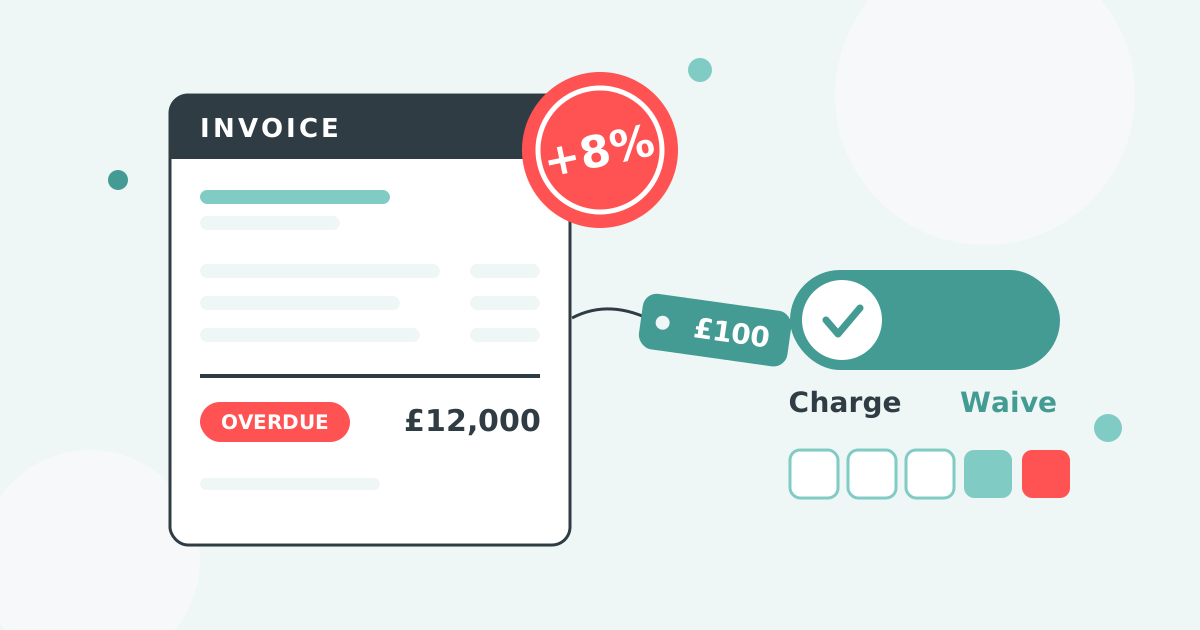
In the UK, for business-to-business debts you can claim statutory interest of the Bank of England base rate plus 8% per annum, plus a fixed compensation amount per invoice: £40 for debts under £1,000, £70 for £1,000 to £9,999.99, and £100 for £10,000 or more. The base rate moves when the Bank of England changes rates, so your figure has to track it.
In the US, late fees and maximum rates are set state by state and typically land between 1% and 1.5% per month, with some states capping them under usury laws. Our guide to late fee laws by US state breaks down the limits.
Wherever you are, your customer needs to have agreed to the fee, ideally in writing in your payment terms, before you apply it.
Xero has no automatic late fee or interest setting. The request has sat on the Xero Product Ideas board since 29 March 2012 with 1,112 votes, and Xero's last response on 7 July 2025 gave no committed plans.
Automatic fees in Xero come from a connected app. Paidnice runs two charge types on the same customer group and posts each charge to the ledger:
Customers using it cut their average wait for payment in half, within 30 days.
Connect Paidnice to your Xero organisation, set a late fee policy once, and the fee is added the moment an invoice goes overdue, with no manual step per invoice.
From then on every overdue invoice in that group is charged on the same rules, and the reminder emails carry the new balance. Excluding one disputed invoice is a reference filter, so the policy stays on for everyone else.
Say three invoices go overdue: #1001 for £1,000, #1002 for £500, and #1003 for £750.
As individual invoice late fees at 10%, Paidnice applies £100, £50 and £75, for £225 across the three.
As consolidated statement interest at 18% per annum on the combined £2,250 balance, with the invoices at different ages, Paidnice calculates the daily interest and raises a single monthly charge (around £67 here) rather than three separate ones.
Xero is excellent at creating and sending invoices. It just doesn't do anything when they go unpaid. Late payment fees, applied consistently, are one of the most effective ways to fix that, and automating them means it happens every time.
Try Paidnice free and start applying late fees to your Xero invoices automatically, or book a demo and we'll set it up with you.
Paidnice is accounts receivable automation that enforces your payment terms, trusted by thousands of businesses on Xero and QuickBooks. Credit control and debtor management, run for you.
Try it Now - It's FreeNo card required.



Optimize your cash flow with our suite of financial tools designed for AR professionals. Calculate DSO, aging analysis, late fees, and more.