
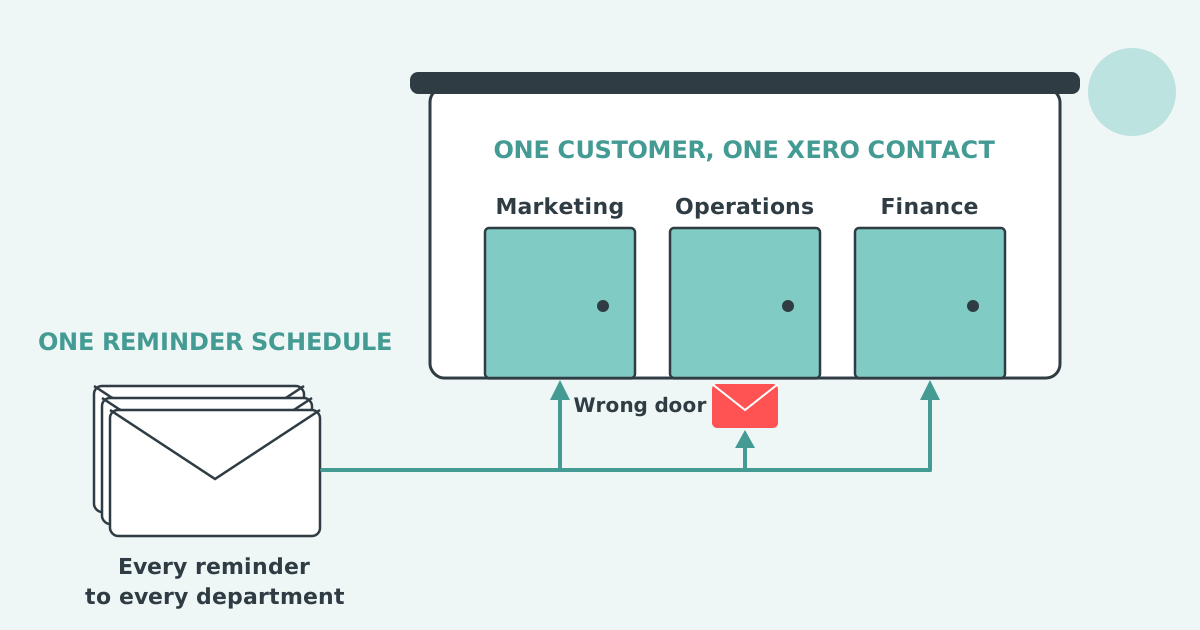

Xero invoice reminders go to the wrong person because Xero sends every reminder to the primary person on the customer's contact record plus anyone with "Include in emails" ticked, not to the addresses you chose when you sent the invoice. There is no per-invoice recipient setting, so the fix is on the contact record.
A Xero invoice reminder goes to the primary person on the customer's contact record and to every additional person on that record who has "Include in emails" ticked. Xero never looks at who received the invoice.
A Xero contact holds one primary person and up to five additional people, each with their own email address and their own "Include in emails" tick. When a reminder fires, Xero reads those ticks and sends to everyone who has one. Xero's article on how invoice reminders work describes no other rule and no exception per invoice.
This is why the same reminder can reach a person who left the customer a year ago, a project manager added for one invoice, or a director who only ever wanted the statement. Each of them is on the contact record with a tick, so each of them is on every reminder.
The invoice and the reminder use two different address lists. You pick the invoice's recipients on the day you send it; Xero picks the reminder's recipients from the contact record on the day the reminder fires.
When you email an invoice from Xero you can add or remove addresses in the To field for that one send, and Xero records those addresses on the invoice's history. The reminder schedule does not read that history. It runs one schedule for the whole Xero organisation, up to five reminders with three set up by default, and every reminder fires against every invoice marked as sent using the contact record's people.
So a consultant who emails an invoice to a client's project lead, then finds the reminder with the client's managing director, made no mistake in the send. The managing director is the primary person on the contact, and the project lead was only ever on the invoice.
You stop Xero sending reminders to the wrong person by editing the customer's contact record, because that record is the only place Xero reads reminder recipients from. Pick the step that matches the cause.
Step 5 is the honest answer where a customer has several real recipients, and it has a cost: each contact gets its own statement, its own line on the aged receivables report and its own credit limit. That trade is covered in sending Xero invoice reminders to different departments at one customer.
Xero cannot send a reminder only to the people who received the invoice, cannot set reminder recipients per invoice, and cannot hold a different recipient list for reminders than for other contact emails.
Both of those requests sit on Xero's product ideas board as separate ideas. "Invoice reminders - Ability to change invoice reminder to different email address" was posted on 12 May 2022, holds 84 votes and still shows Submitted. The narrower request, "Invoice Reminders: Ability to select that reminders only go to original recipient/s", was posted on 26 October 2022, holds 9 votes and also shows Submitted. Xero has not replied to either thread and has not merged them, so the two are counted apart and neither has a date to plan around.
The "Include in emails" tick is also shared. It decides who receives statements and other emails sent to that contact, not only reminders, so clearing it to fix reminders also removes that person from statements.
Where the reminder lands is one problem. Where the reply lands is a second one with a separate setting, covered in whether you can change the reply-to address on Xero invoice reminders.
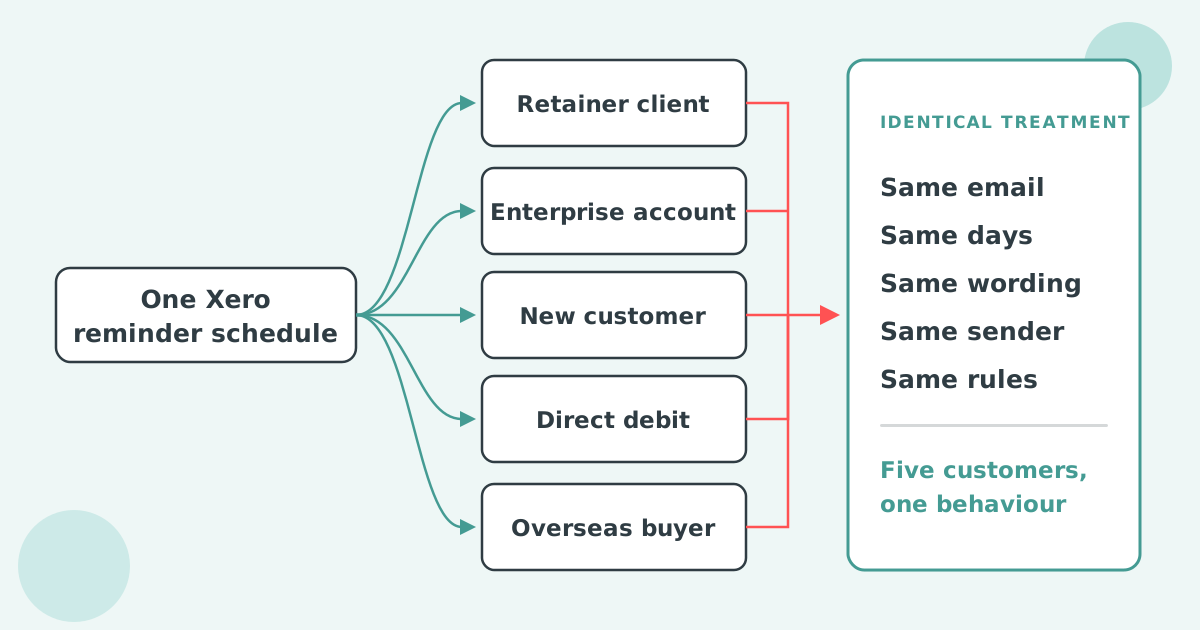
Paidnice sends each customer's reminders under a policy attached to the group that customer sits in, so the timing, wording and sender are set per group rather than once for the whole Xero organisation. The Xero contact list is not changed or duplicated.
The setup starts in Xero. Keep one Xero contact per real recipient, with the right primary person and the right ticks, then connect Xero to Paidnice. Where a company has several buyers, the buyer contacts sit as children under a parent record in Paidnice, each child keeps its own reminders, and head office receives one consolidated statement. Parent and child records are on every Paidnice plan.
Paidnice's invoice reminders for Xero run from a Default Group that holds everyone, with groups on top of it. A group can hold a contact by search, filter, Contact Tag or Xero Group Name, and each group carries its own reminder, statement, late fee and escalation policies. Each policy also picks a sender profile with its own From Name, From Email, Reply-To and BCC, and on the Pro plan reminders send from your own domain. Sign-up is free, the first 20 actions are free and no card is needed. Essentials is £49 a month for 150 invoices and two team members.
How do I turn off Xero invoice reminders for one customer?
Open the customer's contact record from Contacts, then Customers, and switch invoice reminders off there. The organisation's schedule keeps running for every other customer. You can also turn reminders off for a single invoice from the Awaiting Payment tab.
How do I change invoice reminder settings in Xero?
In the Sales menu select Invoices, then click Invoice Reminders. You can edit the wording and timing of up to five reminders, set a minimum amount owing, and choose the address replies go to. Every change applies to every invoice marked as sent.
Does Xero tell me who a reminder was sent to?
Xero shows whether and when a reminder was sent on the invoice's reminder history, with a reason if it was skipped. It does not list recipients, so check the contact record for the names.
Can a reminder go to a different address than the invoice?
Not by setting. The invoice goes to the addresses you choose at send time and the reminder goes to the contact record's people. The only way to make them differ is to edit the contact record between the two.
Paidnice is accounts receivable automation that enforces your payment terms, trusted by thousands of businesses on Xero and QuickBooks. Credit control and debtor management, run for you.
Try it Now - It's FreeNo card required.


Optimize your cash flow with our suite of financial tools designed for AR professionals. Calculate DSO, aging analysis, late fees, and more.