
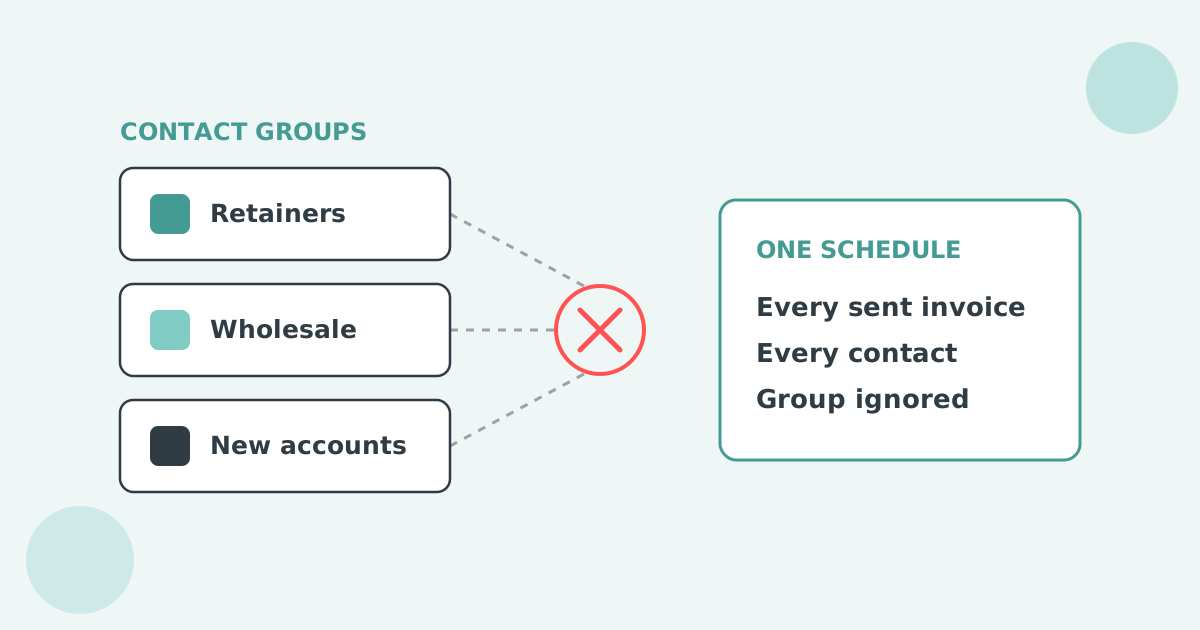

No. Xero contact groups sort customers for filtering, bulk invoicing and reporting, but the reminder schedule belongs to the organisation and never reads which group a contact sits in. Moving someone into a group changes nothing about the reminders they receive. The only native workaround is switching reminders off for an entire group.
Xero holds one reminder schedule at organisation level. You can have up to five reminders in it, and Xero sets three of them up for you when you first turn the feature on. Every reminder fires against every invoice marked as sent.
Each reminder goes to the primary person on the contact plus anyone with "Include in emails" selected. The only balance control is a checkbox, Don't send reminders for amounts owing on an invoice under, and Xero applies that setting to all reminders. Xero's own setup article tells readers to search the Xero App Store for apps that allow more advanced invoice reminder options.
Routing exists because segments behave differently. Xero Small Business Insights shows the industry spread.
| Industry | Time to be paid |
|---|---|
| Mining | 31.3 days |
| Public Administration and Safety | 29.3 days |
| Manufacturing | 29.2 days |
| All industries | 20.3 days |
| Health Care and Social Assistance | 12.0 days |
| Accommodation and Food Services | 8.3 days |
Source: Xero Small Business Insights, June 2026. See the full data on the Paidnice accounts receivable statistics dashboard.
One schedule across that range is either too soft or too hard for most of the ledger.
A Xero contact group is a saved selection of contacts that does four things: filtering the contact list, sending the same invoice to a set of customers, applying a bulk action, and slicing a report. Reminder behaviour is not part of it.
The reason is structural rather than an oversight. Xero's reminder settings live under Sales, attached to the organisation, and they are evaluated against the invoice. The group lives on the contact. The two never meet.
Adding a contact to a Xero group takes four steps under Contacts, and the groups are still worth building because a connected app can read them later.
A contact can sit in more than one group, which is helpful for reporting and a problem for automation. If you intend to run different reminder rules per group later, keep one group per customer for that purpose and use tags for everything else.
No. Xero cannot run different reminder schedules for different contact groups. One schedule of up to five reminders applies to the whole organisation, and a contact group cannot change its timing, wording or sender.
The controls Xero does offer are blunt. Reminders can be switched off for the whole organisation, a single contact or a single invoice, and one minimum-amount threshold applies to every reminder. There is no SMS channel and no scheduled statement run alongside the reminders.
So if group A should get reminders at day 3, 10 and 20 while group B waits until day 14, Xero cannot do it. Both groups get the organisation's schedule, or one of them gets nothing. Per-group timing needs a connected app that keeps the group as the unit the policy attaches to, which is the setup in the Paidnice section below. The wider question of sending different invoice reminders to different customers, on any axis, has its own guide.
The only workaround inside Xero is to open the contact group, select every contact in it, and switch invoice reminders off. That group is then out of the automated schedule, and you follow them up manually.
It works for a short exclusion list. It stops working the moment the group is large, because you have moved the work rather than removed it, and nothing records who is exempt or why. The most common version of this is a "do not auto-remind" spreadsheet living next to Xero, updated by one person, and out of date within a month.
Reminders switched off at contact level are almost invisible. Xero has no single screen listing which customers are excluded, which is a separate open request on the ideas board, posted on 9 July 2022, holding 34 votes and marked "Gaining Support" after a Xero reply on 14 September 2026. Teams routinely find accounts that have received no automated follow-up for a year because somebody switched them off during a dispute in 2024.
The idea "Invoice Reminders - Set up for a Contact group" on Xero's product ideas board was posted on 30 August 2022, holds 42 votes, and carries the status "Accepted" after an official reply on 14 September 2026. That reply said no.
Xero community manager Kelly Munro wrote: "Being open at this stage we don't have plans for this". She pointed instead to JAX, the agent Xero is building, which "will create a personalised plan for each customer you turn it on for" and follow up "through the medium that is most likely to drive payment", adding that it is "not at a contact group level". The earlier reply, on 17 April 2025, had said the product team "have started research for the future of Invoice reminders".
The same research reply appears on the request to raise the five-reminder cap, which moved to "In development" on 31 August 2026. Xero's own setup article takes the practical line and tells readers to search the Xero App Store for apps offering more advanced reminder options.
Most businesses need three or four reminder groups, not fifteen. The test for each group is whether membership changes what you would do when an invoice goes past due.
| Group | What changes | Why |
|---|---|---|
| Retainer and direct debit | No automated reminders. Monthly statement only. | The money is collected on a mandate. A reminder reads as an error. |
| Long-standing accounts | First reminder at seven days past due, warm wording. | They pay. The relationship is worth more than four days of cash. |
| New accounts, first twelve months | Reminder on the due date, then every seven days, firmer each time. | You have no payment history to lean on yet. |
| Public sector and large corporates | Reminders addressed to accounts payable, purchase order quoted. | Their systems reject anything without a matching reference. |
| Accounts in dispute | Automation paused, owner assigned, review date set. | Automated pressure during a dispute costs you the argument. |
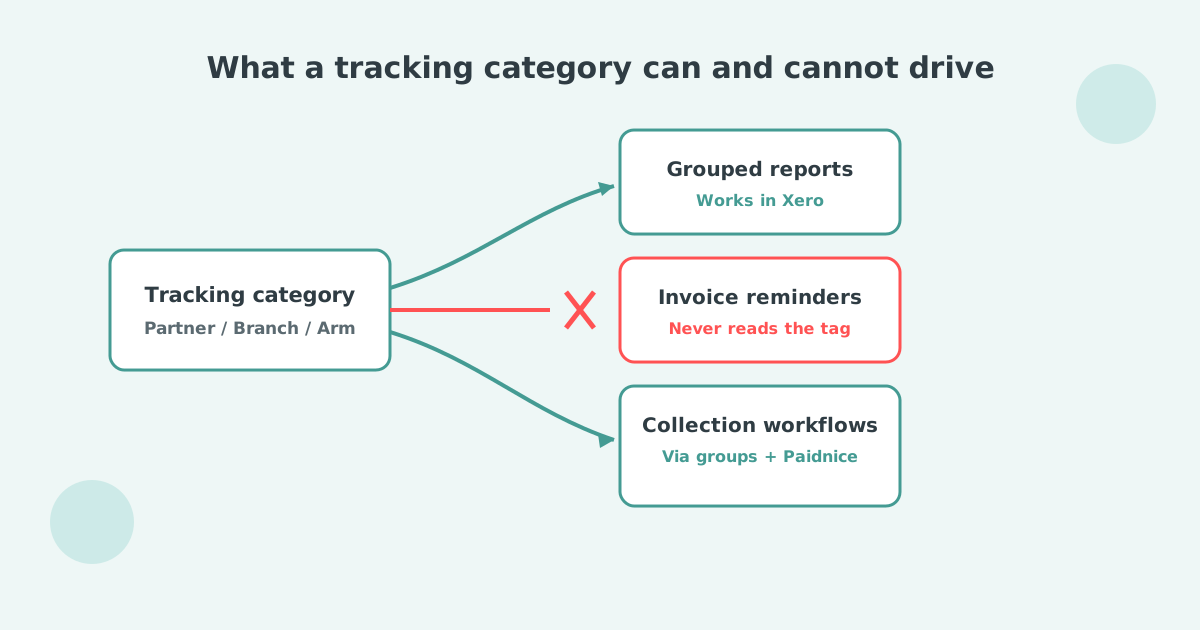
Paidnice sits on top of Xero and keeps groups as the organising unit. Every policy, whether a reminder sequence, a statement schedule or a late fee, belongs to a group, so different groups run different rules at the same time.
That last step is what keeps the setup alive. Group membership is maintained where your team already works, in Xero, and the reminder behaviour follows automatically. Nobody has to remember two systems. Splits by location and overdue balance use the same mechanism.
Groups also carry the exclusions properly. A customer moved into a "payment plan" group stops receiving the standard sequence and starts receiving instalment reminders instead, and the change is visible on the account rather than buried in a checkbox on a contact record.
The same group structure drives automatic statements and late fees, so a customer set up once behaves consistently across everything you send. Paidnice starts at £49 a month for 150 invoices, with unlimited users on Pro.
Group is one axis. Three others come up as often: customer location or region, total overdue balance, and one contact who sits behind several Xero customer records. The overview of all four is in different Xero invoice reminders for different customers.
Can I set up Xero invoice reminders for a contact group?
No. Xero reminders are an organisation-level setting applied to every invoice marked as sent, and they do not read contact groups. Xero replied to the request on 14 September 2026 that it has no plans to add this.
What can I do with a Xero contact group instead?
Filter contacts, send one invoice to the whole group, apply a bulk action such as switching reminders off, and slice reports. Groups are also readable by connected apps, which is how per-group reminder sequences become possible.
How do I add a contact to a group in Xero?
Go to Contacts, All contacts, select the contacts you want, then choose Add to group. New groups are created from the left panel with New Group.
If I turn reminders off for a group, how do I find them again later?
Xero has no single list of contacts with reminders switched off, which is an open request in its own right. Keep the exclusion recorded somewhere you will actually look, or manage exclusions in a connected app where the group is visible.
Will moving a contact between groups change their reminders automatically?
Not in Xero, because groups do not drive reminders at all. In Paidnice, group auto-assign picks the change up on the next sync and the contact moves onto that group's sequence.
How do I stop Xero from sending invoice reminders?
Turn them off for the organisation in the Invoice Reminders screen, for one contact on the contact record, or for a single invoice from the Awaiting Payment tab. Xero has no screen listing which contacts you have excluded.
Paidnice is accounts receivable automation that enforces your payment terms, trusted by thousands of businesses on Xero and QuickBooks. Credit control and debtor management, run for you.
Try it Now - It's FreeNo card required.




Optimize your cash flow with our suite of financial tools designed for AR professionals. Calculate DSO, aging analysis, late fees, and more.