
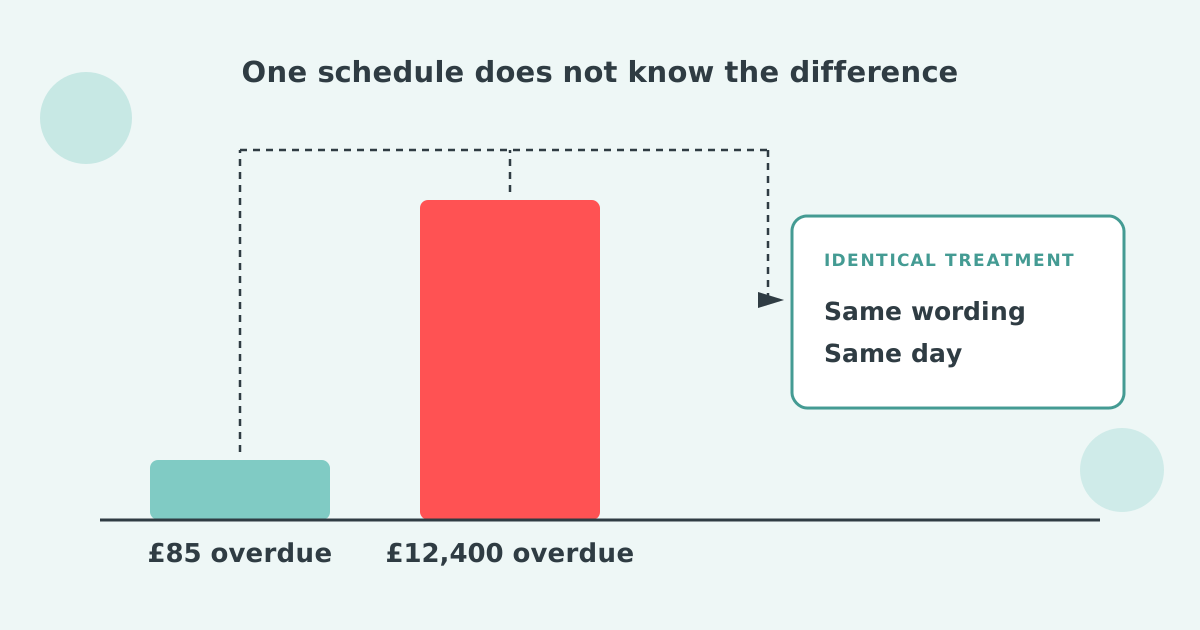

Xero cannot send different invoice reminders based on overdue balance. Its one balance control is a checkbox that stops reminders on invoices under an amount you choose. It reads each invoice on its own, never the customer's total, and it applies to every reminder in the organisation. Nothing exists for large balances.
No. Xero's invoice reminders fire against every invoice marked as sent, on one organisation-wide schedule, whatever the balance. You can hold up to five reminders in that schedule, and Xero sets up three of them when you first turn the feature on.
Each reminder goes to the primary person on the contact plus anyone with "Include in emails" selected. The only balance control is a checkbox, Don't send reminders for amounts owing on an invoice under, and Xero applies that setting to all reminders. Xero's own setup article tells readers to search the Xero App Store for apps that allow more advanced invoice reminder options.
Xero's balance control lives inside the Invoice Reminders settings, not on the contact record, and turning it on takes three steps.
The setting earns its place. Nobody wants an automated email pursuing £4.20 of underpayment on an otherwise settled account. Its limit is that it answers one question, about small invoices, for the whole organisation at once.
Xero's threshold tests "amounts owing on an invoice", so it never sees the total a customer owes you across everything open. The distinction is written into the label, and it catches people out: with a £100 floor, five overdue invoices of £60 each stay silent while the account owes £300.
Set the floor at £100 to suppress trivial chasing and a customer with six overdue invoices of £80 each receives nothing at all. Their account is £480 down and silent. Meanwhile a one-off £150 invoice from a customer who has never been late gets the full sequence.
Example: a £100 invoice floor on a small ledger
| Highfield Interiors, 6 overdue invoices at £80 | £480, no reminders |
| Marden Plant Hire, 1 overdue invoice | £150, full sequence |
| Kestrel Fabrication, 1 overdue invoice | £12,400, full sequence |
| Total overdue receiving identical treatment | £12,550 |
| Total overdue receiving nothing | £480 |
The threshold removed the wrong account from the sequence and treated a £150 invoice exactly like a £12,400 one.
Xero has no equivalent control for large balances: no faster sequence, no firmer wording for one customer, no copied manager and no switch to a phone call, because its schedule never knows the number it is dealing with. Two of the missing pieces have open requests on Xero's product ideas board: raising the five-reminder cap (posted 10 May 2022, 41 votes, "Under review") and pointing a reminder at a different address (posted 12 May 2022, 83 votes, no official reply). The practical steps, and the two lines of firm wording to use, are in how do you send sterner invoice reminders to your most overdue customers in Xero?
Three tiers cover most ledgers: a low-touch tier for small balances, a standard sequence in the middle, and an owned, escalated tier for the largest accounts. The thresholds below are illustrative: set yours where the work is worth doing, which for most businesses is around the point one invoice equals a week of profit.
The tier that matters most is the third one, because the value concentrated there is what actually moves your cash position. It is also the tier where a template alone rarely works.
Paidnice connects to Xero and knows each customer's total overdue balance, not just the value of one invoice. Balance becomes something you can route on.
That last point is the part Xero has no equivalent for. A statement interest charge is calculated per customer against everything overdue, rather than invoice by invoice, and it is recalculated at the moment the statement is sent. The figure the customer opens is accurate that morning.
In the UK the rate can be indexed to the Bank of England base rate automatically, so the base half of the calculation follows the official rate without anyone editing a template. The percent you add on top is yours to set, and for statutory interest it should not exceed 8% a year above base.
The tier boundary that gets adjusted most after go-live is the bottom one. Teams set it low, discover the low-touch tier is doing no harm, and raise it. Almost nobody moves it back down.
Small balances can also be handled without a reminder at all. A monthly statement covers the whole account in one email, which is usually the right answer for the accounts sitting under your threshold.
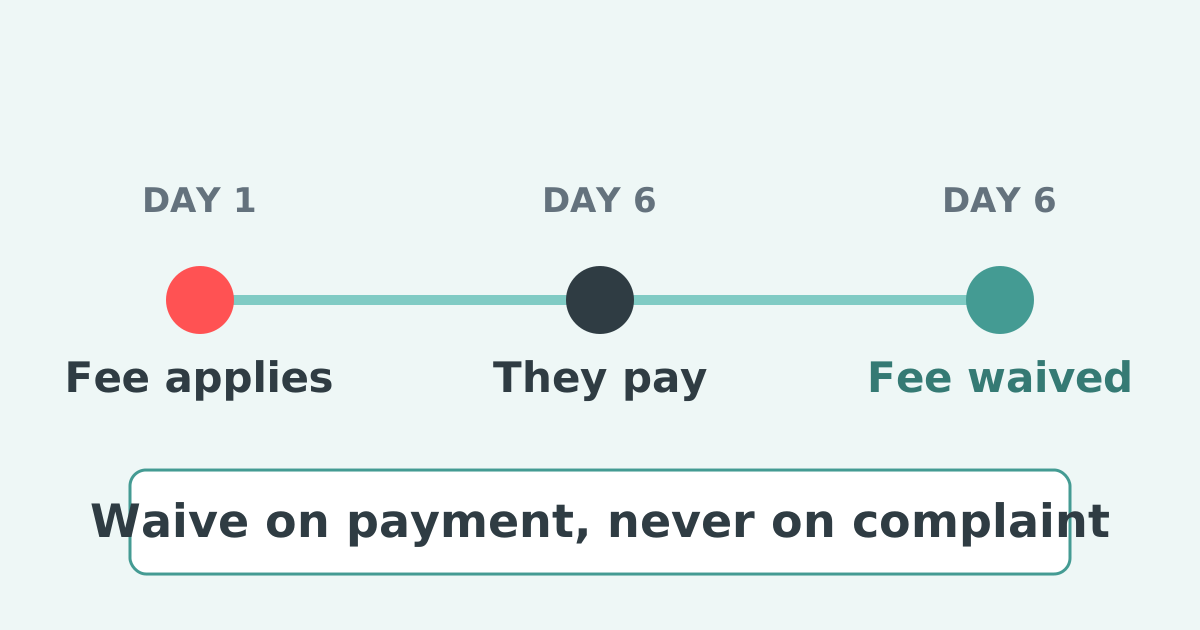
Treat a late fee as leverage in a collections process. Invoices that cost money to ignore move up a customer's payment run, which is the reason to have the policy. Apply it consistently and waive it deliberately, with the reason recorded, rather than never applying it at all.
Overdue balance is one of four ways to split Xero invoice reminders. The others are contact group, customer location and one payer behind several Xero customer records. The overview is in different Xero invoice reminders for different customers.
Can I set an invoice amount limit for Xero reminders?
Yes, one. Select "Don't send reminders for amounts owing on an invoice under" in the reminder settings and enter an amount. It applies to every reminder in the organisation.
Can Xero send different reminders for large overdue balances?
No. There is no upper threshold, no tiering and no way to run a firmer sequence for larger amounts. Every invoice above the floor receives the same schedule.
Does the Xero threshold look at the customer's total balance?
No. The label says "amounts owing on an invoice", so it tests one invoice at a time. Several small overdue invoices can leave a sizeable account balance with no reminders at all.
What is the right threshold to set?
Low enough that it only removes genuinely trivial amounts, usually the value of a rounding error or a part payment rather than a real invoice. If it is suppressing invoices you would actually pursue, it is set too high.
Can I charge interest on the whole overdue balance rather than per invoice?
Not in Xero. A statement-level interest charge calculated against the customer's total overdue balance requires a connected app, and in the UK the rate should stay within Bank of England base plus 8% a year.
How do I set up invoice reminders in Xero?
In the Sales menu, select Invoices, click Invoice Reminders: Off, then select the "Email customers when an invoice is" checkbox and click Save. Xero ships with three reminders already configured and you can hold five in total.
How do I stop Xero from sending invoice reminders?
Turn them off for the whole organisation in the same Invoice Reminders screen, or turn them off for one contact on the contact record, or for one invoice from the Awaiting Payment tab.
Paidnice is accounts receivable automation that enforces your payment terms, trusted by thousands of businesses on Xero and QuickBooks. Credit control and debtor management, run for you.
Try it Now - It's FreeNo card required.
Optimize your cash flow with our suite of financial tools designed for AR professionals. Calculate DSO, aging analysis, late fees, and more.