
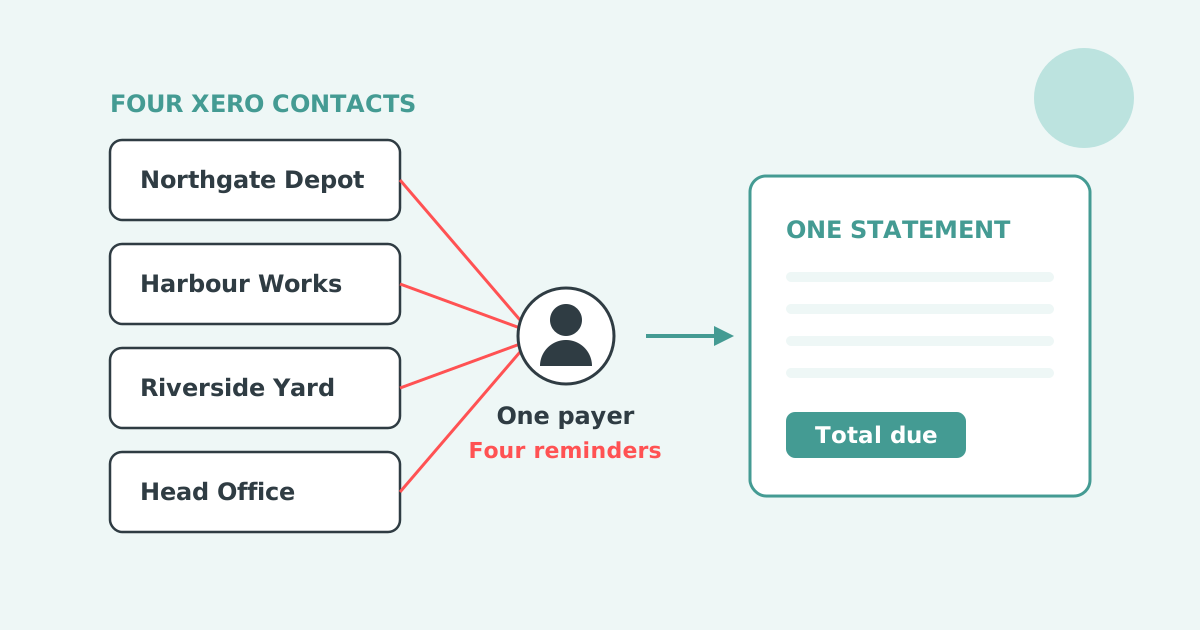

Xero treats every customer record as a standalone company, so one person managing several Xero accounts gets a separate reminder for each one. There is no parent-and-child hierarchy in Xero and no way to merge several customer records into one follow-up. The fix sits outside Xero: a connected app that rolls child accounts up to one parent.
Xero holds one reminder schedule at organisation level. You can have up to five reminders in it, and Xero sets three of them up for you when you first turn the feature on. Every reminder fires against every invoice marked as sent.
Each reminder goes to the primary person on the contact plus anyone with "Include in emails" selected. The only balance control is a checkbox, Don't send reminders for amounts owing on an invoice under, and Xero applies that setting to all reminders. Xero's own setup article tells readers to search the Xero App Store for apps that allow more advanced invoice reminder options.
Routing exists because segments behave differently. Xero Small Business Insights shows the industry spread.
| Industry | Time to be paid |
|---|---|
| Mining | 31.3 days |
| Public Administration and Safety | 29.3 days |
| Manufacturing | 29.2 days |
| All industries | 20.3 days |
| Health Care and Social Assistance | 12.0 days |
| Accommodation and Food Services | 8.3 days |
Source: Xero Small Business Insights, June 2026. See the full data on the Paidnice accounts receivable statistics dashboard.
One schedule across that range is either too soft or too hard for most of the ledger.
One person receives five Xero reminders because Xero evaluates every overdue invoice against the contact that holds it, and a finance manager listed on five customer records is five separate contacts as far as the reminder engine is concerned.
Your customer thinks of itself as one company. Your ledger holds it as several, and it is usually right to. Each depot or site has its own purchase orders, its own delivery address, sometimes its own registration number, and its own invoices arriving from your order system. Xero's reminders never look above the invoice, so the same finance manager on four records gets four emails, four subject lines and four amounts, none of which adds up to what they owe you.
Xero also states that reminders go to "the primary person in the contact in Xero and any additional people who have the Include in emails option selected", which means the duplication multiplies rather than resolves. Adding the head office contact to every branch record makes the morning worse, not better. A contact group does not help either: a group is a filter, not a hierarchy, and reminders never read it.
The requests to change this on Xero's product ideas board are open and small. Sending reminders only to the original recipients was posted on 26 October 2022, holds 9 votes and sits at "Submitted". Pointing reminders at a different address is the larger version of the same problem at 84 votes, open since 12 May 2022 with no official reply. The closest idea to a shared record, linking multiple contacts to a single invoice, holds 3 votes and sits at "Gaining Support", with no development committed.
Two different problems get typed into a search bar as "multiple companies in Xero": one payer across several customer records inside one organisation, and one business running several Xero organisations. Only the first is solved by parent and child records.
Your customer has branches, sites or subsidiaries, and each one is a separate contact inside a single Xero organisation.
You want one statement, one reminder and one payment covering the group. The fix is a parent and child hierarchy sitting above your Xero contacts.
You run two or more trading entities, each with its own Xero organisation and its own ledger.
You want one credit control process across all of them. That is a multi-entity question, covered in credit control across multiple companies in Xero.
The four workarounds inside Xero are sending several statements to one address, exporting to a spreadsheet, creating an umbrella contact, and switching reminders off for the branches. Each one moves the work rather than removing it.
Sending several statements to the same address. This costs nothing and takes no setup, but it puts the arithmetic on the customer. They add up four PDFs to answer a question you should have answered for them.
Exporting to a spreadsheet. Works the first month. By the third, part payments, credit notes and invoices raised mid-cycle have turned it into a reconciliation exercise rather than a summary.
Creating an umbrella contact and re-keying invoices. This is the one that causes real damage. The receivable is now counted twice, and a payment applied to one version does not clear the other. Your aged receivables report stops being true.
Switching reminders off for the branches. The group leaves your automation entirely and moves onto somebody's manual list, which is where most of these workarounds end up.
Paidnice rolls child records up by letting you set a parent on any customer, so head office becomes the parent and each branch a child, and statements, interest and the portal then work on the consolidated balance. Parent and child customers went live for Xero on 28 May 2026, on every plan, with no extra cost and no migration. The hierarchy is set in Paidnice, not in Xero, so your contact list is untouched.
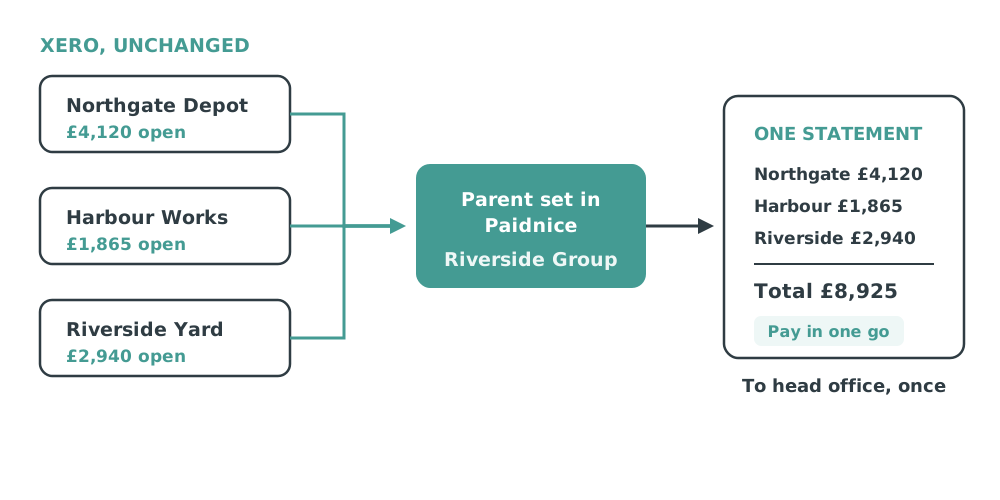
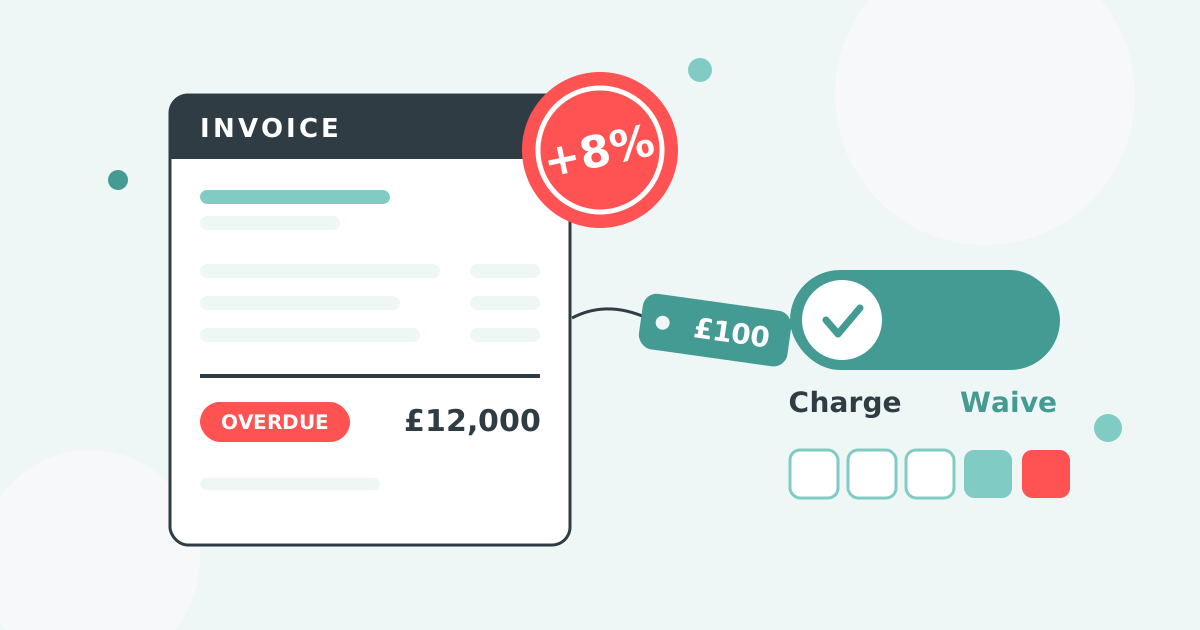
Late fee and interest policies carry the same control. A statement interest charge can be set to apply to parent customers only and calculated on the consolidated balance, so a group receives one charge rather than one per branch. Aged buckets are calculated against the consolidated position, which is the number the head office is actually deciding about.
No. A parent record in Paidnice does not have to match a legal group structure. It is a grouping you draw, so any set of Xero customer records can sit under one parent, and you choose which parts of the follow-up each level receives.
That makes it useful well beyond head office and branches. The test is simple: if several customer records should be treated as one relationship for billing purposes, put them under a parent.
You then decide what each level gets. The parent can receive the consolidated statement and the interest charge while the children receive nothing. Or the children can keep their own reminders on individual invoices, with only the monthly statement rolling up. The parent-only filter on each policy is what sets that split, policy by policy.
The setting that prevents the most awkward conversations is the parent-only filter on policies. Without it, a group gets a consolidated statement from head office and four individual reminders on the same day, which reads as though two different people are following up. Set the hierarchy and the filter together.
Parent and child customers consolidate customer-facing billing: statements, reminders, portal and payment. It is not group financial consolidation, and it does not merge two Xero organisations into one set of accounts.
Parent and child records help any business whose order system creates one Xero contact per site while one person pays for all of them. The pattern is consistent across sectors.
If your order management or point of sale system creates a Xero contact per location, you have this problem whether or not anyone has complained about it yet.
This is the hierarchy axis. The others are contact group, customer location and overdue balance, with the overview in different Xero invoice reminders for different customers. The original feature walkthrough, with video, is in parent-child customers in Xero, and the narrower question of several contacts on one record is covered in one email or separate emails.
Can I combine multiple Xero invoices into one reminder?
Not natively. Xero reminders are generated per invoice against the contact that holds it. Combining several customer records into one follow-up needs a parent and child hierarchy from a connected app.
Does Xero have parent and child customers?
No. Every Xero contact is a standalone record with no hierarchy above it. Contact groups filter contacts but do not roll invoices up to a parent.
Does the hierarchy have to match a real company structure?
No. You draw it. Any set of Xero customer records that should be treated as one billing relationship can sit under a parent, and each policy decides whether it applies to the parent, the children, or both.
Do I need to change my Xero contacts to set this up?
No. The hierarchy is set in Paidnice and your Xero contacts, invoices and payments stay exactly as they are. Nothing is duplicated and nothing is re-keyed.
Will the branches still get their own statements?
Only if you want them to. Set the statement policy to apply to parent customers only and any customer with a parent above it is skipped, so the group receives one document.
Can the customer pay the whole group balance at once?
Yes, through the payment portal with Stripe. The payment is split against the individual child invoices in Xero, so your reconciliation stays clean.
Is this the same as consolidating two Xero organisations?
No. This consolidates several customer records inside one Xero organisation. Running credit control across several Xero organisations is a separate multi-entity setup.
Can you send multiple invoices in one email from Xero?
Not as a reminder. Xero generates one reminder email per invoice. A customer statement is the only Xero document that covers several invoices at once, and it covers one contact record rather than a group of them.
Can I add multiple organisations to Xero?
Yes, but that is a different problem. Several Xero organisations means several ledgers and a multi-entity setup. Several customer records inside one organisation is what a parent and child hierarchy solves.
Paidnice is accounts receivable automation that enforces your payment terms, trusted by thousands of businesses on Xero and QuickBooks. Credit control and debtor management, run for you.
Try it Now - It's FreeNo card required.


Optimize your cash flow with our suite of financial tools designed for AR professionals. Calculate DSO, aging analysis, late fees, and more.