



Summary
You can collect B2B invoices in Canada by pre-authorized debit (PAD) without drafting your own agreement or becoming a PAD sponsor. Connect Stripe, turn on Canadian pre-authorized debits, and customers accept a business PAD agreement from the pay link on your invoice. This guide is for the business collecting the debit, not for someone paying a bill.
- The rules: Payments Canada Rule H1 sets the PAD categories, what an agreement must say, notice periods and dispute windows.
- Disputes: A business PAD can be disputed up to 10 business days after the debit. A personal PAD can be disputed up to 90 calendar days after.
- Timing and cost: Stripe says final confirmation can take up to 5 business days. Its standard Canadian price is 1% + CA$0.40, capped at CA$5.00. Paidnice adds no fee.
A new customer clicks pay on your invoice and chooses to pay from their bank account. Their bank cannot be verified instantly, so the debit waits on micro-deposits for days, and in the meantime they ask your team whether they should send a cheque instead.
We have seen this delay with bank debits in North America, and it is where most double payments start. Here is how pre-authorized debit works when a Canadian business invoices other businesses, what the PAD agreement has to say, the notice and dispute rules, and what to do when a PAD is returned.
Paidnice is accounts receivable automation for businesses on Xero and QuickBooks Online. It offers direct debit for invoices in six bank schemes through Stripe, including pre-authorized debit in Canada.
Free: Payment reminder email templatesCopy the reminder emails for before, on and after the due date.What a PAD is, and the four categories
A pre-authorized debit is a payment you pull from a customer's Canadian bank account under an agreement they have signed. The rules are set by Payments Canada in Rule H1, which says: "There are four categories of PADs: Business PAD; Cash Management PAD; Funds Transfer PAD; and Personal PAD" (Payments Canada Rule H1).
| Category | What it is for | Dispute window |
|---|---|---|
| Business PAD | Goods or services related to the payor's business or commercial activity | Up to 10 business days after the debit |
| Personal PAD | Payments from an individual's personal account | Up to 90 calendar days after the debit |
Funds Transfer and Cash Management PADs move money between accounts rather than pay for goods or services, so they rarely apply to an invoice.
For a B2B invoice, the category is Business PAD. Stripe mirrors this: each mandate "must specify a transaction type", personal or business (Stripe pre-authorized debit docs). Choose business for business customers, because the shorter dispute window is one of the main reasons to collect by PAD.
What a PAD agreement has to say
Appendix II of Rule H1 lists the parts every PAD agreement must contain:
- The date and the payor's signature, or its electronic equivalent.
- The payor's authority to debit the account.
- The PAD category: personal, business or funds transfer.
- The amount, the timing, or the event that triggers each debit.
- How the payor can cancel, with a notice period of no more than 30 days, and a reference to payments.ca.
- Your contact information.
- The recourse statement, which starts: "You have certain recourse rights if any debit does not comply with this agreement".
Some clauses are needed only in some cases, such as one-time or sporadic PADs, a payment service provider collecting as the payee, or a waiver of pre-notification, which must be displayed prominently.
When you collect through Stripe, Stripe generates the PAD mandate and the customer accepts it on the payment form, so you do not need to draft one. Keep your own agreement with any customer who insists on a signed form.
How to collect an invoice by PAD with Paidnice
- Connect Stripe to Paidnice and turn on Canadian pre-authorized debits in your Stripe payment methods.
- Send the invoice in Canadian dollars from QuickBooks Online or Xero. Paidnice adds a pay link to every reminder, SMS and statement.
- The customer opens their customer payment portal and ticks one invoice, several, or the whole balance.
- They choose bank debit and verify their account. Stripe uses "instant bank verification (with delayed microdeposit verification in rare cases)".
- They accept the PAD mandate. Stripe emails a mandate confirmation and a debit notification each time an account is debited.
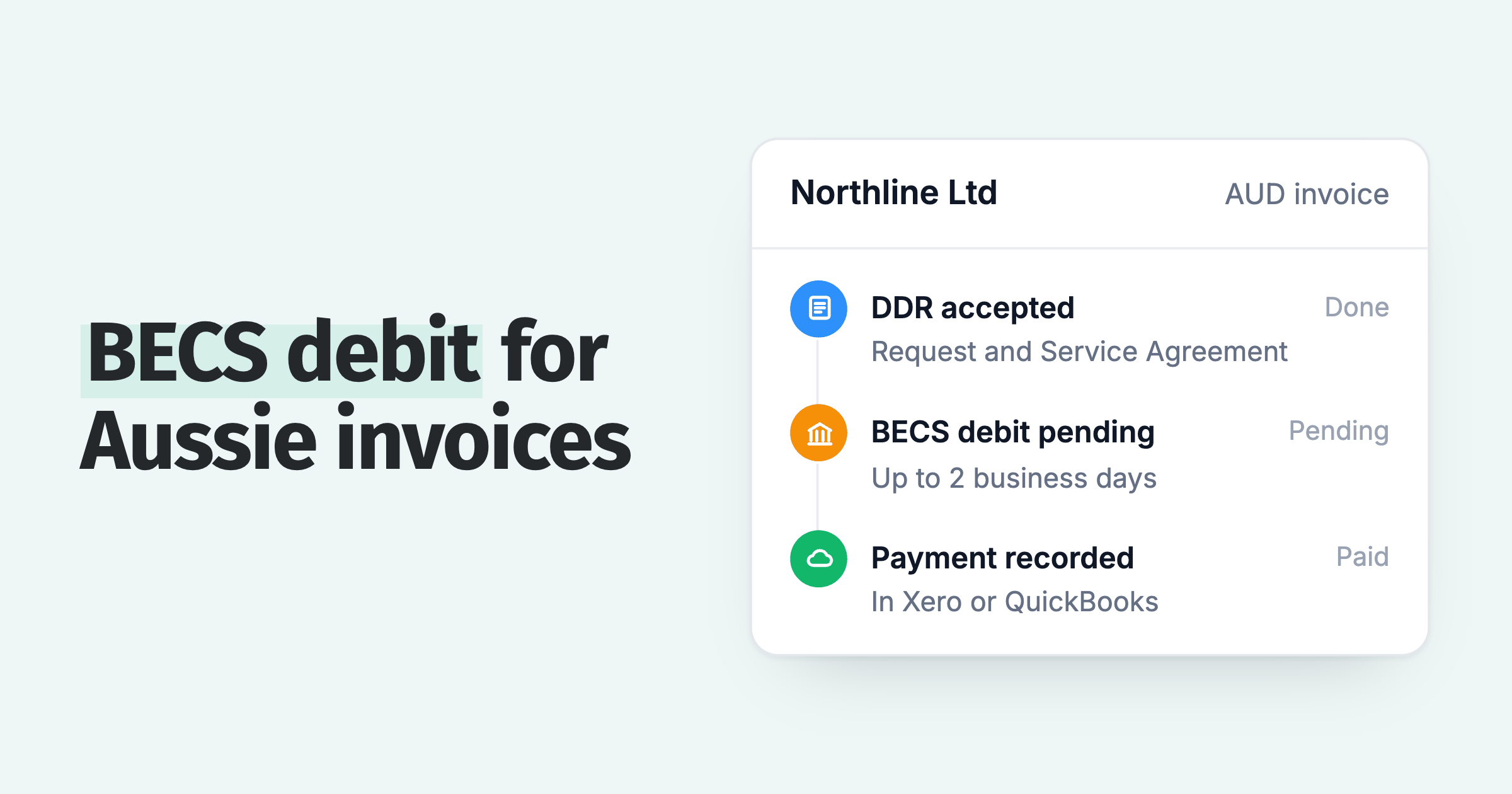
- The debit is pending until Stripe confirms it, then Paidnice records the payment against each invoice in the ledger.
Notice, confirmation and cancellation
Rule H1 asks for pre-notification "at least 10 calendar days before" each variable-amount PAD after the first, and before any change to a fixed amount or date. The payor and payee "may mutually agree to specifically reduce or waive" that notice, and the waiver must stand out in the agreement.
Confirmation of the agreement normally goes out at least 10 calendar days before the first debit. If that is waived, Rule H1 lets it go out within 5 calendar days after the first debit.
Stripe uses this second route: it says it "initiates the first debit immediately after mandate acceptance", so a customer paying an invoice today is not made to wait 10 days.
A payor can cancel at any time. Under Rule H1, you must stop new debits within 30 calendar days of their notice. The FCAC tells consumers that to cancel "you must notify the biller in writing" (Canada.ca), so expect cancellations to arrive by email.
When a PAD is returned
Stripe says "final confirmation can take up to 5 business days". A debit can come back in that time for insufficient funds, a closed account, or wrong details. After that, a business customer has 10 business days to dispute it, and Stripe says: "You can't win a PAD dispute."
In Paidnice, a returned or failed PAD shows on the Payments page and the invoice is frozen. No reminder or automatic late fee goes out until you fix it with the customer and unfreeze the invoice.
There is no automatic late fee on a failed debit; charge one manually if your terms allow. The steps for each reason are in what to do when a direct debit fails.
How the payment reaches QuickBooks Online or Xero
Once Stripe confirms the debit, Paidnice records the payment against the invoice in QuickBooks Online or Xero, with the Stripe fee and any surcharge written to the ledger. Reminders stop because the invoice is paid.
If someone has already marked the invoice paid, the record cannot be written, and the Payments page shows the payment as paid but not synced. Check for a cheque or transfer from the same customer before you refund anything.
What PAD costs
Stripe's standard Canadian price for pre-authorized debit is "1% + CA$0.40" per payment with a "CA$5.00 cap", plus CA$5.00 for a failure or dispute and CA$1.00 per instant verification (Stripe Canada pricing). On a CA$8,000 invoice that is CA$5.00 plus the verification.
Paidnice adds no fee to a direct debit on any plan. You can pass a processing fee on to the customer, set separately for direct debit and for card.
How Paidnice handles pre-authorized debit
- PAD on the pay link: every reminder, SMS and statement links to the portal, where the customer pays by card or bank debit through Stripe.
- Pending, failed and unsynced payments on one page, so your team sees a debit is on its way before anyone sends a reminder.
- Payment plans by PAD: customers can save their bank account for Autopay, and each instalment of a payment plan is collected on its date (Pro and above).
- Leave PAD payers alone: put them in their own group, or tag them, so they get lighter reminders or none.
💡 Paidnice insight
A customer asked us whether a payment plan could run on direct debit instead of a card. With Stripe connected it can: the customer saves their bank account once, and each instalment is debited on its date.
Selling into the US too? US bank accounts use a different scheme: see how to accept ACH payments.
Frequently asked questions
What is the difference between a business PAD and a personal PAD?
A business PAD pays for goods or services related to the payor's business. It can be disputed for up to 10 business days after the debit, against 90 calendar days for a personal PAD.
Do I need a PAD agreement template?
Not if you collect through Stripe, which generates the mandate the customer accepts. If you write your own agreement, it must include everything in Appendix II of Rule H1, and it is worth having a lawyer read it.
How does a pre-authorized debit work?
The customer agrees once to let you debit their account. You start each debit, it is pending for up to 5 business days while Stripe confirms it, and then the payment is recorded against the invoice.
How does a customer stop a pre-authorized debit?
They notify you in writing. You must stop new debits within 30 calendar days of their notice, and the invoice stays open for them to pay another way.
Paidnice features in this article
About the editorial team
Ashley is a co-founder and lead developer of Paidnice and has built accounting software for more than 10 years. He builds the ledger connections that put reminders, late fees and payments into Xero, QuickBooks and ERPs such as NetSuite and Business Central. Before Paidnice he co-founded A2X, ecommerce accounting software for Xero and QuickBooks.
 App of the Year
