Summary
Xero does not natively provide a parent-child customer hierarchy or consolidated customer statements. Every Xero contact is a standalone record, so a head office with several branches gets one statement per branch. Paidnice adds the hierarchy on top: set a parent on any customer record, and the next statement run consolidates the children's invoices into one statement to the parent.
- The gap: The Xero product idea for consolidated statements across a group of contacts was posted on 7 September 2024 and holds 25 votes at the status Submitted.
- The fix: In Paidnice, open any customer, set its parent, and statements, aged buckets, the portal view and Stripe payments all roll up to the parent from the next run.
- The limit: Parent-Child Customers consolidates customer-facing billing (statements, reminders, portal, payments), not group financial statements across two Xero organisations.
Does Xero support parent-child customers?
Xero does not natively provide a parent-child customer hierarchy for contacts or consolidated customer statements. Xero treats every contact as a standalone record. There is no native concept of a parent customer and child customers underneath it. When the head office asks for "one statement that shows everything we owe across all our locations," you end up exporting, copying, and gluing it together by hand.
The request for parent-child contact hierarchies and consolidated statements has been on Xero's product ideas board since 7 September 2024, holds 25 votes and sits at the status Submitted, with comments from food manufacturers, automotive workshops, ships agents, membership organizations, and wholesale distributors. A Reddit thread asking why Xero doesn't have customer sub-accounts has been active for years.
Why does one customer show up as many contacts in Xero?
One customer shows up as many Xero contacts because each branch is invoiced separately, often through an order management or POS system, and each flows into Xero as its own contact. Your customer is one company; Xero sees it as many.
A parent customer (call it City Agency) has children: Bayside Club, City Limousines, North Branch, and South Branch. Each child receives its own invoices. That's correct: each location may have its own ABN, address, contact person, and PO process. But at the end of the month, the head office wants a single statement showing every open invoice across every location, and the credit controller at your end wants a single view of how much that group owes in total.
Xero's customer statement is tied to one contact. So you either send several statements to the same email address and hope nothing gets missed, export each child's aged receivables into a spreadsheet, sum it, and email a PDF, or create a fake "umbrella" contact and re-key the invoices, which breaks reconciliation against the children. One commenter on the Xero ideas thread put it plainly: "I have over 1,000 accounts, 26 groups. It takes forever to send statements."
Why do the usual Xero workarounds break?
The three common workarounds for grouped customers in Xero (a duplicate umbrella contact, contact groups, and spreadsheet aggregation) each fail on the same point: none of them produces one statement document with one reconciled balance.
| Workaround | What it does | Where it breaks |
|---|---|---|
| Duplicate umbrella contact | A "City Agency Consolidated" contact with the invoices copied across | The AR ledger double-counts the receivable, and payments applied to one version don't clear the other |
| Xero contact groups | Filter and bulk-send to the group | Each contact in the group still gets its own statement; nothing rolls up into one document |
| Spreadsheet aggregation | Export each child's aged receivables, sum, email a PDF | Works once; different month-end dates, payments in flight, partial settlements and credit notes turn it into a manual reconciliation by month three |
The cleaner answer is to keep Xero as the system of record for contacts and invoices, and layer the parent-child logic on top in the system that already sends your statements and reminders.
What does Paidnice's Parent-Child Customers feature do?
Paidnice's Parent-Child Customers feature lets you set a parent on any customer record, consolidates the children's open invoices into one statement to the parent on the next run, and rolls the portal view and payments up the same way. Xero contacts stay exactly as they are. It is live on every Paidnice plan connected to Xero, at no extra cost, with nothing to opt in to.
- You set the hierarchy in Paidnice. Pick the parent customer (City Agency) and assign children to it (Bayside Club, City Limousines). Each child keeps its own invoices, payments, and history. Paidnice just knows they belong together.
- Statements roll up to the parent. When Paidnice generates a statement for City Agency, the PDF includes every open invoice across all of its children. One document, sent to the head office, with each line still attributable to the location that incurred it. Aged buckets are calculated against the consolidated balance, so the total you're following up on is the total the group actually owes.
- The customer portal shows the full picture. Head office opens the portal once and sees every child's invoices in a single view. If you're using Stripe Payments through Paidnice, they can pay the consolidated balance in one transaction, and Paidnice splits the payment correctly against the child invoices in Xero.
- Policy controls live at the parent level. Statement schedules, late fee rules, and interest charges can be set to apply at the parent only, so a single group doesn't get five overlapping statement runs. The children stay clean records in Xero; the customer-facing communication consolidates upstream.
What do Xero users say about consolidated statements?
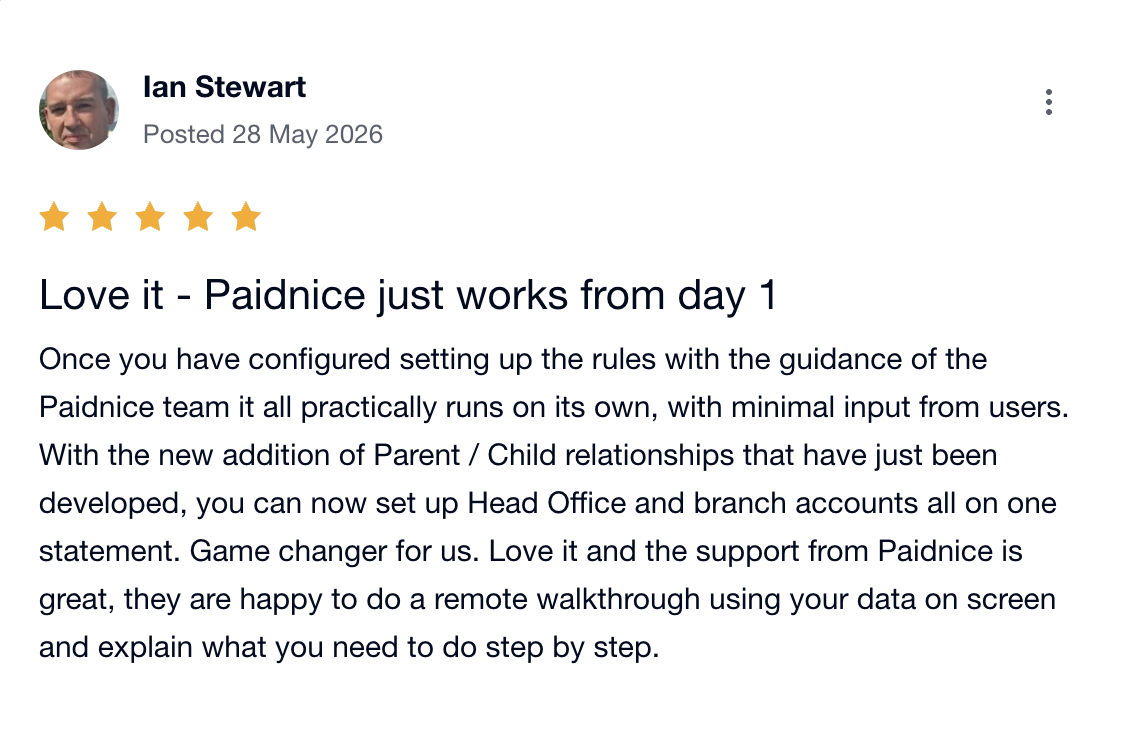
Xero users describe the parent-child layer as the step that collapses several branch accounts onto one head office statement. Ian S., writing on the Xero App Store on 28 May 2026, the day Parent-Child Customers for Xero launched, described the setup this feature is built for: a configured rules engine handling the routine AR work, with the parent-child layer collapsing multiple branch accounts onto one head office statement.
Who are parent-child customers for?
Parent-child customers suit any business that invoices branches but is paid by a head office: franchises, hospitality groups, dealer networks, healthcare chains, holding companies with several operating entities on one credit line, wholesale distributors selling to retail chains, and membership organizations invoicing branches that report to a central body.
A B2B seller whose order management system (BigCommerce, Shopify, NetSuite, an ERP, or a custom POS) creates a contact per location in Xero is the exact pattern described in the original Xero ideas thread. Accountants and bookkeepers running this for multiple clients see the saving most clearly: the hour a month per client of statement gymnastics adds up fast across a book.
How do I turn on parent-child customers in Paidnice?
Open any customer in Paidnice, set its parent, and the next statement run rolls up consolidated invoices, statements, and portal views for that group. There's no waitlist, no add-on charge, and no migration step. If you're not on Paidnice yet, you can install it from the Xero App Store; setup takes about 15 minutes, and your existing contacts and invoices stay where they are.
A note on what this is and isn't. Parent-Child Customers consolidates customer-side billing communication: statements, reminders, portal, payments. It is not group financial consolidation (consolidating two Xero organisations into one set of group financials).
Parent-child customer hierarchies were one of the last big workflow gaps for Xero teams selling into multi-site customers. See how Paidnice works with Xero at paidnice.com/xero.

Stop chasing invoices.
Start getting paid.
Paidnice is accounts receivable automation that enforces your payment terms, trusted by thousands of businesses on Xero and QuickBooks. Credit control and debtor management, run for you.
Try it Now - It's FreeNo card required.