It's removed 99% of the chasing!Mantas S.
Paidnice is accounts receivable automation for Xero & QuickBooks that logs every reminder, statement and late fee notice on the contact in your CRM, so sales sees what a customer has been chased for before the next call.
 Zoho CRM


Add your CRM’s BCC address to a sender profile once. Reminders, statements and late fee notices then appear on the contact automatically.
Account managers open the contact and see every reminder, statement and fee notice, with the invoice and attachments, before they call about a renewal.
Paste your CRM’s BCC or logging address into a Paidnice sender profile, with no app to install. The email goes to your customer, who is already in the CRM, so the copy lands on their record.
Use one sender profile with the BCC address and one without, then apply them per customer group or policy. Your largest accounts log to the CRM, the rest stay out of it.
It’s the debt collection system I’ve been looking for, for the last 15 years.

Paidnice has everything your business needs to run a best-in-class receivables process, from the first reminder to the money landing in your account.
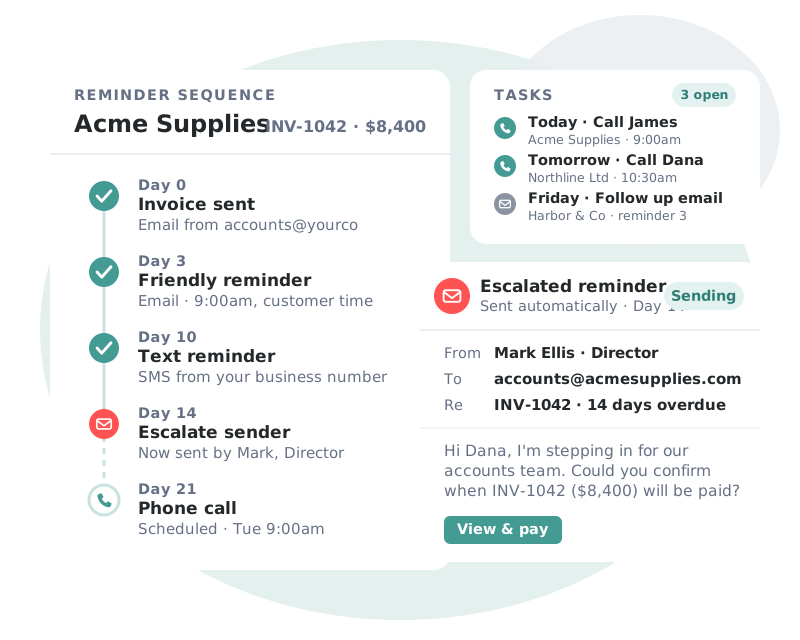
Sequences that adapt to each customer’s payment behavior, so every invoice gets the right nudge at the right moment.
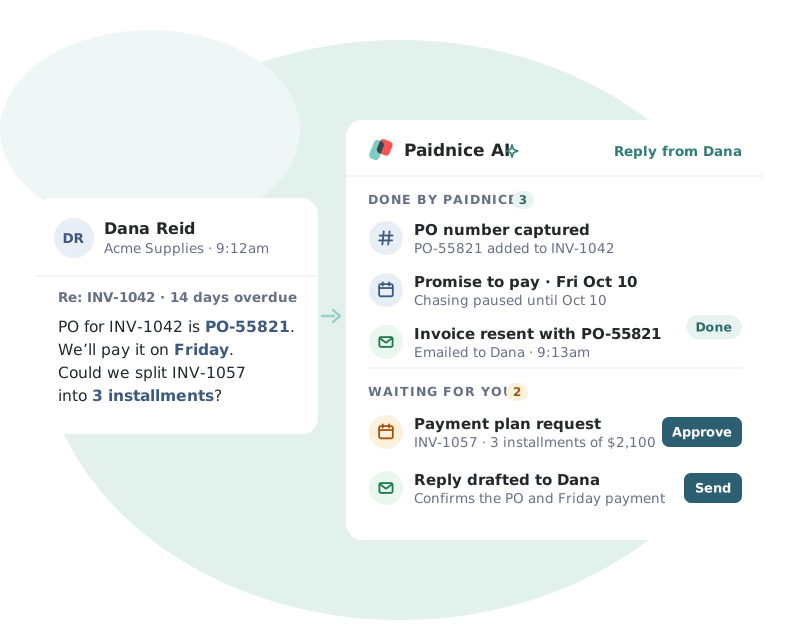
Paidnice AI reads each customer reply and turns it into the next step, so nothing gets lost in your inbox.
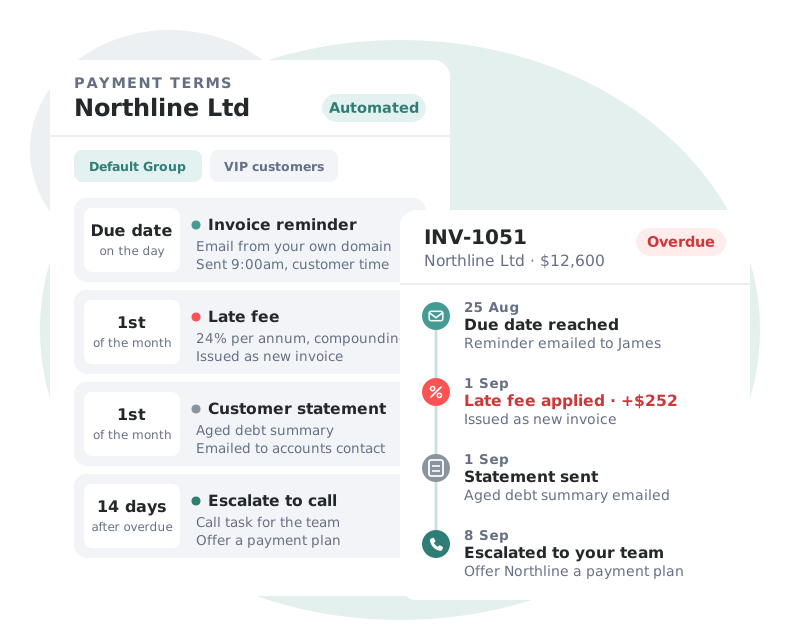
Your policies enforce themselves. Incentives and penalties are applied on schedule and written straight back to your ledger.
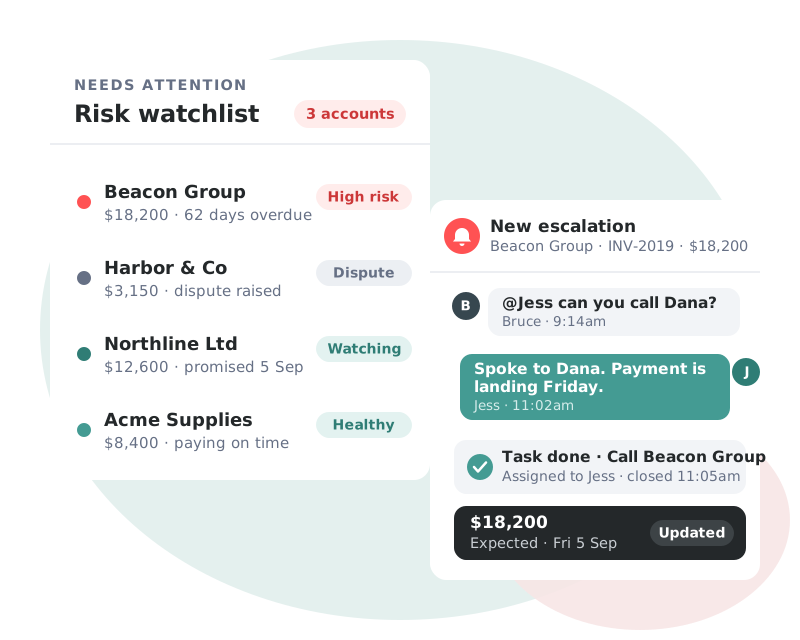
Real-time visibility of your AR health, with the accounts that need attention surfaced before they become a problem.
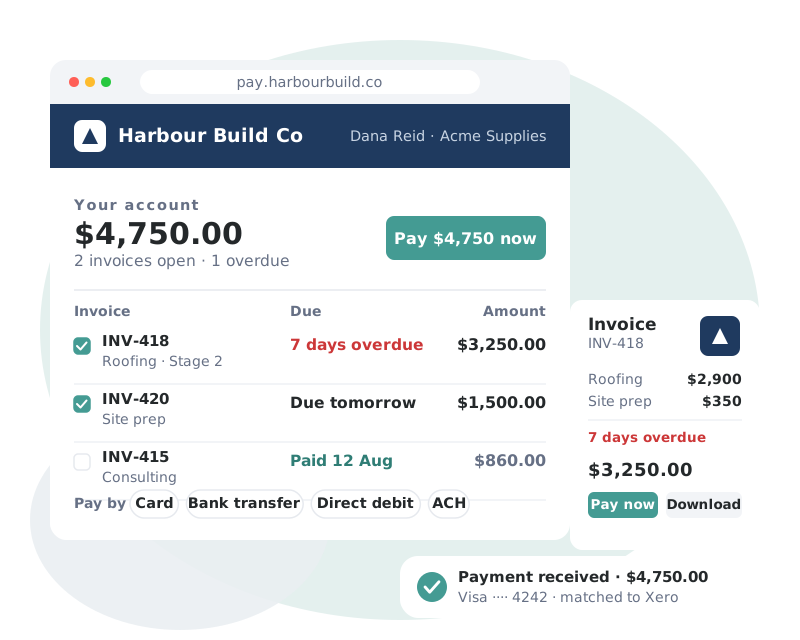
A branded, self-service portal that removes every excuse between your customer and the Pay button.
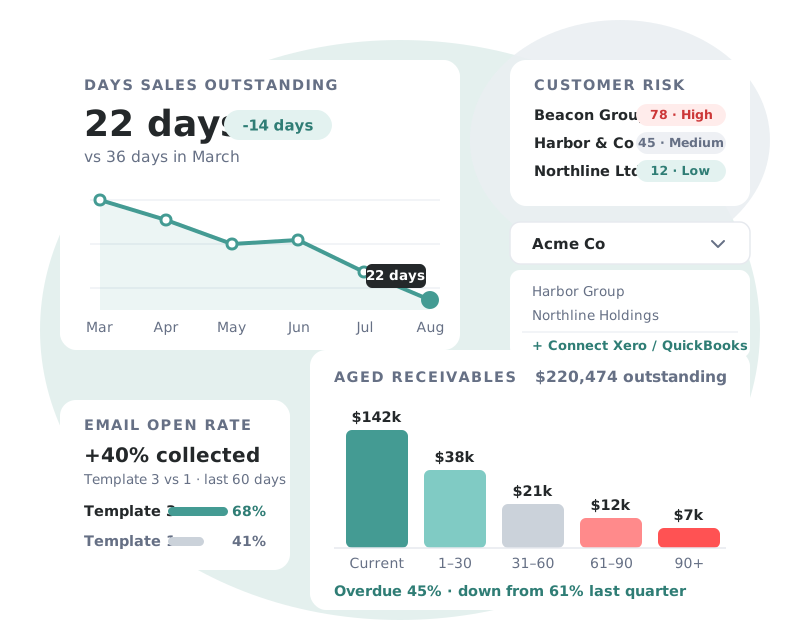
Complete visibility of receivables performance, across every entity you manage.
 AccountingNew Zealand
Customer story
“You’ve taken away a pain point and made the ability to manage something that’s difficult into something that’s actually enjoyable.”
 Marc ProctorBullot & Rankine
Accounting, payments, CRM and team tools. Paidnice reads invoices from your ledger, takes payment through your provider and logs every email in your CRM.
Copy your CRM’s BCC logging address into the BCC field of a Paidnice sender profile, then apply that profile to your reminder, late fee and statement policies. Read the setup guide.
No. Paidnice copies the emails it sends onto the CRM contact, so your team sees every reminder without leaving the CRM.
Reminders before, on and after the due date, late fee notices, payment thank-you emails, statements, quote reminders and custom notifications, with their attachments.
No. The address goes in BCC, so the customer never sees it.
Check the BCC address, your CRM’s email logging settings and that the customer’s email matches the CRM contact. Run Action Now on a test invoice to check.
All of them. Sender profiles with a BCC address are on every plan. See pricing.
Speak to the founders, not a sales team. Book a call to learn more about how Paidnice can help you take the pain away from getting paid.
Great hands on experience. Ashley helped us through everything.
 Janet X.
 App Marketplace★★★★★160+
I’ve contacted support a few times, and Denym has always replied with really detailed and thoughtful explanations, even taking the time to jump on a video call to help.
 Jon M.App Marketplace★★★★★160+
So happy with the service provided by Ashley at Paidnice. The best service I have had from anyone in years.
 Anna H.App Marketplace★★★★★160+
Very simple to set up and the few questions we had were quickly and expertly dealt with by Denym. It has already made a huge difference to our debtor days and has massively helped.
 Jenny M.App Marketplace★★★★★160+
Book a demo to learn more about how Paidnice and your CRM can help you take the pain out of getting paid.
 Today
Today