



Summary
Xero cannot post an overdue invoice letter: its invoice reminders are email only, so paper means printing a PDF and posting it manually. Paidnice prints and posts overdue invoice letters, final notices and letters before action for US$2.00 a letter, on Pro plans and up, in nine markets including the US, the UK and Australia.
- The gap: Xero invoice reminders are email only. Xero can print an invoice or statement to PDF, but posting it is a manual job every time.
- When to post: Post a letter once two emails have gone unanswered, when a reminder bounces, or when the customer has no email address in Xero.
- The fix: Paidnice posts letters for US$2.00 each in the US, UK, EU, Canada, Australia, New Zealand, Singapore, Hong Kong and South Africa, or through your own letter service by API.
- UK price: In the UK, each posted letter costs £1.50. Ask us for local pricing in other markets.
Can Xero send overdue invoice letters by post?
No, Xero cannot send overdue invoice letters by post: its invoice reminders email the customer when an invoice is due or overdue, up to five times, and there is no post or print option. Reminders also need a current email address on the contact, so a customer with no address gets nothing.
You can print an invoice to PDF, or print a customer statement, then post it yourself. That works for one letter. It breaks down when ten customers need a letter on the same day, because someone has to find the overdue invoices, print each one, write the covering letter, and remember the next step for every customer.
Free: Payment reminder email templatesCopy the reminder emails for before, on and after the due date.When should you post a letter instead of sending another email?
Post an overdue invoice letter when email has stopped working for that customer, which usually means two unanswered reminders, a bounce, or no email address at all. Four situations call for paper.
- Two emails have gone unanswered. A third email in the same inbox is unlikely to get a different result.
- A reminder has bounced. The address in Xero is wrong, and nobody at the customer knows you are following up.
- The customer has no email address in Xero. Reminders cannot reach them.
- The next step is formal. A final notice or a letter before action carries more weight on paper, and gives you a dated record.
A posted letter also reaches a different desk. It lands at the billing or registered address, where someone other than the owner of the ignored inbox opens it.
Post a letter after the first emails. When you chase an overdue invoice, it usually takes 2 to 3 follow-ups to get it paid. 6 in 10 are paid by the second follow-up and 8 in 10 by the fourth. About 1 in 10 is still unpaid 180 days after the due date.
Where do posted letters sit in an overdue invoice sequence?
Posted letters belong at the end of an overdue invoice sequence, after email has had its chance and before any court step. Use email for the early steps, then move to paper for the last three letters.
The overdue invoice sequence: email first, paper last
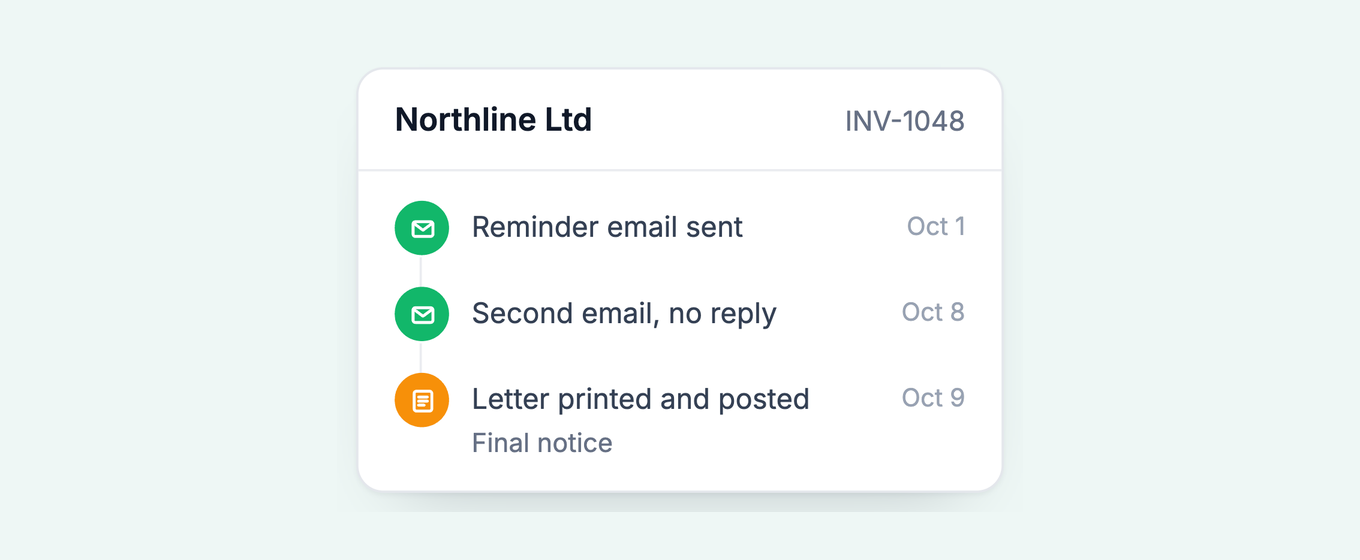
Five steps over 60 days. The first two go out by email or SMS from Xero data. The last three go in an envelope, with an email copy, and Paidnice prints and posts each one for US$2.00 (£1.50 in the UK).
-
Day 1overdue
Friendly reminder
Email
Invoice attached. A short note that it is now due.
-
Day 15overdue
Second reminder
EmailSMS
Any late fee applied and shown on the balance.
-
Day 30overdue
First posted letter
PostEmail copy
In the envelope
- Invoice number, amount and the date it fell due
- A pay-by date 7 days out
- Bank details or a payment link
- A name and phone number to call if there is a dispute
-
Day 45overdue
Final notice
PostEmail copy
In the envelope
- The unanswered letter of day 30, by date
- Statutory interest and fixed compensation added (UK business debts)
- A pay-by date 14 days out
- Notice that a letter before action is next
-
Day 60overdue
Letter before action
PostEmail copy
In the envelope
- The full balance with interest and compensation
- The last deadline before a court claim
- Your own letter, or a solicitor-signed one on request
Move the days to suit your terms, but keep the order. The wording for each step is in our collection letter templates.
Overdue invoice letter template
An overdue invoice letter names the invoice, the amount, the date it fell due and a firm date to pay by. Print it and send it to the customer's billing address.
[Your business name, address and phone]
[Date]
[Customer name]
[Customer billing address]
Account: [Customer account number]
Dear [Name],
Invoice [INV-2207] for [£2,340.00] was due on [date] and is now [30] days overdue. We have emailed you twice about it and have not had a reply.
Please pay [£2,340.00] by [date, 7 days from today]. You can pay by bank transfer to [account details] or online at [payment link].
If you have already paid, or there is a problem with the invoice, call [name] on [phone] so we can sort it out.
Yours sincerely,
[Name, role]
Dear [Name],
Invoice [INV-2207] for [£2,340.00] is now [45] days overdue, and our letter of [date] has not been answered.
As a business debt, it carries statutory interest at 8% a year above the Bank of England base rate under the Late Payment of Commercial Debts (Interest) Act 1998, and fixed compensation of [£70]. The balance today is [£2,410.00 plus interest].
Please pay by [date, 14 days from today]. If we do not receive payment or hear from you by then, we will send a letter before action, which is the last step before a county court claim.
Yours sincerely,
[Name, role]
The interest and compensation lines apply to business debts in the UK: 8% plus the Bank of England base rate unless your contract sets its own rate, and £40, £70 or £100 per invoice by debt size. Outside the UK, remove those lines or replace them with the interest clause in your own terms. The next letter, if this one fails, is the letter before action.
How much does it cost to post an overdue invoice letter?
Paidnice prints and posts an overdue invoice letter for US$2.00, or £1.50 in the UK, while posting one yourself costs postage, an envelope, printing and someone's time to fold and post it.
On a UK business debt, the fixed compensation of £40, £70 or £100 covers the cost of recovering it, and you add it to the debt alongside statutory interest. The full breakdown, including court fees, is in the full cost of a letter before action.
How Paidnice prints and posts overdue invoice letters from Xero
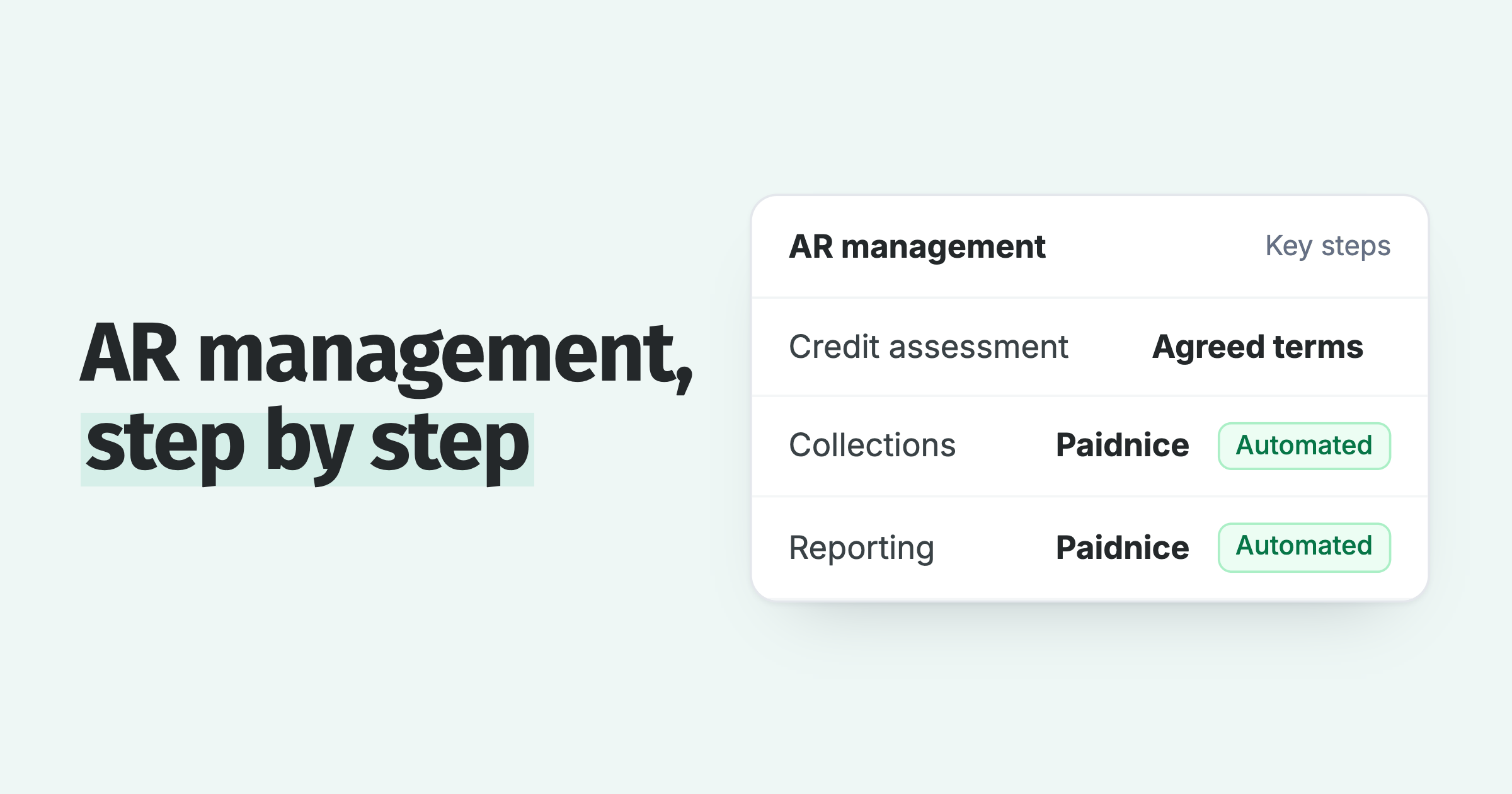
Paidnice prints overdue invoice letters and posts them for US$2.00 a letter, postage included, on Pro plans and up, and we turn it on for your account when you ask. You choose which letters go by post and at which step of your sequence.
In the UK the price is £1.50 a letter, and Pro starts at £74 a month (US$99 in the US). For other markets, ask us for local pricing.
- Nine markets: letters post in the UK, the EU, the US, Canada, Australia, New Zealand, Singapore, Hong Kong and South Africa.
- Your own letter service: if you already use a local print and post provider, connect it to Paidnice by API.
- Letters before action: send your own, or ask for a solicitor-signed letter, which is charged case by case depending on the country.
- The same policies as email: email and SMS reminders and late fees run from your Xero data first, so the letter goes to customers the emails did not move.
Customer statements can go by post as well: a statement policy can send every scheduled statement to a print and post service. See statements by post from Xero.
To switch on posted letters, contact us with your rough monthly letter volume and the countries you post to.
Related reading
Three guides cover the statement side of posting and the legal step that follows a final notice: automatic customer statements in Xero, the cost of a letter before action and the letter before action template.
Common questions
These five questions come up most often from Xero users deciding whether to post an overdue invoice letter, and each has a short answer.
How do I send an overdue invoice in Xero?
Open the invoice and email it again, or let invoice reminders email it on a schedule of up to five reminders. Both routes are email only. To post it, print the PDF and send it yourself, or use a connected app such as Paidnice.
What should you say when an invoice is overdue?
Name the invoice number, the amount, the due date and how many days overdue it is, then give a pay-by date, the ways to pay and a person to call if there is a dispute. The first posted letter above follows that order.
How many days overdue before posting a letter?
Around 30 days overdue for the first posted letter, then again for the final notice and the letter before action. Post sooner if the customer has no working email address.
How much does Paidnice charge to post a letter?
US$2.00 a letter, or £1.50 in the UK, on Pro plans and up. Contact us for local pricing in other markets, and to switch it on.
Can Paidnice post letters outside the UK?
Yes. Paidnice posts letters in the UK, the EU, the US, Canada, Australia, New Zealand, Singapore, Hong Kong and South Africa, and can connect to your own local letter service by API.
Paidnice features in this article
About the editorial team
Denym started Paidnice in 2022 after customers paying late left his own business short on payroll. He has led it to $1 billion collected on time across more than 1 million invoices, and writes about credit control, late fees and getting paid on Xero and QuickBooks.
Ashley is a co-founder and lead developer of Paidnice and has built accounting software for more than 10 years. He builds the ledger connections that put reminders, late fees and payments into Xero, QuickBooks and ERPs such as NetSuite and Business Central. Before Paidnice he co-founded A2X, ecommerce accounting software for Xero and QuickBooks.
 App of the Year
