


There are three ways to get Xero data into Claude: the official Xero connector (read-only, free, connect it in your AI app's connector settings), the Xero MCP server (read and write, needs a paid Custom Connection at roughly 5 to 10 US dollars per organization per month), and a CSV export from the Xero screen (no connection at all, works everywhere). Once connected, a skill can produce aged receivables, DSO, late fee schedules, statements and chase drafts. It cannot send an email, because Xero exposes no send tool.
That last sentence is the one that surprises people, so it is worth stating up front rather than after you have paid for a connection.
This page is the connection detail. For the wider picture of what AI for accountants can and cannot do once it is connected, read that first.
Our receivables skill for Xero, in the open. It reads all three routes below: the Xero connector, the MCP server, or a plain CSV export. Aged receivables, DSO, late fee schedules, statements and chase briefs, every figure computed by a bundled script rather than by the model.
Get the skill on GitHubWorks in Claude, Claude Code, Codex and Cursor. Setup for each route is in the repository.
Xero moves quickly in this area, so check pricing and regional availability on Xero's AI toolkit page before you commit to an approach.
| Route | Read | Write | Cost | Best for |
|---|---|---|---|---|
| CSV export | Yes | No | Free | Anyone, any country, many clients |
| Xero connector | Yes | No | Free | One organization, fastest setup |
| Xero MCP server | Yes | Yes | Paid, per organization | Raising fee invoices and credit notes |
Start here if you are unsure. It needs no developer account, no subscription and no permissions conversation with a client.
The Accounting, Reports, Aged Receivables Detail report exports the same way if you prefer the report format.
This route has an advantage the connectors do not: it is the only one that handles many organizations in a single run. Every connector holds one company at a time, so a bookkeeper with a book of clients exports once per client into one folder each and processes the lot. Ten minutes of exporting replaces a morning of reviews.
It also keeps the data scope tight. You are handing over one aged receivables file, not access to the entire ledger, which is a materially easier conversation with a client who is nervous about AI.
Xero published an official connector in May 2026. You connect it in your AI app's connector settings, sign in to Xero, and start asking questions.
It is genuinely quick, and it is read-only. You can ask for receivables, top customers by overdue amount, and the state of the ledger. You cannot change anything through it, which for most people is the correct setting anyway.
The constraint to plan around is that it connects to one organization. To look at a different company you disconnect and reconnect.
The official Xero MCP server runs locally and exposes around fifty tools. This is the route you need if you want the AI to create a late fee invoice or a credit note rather than just tell you about one.
Authentication is the friction. You need either a Xero Custom Connection, which is a paid add-on of roughly 5 to 10 US dollars per organization per month and is available to organizations in Australia, New Zealand, the United Kingdom and the United States, or your own OAuth bearer token, which means managing token refresh yourself. It is free against the Xero Demo Company, so you can test the whole workflow before paying for anything.
Four limits shape what a sensible skill does. None of them are dealbreakers, but designing around them beats discovering them.
There is no email tool. Xero's API can email an invoice, but the MCP server does not expose it and the connector is read-only. Every chase email and statement is a draft that a person sends.
Aging is per contact. The aged receivables tool requires a contact ID, so there is no single call that returns the whole book. A skill either loops every contact or, more sensibly, pulls the invoice list once and calculates the aging itself.
The invoice list is not filterable. It returns ten records a page and takes no status or due-date filter, so you page through everything and filter locally.
The rate limit is real. Sixty calls a minute and five thousand a day per organization. A five hundred invoice ledger is fifty calls just to read it. Pull once into a local snapshot and work from that file rather than re-querying for every question.
Do not let the model add up your ledger
Whichever route you choose, the arithmetic must happen in code. Language models are unreliable at totaling a hundred numbers and the failure is silent: the figure looks right and is out by a few hundred pounds. A skill worth using runs a script for every total, aging bucket and fee, and shows the workings so you can check them.
With the ledger readable, the receivables jobs a skill handles well are the recurring ones.
Our own skill for this is open source and MIT licensed: accounts-receivable-skills on GitHub. It supports all three routes above, computes every figure in a bundled Python script with nothing to install, and ships 59 tests against a fixture ledger so you can verify the arithmetic yourself. The wider guide to Claude Skills for accountants covers what skills are and how they differ from MCP servers.
This one catches people out. Xero does not let you add lines to an approved invoice, so you cannot bolt a fee onto the original debt.
Raise the fee as its own invoice instead. That is the correct mechanic on Xero, and it is also better practice: the customer can query, pay or have the fee credited without anyone touching the invoice underneath it.
Late fees are leverage. An invoice that grows is an invoice that moves up the payment run, and the reminder that a fee applies does more work than the fee itself. The condition is that you apply it consistently. A fee you announce and never charge teaches customers your terms are optional. Whatever rate you set has to be in the contract to be enforceable, so check your terms of trade before you quote a figure to a client.
Everything above happens when a person asks. That is the shape of the whole category right now: no Xero connection can trigger on an overdue invoice, so nothing runs unless someone opens the ledger and starts a session.
A weekly review is always somewhere between one and seven days late. The invoice that went past terms on Saturday sits there until Monday, and the fee your contract allows is not applied because nobody was in the room.
💡 Paidnice insight
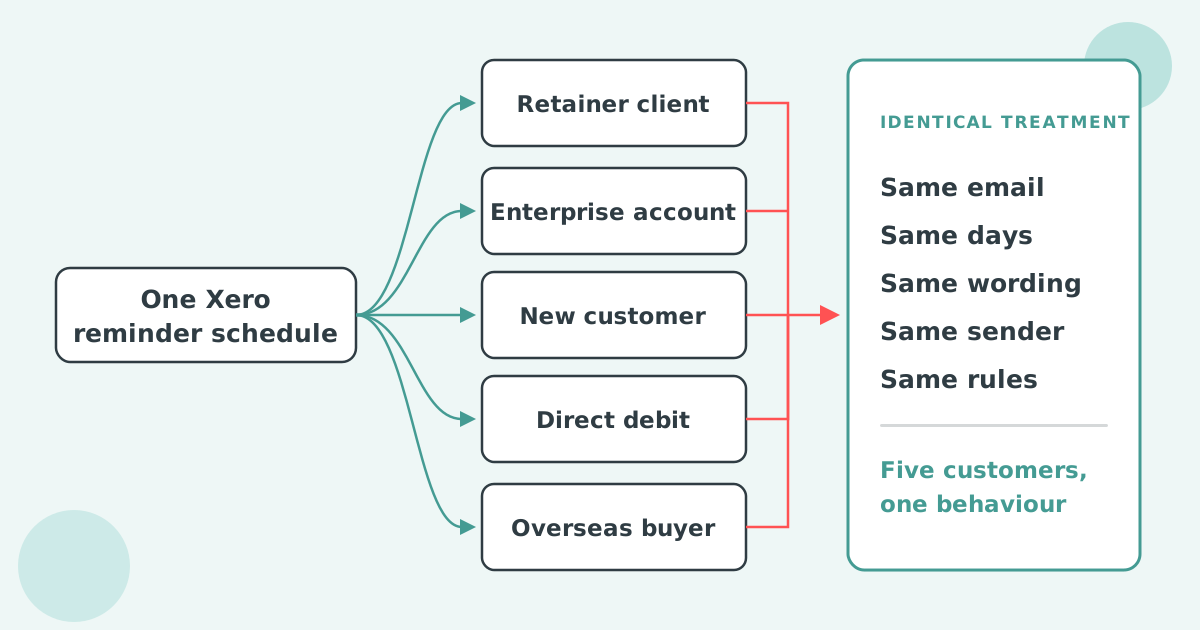
We publish an AI skill and we still run the chasing through automation, because they solve different halves of the problem. The skill answers the question when you ask it. Automation applies the same policy to every invoice on the day it lapses, which is where the result actually comes from. Customers cut their average wait for payment in half within 30 days, and none of that depends on remembering to run a report.
If you want the policy to run itself on your Xero ledger, that is what Paidnice for Xero does: reminders on schedule, late fees applied under your own rules, statements that go out without a trigger, and escalation that happens whether or not anyone looked that morning.
Yes. Xero published an official read-only connector in May 2026, which you enable in your AI app's connector settings. For write access you need the Xero MCP server with a Custom Connection instead.
The server is free and open source. The Custom Connection it usually authenticates with is a paid Xero add-on, roughly 5 to 10 US dollars per organization per month, currently for Australian, New Zealand, United Kingdom and United States organizations. It is free against the Xero Demo Company.
No. There is no email tool in either the connector or the MCP server, so reminders and statements are drafts a person sends. Automated sending needs software that connects to Xero directly.
Not through a connector, which holds one organization at a time. For a book of clients, export a CSV per client and run the skill across the folders.
The read-only connector cannot change your data, which removes most of the risk. If you want a tighter scope than that, the CSV route means handing over one receivables export rather than the whole ledger. Whatever route you take, treat anything the AI drafts as a draft, and never let it send or post without review.
Paidnice is accounts receivable automation that enforces your payment terms, trusted by thousands of businesses on Xero and QuickBooks. Credit control and debtor management, run for you.
Try it Now - It's FreeNo card required.



Optimize your cash flow with our suite of financial tools designed for AR professionals. Calculate DSO, aging analysis, late fees, and more.