
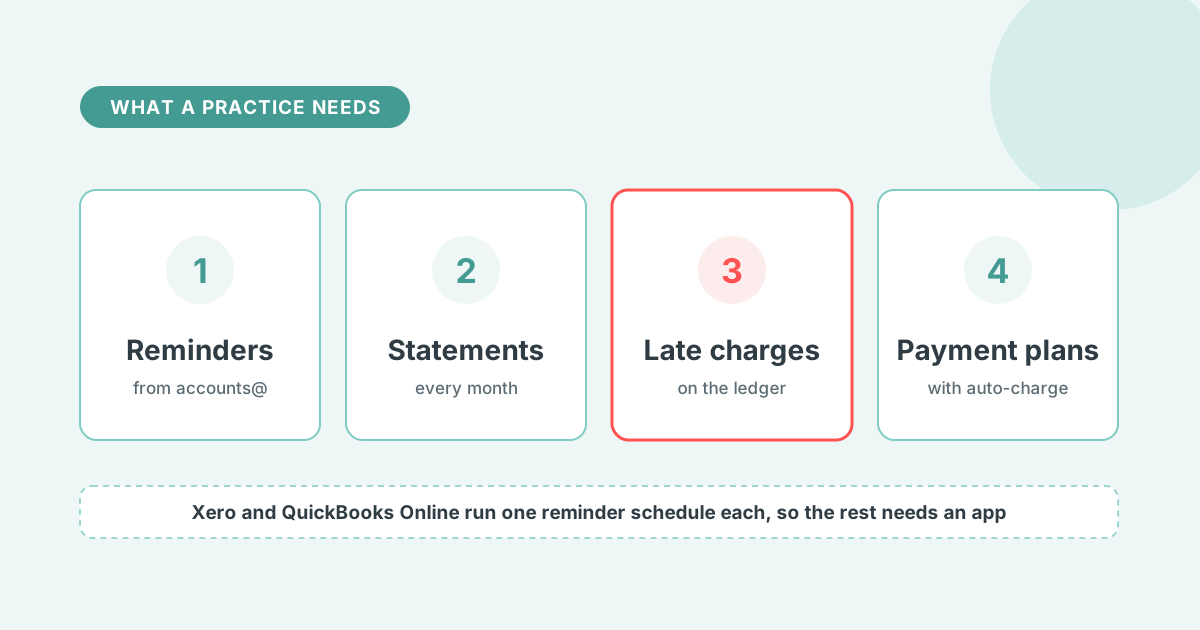

Credit control software for accountants runs reminders, statements, late charges and payment plans on the practice's own fees, then runs the same policy for clients on their Xero or QuickBooks Online ledgers.
Credit control software chases unpaid invoices on a schedule, sends statements, applies late fees or interest, and escalates the accounts that do not respond. For an accounting practice it does two jobs: the practice's own fees, and credit control for clients inside each client's own ledger.
The practice needs four things from it:
Xero holds one reminder schedule per organisation, and QuickBooks Online runs one automatic reminder schedule, so different rules per client or per fee type need a tool on top. The tools that serve practices are Chaser, Paidnice, Kolleno, ezyCollect, CreditorWatch Collect and Satago.
For the category as a whole, see Paidnice credit control software. For the Xero-only tools, see credit control software for Xero.
A practice needs reminders on a schedule from its own address, monthly statements for retainer clients, late charges under the engagement letter, and payment plans that split a fee into instalments.
An engagement letter states payment terms and usually an interest clause, so the invoices, statements, reminders and charges that follow it should run on their own. An Ignition study found that 94% of accountants and bookkeepers chase clients for late payments (Ignition).
Reminders leave from accounts@ rather than the partner, by email and SMS, on the days the engagement letter sets. A contact group decides which schedule a client is on, so one-off fee clients get the full schedule and retainer clients get none.
When a client gives a payment date, the date goes on the invoice and chasing pauses until then. If the fee is still unpaid on that date, the schedule resumes where it left off.
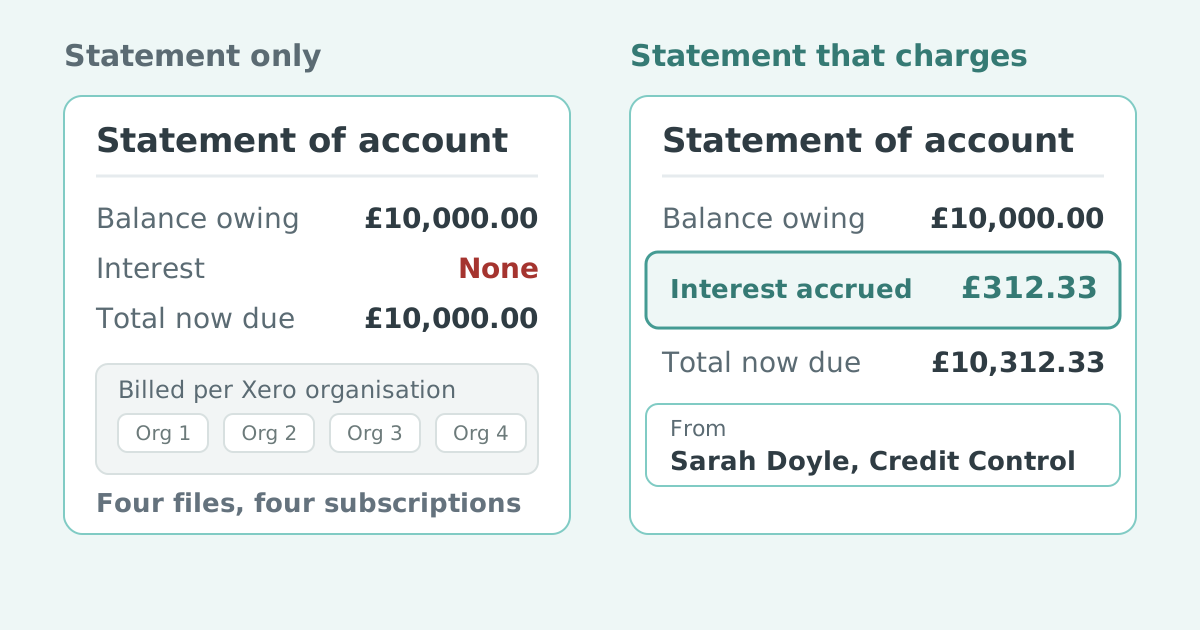
Retainer and direct-debit clients get a monthly statement instead of reminders. The statement shows every fee, every payment and the balance by age, so a missed collection surfaces on the statement rather than in a phone call three months later. A client group with several entities gets one consolidated statement across the parent and its children.
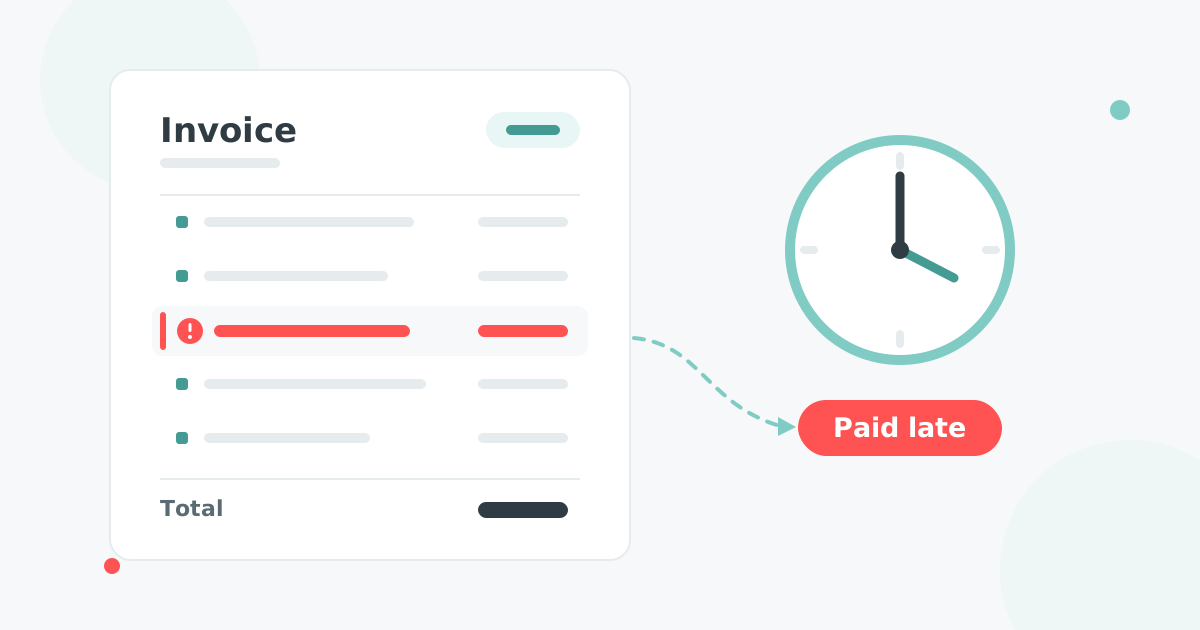
A late charge enforces the interest clause in the engagement letter. In the UK the statutory route gives base rate plus 8% and a fixed sum per invoice under the Late Payment of Commercial Debts (Interest) Act 1998 rate order, with the Bank of England base rate at 3.75% on 17 September 2026. A £3,500 fee 45 days late carries £120.70.
The charge is raised on the Xero or QuickBooks Online ledger as a Draft or Approved invoice after a grace period, and a partner can waive or credit it. In Australia, New Zealand and the United States the clause in the engagement letter sets the rate.
An annual fee can be split into monthly instalments on a payment plan, with a card or bank account on file charged on each date through Stripe or Pinch. A large one-off fee, an audit or a year of catch-up bookkeeping, runs the same way. Plans run on Xero and, through Stripe, on QuickBooks Online, so the client sees a schedule on the invoice instead of one demand.
Chaser and Paidnice cover all four. Kolleno and ezyCollect run reminders and payment plans with no late charges. CreditorWatch Collect adds a human calling team, and Satago publishes the least.
| Software | Ledgers | Reminders | Statements | Late charges | Payment plans | From |
|---|---|---|---|---|---|---|
 Chaser Chaser | Xero, QuickBooks Online, Sage, NetSuite | Email, SMS, letters | Monthly, fixed day | One global rule | Per-invoice instalments; chasing follows the invoice date | $259 a month |
 Paidnice Paidnice | Xero, QuickBooks Online | Email, SMS, per group | Monthly, consolidated | Per group, invoice fee and statement interest, on the ledger | Instalments with auto-charge through Stripe or Pinch | £49 a month |
 Kolleno Kolleno | Xero, QuickBooks Online, NetSuite, Intacct | Email, SMS, calls, AI agent | Portal | None | Auto-charge instalments | $650 per user a month |
 ezyCollect ezyCollect | Xero, MYOB, QuickBooks Online, NetSuite | Email, SMS, mail, calls | Monthly | None | Instalments, enabled by support | About $275 a month (AUD) plus setup |
 CreditorWatch Collect CreditorWatch Collect | Xero, MYOB, QuickBooks Online | Email, SMS, calls, outsourced AR team | Statement reminders | None | Recurring payments via portal | Quote |
 Satago Satago | Xero, Sage, QuickBooks Online | Not documented | Not published | Not published | $65 a month |
Prices read from each vendor's own pricing page in August and September 2026. Competitor prices are shown in US dollars; Paidnice prices are in pounds.
If you are a larger practice and credit checks matter as much as chasing
The most established suite here, founded in 2014, with an accountant partner channel and a white-label option for practices that sell credit control as a service. The revenue-tiered pricing is built for businesses well past a typical small practice, and each client ledger sits on its own tier.
The limitation. Very little bends. The late fee rule is global, so a practice cannot set one interest policy for its own fees and another for a client. Statements go monthly on a fixed day with recipients and senders you cannot change. Payment plan chasing follows the invoice due date rather than the instalment dates, which their own documentation tells you to work around by hand.
Pricing on company revenue is the other thing to model carefully. A practice with a handful of high-value fee invoices a month still pays the tier its turnover lands on.
Best for: practices past £4m, or their larger clients, that want credit data and chasing in one product and can absorb a rigid configuration.
If you want fees automated and the whole process run end to end, for your practice and your clients
Paidnice is the option for automating late fees and interest and running the whole process end to end at a great price for Xero and QuickBooks Online practices. Reminders and SMS per customer group, consolidated statements, late fees and statement interest raised on the ledger, payment plans with auto-charge and escalations all sit in one plan, and the practice runs every client organisation from one login.
The limitation. No credit checks. There is no bureau data, no risk score and no monitoring feed, so vetting a new client's customers has to happen somewhere else. Native support is Xero and QuickBooks Online only; MYOB, Sage and NetSuite are a Custom-plan conversation.
Being built for two ledgers is the trade. It is why the Xero and QuickBooks Online integrations go deeper than a sync, and why a practice with clients on MYOB or Sage should look further down this list.
Best for: Xero and QuickBooks Online practices that want fees, statements, reminders and payment plans automated for their own fees and their clients, at a price that holds across many small ledgers.
If your clients are larger businesses that want AI-driven order-to-cash
An AI order-to-cash platform where chasing is one module beside reconciliation, remittance parsing and credit risk. Built for finance teams rather than practices, and priced per user.
The limitation. Per-user pricing punishes the setup a practice wants, which is several named senders escalating an invoice as it ages across many client ledgers. No late fee automation found, and the product has moved upmarket from small business credit control.
Best for: a practice's larger clients whose real problem is matching payments, not sending reminders.
If your clients are Australian or New Zealand businesses on MYOB
Long established in the Australian and New Zealand mid-market and now part of Sidetrade, strongest where the client ledger is MYOB or an ERP rather than Xero alone. The MYOB route on this list.
The limitation. An annual commitment plus a setup fee is a real barrier for a practice that wants to trial the tool on one client before rolling it out. No late fee or interest automation appears anywhere in the help documentation, and payment plans have to be switched on by support.
Best for: AU and NZ practices with clients on MYOB or an ERP and a large debtor book.
If you want people doing the chasing, with the software behind them
Accounts receivable automation plus a human outsourcing layer, from the credit bureau's collections arm in Australia and New Zealand. The option for a practice that wants phone calls made on a client's behalf rather than only software.
The limitation. No late fees or interest, payment plans are recurring payments scheduled through the portal, and the Xero sync runs once a day. Pricing is quote only, so a practice cannot cost a rollout across clients from the website, and the AR Specialists service is priced separately.
Best for: AU and NZ practices with clients who want a team to make the calls, not only send the emails.
If you are a UK practice that wants credit reports and invoice finance alongside the chasing
Half credit control software and half lender, with credit reports and single-invoice finance in the same subscription, and a separate practice price list. Strongest inside the Sage 50 ecosystem, where it is bundled cheaply.
The limitation. Roughly half the product serves the lending side, so a practice that only wants chasing pays for a finance product its clients may never use. Statements and payment plans are not published, sending from your own inbox needs the second plan, and the entry plan caps email reminders at 100 a month.
Best for: UK practices that want to vet a client's customers, chase them and fund the invoice in one place.
For monthly prices across the category see credit control software pricing, and for team features see credit control software for a finance team.
Each client is its own Paidnice organisation on its own Xero or QuickBooks Online ledger. The client's domain is verified once, so reminders leave from the client's address, and the practice team logs in with no per-seat fee.
Each client's Xero organisation or QuickBooks Online company connects to its own Paidnice organisation, and Paidnice picks up the invoices already open at connection.
Paidnice works with hundreds of accounting partners worldwide, and the partner programme gives practices a discount on subscriptions, quarterly commissions, a place in the partner directory and priority support.
Proof: Paidnice is rated 5.0 from 83 reviews on the Xero App Store, and won Xero Small Business App of the Year 2025 (Global and Australia) and New Zealand Small Business App of the Year 2026.
Short answers on what credit control means in accounting, charging interest on fees, QuickBooks Online practices, and whether each client needs a subscription.
What is credit control in accounting?
Credit control is the process of making sure customers pay invoices on time: setting payment terms, sending reminders and statements, applying interest or late fees where the terms allow, and escalating accounts that do not respond. In a practice it applies twice, to the practice's own fees and to the client ledgers the practice looks after.
Can an accounting firm charge interest on unpaid fees?
In the UK, yes. The Late Payment of Commercial Debts (Interest) Act 1998 gives a business-to-business supplier the right to base rate plus 8% and a fixed sum per invoice, and an engagement letter clause makes the term explicit. In Australia, New Zealand and the United States the right comes from the contract, so the clause has to be in the engagement letter.
Does credit control software work for QuickBooks Online practices?
Yes. Paidnice connects to a QuickBooks Online company in the same way as a Xero organisation, runs reminders, statements, late fees and escalations on it, picks up invoices already open at connection, and raises the fee on the QuickBooks ledger as Draft or Approved.
Does a practice need a separate subscription for each client?
Yes. Each client ledger is its own Paidnice organisation with its own plan, priced by that client's invoice volume, and the partner discount applies. The practice switches between all of them from one login. The multi-entity add-on at £19 per entity is for a group's own entities under one business, not for a practice's separate clients.
Paidnice is accounts receivable automation that enforces your payment terms, trusted by thousands of businesses on Xero and QuickBooks. Credit control and debtor management, run for you.
Try it Now - It's FreeNo card required.



Optimize your cash flow with our suite of financial tools designed for AR professionals. Calculate DSO, aging analysis, late fees, and more.