



Summary
Xero's native reminders run one email schedule for the whole organisation. A credit control app runs twelve jobs on the same invoices; Xero does part of four of them and none in full. The trigger to move is the second customer group, the day one set of customers needs a different schedule, fee or tone.
- Paidnice: Best for a Xero business that needs a second customer group with its own schedule, fees, statements and escalation, from £49 a month.
- Xero native reminders: Best for a business where every customer can get the same five emails: free inside Xero, email only, one schedule per organisation.
- Chaser: Best for larger UK businesses that want email, SMS and credit checks, from £199 a month.
- Satago: Best for UK firms that want reminders paired with invoice finance; price on request.
This page answers invoice chasing vs Xero payment reminders: the native-versus-app decision. For the ranked list of tools once you've decided to add an app, see credit control software for Xero. To see one app do the twelve jobs, go to credit control for Xero with Paidnice.
What do Xero invoice reminders do?
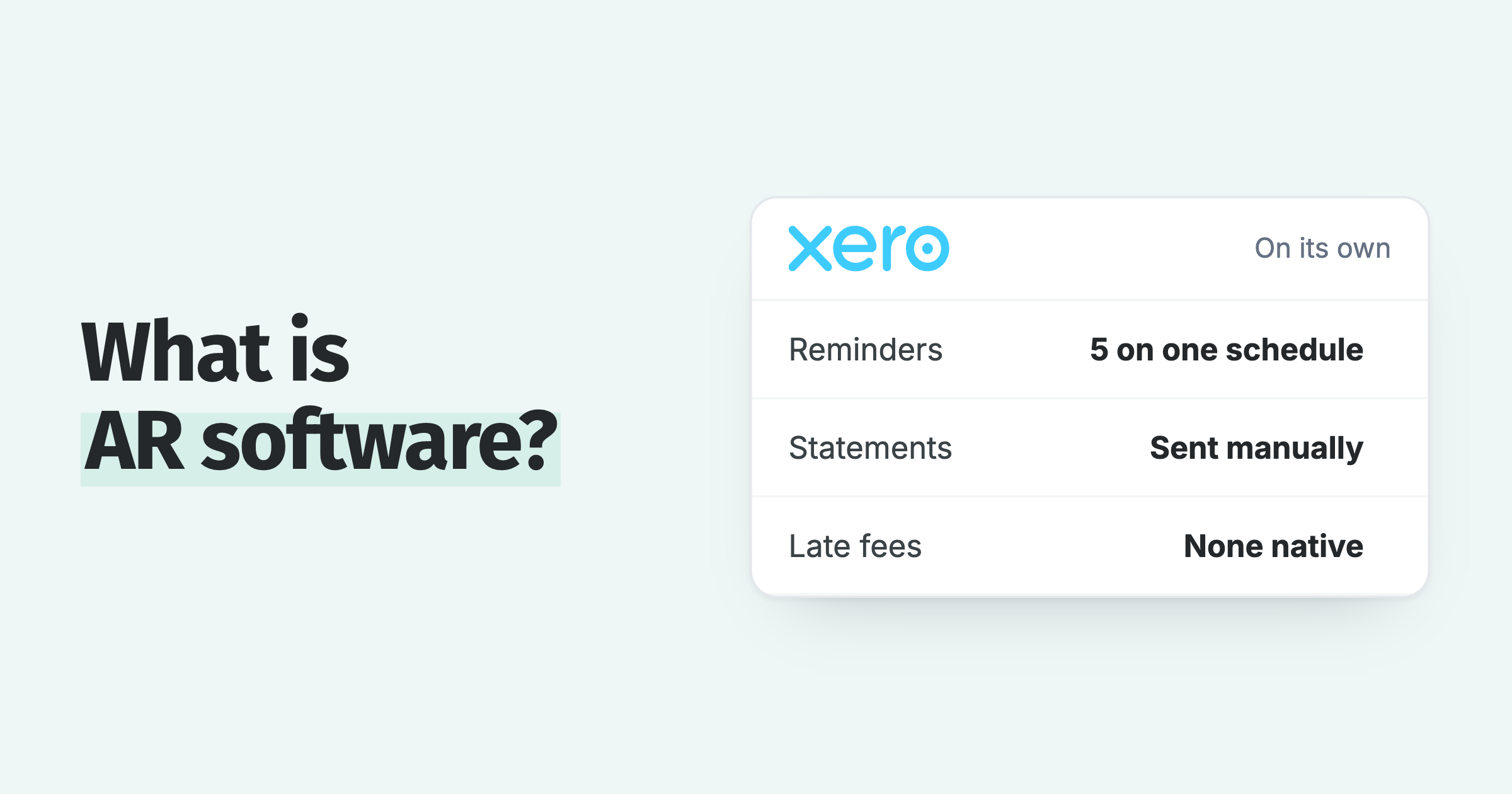
Xero's native reminders suit a business where every customer can get the same five emails; a credit control app suits one where a single customer group needs its own schedule, fee, statement or escalation. Xero invoice reminders are up to five automated emails per organisation, each fired a set number of days before or after the due date, with three enabled by default. There is no SMS, no contact-group targeting, and no scheduled statement.
Here is the full list of what the native feature does, taken from Xero's own setup articles (How invoice reminders work and Set up invoice reminders). The full walk-through is in Xero invoice reminders: how they work, and where they stop.
- Up to five reminders per organisation. Three are switched on by default the first time you enable the feature.
- Timing is days before or after the due date. Each reminder has one offset, and every invoice in the organisation gets the same offsets.
- Email only. The contact needs an email address on file, and the invoice must be marked as sent.
- A minimum-amount threshold. One setting: "Don't send reminders for amounts owing on an invoice under [amount]". Zero means every invoice qualifies.
- On or off at three levels. The whole organisation, a single contact, or a single invoice. There is no contact-group level.
- No statements on a schedule. Customer statements are sent manually from the contact.
Xero's product ideas board shows which of those gaps are on the roadmap and which are not, and three matter here. Interest on late invoices has 1,114 votes, was posted on 29 March 2012, and Xero's latest reply (7 July 2025) calls it "early days" with no committed plans (source).
SMS reminders have 76 votes and a 17 June 2026 reply that says reminders by SMS are "not in our current roadmap" (source). Auto-emailed statements have 1,172 votes and sit "In discovery" (source).
How we compared Xero reminders and credit control apps
We compared them on the twelve jobs in the table below, then compared five apps in the app table later in this post. We give no weights, because the right mix depends on how many customer groups you have.
- Xero's side of the twelve jobs: the Xero Central articles and the Xero product ideas board, both linked above. An idea that is only on the board counts as "No".
- The app side: each app's own help docs and product pages, counting only features it has shipped. Where apps differ, the row says "Varies".
- The app table: prices from each vendor's own pricing page, as plain text, with hidden prices given as last published. Ratings from each app's Xero App Store listing, with the review count.
Paidnice is our product and is one of the five apps in the app table.
What does a credit control app do that Xero reminders do not?
A dedicated credit control app connects to Xero, reads the same invoices and contacts, and runs twelve jobs on them. Xero's native reminders cover four of the twelve in part and none in full. The table shows each job side by side.
| Job | Xero native reminders | Dedicated credit control app |
|---|---|---|
| 1. Reminder schedule per customer group | Partial One schedule per organisation, up to five emails. On or off per contact or invoice only. | Yes Separate schedules, tone, and timing per group: key accounts, slow payers, new customers, one-off jobs. |
| 2. SMS reminders | No Xero can send the invoice by SMS in AU, NZ, UK, and US, but reminders are email only. "Not in our current roadmap", 17 June 2026. | Yes SMS as a step in the schedule, usually charged per message. |
| 3. Scheduled customer statements | No Statements are sent manually from the contact. Auto-email idea "In discovery", 1,172 votes. | Yes Monthly or weekly statements on a schedule, with consolidated parent and child statements in some apps. |
| 4. Late fee per overdue invoice | No A manual invoice raised manually, if at all. | Varies Some apps raise a fee invoice on the ledger automatically; some do not offer late fees at all. |
| 5. Interest on the overdue balance | No 1,114 votes since 29 March 2012, "early days" in Xero's 7 July 2025 reply. | Varies Statement interest at a rate per annum, prorated daily, on the apps that offer it. UK statutory rate is 8% plus Bank of England base rate. |
| 6. Payment plans on a single balance | No | Varies Instalments and auto-pay through a connected payment provider on some apps. |
| 7. Customer payment portal | Partial Online invoice link, with a pay-now button where a payment service is connected to Xero. No account-level view of every open invoice. | Yes One page per customer showing every open invoice, statement, and payment option. |
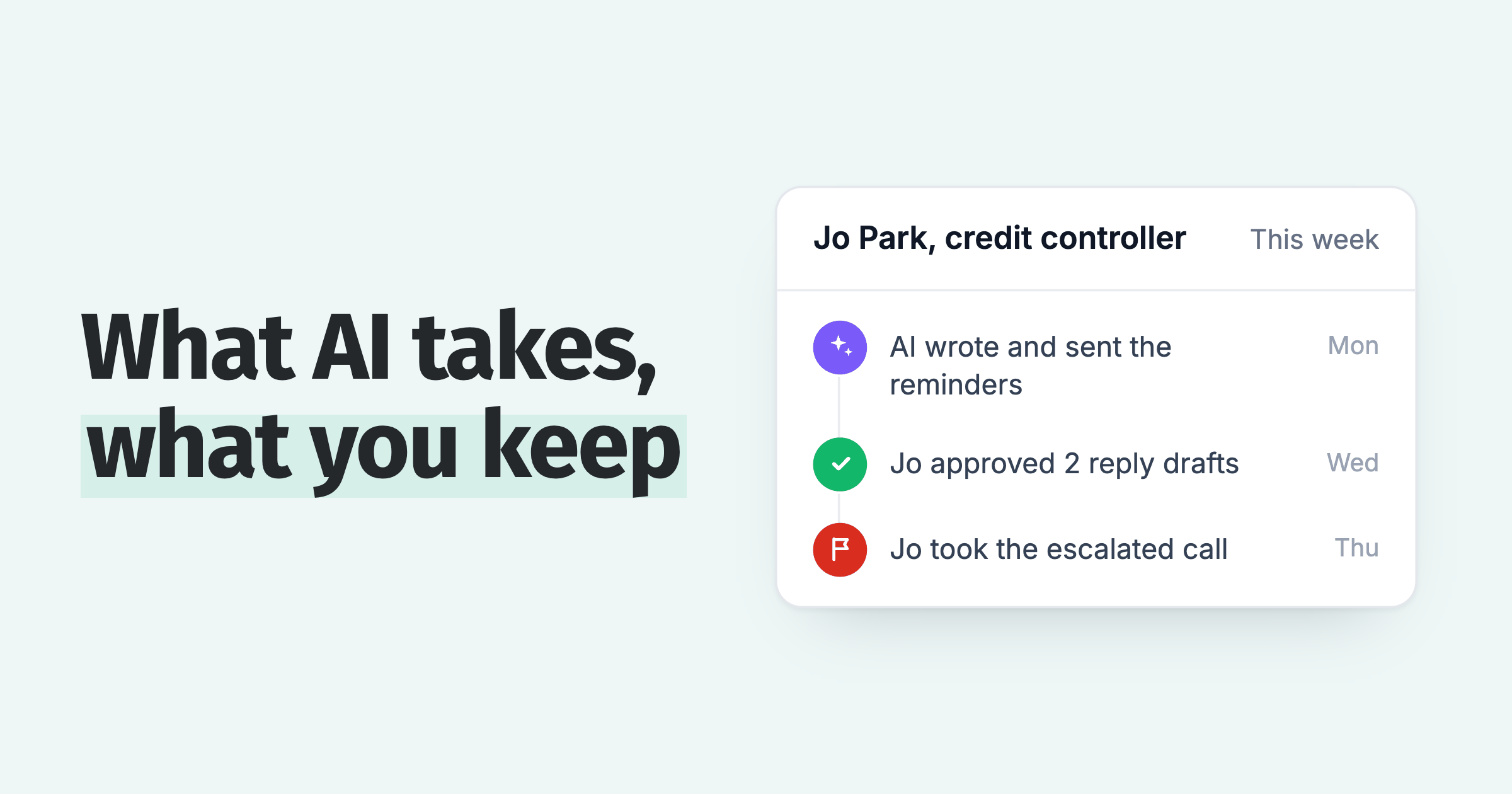
| 8. Escalation to a named person | No Nothing happens after the fifth email. | Yes At N days overdue or above a balance: phone-call task, stop-credit, legal letter, assigned to a person and logged. The call can be made from Paidnice, recorded and transcribed. |
| 9. Sending from your own domain | Partial Reminders send from Xero's own system address. The reply-to address is configurable per organisation, so replies reach your inbox, but the sender domain stays Xero's. | Yes Domain authentication or a mailbox connection so the reminder arrives from accounts@yourcompany. |
| 10. Quote and estimate reminders | No Reminders fire on invoices only. | Varies Follow-ups on unaccepted quotes on some apps. |
| 11. Multi-entity view | No One organisation at a time. | Varies One login across several Xero organisations, often as a per-entity add-on. |
| 12. Receivables reporting | Partial Aged Receivables report. No DSO, on-time rate, delivery status, or slowest-payer view. | Yes DSO, days sales overdue, on-time percentage, email delivery health, per-customer payment history. |
| Tally, 12 jobs | 4 partial8 no None in full | 7 yes5 vary by app Rows 4 and 5 split the category |
Xero's own Small Business Insights for the June 2026 quarter show UK small businesses waiting 29.1 days on average to be paid, 8.3 days past terms; the twelve-job gap above is what closes that difference (Xero SBI).
Rows 4 and 5 split the category in two, so check them before choosing an app. Chaser and Paidnice apply fees or interest; Satago adds an optional late fee to reminder emails but does not document posting it to the ledger; Kolleno and Upflow document no late-fee capability. If a fee policy is part of your terms, the apps without one drop out of the list early.
The row that decides it for most Xero users is row 1, the schedule per customer group. Once one group should get a polite reminder at seven days and another should get a fee at fourteen, a single organisation-wide sequence cannot serve both. Every other row follows from that split: different groups need different fee policies, different senders, and different escalation paths.
Reminders alone move DSO very little. Businesses with reminders only have a DSO of about 37 days. Add late fees and it falls to about 27 days, against about 39 days with no automation switched on.
When should a business move from Xero reminders to a credit control app?
The trigger is the second customer group. Xero's single schedule works while every customer can be treated the same way. It stops working the day one group needs a different schedule, fee, or tone from the rest.
The finance desk: "We turned reminders off for our biggest customer because the tone was wrong for them, and now nobody chases them at all."
The owner: "The same six names are on the overdue list every month and the emails are not moving them."
The bookkeeper: "I send statements manually on the first of the month and it takes a morning."
The sales lead: "Our terms say 8% plus base rate on late invoices and we have never once charged it."
Each quote maps to a row Xero does not run: rows 1, 8, 3, then 4 and 5. Two numbers put a cost on the trigger: the 8.3 days past terms from Xero SBI above, and the Atradius credit figures below.
Atradius's 2026 UK survey found roughly 68% of B2B sales are made on credit and late payment affects about 25% of invoiced B2B turnover (Atradius, 3 June 2026). A reminder feature that treats all of that turnover identically is doing one job on a problem that needs twelve.
What does a credit control process look like once an app runs it?
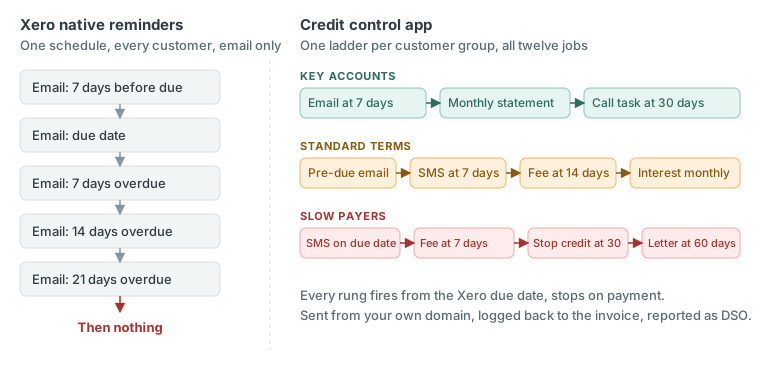
Once an app runs the process, each customer group gets its own ladder: pre-due reminder, due-date reminder, overdue reminder, SMS, statement, late fee or interest, then escalation to a person, each rung fired from the Xero due date.
- Group the contacts. Key accounts, standard terms, slow payers, new customers. Apps that read Xero contact groups and tags can use them as the grouping, so this is usually a short job.
- Set a reminder schedule per group. Key accounts might get one polite email at 7 days. Slow payers get a pre-due nudge, a due-date reminder, then 3, 7, and 14 days overdue, with an SMS at 7.
- Put statements on a schedule. Monthly on the first for standard accounts, weekly for anyone with a balance over 60 days.
- Attach the fee policy to the customer group. Standard terms: a fixed compensation sum plus interest at the statutory rate once an invoice passes 14 days. Key accounts: no fee, but the same reminders. The fee invoice lands on the Xero ledger so it enters the customer's payables run.
- Set the escalation rung. At 30 days overdue, or above a balance you choose, the app creates a phone-call task for a named person and logs the outcome back to the invoice in Xero. At 45 days, a stop-credit flag. At 60, a letter before action.
- Send from your domain. Reminders from accounts@yourcompany, the credit controller's name at 14 days, a director's name on the fee.
- Watch DSO. Take the number before you switch on the first policy and again 30 days later.
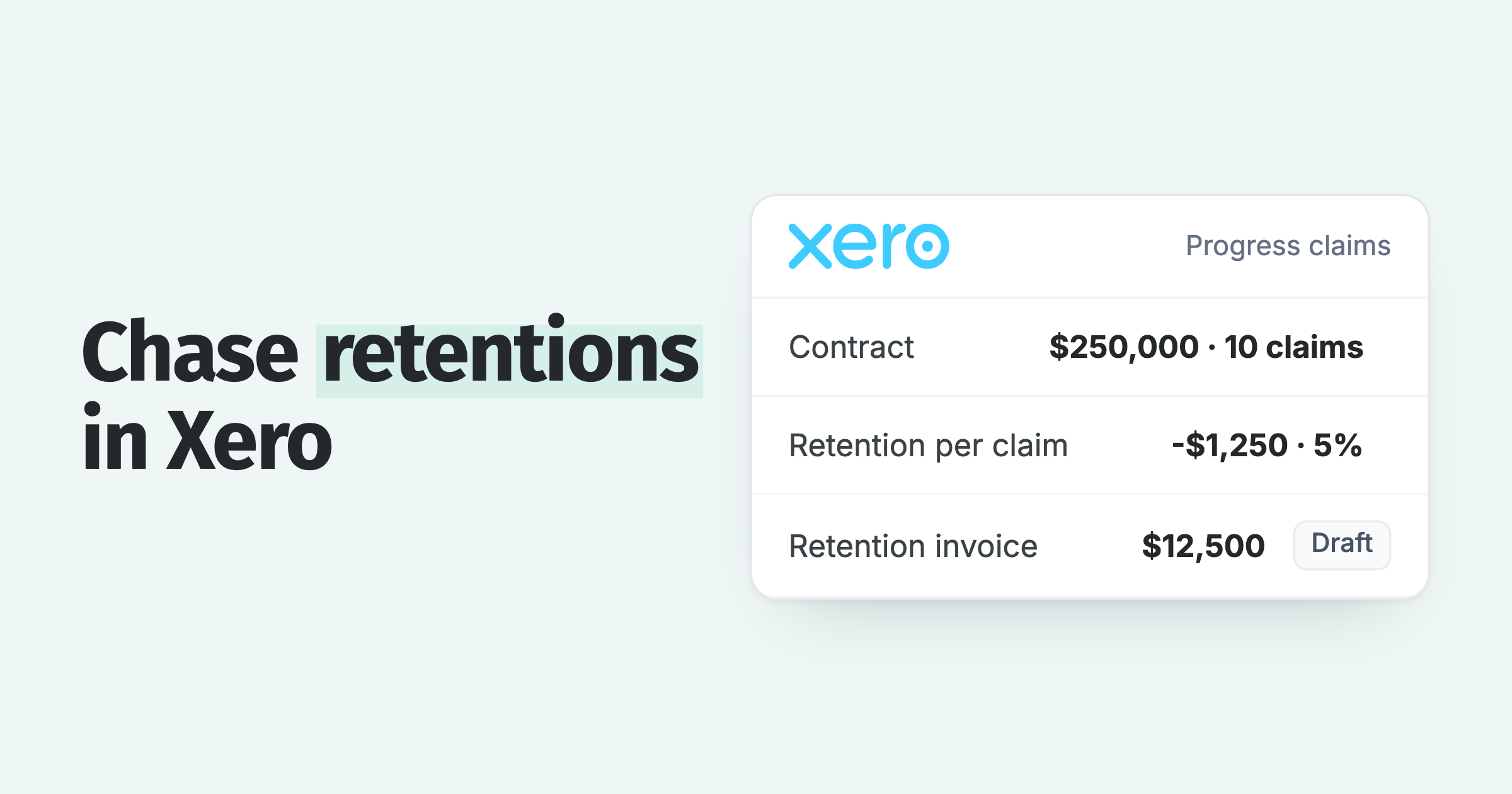
Templates for steps 2 and 5 are in email templates for invoice payment reminders and letter before action template. The UK fee figures for step 4 are in late payment fees in the UK: 8% plus the Bank of England base rate under the 1998 Act, and fixed sums of £40, £70, or £100 by invoice size. Builders who invoice progress claims and retentions in Xero should set the retention invoice's due date to the contractual release date first, because every rung above fires from that date.
The fee exists so that the invoice with a fee on it gets paid before the invoice without one. Put the policy in your terms, apply it consistently across a group, and be willing to waive it on the phone in exchange for payment today. A fee that is applied and then negotiated away still did its job.
Which credit control app for Xero should you choose?
The right app depends on which rows you need. Paidnice runs fees, interest, statements, plans, and native credit checks in one plan. Chaser suits larger businesses that want bureau credit checks. Satago pairs reminders with invoice finance. Kolleno leads on cash application. EzyCollect is the Australian option. A newer UK entrant, AutoSettle, sells multi-channel chasing for Xero as well; check it against the same twelve rows.
| App | Price from | Size fit | Ledger | Best for | Late fees or interest | Xero App Store rating |
|---|---|---|---|---|---|---|
| Paidnice | £49 a month | Any size up to $50m a year, or 50,000 invoices a year | Xero, QuickBooks Online | Fees, statement interest, statements, plans and escalation in one plan; two team members on Essentials, unlimited on Pro | Yes, both per-invoice fee and statement interest | 5.0 from 83 reviews |
| Chaser | £199 a month | Compact up to £4m revenue; larger plans above | Xero, QuickBooks, Sage, NetSuite, Dynamics 365 | Larger businesses wanting email, SMS and credit checks | Yes | 4.98 from 374 reviews |
| Satago | £45 a month | Small UK businesses | Xero, Sage, QuickBooks, KashFlow, FreeAgent | Automated reminders plus invoice finance | Not documented | 4.93 from 92 reviews |
| Kolleno | $650 per user a month | Turnover bands from under £1M | Xero, QuickBooks Online, Sage Intacct, NetSuite, SAP | Cash application and analytics for larger finance teams | No late-fee capability found | 5.0 from 18 reviews |
| EzyCollect | From A$275 a month + A$900 setup (last published; now on request) | AU mid-market | Xero, MYOB, QuickBooks Online, NetSuite | Australian debtor management, listed on the AU Xero App Store | Not documented | 4.94 from 35 reviews (AU store) |
Verify current pricing before you buy. The six-tool ranking with fit-by-situation lives at credit control software for Xero: 6 tools compared. This page is the native-versus-app decision; that one is the app-versus-app decision.
- Paidnice runs fees, statement interest, statements, plans and escalation in one plan, from £49 a month.
- Chaser is the established tool for larger businesses: email, SMS and credit checks, from £199 a month.
- Satago pairs automated reminders with invoice finance, and adds an optional late fee to reminder emails without documenting a ledger charge.
- Kolleno leads on cash application and analytics for larger finance teams, at $650 per user a month.
- EzyCollect is the Australian debtor management option, listed on the AU Xero App Store.
We built Paidnice around rows 4 and 5 first, because the interest idea on Xero's board has sat open since 29 March 2012 and the fee is the rung that changes payment behaviour. On our side, both charge types run on one customer group at once, and the interest figure the customer opens is the figure as of that morning.
How do you measure whether the change succeeded?
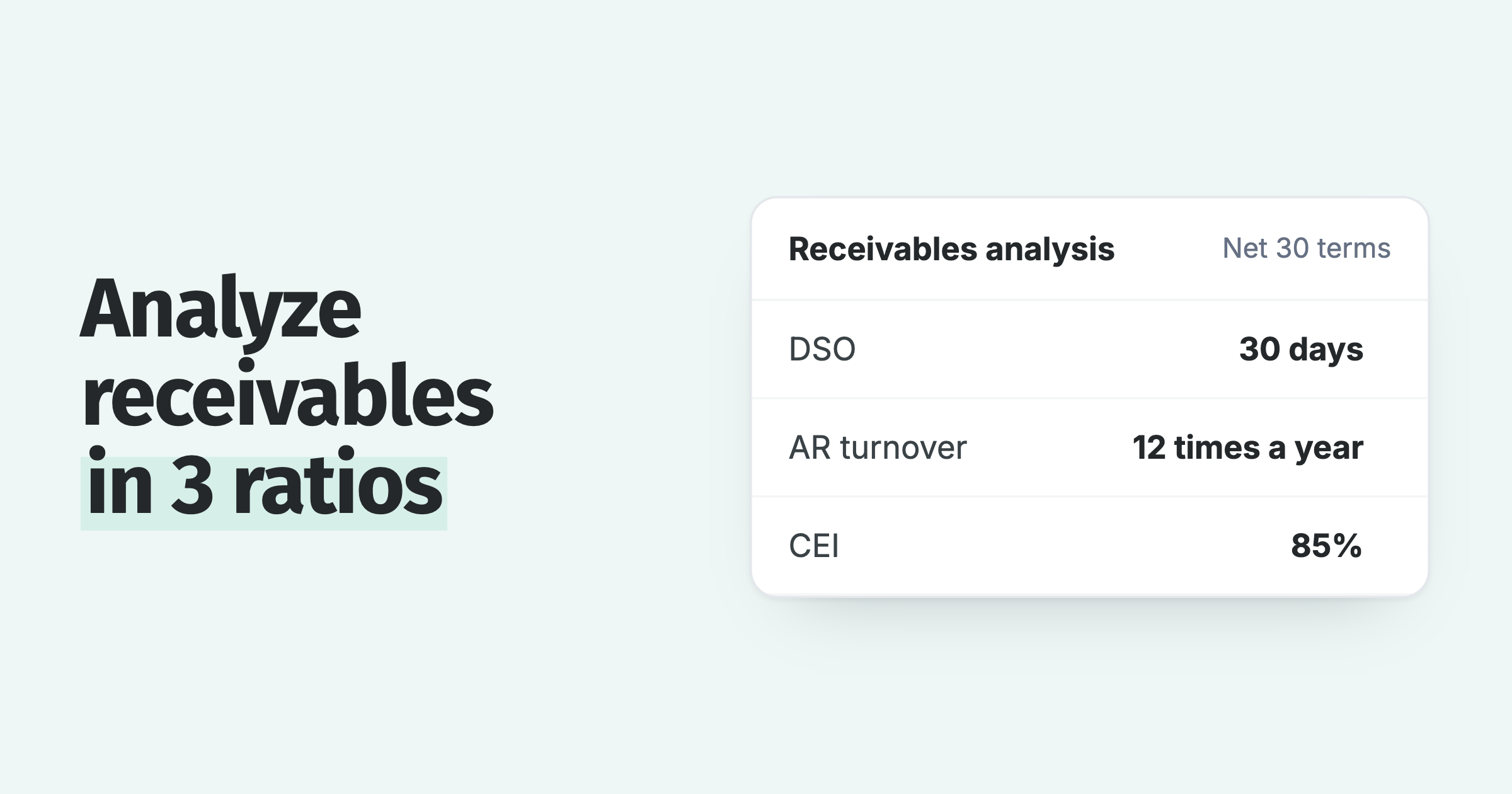
Measure the switch with days sales outstanding (DSO) before and 30 days after. DSO can be calculated from Xero's Aged Receivables report and your sales figure, and most credit control apps show it on the dashboard, so it is a fair comparison.
The formula and an example are in DSO calculation formula. Read the result three ways:
- DSO falls, overdue count falls. The process is working. Extend it to the next group.
- DSO falls, overdue count does not. Big customers paid faster; small ones did not. Check the small-balance threshold and the SMS rung.
- Neither moves. Either the reminders are not being delivered (check the delivery report and the sending domain) or the customers in the group are disputing rather than delaying. Escalate instead of sending another reminder.
Questions people ask about Xero reminders and credit control apps
The five questions below are the ones readers ask about this decision, starting with the one Google shows against this search. Short answers, with the row of the table each one maps to.
Can you send invoice reminders on Xero? Yes. Sales, Invoice settings, Invoice reminders. Up to five per organisation, three on by default, timed in days before or after the due date, email only. Row 1.
Does Xero send SMS payment reminders? No. Xero can send the invoice itself by SMS in the UK, AU, NZ, and US, but reminders are email only, and Xero said on 17 June 2026 that SMS reminders are not on the current roadmap. Row 2. See SMS payment reminders for Xero.
Can Xero add interest or a late fee to an overdue invoice? Not automatically. You can raise a manual invoice for the fee. The automatic version has been an open product idea since 29 March 2012 with 1,114 votes. Rows 4 and 5. See how to add late payment fees in Xero.
Can Xero email statements automatically? No. Statements are sent manually from the contact. The auto-email idea has 1,172 votes and is in discovery. Row 3. See automatic customer statements for Xero.
Can I set different reminders for different customers in Xero? Only by turning reminders off for a contact or an invoice. There is no second schedule. Row 1. See different Xero invoice reminders for different customers.
Read the transcript: Xero invoice reminders vs a credit control app
Xero's invoice reminders are one email schedule for the whole organization. Up to five emails, three on by default, timed off the due date. That is the entire feature.
This video covers the 11 other jobs a credit control app does on the same Xero invoices. The apps that can support you, Paidnice among them, and the moment you know you need one. Here is what we cover.
One, what Xero reminders do and where they stop. Two, the 12 jobs of credit control in four groups, schedules and SMS, statements, fees and interest, and plans, portal, and escalation. Three, the apps that can support you.
Four, the trigger that moves you across and how to measure the result. Xero reminders switch on or off at organization, contact or invoice level. There is no group level, so every customer gets the same sequence or none.
Email only statements are sent manually and the gaps are not new. On Xero's product ideas board, interest on late invoices has 1,112 votes since March 2012 and the latest reply calls it early days. Auto emailed statements 1,169 votes in discovery.
SMS reminders not on the road map. The demand is a decade old. The feature is not coming.
Chapter two, the 12 jobs. The first group is scheduling. Job one, a reminder schedule per customer group.
A gentle two-step sequence for key accounts. A five-step ladder for repeat late payers. Statements only for the direct debit group.
Job two, SMS. Job nine, sending from your own domain so the email arrives as you. Job 10, reminders on quotes and estimates, not just invoices.
Xero covers part of job one and none of the rest. The second group is statements. Job three, a scheduled statement weekly or monthly with a payment link.
Invoiced £8,200, paid £5,900, outstanding £2,300, of which £940 is past 60 days. Job 11, one view across several Xero organizations and job 12 receivables reporting with DSO on it. The third group is the one Xero has never built. Job four, a late fee per overdue invoice.
Job five, interest on the overdue balance. In the UK, the late payment of commercial debts act gives you 8% over the Bank of England base rate plus a fixed sum of 40, 70 or 100 by invoice size. A £4,000 invoice 30 days late at 11.75%,
£38.63 in interest plus a £70 fixed sum, £108.63 raised as an invoice in Xero. Grace period before it applies. Waive it for anyone with one click.
The fee is leverage. The customer who knows it exists pays before it does. The fourth group finishes the process.
Job 6, a payment plan on a single balance. A £3,000 debt becomes three payments of 1,000 card on file charged on each date. Job 7, a customer portal that shows every open invoice and takes one payment for all of them.
Job 8, escalation to a named person. At 30 days, a phone call task. At 45, a stop credit flag.
At 60, a letter before action. Chapter 3, the apps. Paidnice suits a Xero business that wants every one of the 12 jobs in one plan, fees and interest included.
It does all 12 on your Xero organization, and it built fees and interest first because that idea has sat open on Xero's board since 2012. Reminders and SMS per group, statements, late fees, and statement interest raised in Xero. Plans, portal, and escalation from £49 a month, rated 5.0 on the Xero App Store from 83 reviews. It is built to automate fees and run the whole process end to end at a low price.
Other apps also serve Xero users, and one may suit you for a particular reason. One, Chaser, the established tool for larger businesses with credit checks from £199. Two, Paidnice.
Every job in one plan at the lowest entry price. Three, Satago reminders with invoice finance attached. Four, Kolleno cash application and analytics for larger finance teams per user.
Five, ezyCollect, Australian debtor management. Match the app to the 12 jobs. Chapter four, the trigger is the second customer group. The day one set of customers needs a different schedule, a different fee, or a different tone from another, Xero's single sequence stops fitting.
Then measure it. Xero's own small business insights put the UK average wait at 29.3 days, 8.3 days past terms. Take your DSO, the day you switch, and again 30 days later.
If DSO and the overdue count both fall, it is working. If neither moves, the problem is not the tool. Xero reminders are one schedule.
A credit control app is 12 jobs on the same invoices with the fees and interest Xero has never built. The full 12 row comparison is in the article at paid
Paidnice features in this article
About the editorial team
Denym started Paidnice in 2022 after customers paying late left his own business short on payroll. He has led it to $1 billion collected on time across more than 1 million invoices, and writes about credit control, late fees and getting paid on Xero and QuickBooks.
Ashley is a co-founder and lead developer of Paidnice and has built accounting software for more than 10 years. He builds the ledger connections that put reminders, late fees and payments into Xero, QuickBooks and ERPs such as NetSuite and Business Central. Before Paidnice he co-founded A2X, ecommerce accounting software for Xero and QuickBooks.
 App of the Year