
Module 19AI in a practice5 min read
How to use AI for bookkeeping, without letting it near the arithmetic
A practical starting point: the four jobs AI genuinely does well in a bookkeeping practice, the one rule that keeps the output safe, and the first thing to try this week.

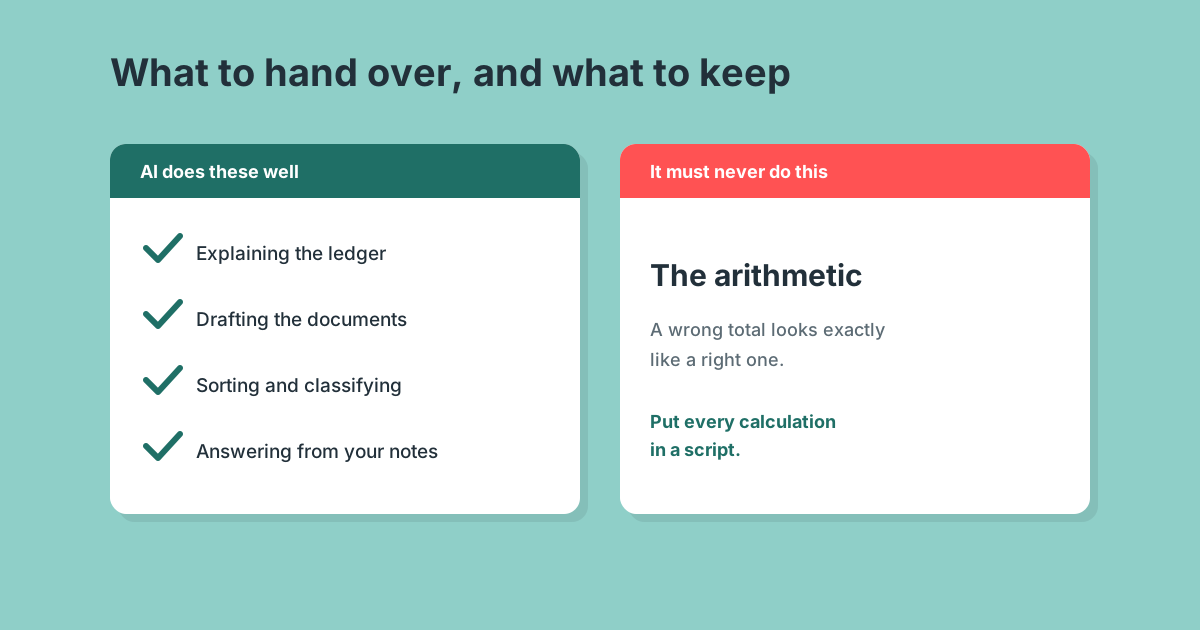
AI is useful in a bookkeeping practice for four things: reading a ledger and explaining it, drafting the documents you send every month, sorting and classifying, and answering questions about your own data. It is not useful for arithmetic, and the failure is quiet enough that most people find out in front of a client. Move every calculation into a script and the rest becomes safe.
Key takeaways
Start with drafting, not calculating. The value is in the first draft of a document you already write every month.
A wrong total looks exactly like a right one. That is why arithmetic goes in a script, not a prompt.
The CSV export is the route that scales. Every live connection holds one organisation, so twenty clients means twenty connections.
Write the procedure down before you automate it. Most of the work is describing how you already do the job.
The four jobs it does well
| Job | What it looks like in practice |
|---|---|
| Explaining | "Which customers got worse this month, and by how much?" against a real ledger export |
| Drafting | The query email, the chase, the management commentary, the review note |
| Sorting | Grouping unclassified transactions, spotting likely duplicates, flagging what looks unusual |
| Answering | Your own written procedures, so a new starter asks the file rather than a person |
What connects all four is that a human reads the output before it matters. That is the shape of AI work that is safe in a practice, and it is not a limitation so much as a description of what the tool is for.
The one rule
The model must never do the arithmetic.
Language models handle twenty numbers well and a hundred badly. The failure is not an error message, it is a total that looks entirely reasonable and is wrong by a few hundred pounds. On a client ledger that is the difference between a useful tool and a professional problem.
The fix is not a better prompt. It is a script. The model reads the request, runs the code, and explains the result, so the arithmetic happens in software and is identical every time you ask.
Three things follow, and they are what to check in any AI setup before you trust it with a client file:
- The numbers come from a script. If the instructions say "calculate the total", the model is doing it.
- Every output shows its workings. Source file, as-at date, row count, control total.
- Exceptions are surfaced. Three rows it could not read are part of the answer, not a detail to drop.
Getting your data in
Two routes, and the less obvious one is better for a practice.
A live connection to Xero or QuickBooks is fast for one client. The Xero connector is read-only. The QuickBooks connector can write, and is United States only.
A CSV export works everywhere and is the only route that scales across a book, because every connection holds a single organisation. A bookkeeper with twenty clients would otherwise reconnect twenty times. In Xero: Accounting, Reports, Account Transactions. In QuickBooks: Reports, Transaction List by Date.
What to try this week
- Pick the job you do most. For most practices that is the monthly query chase: finding the transactions you cannot code and asking the client about them.
- Write down how you do it now. Plain English, the way you would brief a new starter. This is most of the work and none of it is technical.
- Run it beside the manual version, twice. Same client, same month. You are checking that exceptions get surfaced, not that the totals look tidy.
- Hand it to someone else. If only the person who wrote it can run it, it is not yet a process.
The finished version of that first workflow, including the script, is free and covered in the monthly query chase.
What it will not do
It will not watch the ledger. Nothing fires when an invoice goes overdue, in either platform. Every run starts because a person asked.
It mostly will not send. There is no email tool in the Xero connection at all, so drafts come back for a human to send.
Anything that has to happen on a schedule without a person present is an automation job rather than an assistant job. That split is the whole argument of what AI can do in a practice.
Common questions
Can AI do my bookkeeping for me?
It can read, sort, draft and explain. It cannot be trusted with the arithmetic unless a script is doing it, and it cannot act without being asked. A practice using it well is faster at the same work, not absent from it.
Is it safe to connect AI to a client ledger?
The connection uses the same authorisation your other apps use, and you choose which organisation it reaches. The real risk is not access, it is unreviewed output. That is what the arithmetic rule exists to prevent.
Do I need to be technical?
No. A written procedure is plain English and the connection is an authorisation screen. The only part that touches code is the calculation script, and for the common jobs those already exist and are free.
What should I automate first?
The job that repeats most often and involves the least judgment. In almost every practice that is chasing unclassified transactions, which is why it is module one of the workflows.
More in AI in a practice
AI for accountants: what Claude can actually do with a client ledger
The boundary: what an AI assistant can read, calculate and draft against a client ledger, and the three things it cannot do at all.
Will AI replace accountants? What it takes over first, and what it does not
What AI takes over first, what it does not touch, and the honest answer on accounts receivable roles.
The AI tools accountants are actually installing in 2026
Seven tools a practice would genuinely install, with published pricing and an honest limitation on each.