


Summary
To send SMS payment reminders from Business Central you add a route: an AppSource extension, a Power Automate flow with an SMS provider, custom AL code or an accounts receivable tool. Microsoft's docs describe no SMS channel for Business Central reminders.
- Native: Business Central reminders go by email and print only.
- DIY routes: A Power Automate flow misses a change touching more than 1,000 records in 30 seconds, and custom AL code needs a developer plus your own consent handling.
- AR tool: Paidnice sends SMS as a channel in a reminder policy with a Pay now link, and replies come back into Paidnice matched to the contact.
Paidnice connects to your ERP on the Custom plan. Book a demo on your own data, and a specialist sets up the connection.
Your Business Central reminders go by email and print. Someone in credit control asks if they can go by text too. Microsoft's reminder docs list no SMS channel.
This guide covers the four ways to add SMS, where each one breaks on overdue invoices, and what a text reminder should say.
Can Business Central send text messages?
Not natively. Business Central's reminder process sends by email and print only, and the 28.0 release notes list no SMS channel for reminders.
Reminder Automation creates, issues and sends reminders on a schedule, and Microsoft's automation guide gives email or print as the ways to send. The level setup is in our guide to Business Central reminder levels.
Free: Payment reminder email templatesCopy the reminder emails for before, on and after the due date.What are the four ways to add SMS in Business Central?
You can add SMS to Business Central with an AppSource extension, a Power Automate flow plus an SMS provider, custom AL code, or an accounts receivable tool. Each route has a catch on overdue invoices.
Power Automate and an SMS provider
A flow listens for a Business Central business event and sends through a provider such as Twilio. The widely shared walkthrough sends a shipment notice, not an overdue reminder, so you build the overdue trigger and the balance check yourself.
The SMS examples we found are order and shipment events, so an overdue trigger is yours to build on every DIY route.
Microsoft's webhook docs add two limits. The Business Central connector cannot process collection notifications, so a change touching more than 1,000 records in 30 seconds does not trigger the flow, and a webhook subscription expires after 3 days unless it is renewed. A month-end batch of overdue invoices is the case the first limit misses.
Custom AL code and an SMS gateway
A developer adds a scheduled job that reads overdue ledger entries, then posts to the SMS gateway over HttpClient. Business Central 28.0 adds a check on where an outgoing HttpClient call may go, on by default (in Microsoft's 2026 release wave 1 plan as Get more secure outgoing HTTP calls by default), so test the call after each wave upgrade.
Middleware such as Zapier, Workato or Integrately is a variant of the flow route; it carries the same balance-check and consent work as Power Automate.
An AppSource extension or an AR tool
AppSource extensions that list SMS for Business Central include SMS Integrator (Fenwick, through Twilio), N24 SMS Sender (Nav24, through SMSAPI) and Sms720 (ON720); each listing describes event triggers and message templates.
Check each listing for an overdue-invoice trigger, reply handling and consent handling. An accounts receivable tool such as Paidnice reads invoices and payments from Business Central and runs the reminder policy, including SMS, outside the ledger.
| Route | Setup | Who maintains it | Handles replies | Cost model | Gotcha |
|---|---|---|---|---|---|
 Power Automate + SMS provider Power Automate + SMS provider | A flow per trigger and a provider account | Your team | No, one way | Power Automate licence plus the provider's per-message fee | Connector cannot process collection webhooks; subscription renews every 3 days |
| Custom AL + gateway | A developer builds the Job Queue and the gateway call | Your partner or developer | Only if you build it | Developer time plus the gateway fee | Wave upgrades each April and October; 28.0 check on outgoing HTTP calls |
| AppSource SMS extension | Install per environment | The ISV | Varies by app | ISV subscription, on each listing | Must survive two releases a year; can be uninstalled if it blocks an update |
 Microsoft Teams Microsoft Teams | Not built for customers | n/a | n/a | Microsoft 365 licence | Staff viewing Business Central data only |
 Paidnice Paidnice | Microsoft Entra app registration with client credentials and a limited permission set, set up in your tenant; an implementation specialist handles setup | Paidnice | Yes, in the same thread | Custom plan, quoted for your setup; SMS per message on the pricing page | Custom plan only |
Whichever route you choose, the text must not go out after the customer has paid. A DIY flow has to check the balance before each send. Paidnice rechecks the remaining amount on open invoices at each sync, so a payment applied in Business Central stops the chase at the next sync.
What should an SMS payment reminder say?
A good SMS payment reminder names the invoice, the amount in the customer's currency and a pay link, and it goes out only while the invoice is unpaid.
Keep each message under 320 characters, the Paidnice limit, and use merge tags so the figures come from the ledger. Three examples:
If your SMS provider adds opt-out wording to each message, leave room for it in the character count. On a DIY route, consent and opt-out handling are your build, not the provider's. For how many reminders to send before a person steps in, see our guide to how many payment reminders to send.
Counting email reminders alone, 9 in 10 reminded invoices are paid after four, mostly on Xero and QuickBooks data (how many payment reminders it takes).
How Paidnice sends SMS reminders on Business Central
Paidnice sends SMS as a channel in a reminder policy on Business Central, next to email, with a Pay now link in each text.
It runs on the Custom plan. Paidnice follows the integration pattern Microsoft documents for Business Central: a Microsoft Entra app registration signed in with client credentials, an entry on the Microsoft Entra applications page in each environment you connect, and a permission set limited to the records Paidnice reads and writes, all set up in your tenant.
An implementation specialist handles setup. Custom is quoted for your setup: the ERP connection, your invoice volume and support.
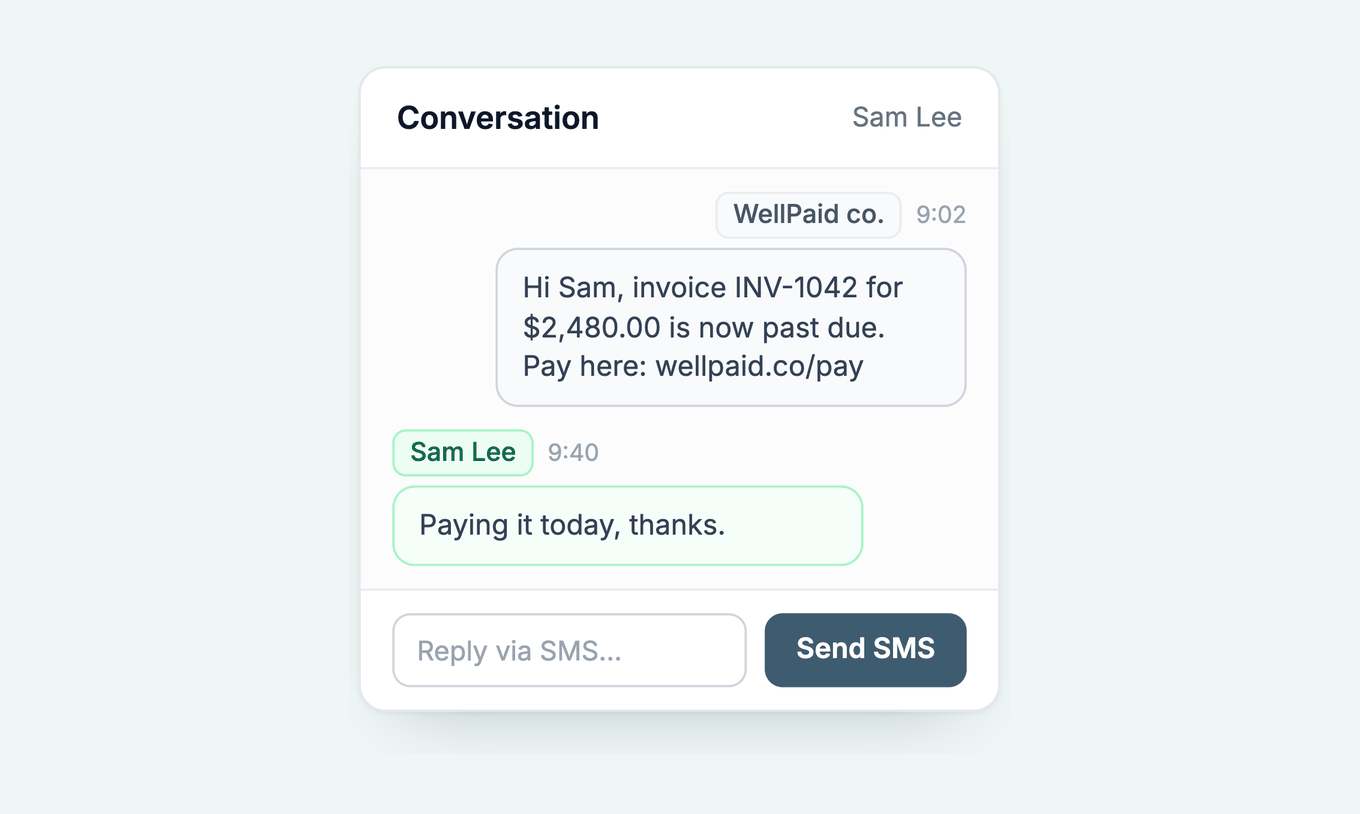
- Replies come back. A customer who texts back lands in Paidnice, matched to the contact and the conversation, and the team replies from the same thread.
- Delivery is tracked. Each SMS shows as sent, delivered or failed, with the reason for a failure.
- It sends worldwide. SMS sends to any valid mobile number, with dedicated sending routes for the US, UK, Australia and New Zealand. In the US, Paidnice sends from its own registered numbers.
- It stops when paid. Paidnice rechecks the remaining amount on open invoices at each sync, so a payment applied in Business Central stops the chase at the next sync.
SMS is priced per message on the pricing page. Read about Paidnice for Dynamics 365 or book a demo. See also Business Central payment links and credit control software for Business Central.
Business Central SMS reminders: common questions
Does Business Central have built-in SMS?
Business Central reminders go by email and print, and Microsoft's reminder docs describe no SMS channel.
Can Power Automate send overdue invoice texts from Business Central?
Yes, with an SMS provider such as Twilio. The connector cannot process collection webhook notifications, so a change touching more than 1,000 records in 30 seconds does not trigger the flow.
Can I text customers from Microsoft Teams?
Teams is not a customer channel. It lets Microsoft 365 users view Business Central data inside Teams. It is for staff, not for messaging customers.
Does Paidnice send SMS reminders for Business Central?
Yes. Paidnice sends SMS as a channel in a reminder policy, with a Pay now link, and replies come back into Paidnice. It runs on Business Central through the Custom plan.
What does an SMS payment reminder cost?
Extension prices are on each AppSource listing, and a Power Automate flow costs the licence plus the provider's per-message fee. Paidnice charges per SMS, shown on the pricing page.
Paidnice features in this article
About the editorial team
Jack is a co-founder of Paidnice and has built accounting software for more than 10 years. He builds the product that sends reminders, adds late fees and takes payments for businesses on Xero, QuickBooks and ERPs such as NetSuite and Business Central.
Ashley is a co-founder and lead developer of Paidnice and has built accounting software for more than 10 years. He builds the ledger connections that put reminders, late fees and payments into Xero, QuickBooks and ERPs such as NetSuite and Business Central. Before Paidnice he co-founded A2X, ecommerce accounting software for Xero and QuickBooks.
 App of the Year