


Summary
You can send SMS payment reminders from NetSuite. NetSuite has no built-in SMS for invoices in Oracle's documentation, so add a SuiteApp such as Sinch Engage, script a gateway such as Twilio, or run reminders from an AR tool that syncs with NetSuite. Pick by where you want the reminder levels to live.
- Paidnice: SMS is one channel in a credit control policy, with a Pay now link in each text and replies logged on the customer in Paidnice. Runs on the Custom plan with NetSuite.
- SuiteApp: Adds a Send SMS action on invoice records. You build the overdue logic as NetSuite workflows and keep them running.
- Custom script: Most control. A developer scripts the overdue trigger and the gateway call, and maintains both.
- Consent: Consent rules apply to automated texts in many countries. Check yours and keep a record before the first send.
Paidnice connects to your ERP on the Custom plan. Book a demo on your own data, and a specialist sets up the connection.
Your reminders go out from NetSuite as email, and the third one has gone unanswered. A text with a Pay now link is the next step most teams reach for. Oracle's documentation shows no built-in way to send one, so you have three routes.
Can NetSuite send text messages to customers?
Oracle's documentation shows no built-in SMS for invoices or reminders: the Dunning Letters pages cover email and PDF letters only.
Oracle's dunning docs list email and PDF. Letters go by email from a scheduled workflow or from a manual email queue, and PDFs come from a print queue. Each queue takes 100 letters at one time, and PDFs are not generated automatically. The SuiteApp also "cannot detect bounced email messages", so no channel tells you a reminder failed to arrive.
Two things get mistaken for customer texts. The dashboard Reminders portlet alerts your own staff, not customers. The Phone Call record logs a call on the customer and sends nothing. For every cap, read our guide to NetSuite dunning limits.
Free: Payment reminder email templatesCopy the reminder emails for before, on and after the due date.What are the three routes to SMS reminders from NetSuite?
There are three routes: a messaging SuiteApp such as Sinch Engage, a custom SuiteScript to a gateway such as Twilio, or an AR tool that syncs with NetSuite and sends the texts itself.
| Route | How it works | Setup | Cost | Does it reach the NetSuite invoice? |
|---|---|---|---|---|
 Paidnice (Custom plan) Paidnice (Custom plan) | SMS is a step in a reminder policy beside email. Each text carries a Pay now link, and replies land in the contact's conversation in Paidnice. Stuck accounts escalate to a person, who can call the customer from Paidnice. | Paidnice connects through SuiteTalk REST under a dedicated integration role, and an implementation specialist handles setup. | Custom is quoted for your setup. SMS is billed per message; see pricing. | A payment applied in NetSuite stops the next text at the next sync. Each text shows sent, delivered or failed, so a reminder that never arrived is visible, which the Dunning Letters SuiteApp cannot show for email. |
| Sinch Engage SuiteApp | Adds an SMS action on invoice records and workflow-driven texts, per Sinch's own guide. | Install the SuiteApp with SuiteScript, SuiteFlow, token-based authentication and custom records enabled. Separate Sinch account. | Not published for NetSuite. | Not documented in the sources we read. |
 Custom SuiteScript plus a gateway (for example Twilio) Custom SuiteScript plus a gateway (for example Twilio) | You script the overdue trigger and the API call. | A developer. We found no NetSuite-specific Twilio listing. | Gateway per-message fees plus developer time. | Whatever you build. |
 Upflow Upflow | SMS step in its multi-step workflows. | NetSuite sync on Grow and above. | Published SMS rates per segment, for example US and Canada $0.02. Plans are quote-only, last published at $440 and $880 a month; request current prices. | Syncs payments from NetSuite. |
 Kolleno Kolleno | SMS in its omnichannel workflow. | NetSuite sits on its Enterprise plan, quoted. | 400 SMS included on Enterprise. Entry plans $650 per user per month on monthly billing ($545 on annual), last reported. Request the current price. | Syncs payments from NetSuite. |
Sinch's own page describes four steps: create a Sinch Engage account and connect it to NetSuite, pick a sending number, build workflows from its templates, and test on a small segment before wider sending. Check the SuiteApp listing for the NetSuite features it needs, and test on a sandbox first.
The trade-off is where the overdue logic lives. The SuiteApp and the script put it in NetSuite workflows you build and maintain, one per dunning level. An AR tool holds the levels, the Pay now links and the replies in one place, and reads payments back from NetSuite so a paid invoice is not texted.
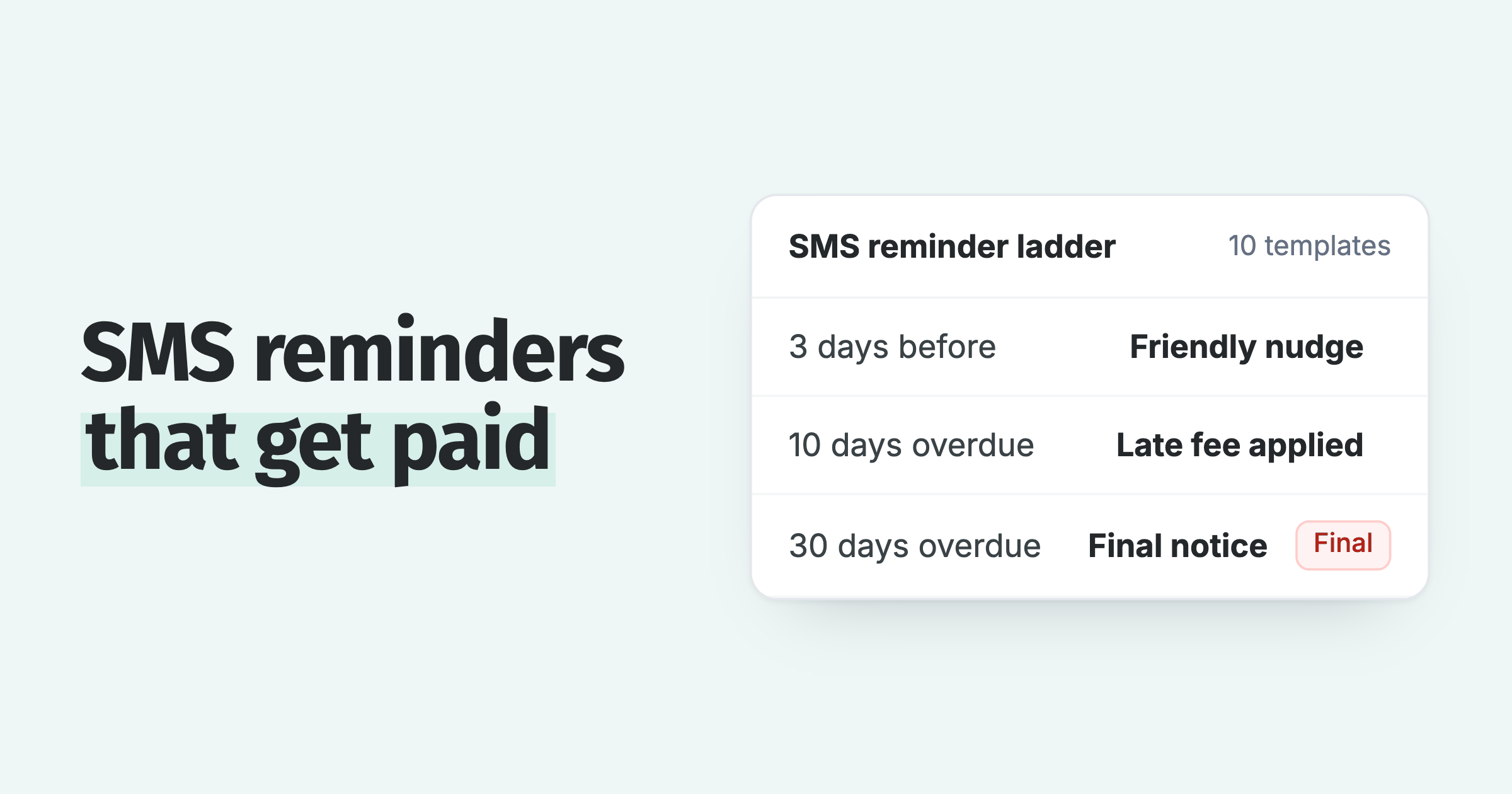
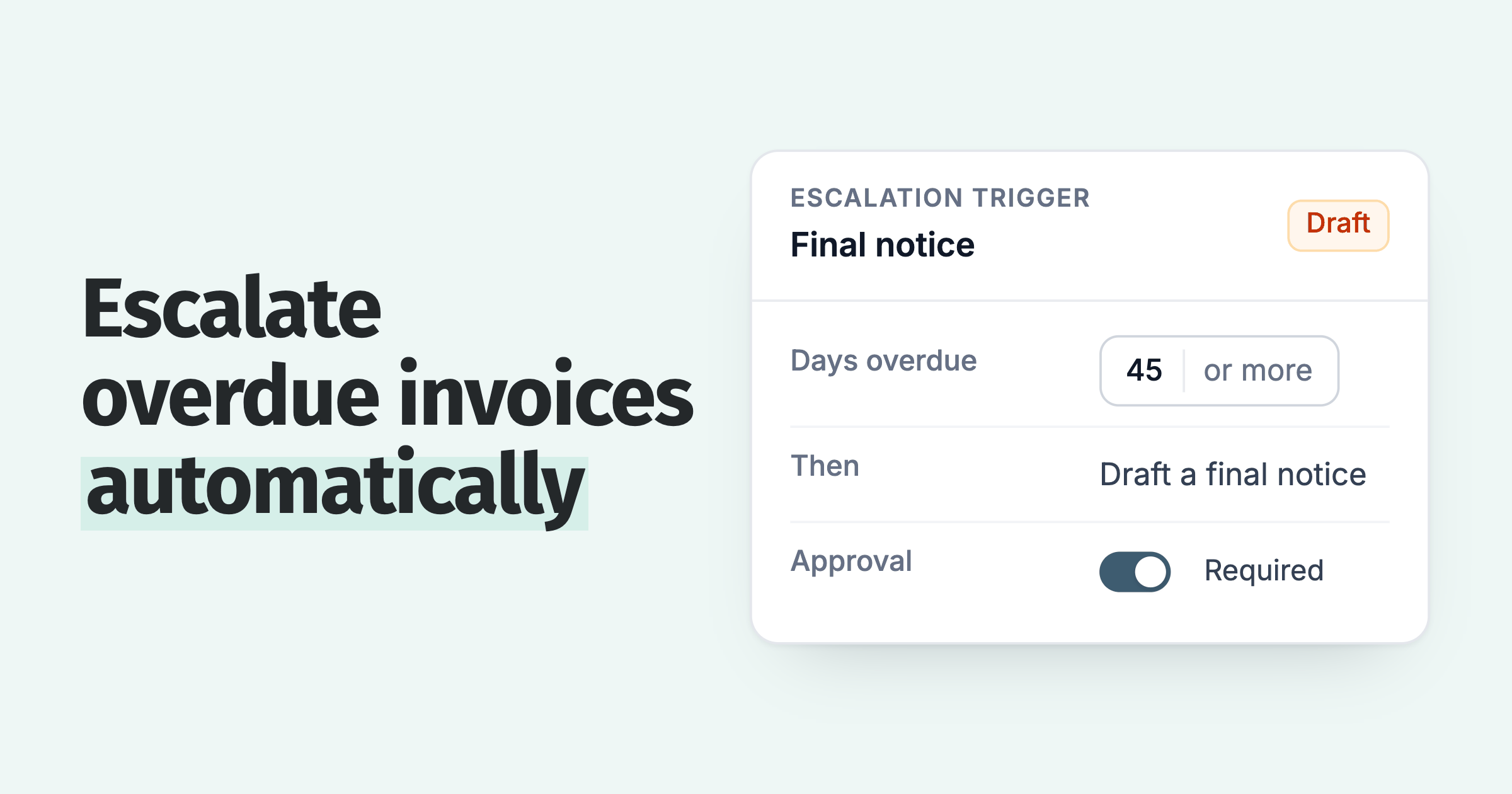
In the Dunning Letters SuiteApp each level is a Days Overdue value counted from the invoice due date, with -1 to -99 sending before the due date, and at customer level the oldest invoice sets the count. An SMS workflow has to carry the same rules itself, because the SuiteApp does not hand them to a text channel.
What should an SMS payment reminder say?
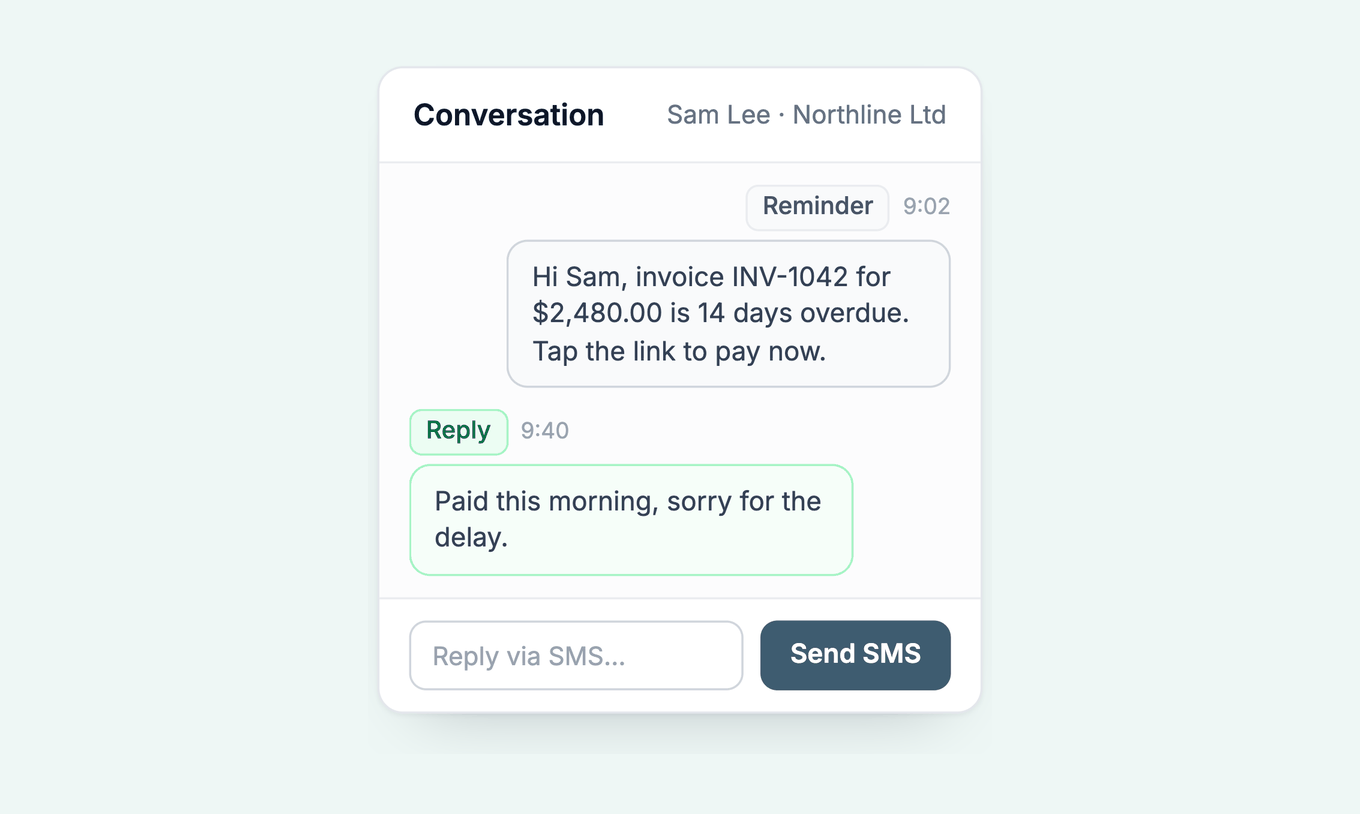
A good payment text names the invoice, the amount and the due date, and carries one Pay now link, within the 320 characters Paidnice allows per message.
More wording is in our SMS payment reminder templates. In Paidnice the text goes to the mobile number on the contact field you map at implementation, and shows the amount in the invoice currency.
NetSuite keeps a Phone on the customer record and a Mobile Phone on each contact record, so ask at the demo which NetSuite field is mapped to each.
Three safeguards apply on any route.
- Check the invoice is still open before the send.
- Stop a second text going to the same invoice on the same day.
- Record consent. Automated texts fall under consent rules in many countries, the US TCPA among them, so get your own legal advice. Paidnice does not give legal advice.
When does SMS help more than another email?
Use SMS as an extra touch after email reminders have gone out and the invoice is still open. This is advice, not a measured result.
Paidnice data does not separate channels, so we publish no SMS lift figure. The case for a text is practical. It puts one Pay now link and one reply path on the customer's phone, and the reply stays on the record in Paidnice. The payment link in a reminder does the same job by email.
How does SMS work in Paidnice with NetSuite?
Paidnice runs email and SMS in one reminder policy on NetSuite through the Custom plan, with a Pay now link in each message, customer replies logged in Paidnice, and escalation to a call when the texts go unanswered.
- One policy, two channels. SMS is a step beside email. Set it at the level you choose, for example the third touch, and set an escalation to a call after it.
- Sends worldwide. SMS sends worldwide to any valid mobile number, with dedicated sending routes for the US, UK, Australia and New Zealand.
- Replies come back. A reply arrives in Paidnice, is matched to the contact and conversation, and can raise an inbox notification. You reply by SMS from the same conversation. Texts and replies are kept in the Paidnice conversation, and a summary can be written to the customer record as a User Note.
- Payments stop the chase. Customers, contacts, invoices, Customer Payments, Credit Memos and custom fields sync both ways, so a payment applied in NetSuite stops the next text at the next sync.
Read about Paidnice for NetSuite, the SMS reminders feature, or our guide to credit control software for NetSuite.
NetSuite SMS reminders: common questions
What are SMS payment reminders?
Short texts, up to 320 characters in Paidnice, sent to the customer's mobile number when an invoice is due or overdue. Each names the invoice, amount and due date and carries a Pay now link, so the customer can pay from the phone.
How can I send SMS reminders from NetSuite?
Add a messaging SuiteApp, script a gateway, or send them from an AR tool that syncs with NetSuite. Oracle's documentation lists no built-in text channel for invoices.
Does the NetSuite Dunning Letters SuiteApp send texts?
Oracle's documentation describes email and PDF letters only and lists no SMS channel.
Can customers reply to the text?
It depends on the route. In Paidnice a reply lands in the contact's conversation and can raise an inbox notification.
Can I put a payment link in the text?
Yes in Paidnice: each text carries a Pay now link. With a SuiteApp or a script you generate the link yourself.
Do I need consent to text customers about invoices?
Consent rules apply to automated texts in many countries, for example the US TCPA. Get your own legal advice and keep a record. Paidnice does not give legal advice.
What does it cost to text customers from NetSuite?
SuiteApp and gateway prices are not published for NetSuite. Paidnice bills SMS per message, listed on pricing, and Custom is quoted for your setup.
Paidnice features in this article
About the editorial team
Jack is a co-founder of Paidnice and has built accounting software for more than 10 years. He builds the product that sends reminders, adds late fees and takes payments for businesses on Xero, QuickBooks and ERPs such as NetSuite and Business Central.
Ashley is a co-founder and lead developer of Paidnice and has built accounting software for more than 10 years. He builds the ledger connections that put reminders, late fees and payments into Xero, QuickBooks and ERPs such as NetSuite and Business Central. Before Paidnice he co-founded A2X, ecommerce accounting software for Xero and QuickBooks.

 App of the Year