



Summary
NetSuite can calculate a finance charge from a rate, grace period and minimum, but someone must run Assess Finance Charges manually, once per customer per day. The charge posts as an invoice with the Non-Taxable tax code. Paidnice raises late fees and interest automatically and posts them to NetSuite as invoices, Pending Approval or Open, with the item, income account, tax code and segments mapped at implementation.
- Paidnice: Best for NetSuite teams that want late fees and interest raised from a policy, not from a manual run. Fixed fees, percentages or interest, a Bank of England base-rate option, and NetSuite invoices posted Pending Approval or Open.
- NetSuite Finance Charges: Native. Rate, grace period, minimum and compounding in Finance Charge Preferences. Manual run, one assessment per customer per day.
- Scripted run: A custom script or workflow can run the assessment on a schedule. Oracle documents none.
- Tax: The charge uses the Non-Taxable code. Check state and country rules before you charge.
Paidnice connects to your ERP on the Custom plan. Book a demo on your own data, and a specialist sets up the connection.
Your contract allows late interest, and the Finance Charge Preferences page has been set up for a year. The charge has still never been raised, because someone has to open Assess Finance Charges and run it.
NetSuite does have a finance charge feature. This guide covers what it calculates, why it never runs on its own, which tax code it uses, and what to do about UK statutory interest. The last section shows how Paidnice posts the fee to NetSuite as an invoice without anyone running a page.
Where do I switch finance charges on in NetSuite?
Set the rate, grace period, minimum and income account in Setup > Accounting > Preferences > Finance Charge Preferences, then run Assess Finance Charges from Transactions > Customers.
Seven fields control every charge. Source: Oracle, Finance Charges.
| Field | What it does | Watch for |
|---|---|---|
| Annual Rate % | The yearly interest rate applied to overdue amounts | One rate for the whole account. No fixed-sum option |
| Income Account | The account the finance charge invoice credits | Pick it before the first run; charges post straight to it |
| Grace Period | Days after the due date before a charge applies | Days after the due date |
| Minimum Finance Charge | The smallest charge NetSuite will raise | Small balances are rounded up to this floor |
| Assess on Finance Charges | Compounds: charges interest on unpaid earlier charges | Check your contract allows compound interest |
| Assess From | Due Date or Transaction Date | One user reported charges counted from the transaction date although settings looked right (Oracle community, user comment). Test on one customer first |
| Custom Form | The invoice form the charge prints on | Default is Standard Finance Charge Invoice |
Delivery follows each customer's own setting. The "Send Transactions Via" field on the customer's Info subtab decides whether the charge is emailed, printed or faxed, when the run is set to Respect Customer Preference.
Free: Payment reminder email templatesCopy the reminder emails for before, on and after the due date.Can finance charges run automatically in NetSuite?
No. Some AI summaries say NetSuite assesses finance charges automatically, but Oracle's page describes a manual Assess Finance Charges run with no schedule, and a customer can be assessed only once per day, so automatic charging needs a custom script or workflow.
The run works like this, per Oracle's Finance Charges page:
- Go to Transactions > Customers > Assess Finance Charges. The date defaults to today.
- Tick the customers to charge. Each customer appears once per currency with a charge due, and the charge accrues in the overdue transaction's currency.
- Edit the amount for any customer before you assess it.
- Set To Be Printed, Emailed or Faxed to Yes, No or Respect Customer Preference for the whole run.
- Oracle's rule: "A customer can be assessed only one time per day, even if later charges are in a different currency."
Nothing on the page schedules the run, and Oracle documents no scheduling option. NetSuite user forums ask whether the assessment can be scripted, and consultancies sell custom automation for it. A scripted run is possible, but Oracle does not document one, so test it in a sandbox first.
NetSuite dunning letters can mention a fee, but the fee itself is still a separate assessment.
How does NetSuite calculate a finance charge?
Oracle's page gives no formula. One third party quotes annual rate divided by 365, times days overdue, times the amount, so confirm it in a sandbox before billing a customer.
Oracle does document the shape of the calculation: the Annual Rate % applies after the Grace Period, the Minimum Finance Charge sets the floor, and Assess on Finance Charges adds interest on earlier unpaid charges. The calculator below uses the reported formula with NetSuite's own field names.
Oracle publishes no formula; this is the commonly reported calculation (annual rate ÷ 365 × days overdue after grace × amount, floored at the minimum). Test in a sandbox. Illustrative only, not legal or tax advice.
UK statutory interest is simple interest, and some contracts do not allow compounding at all. Paidnice has the same choice as a toggle: "Include previous interest charges" is on by default and can be turned off per policy. Which setting you choose is for your contract and adviser to decide.
What tax code does a finance charge use?
NetSuite finance charges always post with the Non-Taxable tax code, and Oracle's workaround for US parent accounts is a finance charge item with its own tax code.
Oracle's Finance Charges page states that finance charge transactions always use the Non-Taxable code. For US parent accounts, the Tax Code field on the preferences page "is not currently saved". If you need a taxable charge, Oracle's route is a finance charge item that carries a tax code.
Whether a late fee is taxable differs by state and country, and this page takes no position on it. For US rules by state, see the guide to late fee laws by US state. In the UK and Australia, check with your tax adviser.
In Paidnice, the tax rate on a late fee policy has a "Not applicable" option as well as your account default, with tax inclusive or exclusive and its own income account.
Fixed fee or percentage?
Fixed fees are paid more often than percentage fees: 81% of fixed late fees are paid, against 57% of percentage fees, in our analysis of invoice data from over 1,000 Paidnice customers.
81% of fixed late fees are paid, against 57% of percentage fees. Our data covers Paidnice customers on every ledger, mostly Xero and QuickBooks.
NetSuite's native feature is an annual rate with a minimum. The preferences page has no fixed-sum field, so a fixed fee in NetSuite means a manual invoice or a finance charge item. Paidnice supports a fixed amount, a percentage or an annual rate per policy.
Timing matters as much as the type. 92% of paid late fees are paid on the same day as another invoice from the same customer, in our analysis of invoice data from over 1,000 Paidnice customers (when late fees are paid).
A fee that lands on the ledger with the next invoice gets paid in the same run. A charge assessed manually weeks later sits on its own.
What about UK statutory interest and fixed fees?
UK B2B debts carry statutory interest of 8% over the Bank of England base rate plus a fixed £40, £70 or £100 per invoice, but NetSuite's single annual rate does not follow the base rate.
Under the Late Payment of Commercial Debts (Interest) Act 1998, the base rate in force on 30 June or 31 December applies to interest that starts to run in the following six months. The statutory interest calculator works out the interest and the fixed sum by debt size.
In NetSuite that means two manual jobs. The Annual Rate % has to be edited manually each half year, because there is no base-rate option on the preferences page. The fixed sums have no field at all, so each one is a separate invoice line. On VAT for the fixed sums, check with your tax adviser.
Paidnice has a Bank of England base rate toggle with two modes: lock the rate for each six-month period as the Act sets it, or follow the base rate as it changes (see auto-updating the Bank of England rate). The £40, £70 or £100 goes on as a fixed amount line item with its own income account.
Australia has no statutory late payment interest rate for B2B invoices, so the rate comes from your contract; check with your adviser.
How do I waive or reverse a finance charge in NetSuite?
Oracle does not document waiving or reversing a finance charge; the practical routes are to edit the amount before assessing or to credit the finance charge invoice with a credit memo.
Both are workarounds. Editing the amount works only before the run. Afterwards, the charge is an invoice like any other, so a credit memo against it is the usual way to clear it. Check both with your NetSuite administrator.
In Paidnice, a user can waive or credit a late fee inside Paidnice, and a rule can waive the fee when the invoice is paid within three days of the fee being applied. Ask at the demo what posts in NetSuite when a fee is waived: a Credit Memo against the fee invoice, or nothing.
How does Paidnice charge late fees on NetSuite invoices?
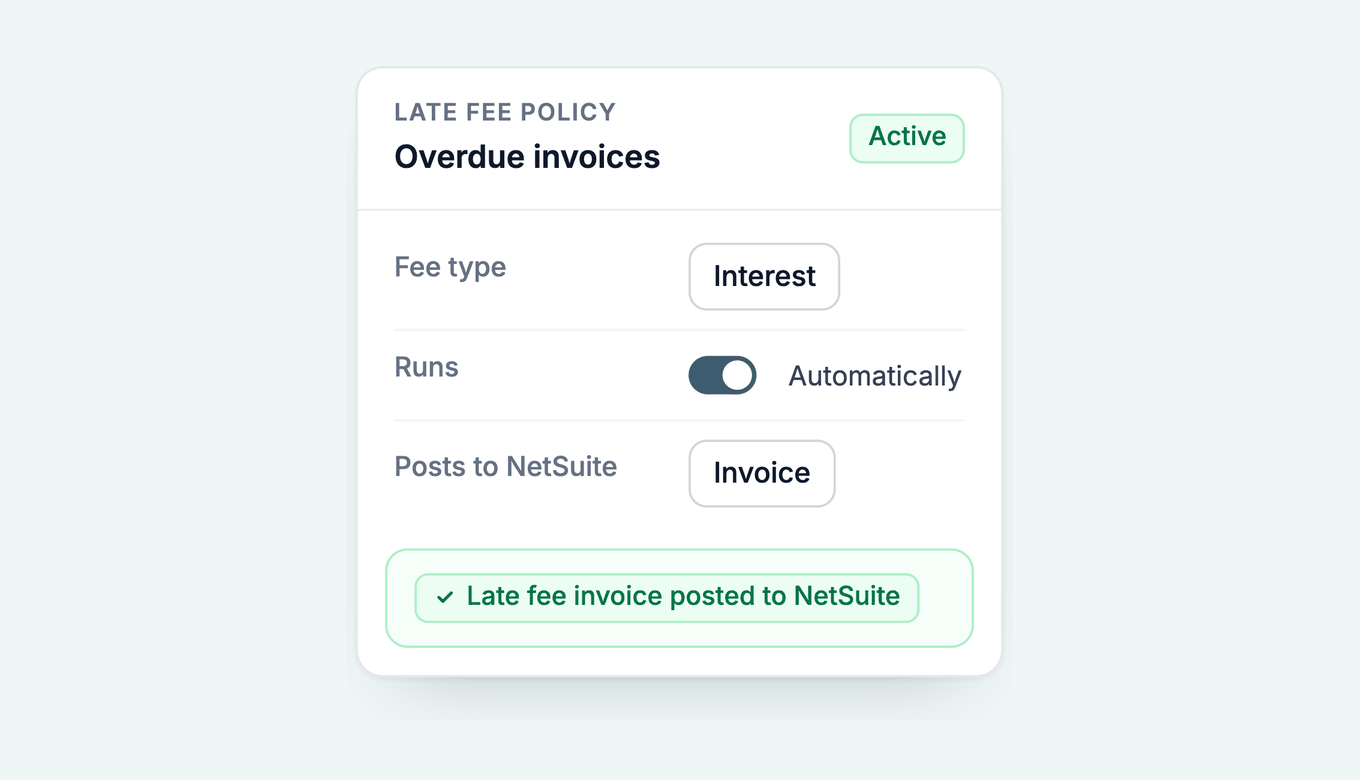
Paidnice raises the fee as a NetSuite invoice, Pending Approval or Open by your choice, after a grace period you set, and lets you waive it deliberately. The fee posts as a normal NetSuite invoice to the same customer and subsidiary, in the invoice currency, with the item, income account, tax code, Department, Class or Location and form mapped with you at implementation. The invoice is dated the day the fee is raised, in an open period, so no closed period is ever reopened.
- Two charge types. An Invoice Late Fee per overdue invoice, or a Statement Interest Charge per customer on the whole overdue balance. For statement interest, see customer statements.
- Three fee types. A fixed amount in the invoice currency, a percentage of the overdue amount, or an annual interest rate prorated per day, each with a grace period in days and an optional repeat while the invoice stays unpaid.
- On the ledger. The fee posts to NetSuite as an invoice, Pending Approval or Open, so it reaches the customer's payables and their payment run. Once approved, or when posted Open, it ages, counts toward the credit limit and Auto credit hold, and appears on statements like any NetSuite invoice.
- Rules and groups. Each policy can skip the fee when payment is promised or while a query is open, and different customer groups run different policies at the same time. See escalations.
Paidnice connects to NetSuite on the Custom plan with a two-way sync, and OneWorld subsidiaries are supported. Paidnice connects through SuiteTalk REST under a dedicated integration role, and an implementation specialist handles setup. Custom is quoted for your setup: the ERP connection, your invoice volume and support. There are no plan limits, and it is never priced by your revenue.
Read about Paidnice for NetSuite, see Paidnice on your ledger, or read the wider guide to credit control software for NetSuite.
NetSuite finance charges: common questions
Can NetSuite charge late fees automatically?
Not out of the box. Assess Finance Charges is a manual page with no schedule, so automation needs a custom script or workflow. Paidnice raises the fee from a policy, posted as a NetSuite invoice, Pending Approval or Open, as you choose at implementation.
Where do I switch finance charges on in NetSuite?
Go to Setup > Accounting > Preferences > Finance Charge Preferences and set the Annual Rate %, Income Account, Grace Period, Minimum Finance Charge, Assess on Finance Charges and Assess From.
What formula does NetSuite use for finance charges?
Oracle does not publish one. A commonly reported version is annual rate divided by 365, times days overdue, times the overdue amount. Test it in a sandbox.
Does a NetSuite finance charge include sales tax?
Finance charges always use the Non-Taxable tax code. Rules on taxing late fees differ by state and country, so check yours. For US states, see the guide to late fee laws by US state.
Can I assess finance charges twice in one day?
No. NetSuite allows one assessment per customer per day, even when the later charges are in a different currency.
Can NetSuite charge UK statutory interest?
NetSuite has one annual rate field and no Bank of England base-rate option, so the base-rate change each half year is a manual edit. Paidnice has a base-rate toggle.
How do I waive a finance charge in NetSuite?
Oracle does not document it. Teams edit the amount before assessing, or credit the finance charge invoice with a credit memo.
Do late fees get customers to pay on time?
In our analysis of invoice data from over 1,000 Paidnice customers, businesses that start charging late fees get about 3 more invoices in every 100 paid on time than similar businesses that do not (do late fees work).
Paidnice features in this article
About the editorial team
Ashley is a co-founder and lead developer of Paidnice and has built accounting software for more than 10 years. He builds the ledger connections that put reminders, late fees and payments into Xero, QuickBooks and ERPs such as NetSuite and Business Central. Before Paidnice he co-founded A2X, ecommerce accounting software for Xero and QuickBooks.
 App of the Year