



Summary
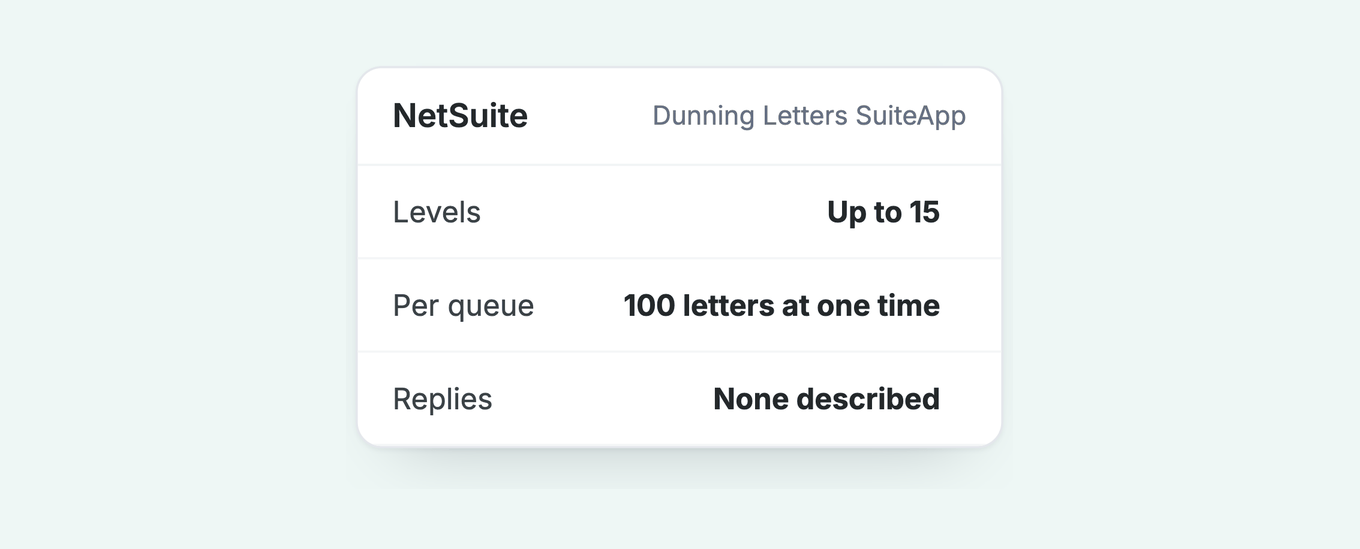
You can automate NetSuite reminders with the Dunning Letters SuiteApp. It is a paid add-on that sends letters in up to 15 levels, 100 letters at one time per queue. Oracle's dunning pages describe no bounce detection and no reply handling, and name email and PDF only. Paidnice can replace it and take the jobs after the send.
- What it does: Levels by Days Overdue and amount, pre-due letters from -1 to -99 days, email or PDF, and a manual pause with a reason.
- What it costs: Bought through your NetSuite account manager. Oracle publishes no price.
- Where it stops: 100 letters at one time per queue, no bounce detection, no reply handling described, email and PDF only, and PDF letters are manual.
- Paidnice: Replaces the SuiteApp on the Custom plan with a two-way NetSuite sync, reads each reply and pauses until the promised date.
Paidnice connects to your ERP on the Custom plan. Book a demo on your own data, and a specialist sets up the connection.
You raise an invoice in NetSuite and it goes out on its own. Every follow-up after that is a person with a saved search and an Outlook window. The Dunning Letters SuiteApp takes some of that off you. This page lists the jobs it leaves with you.
If you work in credit control (dunning, in NetSuite's own words), the same page applies. For the general stages of a chase, see our guide to the dunning process. For how NetSuite's tools compare, see credit control software for NetSuite.
What does the NetSuite Dunning Letters SuiteApp do?
The Dunning Letters SuiteApp (bundle 392827) evaluates open invoices on a schedule and sends a letter at each dunning level, by email or as a PDF you print, up to 15 levels per procedure.
A dunning letter is a formal reminder of an overdue balance. In NetSuite it is built from four objects: a Dunning Procedure (the sequence), its Dunning Levels, a Dunning Level Rule for each level (when it fires) and a Dunning Template (what it says).
If you receive one, an invoice is past due on the sender's ledger. Pay it, or reply with a payment date or a dispute and ask the sender to pause the procedure, because the letters keep coming on schedule until someone does.
At customer level, one letter lists all overdue invoices; at invoice level, each invoice gets its own letter. A procedure's Applies To setting decides which. Invoice groups get one letter per group. Oracle calls customer level the recommended standard, and the choice cannot be changed after the procedure is saved.
Three default workflows (Customer, Invoice and Invoice Group Dunning WF Scheduler) run the evaluation on a schedule an administrator sets. Only posting invoices are evaluated. Dunning emails do not count against your contracted email volume.
Every dunning action is logged in system notes, and each letter is saved on the customer's Communication subtab. The Dunning Dashboard shows Overdue Receivables by age and customer, Average Time to Pay, and customers with paused dunning.
Free: Payment reminder email templatesCopy the reminder emails for before, on and after the due date.Does NetSuite dunning cost extra, and what do you need before you install it?
Yes. Oracle says to contact your NetSuite account manager to buy the Dunning Letters SuiteApp, and it publishes no list price. Ask your account manager for the quote.
The Install button appears only once Oracle has shared the bundle with your account. Then go to Customization > SuiteBundler > Search and Install Bundles, search for 392827 and install Dunning Letters. It is a managed bundle: your account upgrades automatically, and uninstalling deletes every object it created.
Before install, your account needs seven features: Custom Records, Advanced PDF/HTML Templates, Client SuiteScript, Server SuiteScript, SuiteFlow, Multiple Currencies and Multi-Language. The NetSuite License Client SuiteApp must be installed first.
Sources: Oracle, sending dunning letters, installing the SuiteApp, prerequisites and limits.
How do you set up dunning procedures and levels?
Create templates, then level rules, then a procedure that ties them together, all from the Dunning menu, and assign it to customers, invoices or invoice groups.
- Create every record from the Dunning Setup menu. Oracle warns against using -New- or the plus icon in a dropdown, because the sublists then do not appear.
- Level rules. Dunning > Setup > Dunning Level Rule > New. Set Days Overdue (default 0), Currency, Minimum Transaction Amount and Total Overdue Balance. Determine Dunning Level By decides whether both amount thresholds must be met (AND) or either one (OR), and for customer-level evaluation Days Overdue uses the customer's oldest invoice.
- Procedure. Pick Applies To, add up to 15 levels with a template each, then set Sending Schedule (Automatic or Manual), Minimum Dunning Interval, a Default Dunning Manager and a priority. The Default Dunning Manager is the employee whose name appears as the sender of every letter from that procedure. When several procedures match, the highest priority wins.
- Schedule the evaluation. Copy the default workflow, set Initiation to Scheduled, tick Repeat, set the frequency and release it. Then set the original to Not Initiating. Oracle advises running it outside business hours.
- Assign and send. Use Bulk Update Customer Records to assign the procedure. Automatic emailing needs Allow Letters to be Emailed ticked on the customer plus Sending Schedule set to Automatic.
- Recipients. The customer email goes in CC unless "Do Not Send Letters to Customer Email" is ticked. Contacts on the Dunning Recipient subtab go in To (Level 1 and Above) or CC (Level 2 and Above), and a "BCC Email to Sales Representative" checkbox copies the rep. Oracle documents no accounts payable contact field.
A dunning level plan to copy
You can assign up to 60 procedures at each of the customer, invoice and invoice-group levels, 180 in total. The days below are examples: Oracle sets no defaults.
| Level | Days Overdue | Template | Channel | What NetSuite needs | What Paidnice adds |
|---|---|---|---|---|---|
| 1 | -3 | Courtesy, due in 3 days | Negative Days Overdue on the rule; Allow Letters to be Emailed on the customer | Pay now link in the email | |
| 2 | 1 | Now overdue | Minimum Transaction Amount, if you skip small invoices | Reads the reply and logs a promised date | |
| 3 | 7 | Second reminder | Email SMS | Days Overdue 7 on the level rule | SMS alongside the email |
| 4 | 14 | Late fee notice | Template text only; the fee itself is a separate finance charge run | Late fee posted to NetSuite as an invoice | |
| 5 | 30 | Final reminder | Email PDF | Total Overdue Balance threshold; PDF printed from the queue | Pause until the promised date, then resume |
| 6 | 45 | Account on hold | Printed from the Dunning PDF Printing Queue, 100 at one time | Escalation task to the account owner |
Minimum Dunning Interval is set once on the procedure, not per level: at 6 days, level 3 cannot follow level 2 inside the same week. Sources: Oracle, dunning level rules, Determine Dunning Level By, dunning procedures, evaluation workflows, recipients and assignment limits.
Six levels is plenty. Against no reminder, the first overdue reminder is followed by about 19 more invoices in every 100 paid within 7 days, the second about 12 more, the third to eighth 5 to 7 more and later ones about 3 more.
Can NetSuite send reminders before the due date, and how do you stop letters to customers who paid or dispute?
Yes to pre-due letters: enter -1 to -99 in Days Overdue. To stop a letter you pause dunning manually with a reason, because NetSuite has no dispute field that pauses it.
Days Overdue counts from the transaction Due Date only, so a rule set to -3 sends three days before the invoice falls due. No setting counts from the invoice date.
To pause, open the invoice, the invoice group or the customer record, tick Pause Dunning on the Dunning subtab, choose a reason and save twice. Custom reasons live under Dunning > Setup > Dunning Pause Reason. Clearing the box runs the evaluation at once and can send a letter the same minute.
Paid invoices drop out because only open posting invoices are evaluated. The evaluation runs on the administrator's schedule, so a payment applied after a run does not recall a letter already queued. A customer-level letter keeps going while any other invoice stays overdue.
No letter sends when dunning is paused, the Minimum Dunning Interval is not met, the level has not changed since the last evaluation, or individual notices are disabled for grouped invoices. Oracle's pages describe nothing that pauses dunning on a payment promise or a dispute.
Sources: Oracle, pausing dunning and automatic sending.
What NetSuite dunning cannot do
NetSuite dunning stops at the send: it sends 100 letters at one time per queue and cannot detect a bounced email. Oracle's dunning pages describe no reply handling and name email and PDF only, and PDF letters are manual.
| Limit | Number or fact | Oracle page |
|---|---|---|
| A NetSuite dunning procedure holds at most 15 levels. | 15 levels | Limits |
| NetSuite allows up to 60 dunning procedures at each of the customer, invoice and invoice-group levels. | 60 per level, 180 in total | Assignment |
| The Dunning Email Sending Queue sends 100 letters at one time. | 100 letters | Limits |
| The Dunning PDF Printing Queue generates 100 letters at one time, and PDFs are never generated automatically. | 100 letters, manual | Sending letters |
| A generated dunning PDF is capped at 5 MB; larger output is split into several files. | 5 MB | Limits |
| A standard dunning letter can attach up to 95 invoices. | 95 invoices | Limits |
| The Dunning Letters SuiteApp cannot detect bounced email messages. | No bounce detection | Bounced email |
| Oracle's dunning pages describe no reply handling, promise to pay, dispute workflow or SMS; letters go by email or PDF. | Email and PDF only | Sending letters |
| Days Overdue counts from the transaction Due Date only, so no level can count from the invoice date. | Due Date only | Level rules |
| The SuiteApp needs the Multiple Currencies feature turned on in your account. | Multiple Currencies required | Limits |
| Only posting invoices are evaluated. The SuiteApp stamps the dunning level and letter date on the invoice, and a closed period blocks that edit unless Allow Non-G/L Changes is ticked on the period. Paidnice writes new invoices for fees and User Notes for call summaries. | Posting invoices only | Evaluation, Period locks |
| A Customer Deposit goes into the general ledger as a liability and does not affect the customer's accounts receivable balance until it is applied to an invoice, so a deposit the customer has paid does not reduce the overdue balance a letter is built on. | Deposits are not AR | Customer deposits |
| Saved-search filters for dunning use standard NetSuite fields only, and list segments stay at 250 rows or fewer. | Standard fields, 250 rows | Limits |
Oracle's pages disagree on one point: one dunning page says procedures and rules are created in the user interface only, another allows CSV import. Both rule out SOAP and SuiteScript. Check the current wording before you plan a bulk import.
The two limits that cost the most
A bounce is the first. When a letter bounces, the SuiteApp does not know, so the customer stays at the same level while nobody is reading. To resend, you forward the message manually from the Communication subtab.
Bounced reminders stay unpaid twice as often. Invoices with a bounced reminder (an email that comes back undelivered) are still unpaid at 75 days about twice as often (13 in 100 against 6 in 100), in Paidnice data.
The amount shown is the second. An invoice-level procedure sends one letter per invoice, so a customer with four overdue invoices gets four letters, each showing one amount. Only a customer-level procedure lists the whole overdue balance in one letter. Your Applies To choice decides what the customer sees.
Can saved searches and a workflow do the job instead of the SuiteApp?
A scheduled saved search can email a results table to named recipients, and a scheduled workflow can send an email, but neither gives you levels, pauses or a record of the chase.
A scheduled saved search can email its results to customers and contacts, but what arrives is a results table, not a reminder letter. A Send Email action on a scheduled workflow can send the customer a written email. Oracle says such workflows need deep NetSuite customization knowledge.
How does Paidnice automate the rest of the chase on NetSuite?
An AR tool with a two-way NetSuite sync sends the reminders, reads each reply, pauses until a promised date and posts late fees back as invoices. Paidnice can replace the Dunning Letters SuiteApp on the Custom plan.
Oracle's dunning pages describe no payment link in a dunning letter, so test whether your template can carry one before you rely on it. NetSuite's Payment Link (Setup > Company > Enable Features > Transactions > Payment Processing, then Payment Instruments and Payment Link) adds a hosted pay page to invoice emails, and the Customer Center gives customers a portal.
Both are separate setups from the SuiteApp. See NetSuite payment links and the customer portal.
| Job | NetSuite dunning | Paidnice on NetSuite |
|---|---|---|
| Scheduled reminders | Up to 15 levels, email or PDF | Reminder policies by customer group, from your own domain |
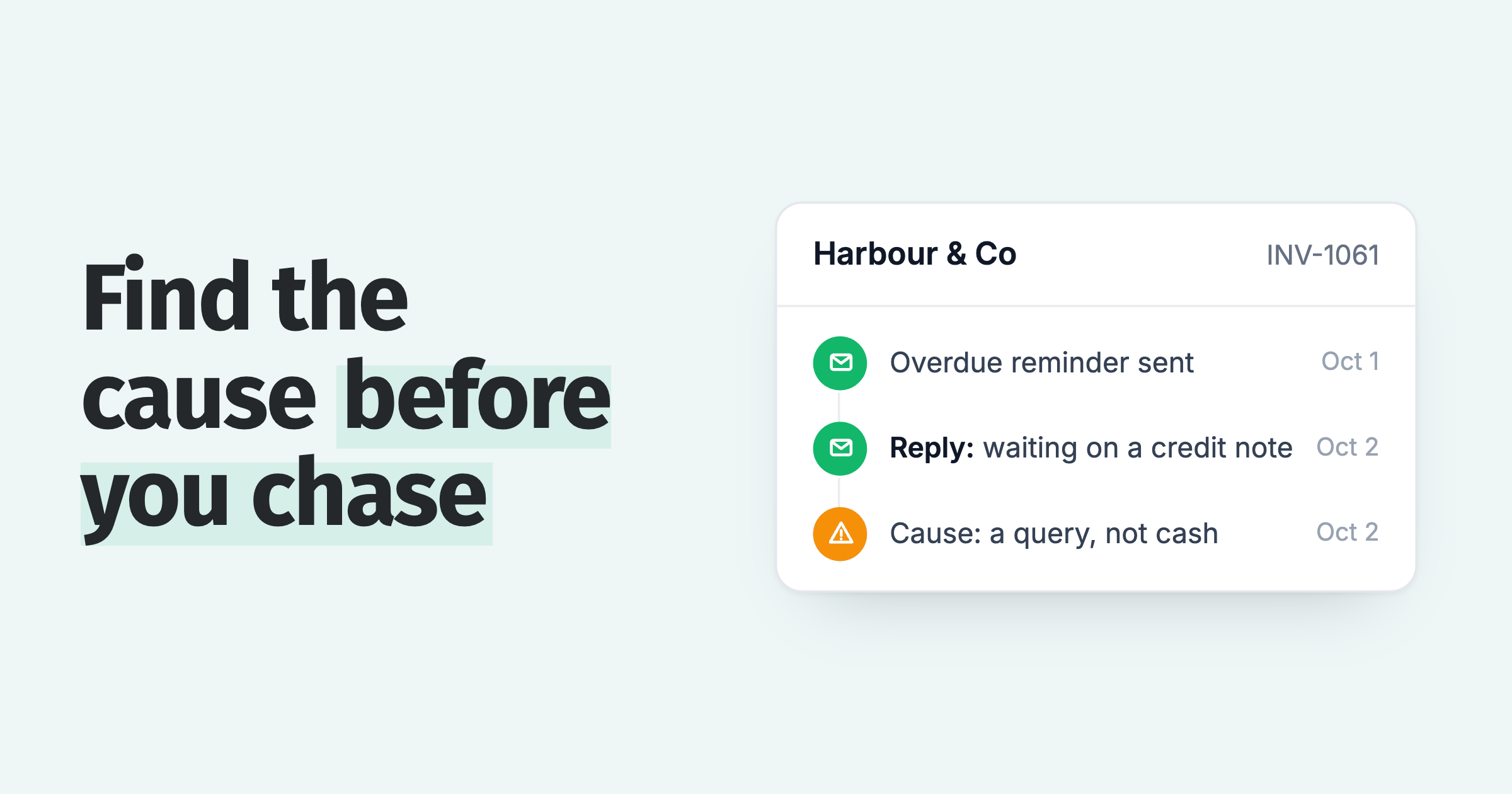
| The reply | Not described in Oracle's dunning pages | Paidnice reads the reply, logs a promised date and drafts the answer for a person to approve |
| Stop when paid | Paid invoices drop out at the next scheduled evaluation | A payment applied in NetSuite stops the chase at the next sync; Paidnice reads changed records continuously on last modified date |
| Bounces | Cannot detect them | Delivery status per message: delivered or bounced |
| Channels | Email and PDF | Email, SMS and posted letters |
| Late fees | Separate finance charge run | Posted to NetSuite as invoices, Pending Approval or Open, with item, account and tax code mapped at implementation |
| Disputes and promises | Manual Pause Dunning with a reason | Skips the invoice while a query is open; holds to the promised date |
| After the last level | Holds at the top level | Opens an escalation task for the account owner |
Your levels become reminder policies. Paidnice connects through SuiteTalk REST under a dedicated integration role, signed in with OAuth 2.0 client credentials, and an implementation specialist handles setup. Customers, contacts, invoices, Customer Payments, Credit Memos and custom fields sync both ways, read on each record's last modified date, and NetSuite OneWorld subsidiaries are supported.
Only Open invoices are chased. Pending Approval invoices are never chased, and unapplied Credit Memos and Customer Payments can be deducted before a customer is called overdue.
Payment plans, early payment discounts and call summaries written to the customer record as a User Note all run on NetSuite. Custom is quoted for your setup: the ERP connection, your invoice volume and support. There are no plan limits, and it is never priced by your revenue. See Paidnice for NetSuite.
NetSuite dunning: common questions
Short answers on the SuiteApp's price, its 15 levels and 180 procedures, pre-due letters, what stops a letter, SMS, pausing for a dispute and how Paidnice replaces it.
What does the NetSuite Dunning Letters SuiteApp cost?
Oracle says to contact your NetSuite account manager to buy the Dunning Letters SuiteApp and publishes no price. Whether your account is quoted at no charge is not documented.
How many dunning levels can NetSuite have?
Up to 15 levels per procedure, with up to 60 procedures assigned at each of customer, invoice and invoice-group level, 180 in total.
Can NetSuite dunning send reminders before the due date?
Yes. Enter -1 to -99 in Days Overdue on the Dunning Level Rule. A rule at -3 sends three days before the due date.
Does NetSuite dunning stop when the customer pays?
A paid invoice drops out at the next evaluation because only open posting invoices are evaluated. Between runs a letter can still go. Paidnice stops the chase at the next sync after the payment is applied; it reads changed records continuously, not on a daily evaluation.
Can NetSuite dunning send SMS or create call tasks?
Oracle's dunning pages describe email and PDF only. Paidnice sends email and SMS on NetSuite.
How do you pause dunning for a dispute?
To pause for a dispute on one invoice, set Pause Dunning on that invoice and pick a reason; the customer's other invoices keep getting letters. You can also pause at customer or invoice-group level. It is manual, and clearing the box runs the evaluation at once.
Can NetSuite dunning send to the accounts payable contact?
Yes. Add the contact on the Dunning Recipient subtab. Level 1 and Above puts the contact in To, and Level 2 and Above puts them in CC.
Is there a length limit on NetSuite dunning email templates?
Oracle's dunning pages state no template length limit. Ask your implementer to confirm before you write long letters.
Can Paidnice replace the Dunning Letters SuiteApp?
Yes, on the Custom plan, with a two-way NetSuite sync. Paidnice sends the reminders, reads each reply and posts late fees back as NetSuite invoices.
Paidnice features in this article
About the editorial team
Ashley is a co-founder and lead developer of Paidnice and has built accounting software for more than 10 years. He builds the ledger connections that put reminders, late fees and payments into Xero, QuickBooks and ERPs such as NetSuite and Business Central. Before Paidnice he co-founded A2X, ecommerce accounting software for Xero and QuickBooks.

 App of the Year