



Summary
To find out who changed your reminder settings, open the audit log in your AR automation tool. A useful log shows the date, the user, what was changed and the value before and after. Your accounting system's audit trail covers invoices and payments, but not the reminder rules that live in a separate tool.
- What to look for: Date, user, the policy or setting, and the before and after values.
- Where it lives: Reminder rules live in your AR tool, so Xero's history and QuickBooks' audit log do not record them.
- Stop it happening again: Give people who only read reports a view-only role, and route a new user's sends through an approver.
Your weekly report arrives with blanks where the details used to be, or a customer asks why their reminder came a day earlier than usual. A Paidnice customer asked us exactly this kind of question: was the blank report something they might have accidentally changed in their settings? With several people able to edit the setup, nobody is sure.
Here is how to find who changed a reminder setting, what an audit log should show, what Xero and QuickBooks record on their side, and how to stop the same change happening by accident.
Free: Payment reminder email templatesCopy the reminder emails for before, on and after the due date.Why do reminder settings change without anyone noticing?
Reminder settings change without anyone noticing because several people can edit them and the effect shows up days later, in a customer's inbox. The common causes:
- A teammate adjusts a policy to fix one customer and changes it for the whole group.
- Someone moves a customer to another group, which drops the old group's rules straight away.
- A contact or invoice is frozen to pause chasing, and nobody notes why.
- Safe Mode is turned on during a busy week and left on.
- The accounting system's own reminder settings are switched on, so it looks as if your tool changed.
We have seen the last one in support. A customer reported reminders their clients did not want. The reminders came from the tick boxes in Xero's own reminder settings.
What should an AR audit log show?
An AR audit log should show enough to answer "who changed what, and what was it before" without asking around. Check for these columns:
| Field | Why it matters |
|---|---|
| Date and time | Match the change to the day the customer noticed something different |
| Type | Tells you whether it was a policy, a contact or an account setting |
| User | Who to ask, and whether their access needs changing |
| What changed | Policy updated, contact frozen, settings updated |
| Before and after | The old value, so you can put it back |
Before and after is the field that saves time. Without it, you know a policy was edited but not which of its settings moved.
What do Xero and QuickBooks record?
Xero and QuickBooks record changes to invoices, payments and contacts. Rules in a separate AR tool are logged there, if at all. Use them to check whether the invoice itself changed, then look at your AR tool for the reminder settings.
- Xero: each invoice has History & Notes, which also shows when each Xero reminder was scheduled or sent.
- QuickBooks Online: the audit log under Settings lists changes by user, date and event, for users with full access.
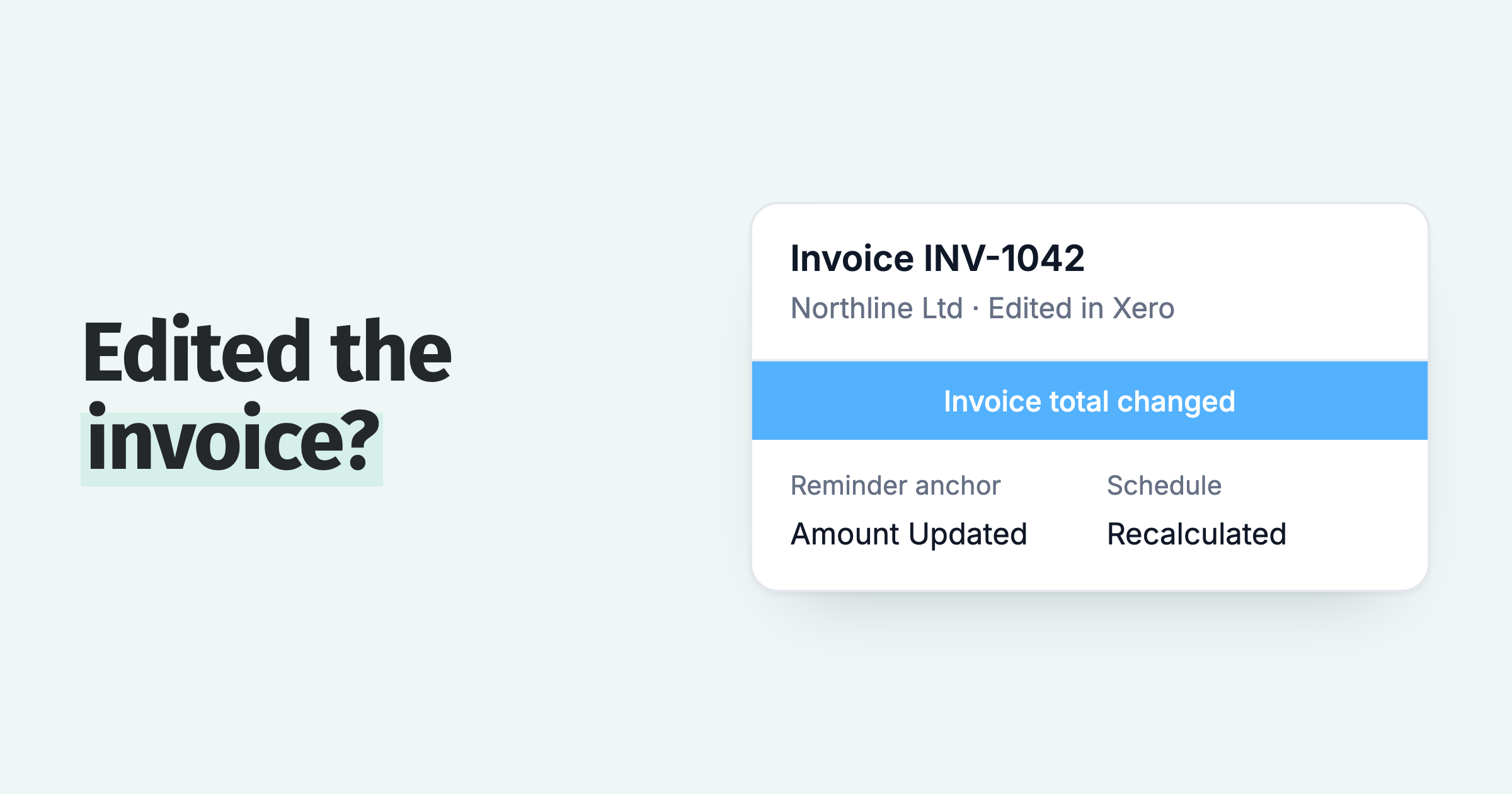
If the invoice's due date or amount changed in the ledger, that alone moves the reminder schedule. Rule that out before you look for a changed policy.
How do you find out who changed a reminder setting?
Start from the customer's complaint and work backwards to the change.
- Note the date the customer saw something different, and which invoice it was.
- Check the invoice's history in Xero or QuickBooks for an edit to the due date or amount.
- Open your AR tool's audit log and filter to the days before that date.
- Find the policy or setting change, the user and the before and after values.
- Put the old value back if the change was a mistake, and tell the person who made it.
Keep it blame-free. Most of these changes are someone fixing one customer's problem without seeing that the rule covers a whole group.
How do you stop accidental changes?
Stop accidental changes by limiting who can edit rules. Everyone who needs to can still see them. A small team usually has a few people chasing every day and managers who only read the reports. That is the setup one customer described on their kick-off call in November 2026.
- Give report readers a view-only role, so they can see accounts and activity but not change or send anything.
- Route a new or junior user's sends to an approver before they reach customers.
- Copy a policy before you experiment, and test the copy on one invoice.
- Add a note to a frozen invoice or contact saying why, since a freeze has no reason field.
Fear of an accidental send is also why customers keep Safe Mode on until they trust a setup. That is a fine habit for the first week, as long as someone owns turning it off.
How Paidnice logs reminder setting changes
Paidnice has Audit Logs in the left menu, on every plan. It shows the last 100 changes to policies and settings, with Date Changed, Log Type, User, Message and Change Detail, where Change Detail gives the old value and the new one.
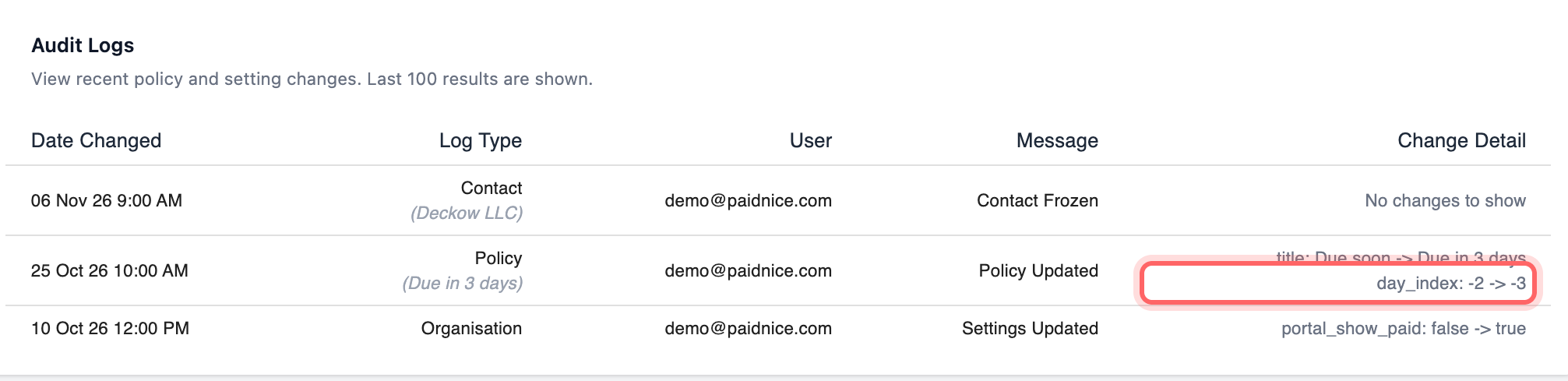
In the example above, a policy renamed from "Due soon" to "Due in 3 days" also had its send day moved from two days to three days before the due date.
Every policy also has its own change history, and can be copied before you change it. The log has no export, so screenshot an entry if you need to keep it.
Paidnice also has the controls that make the log quieter: a view-only role, sends from a new user routed to an approver, and Draft policies whose actions wait for approval.
For the weekly view of what the team did with customers, use AR reporting, and see how a team tracks overdue invoices in Xero. To check a changed rule before it sends, follow our guide to testing reminder rules before they go live.
💡 Paidnice insight
When a customer says a reminder looks different, check the invoice in your ledger first. A changed due date moves the schedule without anyone touching the reminder policy.
Frequently asked questions
Can I see what a reminder setting was before it changed?
Yes, if your audit log records before and after values. In Paidnice the Change Detail column shows both, for example a send day moving from one value to another.
Can I undo an accidental change?
There is no one-click undo. Read the old value in the audit log, put it back on the policy, and test the policy against an invoice before it sends again.
How do I stop a new team member changing live policies?
Give them viewer access to settings, which lets them see everything but change nothing. In Paidnice you can also route their sends to an approver.
Does Xero's history show changes to my credit control app?
No. Xero records changes to its own invoices, contacts and reminders. Rules set in a separate app are logged in that app, if it keeps a log.
How far back does the Paidnice audit log go?
It shows the last 100 changes to policies and settings, newest first.
Paidnice features in this article
About the editorial team
Ashley is a co-founder and lead developer of Paidnice and has built accounting software for more than 10 years. He builds the ledger connections that put reminders, late fees and payments into Xero, QuickBooks and ERPs such as NetSuite and Business Central. Before Paidnice he co-founded A2X, ecommerce accounting software for Xero and QuickBooks.
 App of the Year
