



Summary
An accounts receivable email address is a shared address, such as [email protected], that customers use for invoices, payment questions and remittances. Create it as a shared mailbox or group on your own domain, put it on every invoice, statement and reminder, and name one owner and one backup who answer it every working day.
- Which name: ar@ or accounts.receivable@ keeps customer mail apart from supplier bills at ap@. accounts@ works if one person does both.
- Where it goes: Invoice footer, statements, reminder reply-to, your email signature and your customer's vendor record.
- Who answers: The person who manages the customer's account, with a named backup and a same-day target.
Every customer reply about an invoice goes to the one person who sends your invoices. When that person is away, emails about payments sit unread, and nobody else on the team can see them. A finance lead described exactly this to us: replies went to one named AR person, so nobody else knew what customers had said.
Here is what an accounts receivable email address is for, which name to pick, where to publish it, how to set it up in Microsoft 365 or Google Workspace, and how to decide who answers it.
Free: Payment reminder email templatesCopy the reminder emails for before, on and after the due date.What is an accounts receivable email address?
An accounts receivable email address is one shared address, such as [email protected], where customers send payment questions, remittance advice and invoice requests. It belongs to the business, not a person, so it keeps working when staff change.
Large customers often ask for it. Accounts payable teams keep a billing contact on each vendor record, and they send remittances, PO requests and portal notices there.
Should you use ar@, accounts@ or billing@?
Use ar@ or accounts.receivable@ if someone else handles your supplier bills. Use accounts@ if one person does both, and split it later.
| Address | Good for | Watch out for |
|---|---|---|
| ar@ | Clear to AP teams; keeps customer mail apart from bills | Some customers do not know "AR" |
| accounts.receivable@ | Plain to everyone | Long to type |
| accounts@ | Small teams doing both AR and AP | Supplier bills and customer replies mix |
| billing@ | Subscription businesses where customers ask about charges | Reads as sales or support, not payments |
Whatever you pick, put it on your own domain. A customer told us during setup that their clients distrust email that does not carry the company name, and a reminder from an unfamiliar address is more likely to be ignored.
Where should the accounts receivable email address appear?
The address should appear everywhere a customer might look for it when they have a payment question.
- The invoice footer and the "remit to" section.
- Statements and payment reminders, as the reply-to.
- Your email signature, so suppliers and customers see it on every message. One customer who sends monthly statements keeps their AR address in their email signature for this reason.
- The vendor setup form your customer's AP team sends you.
- Your website's contact page, if customers pay you directly.
How do you set up an accounts receivable email address?
Set it up as a shared mailbox or a group, not a forward to one person, so more than one person can read and answer it.
- Microsoft 365: create a shared mailbox (for example ar@) and give your AR staff access. Microsoft says a shared mailbox needs no licence up to 50 GB. Our comparison of an Outlook shared mailbox and an AR shared inbox covers its limits for receivables.
- Google Workspace: create a group with the ar@ address and add your AR staff as members.
- Give at least two people access: the owner and a backup.
- Change the reply-to on your reminders and statements to the new address, or to your AR inbox if you use one.
- Send a short notice to customers' AP contacts with the new address, and ask them to update your vendor record.
If you send reminders from Xero, it sends replies to one address for the whole organisation. Our guide to changing the reply-to address on Xero reminders shows where to set it.
Who should answer the accounts receivable inbox?
The person who manages the customer's account should answer, with a named backup who covers leave and checks anything unassigned each morning. One person can own the inbox in a small business. In a team, split it by customer.
- Owner: reads the inbox at least twice a working day and assigns or answers each email.
- Backup: has the same access and covers absences without a forwarding rule.
- Decision maker: the person who approves credit notes and payment plans, for the replies the owner cannot decide.
- Target: answer every customer email the same working day, even if the full answer takes longer.
Our post on who should answer replies to invoice reminders sets out the split for teams of one, two and five.
Do you need more than one address?
Sometimes. Many teams send the first reminder from ar@ and later ones from a named person, and some route different documents to different people.
- One customer sent invoice replies to accounts and quote replies to a general inbox by using a second sender profile.
- A common pattern is accounts@ or ar@ on the due date, a named credit controller at 7 to 14 days, and a director at 21 days or more, with each reply going to the person named on the email.
- For large customers, the invoice can go to their AP portal inbox while reminders and statements go to the person you work with.
How does Paidnice use your accounts receivable email address?
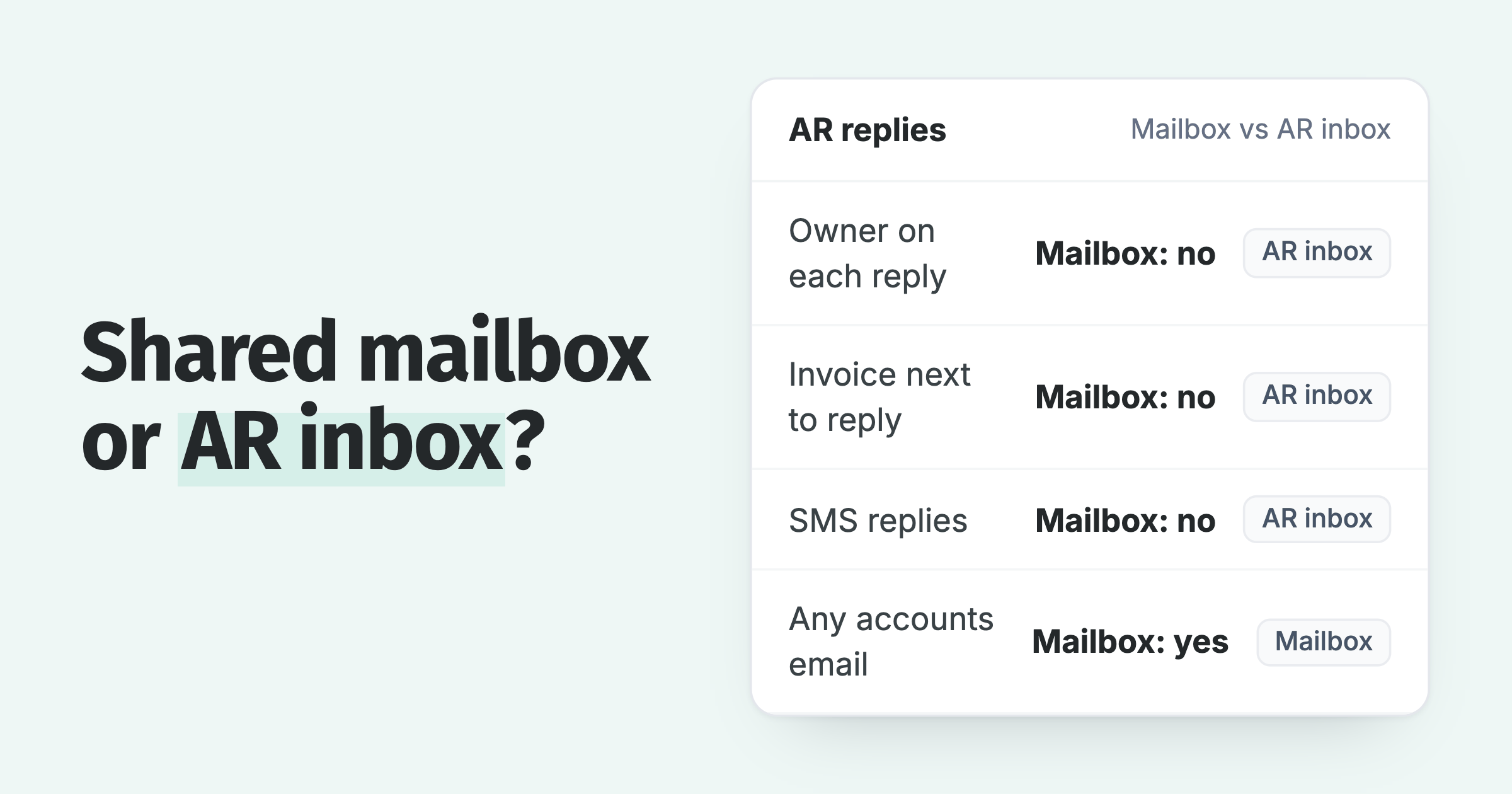
In Paidnice, each sender profile has a From name, From email, reply-to and BCC, and each reminder, statement and late fee policy picks its own profile. Replies come back into the Paidnice shared inbox, matched to the customer, where each one gets an owner and a status.
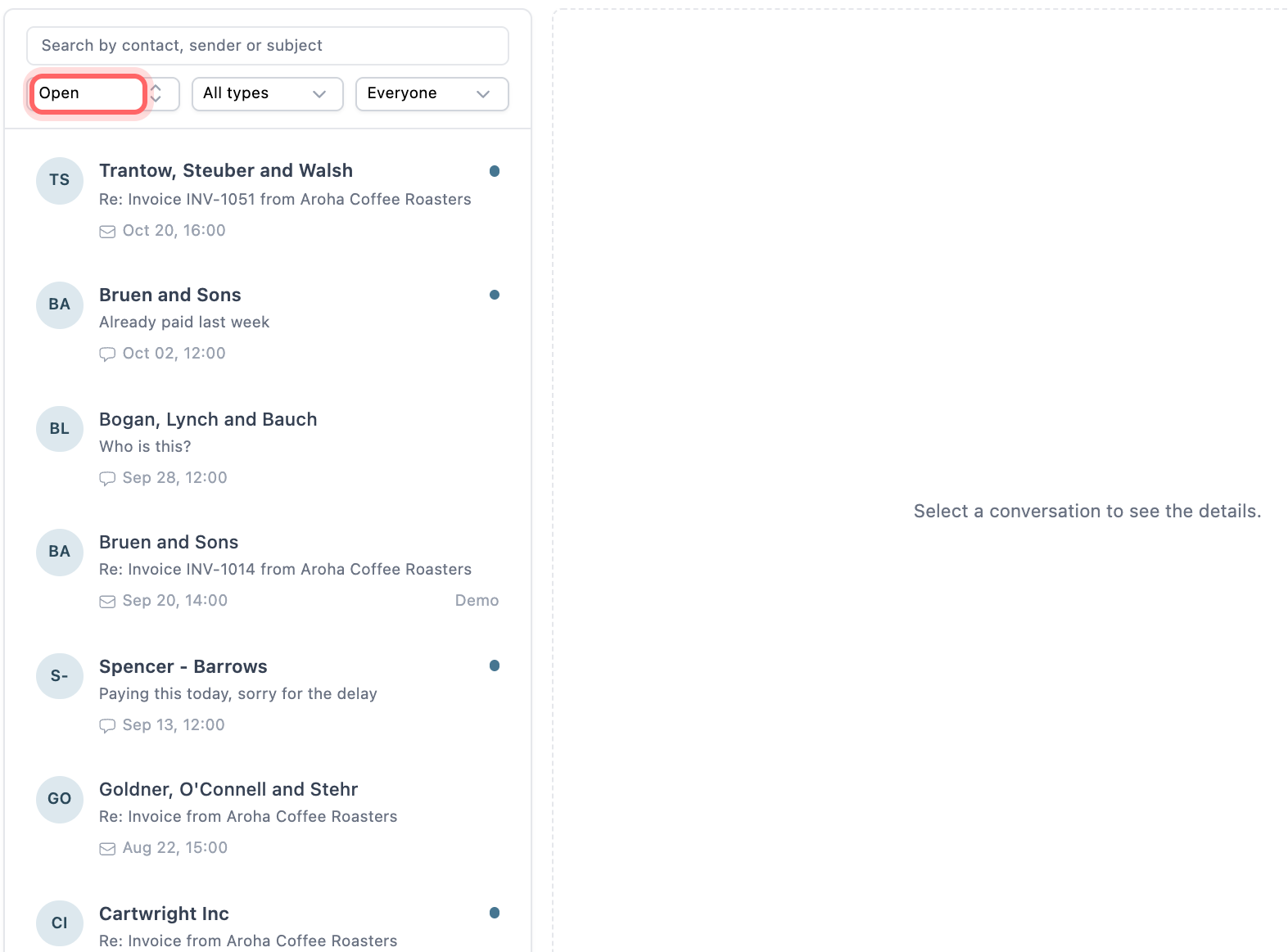
- On the Pro plan you send from your own domain. Verify the domain once and any address on it, such as ar@ or a named person, works with no extra mailbox licence.
- Paidnice can also send through a connected Gmail or Outlook (Microsoft 365) mailbox.
- Add ar@ as a BCC on a sender profile to keep a copy of every reminder in that mailbox.
- Assign customers or groups to team members, so replies reach the person who manages the account.
💡 Paidnice insight
Customers reply to the address on the reminder. Put ar@ there, make sure two people can read it, and every payment question reaches someone who can answer it.
Frequently asked questions
What is a good email address for accounts receivable?
[email protected] or [email protected]. Both tell a customer's AP team where payment questions and remittances go. Use your own domain, not a free email address.
Should accounts receivable and accounts payable share an email address?
Only in a very small business. Once different people pay bills and chase customers, separate ar@ and ap@ so supplier invoices and customer replies do not mix.
Can I forward ar@ to my own inbox?
You can, but replies then depend on you. A shared mailbox or group lets a backup read and answer while you are away, and keeps a record when staff change.
Should payment reminders come from ar@ or from a person?
Start with ar@ for the first reminders, then switch to a named person for later ones. A named sender on an overdue invoice tells the customer a person is following it.
Does the AR email address need its own licence?
In Microsoft 365, a shared mailbox needs no licence up to 50 GB, but each person who opens it needs their own licensed mailbox. In Paidnice, any address on a verified domain works as a sender with no extra mailbox licence.
Paidnice features in this article
- Shared inbox Puts every customer reply by email and SMS in one inbox, where your team assigns, notes and answers it.
- Send from your own email Sends every reminder from your Gmail, Outlook or own domain, so replies come to you.
- Email and SMS reminders Sends reminders by email and SMS on your schedule, each with a link to pay.
About the editorial team
Ashley is a co-founder and lead developer of Paidnice and has built accounting software for more than 10 years. He builds the ledger connections that put reminders, late fees and payments into Xero, QuickBooks and ERPs such as NetSuite and Business Central. Before Paidnice he co-founded A2X, ecommerce accounting software for Xero and QuickBooks.

 App of the Year
