Summary
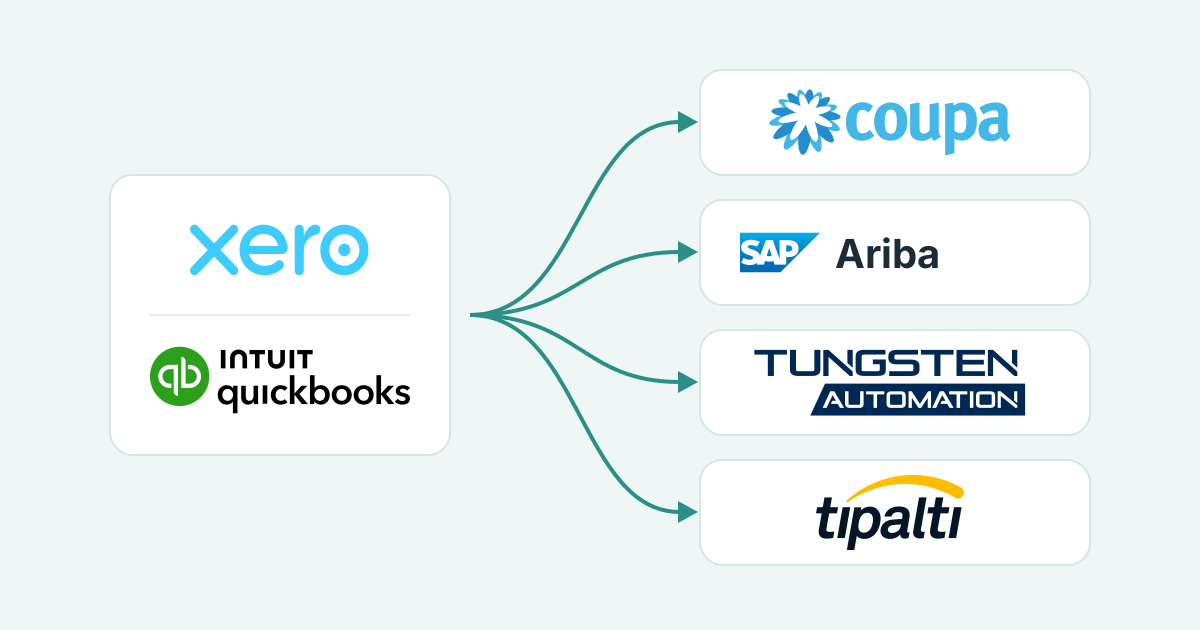
If a big client runs on Coupa, SAP Ariba, Tungsten or Tipalti, that's where your invoice has to go. From Xero or QuickBooks, Paidnice can get the PO number, send the invoice and remind your customer before it is due. Portal uploads are coming soon.
- What they need: Each portal needs an account, your customer's PO and an invoice that matches it. Tipalti also needs a payment method and a tax form before it pays you.
- The blocker: A missing or wrong PO number is the top reason invoices come back; Indiana University rejects more than 1,000 invoices a month for it.
- Paidnice: Paidnice uses AI to collect the PO from the customer, puts it into the Xero or QuickBooks invoice, sends it, and records the payment date AP gives.
A new customer signs, and two emails follow. One is a purchase order. The other is an invitation to register on their supplier portal. From now on, invoices go in there. You still raise the invoice in Xero or QuickBooks. Now you also have to enter it in their system, against that PO, before anyone there will pay it.
This page covers all four portals side by side. Each one also has a step-by-step guide: Coupa, SAP Ariba, Tungsten and Tipalti.
What do Coupa, SAP Ariba, Tungsten and Tipalti ask suppliers for?
Each one needs an account or an invitation, your customer's PO, and an invoice that matches that PO field for field. Tipalti also needs a payment method and a tax form before it pays you.
| Portal | Account | Every invoice needs | Cost to you | Guide |
|---|---|---|---|---|
| Coupa Supplier Portal | A free portal account, or none at all if your customer lets you flip the PO straight from the PO email | The PO, your invoice number, and lines, tax and remit-to address that match the PO. Attachments as PDF, TIFF or image files up to 100 MB. | Free. Coupa calls the portal "a free tool for suppliers". | Coupa guide |
| SAP Business Network (SAP Ariba) | A Standard account, set up from your customer's invitation | The PO, a unique invoice number (INV123 and inv123 are different numbers to SAP) and an invoice date inside the backdating window your customer sets. | Standard account free. Enterprise fees start only after 5 documents and US$50,000 with one customer. | SAP Ariba guide |
| Tungsten Network | A registered supplier account and a route: Web Form, PO Convert, Email In or Integrated | The PO where your customer requires one, plus the fields that customer checks. | 52 free Web Form invoices a year, then £2.09 each, with a minimum purchase of 25, ex VAT. | Tungsten guide |
| Tipalti Supplier Hub | An invitation from your customer, then one registration flow | A payment method and a W-9 or W-8 tax form on your profile, then the invoice uploaded in the Hub or emailed to your customer's payables address. | No supplier fee is published. Tipalti lets the payer decide who pays transaction fees. | Tipalti guide |
| Jaggaer | Set by each buyer | Set by each buyer | Jaggaer says its supplier portal is "completely free". | Ask the buyer for its supplier guide |
Every row starts with the PO number. Get it from your customer before you raise the invoice in Xero or QuickBooks, and the portal step has far less to go wrong.
What is an AP portal, and why do big customers use one?
An AP portal is your customer's payables system, opened to suppliers. Big customers use one so that every invoice is checked against an approved PO and a goods receipt before it is paid.
Tipalti describes a supplier portal as "an integrated online platform shared by businesses and their vendors". You will also hear vendor portal or invoice portal. Your customer owns it and sets the rules: which fields are required, how far back an invoice date can go, and whether an invoice with no PO is accepted at all.
This check is a three-way match: invoice, PO and goods receipt must agree.
Many buyers publish a "No PO, No Pay" rule. North Tyneside Council says invoices that do not clearly identify a PO number "will not be processed for payment and will instead be returned to the supplier". Indiana University's AP team reports more than 1,000 invoices rejected every month for a missing PO number.
That is why the PO number on the invoice comes before any portal question.
What stops a portal invoice from being paid?
Four problems recur on most portals: a missing or wrong PO, an amount off the PO, an invoice locked once submitted, and an Approved status that does not mean paid.
Missing or wrong PO. If the Xero or QuickBooks invoice went out without it, the portal copy lacks it and the invoice comes back. Coupa shows "Create Blank Invoice" only when the customer allows invoices without a PO, and on SAP Business Network a non-PO invoice is possible only where the buyer has switched it on.
Amount differs from the PO. A price change or a freight line that is not on the PO pushes the invoice past the buyer's tolerance, and it sits on hold until someone at the buyer approves it by hand.
Submitted means locked. Coupa's rule is plain: "Once an invoice has been submitted, it can't be changed in any way." A rejected invoice needs a replacement, and on SAP Business Network invoice numbers are case-sensitive and cannot be reused by default. So a typo means a replacement invoice with a new number in your ledger too, plus a credit note if the original was already approved.
"Approved" does not mean paid. Coupa tells suppliers that after approval "the invoice is your customer's queue and you'll be paid based on the payment terms you set with your customer". Tipalti's "Deferred" means a missing tax form, bad bank details or a compliance hold.
Why does the portal invoice drift from your ledger?
Because the invoice now lives twice, in Xero or QuickBooks and in the customer's portal, and nothing keeps the two copies in step.
The portal holds the customer's copy. Xero or QuickBooks holds yours, and the chase, the reminder and the reconciliation still happen on your side, by email, from the ledger copy.
The portal copy is a re-keyed version of the ledger invoice, so the invoice number, date, PO and amounts must match line for line. When they do not, the buyer's AP team sees the portal copy and your bookkeeper sees the Xero or QuickBooks copy, and each works from a different version.
Status flows from the portal to you, never back into your ledger. Coupa says payment details are on the invoice "but not all customers update this information". Tungsten can show "Paid" while the Xero invoice still reads "Awaiting payment".
Paidnice uses AI to spot which customers need a PO and writes to whoever raised the order, so the number can be on the invoice before it goes into any portal. Paidnice never logs in to a buyer's portal; the PO step is the part it automates today.
What can you automate in portal invoicing today?
You can automate getting the PO number, adding it to the invoice, sending it, reminding before it is due and noting when AP will pay. The upload itself is still done by your team.
| Task | By hand | Paidnice today | Status |
|---|---|---|---|
| Spot which customers need a PO | Remember which buyers run "No PO, No Pay" and check each order | Paidnice uses AI to notice an invoice needs a PO and writes to whoever raised the order | Live |
| Capture the PO number | Copy it from the buyer's email or the portal notification into the invoice | Paidnice reads the PO from the email the buyer's system sends, or from the reply, and the payer can enter or update it in the Paidnice customer portal | Live |
| Put the PO on the invoice, approve and send | Edit the Xero or QuickBooks invoice, approve it, send it | Paidnice puts the PO into the invoice, then approves and sends it | Live |
| Remind ahead of the due date | Diary note, then an email from your inbox | Pre-due reminders go out from your business email address | Live |
| Record the payment date AP promises | Read the reply, note the date somewhere, remember to check | When AP gives a payment date, Paidnice records it on that invoice in Paidnice and drafts a reply for you to approve | Live |
| Upload the invoice into the portal | Log in to Coupa, SAP Business Network, Tungsten or the Tipalti Hub and submit | Not yet | Coming soon |
| Register on a new portal | Accept the invitation, enter company, bank and tax details | A person does this once per customer | Person |
| Resolve a dispute or hold in the portal | Read the reason, fix, replace the invoice | A person decides; Paidnice tracks the invoice and the date | Person |
What does your team still do by hand?
Entering the invoice in the portal, registering on each new portal and fixing a rejected invoice. Paidnice takes the PO request, the send, the reminder and the payment date off your list.
- Entering the invoice. Until portal uploads ship, someone keys each invoice or flips the PO in the portal. Use the PO lines as they are, so the portal copy and the Xero or QuickBooks copy agree.
- Checking an invitation before you register. A portal invitation asks for bank and tax details. Confirm it with a contact you already deal with at that customer before you enter them.
- Fixing a rejection. Coupa will not let you edit a submitted invoice, so a rejection means a replacement invoice with a new number in your ledger, plus a credit note if the original was already approved.
- Billing one PO more than once. When a PO covers several deliveries, someone decides what each invoice covers and keeps track of what is left on the PO.
How does Paidnice keep portal invoices moving?
Paidnice works on the invoice in Xero or QuickBooks, before and after the portal step. Here is one invoice for a customer on SAP Ariba, from the order to the payment date.
- The order is booked, and this customer runs "No PO, No Pay". Paidnice uses AI to spot that the invoice needs a PO and writes to the person who placed the order. A person approves every draft before it goes.
- The PO comes back in a reply or in the email the buyer's system sends, and Paidnice reads it. The payer can also type it into the Paidnice customer portal. Smart rules format the number, and one that looks wrong goes to a person.
- Paidnice puts the PO on the invoice, approves it and sends it.
- Your team enters the invoice in SAP Business Network. This is the step portal uploads will take over.
- Before the due date, a reminder goes out from your business email address.
- AP replies that it will pay on the 28th. Paidnice records that date on the invoice and drafts a reply for you to approve.
The same steps run on Xero and QuickBooks Online, and the rest of Paidnice's accounts receivable automation (statements and escalation) works on the same invoice.
By platform: how to attach your own invoice PDF in Xero, how to send Xero invoices into an ERP as a single PDF, how to attach your own invoice PDF in QuickBooks Online, and how to send QuickBooks invoices to AP portals as one PDF.
Portal uploads are coming soon. We are starting with the portals our customers ask about most, so list yours when you book a call. Today Paidnice gets the PO number, sends the invoice, reminds your customer before it is due and records the date AP says it will pay.
Common questions
What is a supplier portal?
The part of a buyer's accounts payable system that is opened to its suppliers, for submitting invoices, checking status and keeping company, bank and tax details current. Vendor portal, AP portal and invoice portal are other names for it.
Can software upload invoices to customer portals?
Yes, through a portal-side integration. Coupa offers cXML (a file format for posting invoices straight into the portal) for suppliers with high PO volume, SAP Business Network offers system-to-system integration on an Enterprise account, and Tungsten offers its Integrated Solution for £1,200 a year. Paidnice does not upload to portals yet; uploads are coming soon.
Do I pay to use a supplier portal?
Usually not at small volumes. The Coupa Supplier Portal and the SAP Business Network Standard account are free, Jaggaer says its portal is free, and Tungsten gives 52 free Web Form invoices a year. The table near the top of this page has the details.

Stop chasing invoices.
Start getting paid.
Paidnice is accounts receivable automation that enforces your payment terms, trusted by thousands of businesses on Xero and QuickBooks. Credit control and debtor management, run for you.
Try it Now - It's FreeNo card required.