Summary
Big clients want their PO number on every invoice, and will send one back without it. Get the number from the person who ordered before you invoice, add it in Xero or QuickBooks, then send.
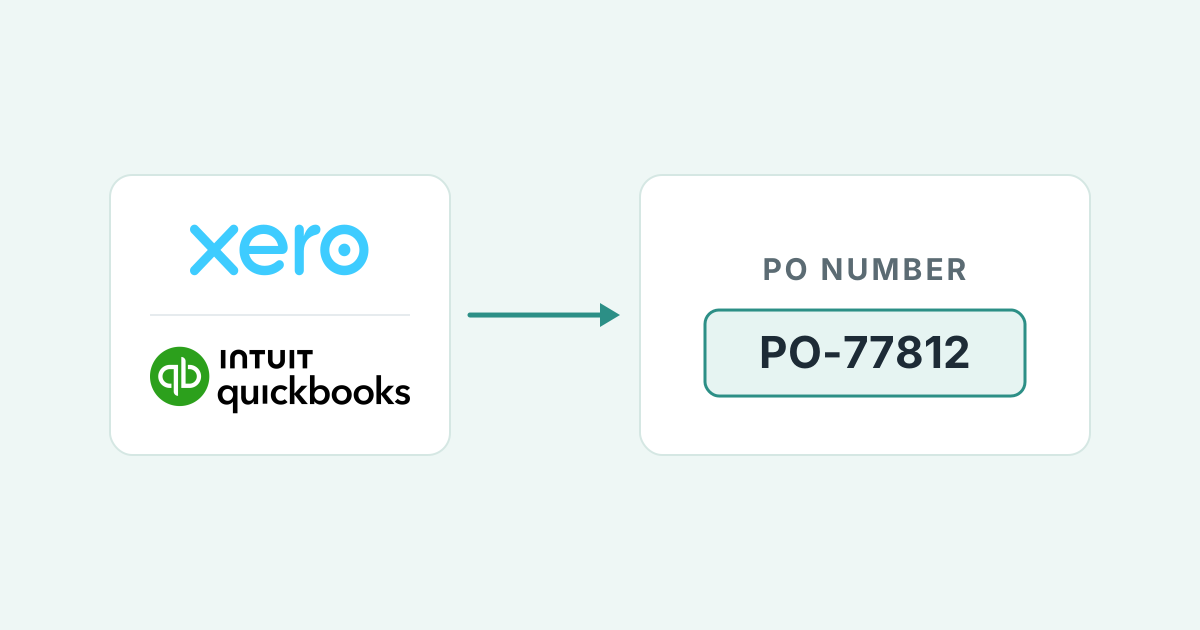
- Where it goes: Xero: the Reference field. QuickBooks Online: a custom field with Print on form switched on. Copy the number exactly as the customer wrote it.
- The cost of missing it: Indiana University rejects more than 1,000 invoices a month for a missing PO number, and public buyers such as North Tyneside Council return them unprocessed.
- The automatic route: Paidnice uses AI to spot the customers that need a PO, writes to whoever raised the order, puts the number on the Xero or QuickBooks invoice, then approves and sends it.
The work is done and the invoice went out on time. Weeks later it comes back from accounts payable with one note: no PO number. The due date has passed, the payment run you were counting on has gone, and nobody told you the order needed one.
What is a PO number on an invoice?
A PO number is your customer's own reference for the purchase order they raised. Copy it onto your invoice so their accounts payable team can match and pay it.
| PO number | Invoice number | |
|---|---|---|
| Who issues it | The buyer, when they raise the purchase order | The seller, when they raise the invoice |
| What it identifies | The buyer's approval to spend | The seller's request for payment |
| Where it appears | On the PO, then copied onto the invoice | On the invoice and in the seller's ledger |
| What it is for | Matching the invoice to the order and the goods received | Tracking, reconciliation and the audit trail |
| Example | UOE1234567 (three letters, seven digits) | INV-1042 |
The example format belongs to the University of Edinburgh, published on its existing suppliers page. Every buyer has its own shape, and the shape matters: a reader that expects seven digits will not match six.
Why do big buyers refuse invoices that carry no PO?
Big buyers run a three-way match: invoice against purchase order against goods receipt (the buyer's record that your goods or work arrived), before anyone approves payment. With no PO number the match cannot start, so the invoice has nowhere to go.
The person who ordered from you is rarely the person who pays you. Accounts payable may never have heard your company name. The PO number tells them who authorized the spend, what was agreed, and whether the goods have arrived. The invoice is accepted only when all three line up.
Where does a missing PO number leave your invoice?
Returned, rejected or parked in a queue, and you usually learn of it after the due date. Public buyers publish the rule as "No PO, No Pay".
North Tyneside Council states that invoices which "do not clearly identify a Purchase Order number will not be processed for payment and will instead be returned to the supplier" in its No PO, No Pay policy.
Indiana University publishes the scale. Its accounts payable team says more than 1,000 invoices are rejected every month for a missing PO number, the top cause. Its invoice reader only reads the invoice document itself, so a number typed into the email subject or body does not count. It has to be on page one of the invoice.
The cost is the delay. A returned invoice looks fine in your ledger, but the customer has not accepted it. Customer AP portals widen the gap, because the rejection sits in a system you do not open every day.
If the PO is requested after the invoice goes out, the original can come back with a rejection note by the time the customer replies, and a second invoice with a new number starts the queue again.
When should you request the PO, and how?
Ask when the order is placed, ask again before you raise the invoice, add the number, then send. The four steps take minutes and remove the commonest reason an invoice is returned.
- At order. Ask for the PO number before you start work. University Hospital Southampton's No PO, No Pay letter tells suppliers the PO "should be received before the goods and / or services are sent".
- Before invoicing. If the number has not arrived, send the request below to the person who ordered, not to accounts payable. The orderer is the one who can raise the PO.
- Add it. Put the number in Xero's Reference field or a QuickBooks Online custom field (both shown in the next section), exactly as the customer wrote it.
- Send, and keep the thread. Send the invoice in the same email thread as the PO request, so the approval and the invoice sit together.
Subject: PO number for [job or order], invoice due [date]Hi [first name],
We are about to invoice for [job or order, agreed price]. Your accounts payable team needs a purchase order number on the invoice before they can process it.
Could you send the PO number by [date]? Once it arrives, the invoice goes out the same day with the number on it.
If this order does not need a PO, a quick reply saying so is enough.
Thanks, [your name] [company], [phone]
Replace the bracketed parts. Set the date at least a week before you need to invoice, so there is room for one follow-up.
If the invoice has already come back, check the rejection note and confirm it is the PO. Email the person who ordered, using the request above.
Add the PO in Xero or QuickBooks, then ask AP whether to resubmit under the same invoice number or a new one, because some portals reject a repeated number. If the due date has passed, ask for the payment date.
Which field holds the PO number in Xero and QuickBooks Online?
Xero: the Reference field. QuickBooks Online: a custom field with Print on form switched on. Either way, give it a label the accounts payable team recognizes and copy the number exactly as the customer wrote it.
Xero has no dedicated field for a customer's purchase order number on a sales invoice. The Xero Product Ideas request Sales Invoices - Field for Customer's Purchase Order Number has been open since October 2014, carries 218 votes and sits at the status Accepted. Until that changes, Reference is the place.
QuickBooks Online uses a custom field, available on every plan: Simple Start allows 1 per transaction, Essentials and Plus 4, Advanced 12, per the custom fields help article.
Go to Settings, then Custom fields, add a field, pick the Transaction category, tick the sales forms, and turn on Print on form. QuickBooks is clear on that switch: "To show the custom field on printed and delivered forms, turn on Print on form. Otherwise, it'll only appear in QuickBooks Online."
If the customer's team matches line by line, add the PO line number at the start of each description as well. The PO identifies the order; the lines carry the match.
INVOICE
14 Mill Lane, Portland
Meridian Facilities Group
Accounts Payable
| Description | Qty | Amount |
|---|---|---|
| PO-77812 line 1: Reception desk, oak veneer | 1 | $4,200.00 |
| PO-77812 line 2: Installation, 2 fitters, 1 day | 1 | $860.00 |
| Total due | $5,060.00 | |
Xero: put the customer's PO number in the Reference field. Line references go at the start of each description.
How does Paidnice get PO numbers onto invoices for you?
Paidnice uses AI to spot which customers need a PO, writes to whoever raised the order, reads the number from the reply, puts it on the Xero or QuickBooks invoice, then approves and sends. A person signs off every draft first.
Connected to your Xero organisation or QuickBooks Online company, Paidnice does the following:
- It notices the invoice needs a PO. Paidnice uses AI to see which customers require one and prepares the request before the invoice goes out.
- It writes to whoever raised the order. The request goes to the person who ordered, not to accounts payable. A person on your team approves the draft, then it is sent.
- It reads the number. From the reply, or from the PO notification your customer's procurement system emails. Your customer can also enter or update the number in the Paidnice customer portal.
- It puts the PO on the invoice. The number goes onto the invoice in your Xero organisation or QuickBooks Online company. A PO that looks odd goes to a person first.
- It approves and sends. The invoice goes out with the PO in place.
- It reminds ahead of the due date. A pre-due reminder goes out from your business email address, on Xero and QuickBooks Online alike.
- It records the payment date. When AP gives a payment date, Paidnice records it on that invoice in Paidnice and drafts a reply for you to approve.
This is the accounts receivable automation around the PO, on Xero and QuickBooks Online.
Smart rules can format PO numbers, for example to match a buyer's pattern. Anything that does not look right, such as two POs in one reply, goes to a person for review before it is used. Every draft is approved by a person before it is sent.
Why might a PO-backed invoice still sit unpaid?
Three reasons: the invoice total does not match the PO, the PO is used up, or the number is in the wrong format. The buyer's match catches each one, and your ledger shows none of them.
An amount mismatch is the commonest. If the invoice exceeds the PO by more than the customer's tolerance, Coupa places it on Tolerance Hold until someone approves the difference. Fix it by invoicing to the PO value and asking for a second PO for the extra, or by asking the orderer to amend the PO first.
A used-up PO is the second. Depending on your customer's settings, Coupa caps a PO-backed invoice at what is left on the PO. When nothing is left on it, the orderer has to raise a new PO.
The Coupa page and the SAP Ariba page cover the second-invoice routine, and the Tungsten Network page covers resubmitting after a rejection.
Format drift is the third. A requisition number (an internal request to buy) sent instead of a PO, a blanket PO (one order covering many deliveries) without its release number, or a prefix dropped in copying all fail an automated reader.
The fix is the same: get the right number from the orderer, then reissue, because Coupa will not let you edit an invoice once it is submitted.
Paidnice asks whoever raised the order for the PO, puts it on the Xero or QuickBooks Online invoice and sends it, with a person approving every draft. See how Paidnice collects PO numbers: book a call.
Portal uploads are coming soon. We are starting with the portals our customers ask about most, so list yours when you book a call.
Common questions
Where can you find the PO number?
On the purchase order document your customer sent, under a label such as PO number, Purchase order no. or Order reference. If all you have is an email, ask the person who ordered for the PO document.
What is an example of a PO number?
PO-77812 is a typical small-business format: a prefix, a hyphen and a sequence number. Larger buyers fix the shape. The University of Edinburgh publishes its format as three letters and seven digits, in the form UOE1234567. Copy the customer's number exactly, including any prefix and leading zeros, because their invoice reader matches on the full string.
Can a customer refuse an invoice that has no PO number?
Yes. Under a "No PO, No Pay" policy, an invoice without the right PO reference goes back to the supplier unpaid instead of being processed. The University of Edinburgh, for example, treats an invoice as valid only when a PO number is quoted on it. Get the number before you invoice and the policy never applies to you.

Stop chasing invoices.
Start getting paid.
Paidnice is accounts receivable automation that enforces your payment terms, trusted by thousands of businesses on Xero and QuickBooks. Credit control and debtor management, run for you.
Try it Now - It's FreeNo card required.