


Summary
A customer payment portal is a secure page where a customer opens a link or logs in to see every open invoice, download a statement, and pay one or several invoices at once, without emailing your team. It replaces the one-invoice-at-a-time email link most small businesses still send.
- The gap it closes: Emailed invoice links pay one invoice at a time; a portal lets a customer settle several invoices, pull a statement, or start a payment plan in one place.
- Price: Paidnice includes a portal on every plan from US$69 a month for Essentials, on both Xero and QuickBooks Online.
- Who needs it: It earns its place once customers hold more than one invoice at a time or want to part-pay; a handful of always-on-time invoices a month is fine with an emailed link.
What is a customer payment portal?
Think of it as the customer's own view of their account with you. Instead of digging through their inbox for the right PDF, they open one link and see everything they owe, what they have already paid, and a button to settle up. No login puzzle, no request to your team for a copy of an invoice from March.
The word "portal" makes it sound heavier than it is. For a small business it is really just one page: here is what is open, here is your statement, here is how to pay. The value is not the page itself. The value is that the customer can finish the job on their own, at the moment they decide to pay, which is rarely during your office hours.
Free: Payment reminder email templatesCopy the reminder emails for before, on and after the due date.What does a customer payment portal do?
Here is the part most descriptions skip. A portal is worth setting up only when it removes a step the customer is currently stuck on. Pay attention to the three that come up again and again:
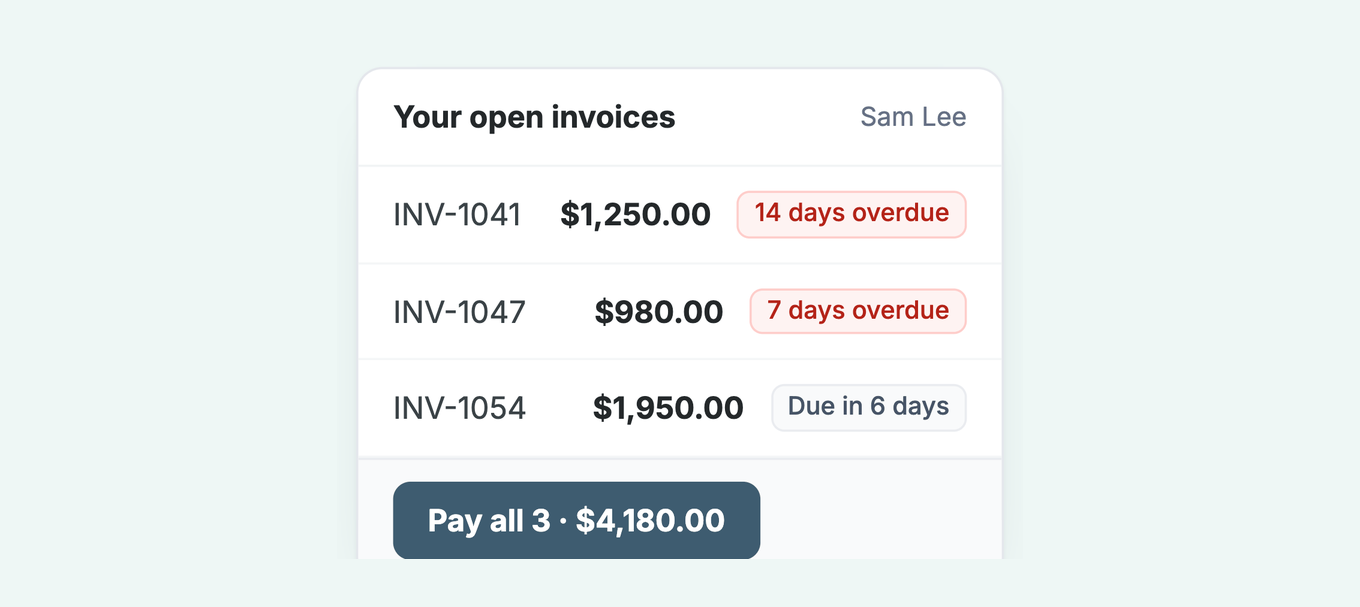
Paying several invoices in one go. A customer with four open invoices does not want four separate card payments. If the only way to pay is one emailed link per invoice, some of those invoices sit until the customer has the patience to do all four. A portal lets them tick the ones they want and pay once.
Self-serving a statement at 9pm. When a customer wants to reconcile before they pay, they email your team and wait. If they are doing their books at night or over the weekend, that wait becomes a week. A portal hands them the statement the moment they ask for it.
Starting a payment plan without a phone call. Plenty of customers can pay, just not all at once, and they will avoid the awkward call that admits it. A portal that offers a payment plan they can start themselves turns a stalled invoice into a scheduled one, with no confrontation on either side.
Each of those is a reason a customer delays. Remove the reason and the invoice gets paid sooner. That is the whole mechanism behind the numbers our customers see: they see half as many late invoices in the first 30 days, and 8 in 10 invoices are paid within the first 60 days of using Paidnice. A portal is not magic. It just deletes the small frictions that were quietly pushing payment dates out.
Your open invoices
Payment portal vs emailed invoice links
Emailed links are fine, and for a lot of one-off invoices they are all you need. The gap shows up when a customer has more than one thing open, or wants to check something before they pay. Here is how the two compare on the jobs a customer actually tries to do.
| What the customer wants to do | Emailed invoice links | Customer payment portal |
|---|---|---|
| See every invoice they owe | One email per invoice, scattered across the inbox | All open invoices on one page |
| Pay four invoices at once | Four separate payments | Tick the invoices, pay once |
| Get a statement at 9pm | Email your team and wait | Download it themselves, any time |
| Pay in installments | A phone call and a manual arrangement | Start a payment plan on the page |
| Reconcile before paying | Cross-check emails one by one | See paid and open side by side |
| Say when they will pay, or flag a problem | Reply by email or phone and wait | Promise a date or query the invoice on the page |
Can a customer promise to pay or query an invoice in a payment portal?
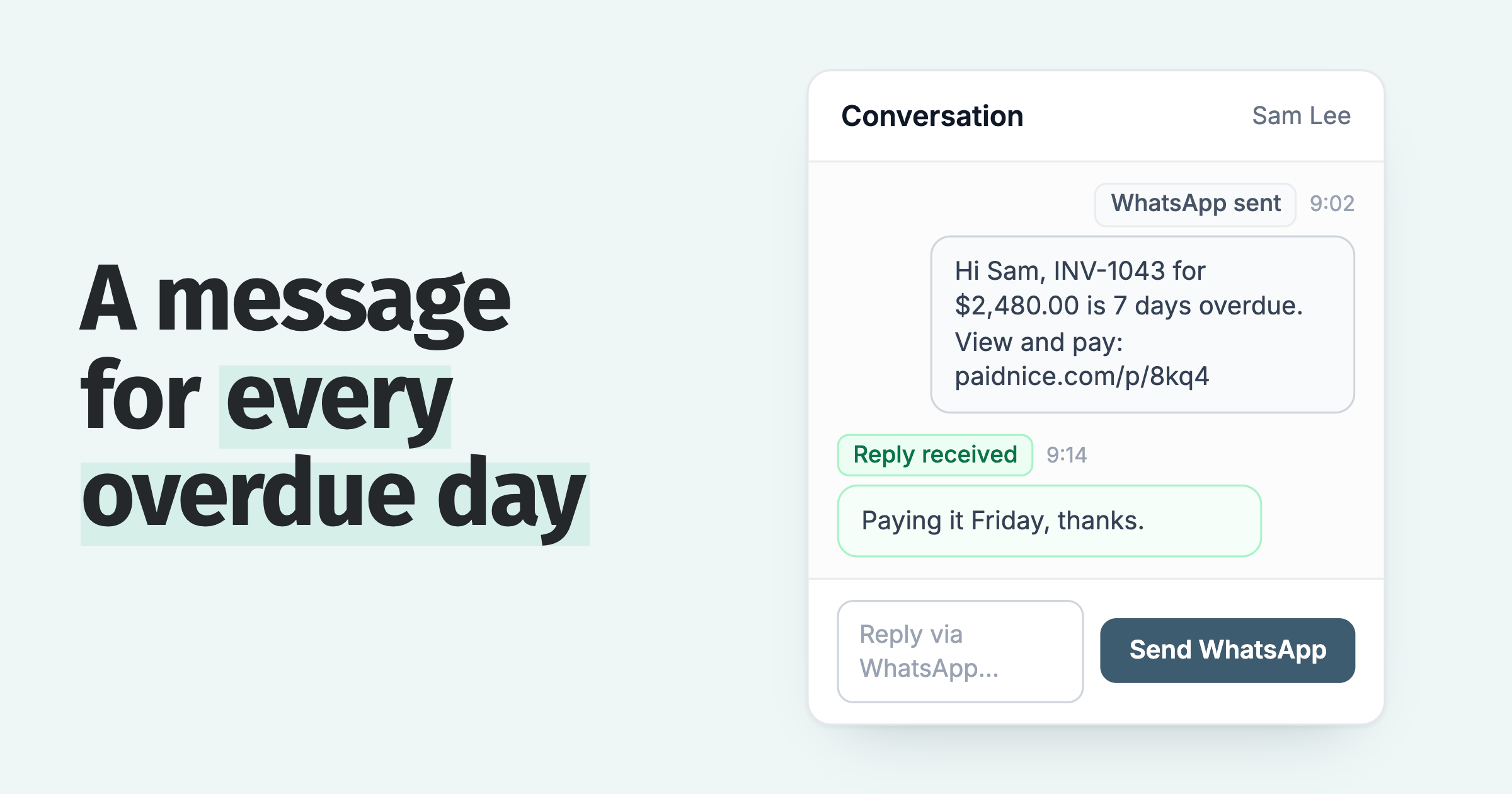
A promise to pay is a portal setting you switch on. The customer picks a date, and policies set to "Skip when payment promised" wait until it. The date is saved on the invoice as its expected payment date, and for a Xero organisation it is synced to Xero.
When you want the date in writing, use a promise to pay agreement template. If the date and the grace period pass unpaid, the invoice owner can get a Broken Payment Promise email; here is what to do when a customer promised to pay and didn't.
A query works the same way. With "Allow customers to dispute invoices" on, the customer flags the invoice with a reason, such as not received or a quality problem. Policies set to "Skip while a query is open" hold reminders and late fees on that invoice until it is resolved, and your team sees the reason and can set the next step. How to handle a disputed invoice covers what to do next.
Do small businesses need a payment portal?
Let me be straight about this, because it is easy to oversell. A portal is overkill for a business with a handful of repeat clients who always pay on time. If you send a dozen invoices a month and they are settled by the due date, a payment link on the invoice does the whole job and a portal is one more thing to explain. On NetSuite the choice is between the Payment Link and Customer Center; on Business Central, Stripe links and a portal need an add-on.
It earns its keep once you are sending many invoices, or once you find yourself chasing part-payments and reconstructing what a customer still owes across three or four invoices. That is the moment the customer is holding more than one thing, wants to see the total, and wants to pay in a way that suits their cash flow. If that sounds like your accounts receivable, a portal stops being a nice-to-have and starts closing the gap between invoice and payment.
What a good payment portal includes
Not every portal clears this bar. When you are comparing options, this is the checklist that separates a real portal from a single pay button with a nicer name.
- Every open invoice on one page. Not just the one you linked to, the whole account.
- Pay one invoice or several together. Tick a few, pay once, no repeat card entry.
- A self-serve statement. The customer pulls their own summary without emailing you.
- A payment plan they can start alone. Installments without a phone call for either side.
- Secure hosted payments. Card and bank handled through a provider like Stripe, not raw details on your server.
- No account to log into. A secure link, not a username and password the customer will forget.
- Syncs back to your ledger. Payment marks the invoice off in Xero or QuickBooks, no double entry.
How much does a customer payment portal cost?
Most small businesses do not buy a portal on its own. It comes bundled with the AR or invoicing tool that also sends reminders and applies late fees, so the real question is what that tool costs. With Paidnice, the portal is included on every plan from US$69/mo for Essentials, with no per-seat fees. On top of that you pay your payment provider's standard processing fee on each transaction, the same rate you would pay for any card or bank payment.
The math that matters is not the subscription. It is what a shorter wait for payment is worth to you. If customers see half as many late invoices in the first 30 days, the cash lands weeks sooner, and for most businesses that swing dwarfs the monthly fee.
Is there a payment portal for Xero and for QuickBooks?
Paidnice sits on top of the accounting system you already use. It reads your open invoices, gives your customers the portal, and writes the payment back so the invoice is marked off without you touching it. The Paidnice portal takes card, ACH, BACS and Stripe direct debit, all through Stripe, and the payment completes on the portal page itself. Autopay runs through a Stripe-hosted setup flow, so card and bank details never reach Paidnice, only a reference. Access is by link from any reminder or statement with no login; Secure Portal Mode adds an email verification that lasts 30 days in the customer's browser. There is a version built for each platform: a payment portal for Xero and a payment portal for QuickBooks Online. Payments run through Stripe and other supported providers, so the money is handled securely and reconciled back to the right invoice.
The portal is one part of the wider job. The same setup sends the reminders, applies your late fees, and routes VIPs differently from repeat late payers, so the page is there when a customer decides to pay and the follow-up is there when they do not. That combination is why our customers get 8 in 10 invoices paid within the first 60 days of using Paidnice.
See the Paidnice customer payment portal
Frequently asked questions
What is a customer payment portal?
A customer payment portal is a secure web page where your customers can see every open invoice, view statements, and pay one or more invoices at once, without emailing your team.
What is the difference between a payment portal and an emailed invoice link?
An emailed invoice link pays one invoice at a time. A payment portal shows the customer their whole account and lets them settle several invoices, pull a statement, or start a plan in one place.
Do small businesses need a payment portal?
A small business needs a payment portal once it sends enough invoices that customers hold more than one at a time, or once it chases part-payments. Below that, emailed links are enough and a portal is overkill.
What should a good payment portal include?
A good payment portal shows all open invoices, pays several at once, offers a self-serve statement and payment plan, runs on secure hosted payments, and needs no customer account to log into.
How much does a customer payment portal cost?
Portal pricing usually rides on your accounts receivable tool rather than a standalone fee. Paidnice includes a portal on every plan, starting at US$69/mo for Essentials, plus your payment provider's processing fees.
Is there a payment portal for Xero and for QuickBooks?
Yes. Paidnice provides a customer payment portal for both Xero and QuickBooks Online, syncing open invoices and payments back to your ledger automatically.
Paidnice features in this article
About the editorial team
Denym started Paidnice in 2022 after customers paying late left his own business short on payroll. He has led it to $1 billion collected on time across more than 1 million invoices, and writes about credit control, late fees and getting paid on Xero and QuickBooks.
 App of the Year