

Summary
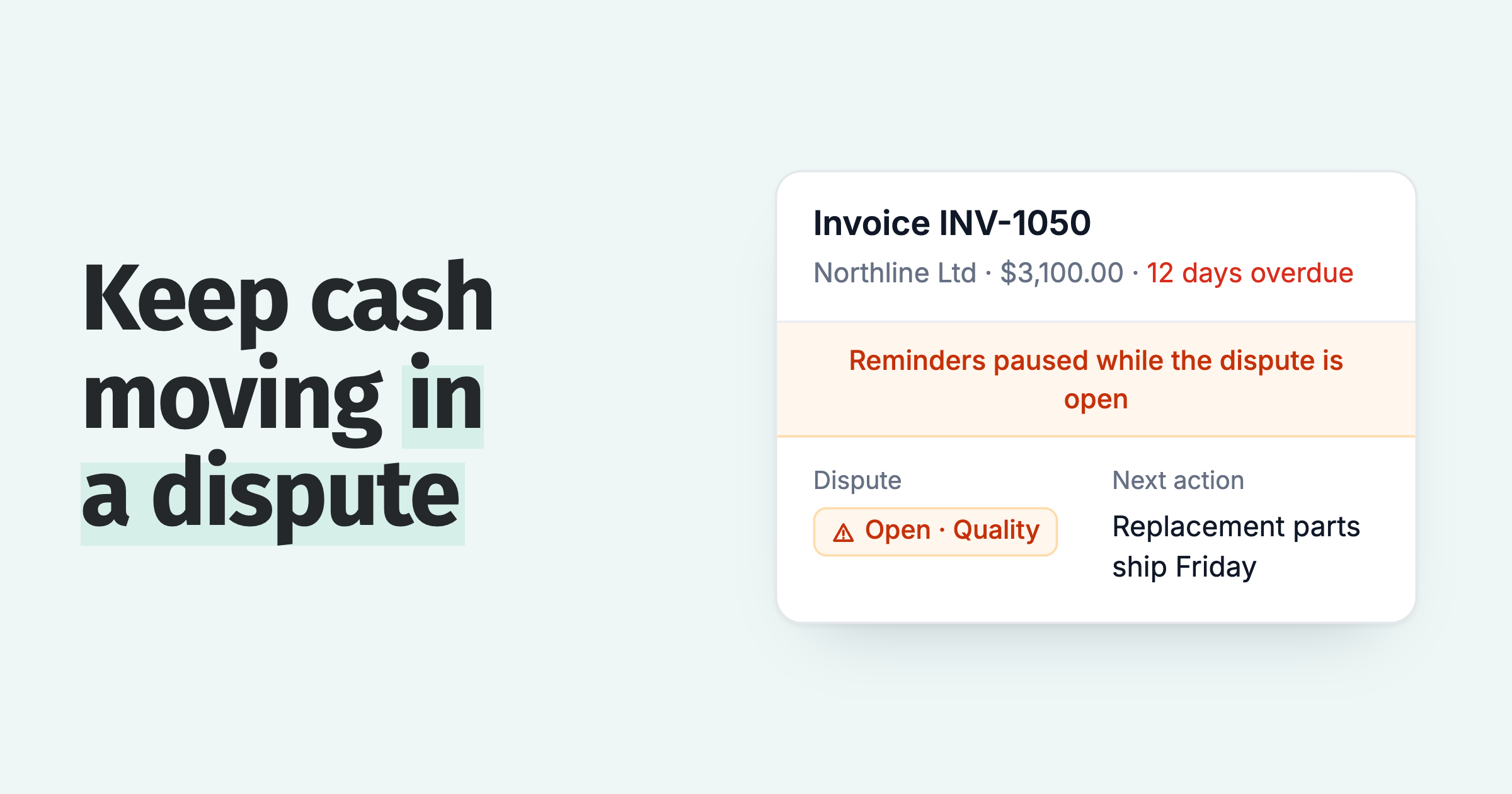
To handle a disputed invoice, log the reason the same day, pause reminders and late fees on that invoice only, and collect the part the customer does not dispute. Then check your records, fix any error with a credit note or a corrected invoice, and restart reminders once the dispute is closed.
- Pause one invoice: Xero's guide tells sellers to consider pausing collection on the disputed amount, and the customer's other invoices keep their reminders.
- Credit the disputed part: A credit note in Xero or a credit memo in QuickBooks Online reduces what the customer owes, so the clear balance can be collected now.
- The automatic route: A customer can dispute an invoice from the Paidnice portal with a reason, and reminders and late fees on that invoice wait until you resolve it.
You get an email two days before an invoice is due, and the customer says the price is wrong. Your reminder schedule does not know, so tomorrow it asks them for the full amount. Intuit's January 2025 survey found 56 percent of US small businesses were owed money on unpaid invoices, averaging $17,500 among those owed, so a dispute that stalls an invoice holds up cash you are already owed.
Here is what to do in the first day, how to keep the undisputed money moving, and how to close the dispute and restart collection.
What is a disputed invoice?
A disputed invoice is one a customer will not pay in full, or at all, because they disagree with something on it, such as the price, the quantity, the quality of the work or a missing purchase order.
A disputed invoice is not a late one. The customer has a reason, so chasing harder does not release the cash. A query is the softer form: a question that becomes a dispute if the answer does not satisfy them. The common causes of invoice discrepancies have their own post.
What should you do in the first day after a customer disputes an invoice?
In the first day, acknowledge the dispute, record the invoice number, the amount in question and the reason in writing, and stop automated reminders on that invoice until someone has looked at it.
- Acknowledge by reply. Confirm what you understood the problem to be and who will come back to them. Xero's guide to sellers lists it first: acknowledge the dispute and consider pausing collection on the disputed amount, then confirm the dispute in writing.
- Log it. Invoice number, the amount they question, the reason in their words, the date.
- Hold that invoice's reminders. Leave the rest of the account on schedule.
- Assign one owner. One person answers the customer and decides the fix.
A customer may raise a dispute as a reply to a payment reminder. The simplest way to catch it is a customer payment portal, which puts the dispute on the invoice itself, with the reason attached.
How do you keep cash flowing while an invoice is in dispute?
Collect the part the customer does not dispute now, hold only the disputed part, and keep reminders running on the customer's other invoices. Xero's guide gives sellers the same advice: try to collect the part of the invoice that isn't in dispute.
| What | While the dispute is open |
|---|---|
| Reminders on the disputed invoice | Pause |
| Late fee on the disputed invoice | Hold, then decide when it closes |
| The part the customer does not dispute | Collect now, or credit the disputed part so the clear balance is the only amount due |
| The customer's other invoices | Keep reminding |
If the customer pays part of the invoice, record a short payment and keep the balance tied to the dispute.
Late fees are leverage: apply them automatically, waive them deliberately. A dispute holds the fee until the dispute closes. If the invoice was right, the fee stands under your terms. If the error was yours, waive the late fee on purpose and tell the customer, which keeps your late fee terms credible on every other invoice.
In Paidnice, a customer can dispute an invoice from the invoice page in the portal, with a reason, and it shows on the invoice and in your lists with a warning icon. Policies set to skip while a query is open hold reminders and late fees on that invoice until someone resolves it.
How do you find out whether the customer is right?
Compare the invoice with your paper trail: the quote or contract, the purchase order, the delivery or completion record and the customer's own words, and decide whether the error is yours, a misunderstanding or a valid invoice.
- The error is yours. The price, quantity or tax does not match what was agreed or delivered.
- A misunderstanding. The invoice matches the agreement, but the customer read the scope or the terms differently.
- A valid invoice. Everything matches and the dispute is a delay tactic.
In Paidnice, AI searches for the reason behind a dispute and prepares the actions to resolve it, for you to approve or change. You sign off before the fix reaches the customer.
How do you resolve an invoice dispute?
Resolve an invoice dispute with the smallest change that settles it: a credit note for your error, proof of the terms for a misunderstanding, a payment plan for a cash problem, and escalation only when a correct invoice is refused.
- Your error: credit the difference. In Xero, an approved credit note allocated to the invoice reduces the amount awaiting payment. In QuickBooks Online, create a credit memo and apply it through Receive payment.
- A misunderstanding: send the proof. The signed quote, the contract clause or the delivery note, with the line that answers their point. Keep the invoice as it is.
- Short of cash: offer a plan. If the dispute was cover for a cash problem, a payment plan with dates gets the money moving. In Paidnice, customers can build a payment plan in the portal.
What if the customer sends a check marked "paid in full" for a disputed amount?
If a customer sends a check marked as full payment of a genuinely disputed amount and you cash it, the claim can be discharged under a state's version of the Uniform Commercial Code.
Florida Statutes section 673.3111 is one example: a good-faith tender of a check as full satisfaction of a disputed claim discharges the claim if the check or an accompanying note says so conspicuously and you obtain payment. You keep the claim if you repay the amount within 90 days. States adopt their own versions, and this is general information, not legal advice.
The practical rule: before anyone deposits a check that carries a full-payment note, check with the person who owns the account and decide whether to accept it.
When do you restart reminders, and when do you escalate?
Restart reminders the day the dispute is resolved, and escalate when the customer refuses to pay an invoice you have shown to be correct or the dispute has no movement after your own deadline.
The owner closes the dispute: they record the outcome, send the corrected balance, and put the invoice back on its schedule the same day. If the customer gives a payment date after the fix, record it as a promise to pay; if they miss it, follow the broken promise to pay routine.
When the customer will not pay an invoice you have shown to be right, a person takes the case with the history attached and you escalate up your escalation ladder. First confirm whether the real issue is a dispute, a delay or a cash problem, because a customer not paying an invoice needs a different reply for each.
Good credit control software keeps the dispute, the promise and the escalation on one invoice record, so whoever picks it up sees the history.
Invoice dispute questions
What happens if you dispute an invoice?
The seller flags the invoice as disputed and holds the amount in question while they check it against the order and delivery records. They correct it with a credit note or a corrected invoice, or send proof it was right. The undisputed part is usually still due.
Can you charge a late fee on a disputed invoice?
Hold the fee while the dispute is open and check your invoice terms. If the invoice was correct, the fee stands. If the mistake was yours, waiving it is a deliberate choice. This is general information, not legal advice.
Is an invoice query the same as a dispute?
A query is a question about an invoice, and a dispute is a refusal to pay all or part of it. In Paidnice both are raised with "Query this invoice" on the portal invoice page, and reminders set to skip while a query is open wait until it is resolved.
 App of the Year