



Summary
Xero has no native alert for a growing or over-threshold overdue balance. It shows each customer's overdue total today, never the direction it is moving, and notifies nobody inside the business when that total or a single invoice passes an amount you set. A connected app such as Paidnice adds the alert.
- No threshold alert: The nearest native feature is a credit limit, which shows a banner or blocks an invoice only when you raise a new one, and sends no email.
- No trend view: The Aged Receivables report shows one date, so seeing whether a balance is climbing means comparing two runs by hand.
- Paidnice adds both: An escalation raises an internal task when an invoice, a customer's total balance or a credit-limit breach passes the figure you set, and a saved contact view shows how the numbers moved.
The slower problem is the customer who was overdue last month and owes more this month, and the threshold that tells you so. If you need a nudge on the first day an account goes overdue, see the alert for the first overdue day.
Why can't the Aged Receivables report show direction?
Xero's Aged Receivables report cannot show direction because it shows one date only, with no column for what a customer owed last month or how old their oldest invoice was then. Direction means comparing two runs by hand.
Xero's Aged Receivables Summary report shows the amount each customer owes and how long it has been outstanding, and the Detail report lists it invoice by invoice. You can choose the ageing periods, age by due date or invoice date, add columns such as Credit Limit, group by Contact Group or tracking category, save it as a custom report and export to PDF, Excel or Google Sheets.
Xero does not email a report on a schedule, compare a customer's balance with an earlier date, show days-to-pay on a contact record, or alert anyone inside the business when an account goes overdue or crosses a threshold. The request for automatic report emailing holds 780 votes on Xero's product ideas board and sits at "In discovery", with Xero's latest reply dated 25 May 2026.
Free: Payment reminder email templatesCopy the reminder emails for before, on and after the due date.The nearest request to a comparison view asks to run the report for one date and view what was still outstanding at another. It holds 35 votes and is marked Completed, because Xero's reply of 9 July 2024 notes that the newer Aged Detail reports let you set the report date to any date.
That is a manual as-at date: run the report for 31 July and again for 31 August, then compare the two yourself, which is the weekly spreadsheet that keeping a Xero debtors report current without rebuilding it in Excel each week is about. A separate request to add Days Overdue to the contact record holds 91 votes, Submitted since 15 August 2023, with Xero's last activity on 9 October 2023.
How do you get an alert when an overdue balance passes a threshold in Xero?
Xero sends no internal alert when an overdue balance passes a threshold, so the alert comes from a connected app: a Paidnice escalation policy raises an internal task when an invoice, or a customer's total balance, passes an amount and age you set.
Xero has said it will not build the nearest native version. The request for an automatic credit hold or stop holds 93 votes, Submitted since 5 December 2012, and Xero's reply of 8 February 2024 called it "not something we have plans to develop at this time". How a supplier applies one manually is in what a credit hold is and when to use one.
In Paidnice, a per-invoice trigger might be £2,000 at 14 days overdue. A policy can also trigger on the customer's total balance, including when the balance passes a credit limit, which is the alert Xero's own limit does not send.
The policy attaches to a group of contacts, with filters for Minimum and Maximum Due Amount, a due-date window, Contact Tag and Xero Group Name. The task type is Phone Call, Stop Credit or Template Legal Letter. Paidnice emails the instructions to an address you nominate, lists them on the Escalations page, and sends whoever is assigned the escalation an Assignment notification.
Five overdue invoices of £900 each never cross a £2,000 per-invoice minimum, so a customer who owes £4,500 in small invoices needs the total-balance trigger rather than the per-invoice one. Attach the policy to a group holding only the customers you are watching.
- Connect Xero. Invoices, contacts and payments sync across. Signing up is free, the first 20 actions are free, no card needed.
- Create a group for the customers you want to watch, or use the Default Group that holds everyone, and add contacts by search or filter.
- Add an escalation policy to the group: set the days overdue and a Minimum Due Amount per invoice (and a Maximum for a band), or a total balance or credit limit for the customer, and choose Phone Call, Stop Credit or Template Legal Letter.
- Nominate the address that receives the instructions and assign an owner, who gets an Assignment notification when the task lands.
- On Pro, add a webhook so every completed or failed action, and every escalation completed or cancelled, posts into Slack, Microsoft Teams, Discord, Telegram or WhatsApp. Paidnice sets the incoming webhook up.
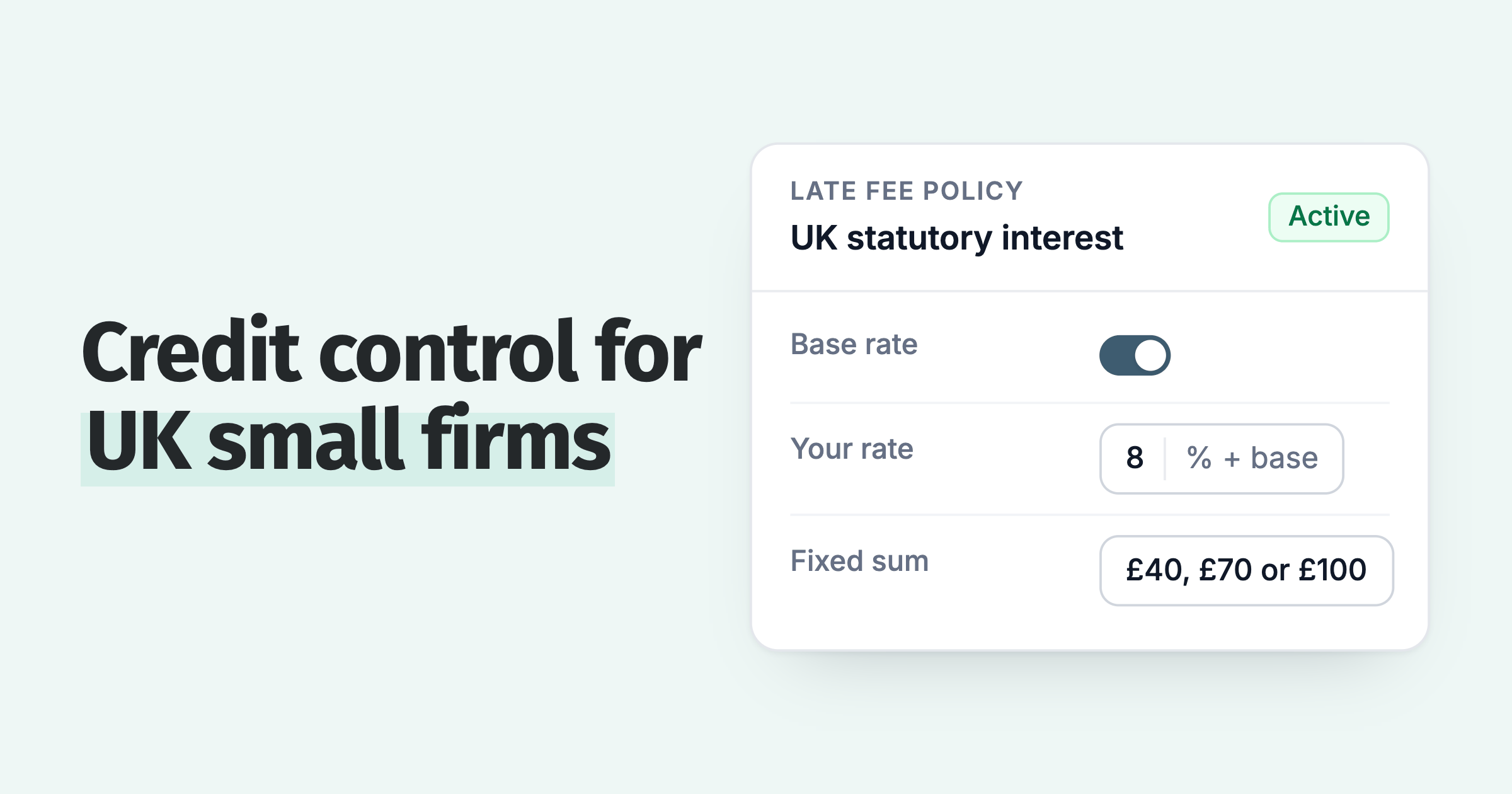
Notes and call outcomes from the task sync to the invoice in Xero, and an @mention in a note notifies the person named. If your terms allow a late fee, attach a late fee policy to the same group: an invoice that costs money to ignore moves up the customer's payment run.
Tiering the customer-facing reminders by what is owed is a separate job, covered in how to tier Xero invoice reminders by overdue balance. Splitting them by department at one customer is in Xero invoice reminders for different departments.
When we help a customer set their first escalation, the Minimum Due Amount usually starts at the figure that would make them pick up the phone for a single invoice. It comes down once the first few tasks land and the calls turn out to be short.
Customers see half as many late invoices in the first 30 days. The escalation types, and the group and policy model behind them, are on the Paidnice escalations page.
Does Xero's credit limit alert you when a balance crosses a threshold?
No. A Xero credit limit is a cap on a customer's unpaid invoices that shows a banner or blocks a new invoice when the total passes it. It sends no notification and does not look at how overdue the balance is.
Both parts live in new invoicing, and a repeat invoice set to send automatically goes to drafts instead. Xero's own framing is that you see the limit is exceeded when you add the contact to a new invoice.
The check runs when you raise an invoice, so a customer you are not currently invoicing can sit past due for months without a banner appearing. The limit counts unpaid invoices, so a customer well inside it can be 60 days late on all of them; hovering over the contact shows what the customer owes and the overdue part of it, which is as close as Xero gets.
A request for blocking new invoices while others are overdue holds 18 votes; Xero's reply of 22 May 2023 suggested a credit limit as one way to do it today. A Paidnice escalation can trigger on a credit-limit breach and raise a Stop Credit task for the account owner, who then decides whether to stop supply. Paidnice does not place a hold in Xero itself.
Every request on this page:
| Request on Xero's product ideas board | Votes | Status | Posted | Latest Xero reply |
|---|---|---|---|---|
| Aged Receivables run as at one date, outstanding viewed at another | 35 | Completed | 19 Aug 2022 | 9 Jul 2024 |
| Add Days Overdue to contacts | 91 | Submitted | 15 Aug 2023 | 9 Oct 2023, status set, no comment |
| Automatic credit hold or stop | 93 | Submitted | 5 Dec 2012 | 8 Feb 2024 |
| Block new invoices while invoices are overdue | 18 | Submitted | 15 May 2023 | 22 May 2023 |
| Automatic generation and emailing of reports | 780 | In discovery | 29 Jan 2014 | 25 May 2026 |
| Alert when an invoice has been paid | 204 | Submitted | 4 Sep 2013 | None recorded |
What signals show an overdue balance is getting worse?
A balance is getting worse when the oldest overdue invoice is older than it was, the average days to pay is longer than it was, or a credit score is lower than it was. The overdue total on its own shows none of that.
The first signal is the age of the oldest overdue invoice. The Detail report gives it to you for today, invoice by invoice; last month's figure is a second run. When it climbs from 20 days to 45 on a flat total, the customer has stopped clearing their oldest invoice first, usually the earliest sign of a cash problem at their end.
The second is average days to pay. Xero reports an organisation-wide average time to get paid in Business Snapshot, calculated from average receivables and sales over the period. There is no per-customer version on the contact record, so a customer drifting from 35 days to 50 stays invisible.
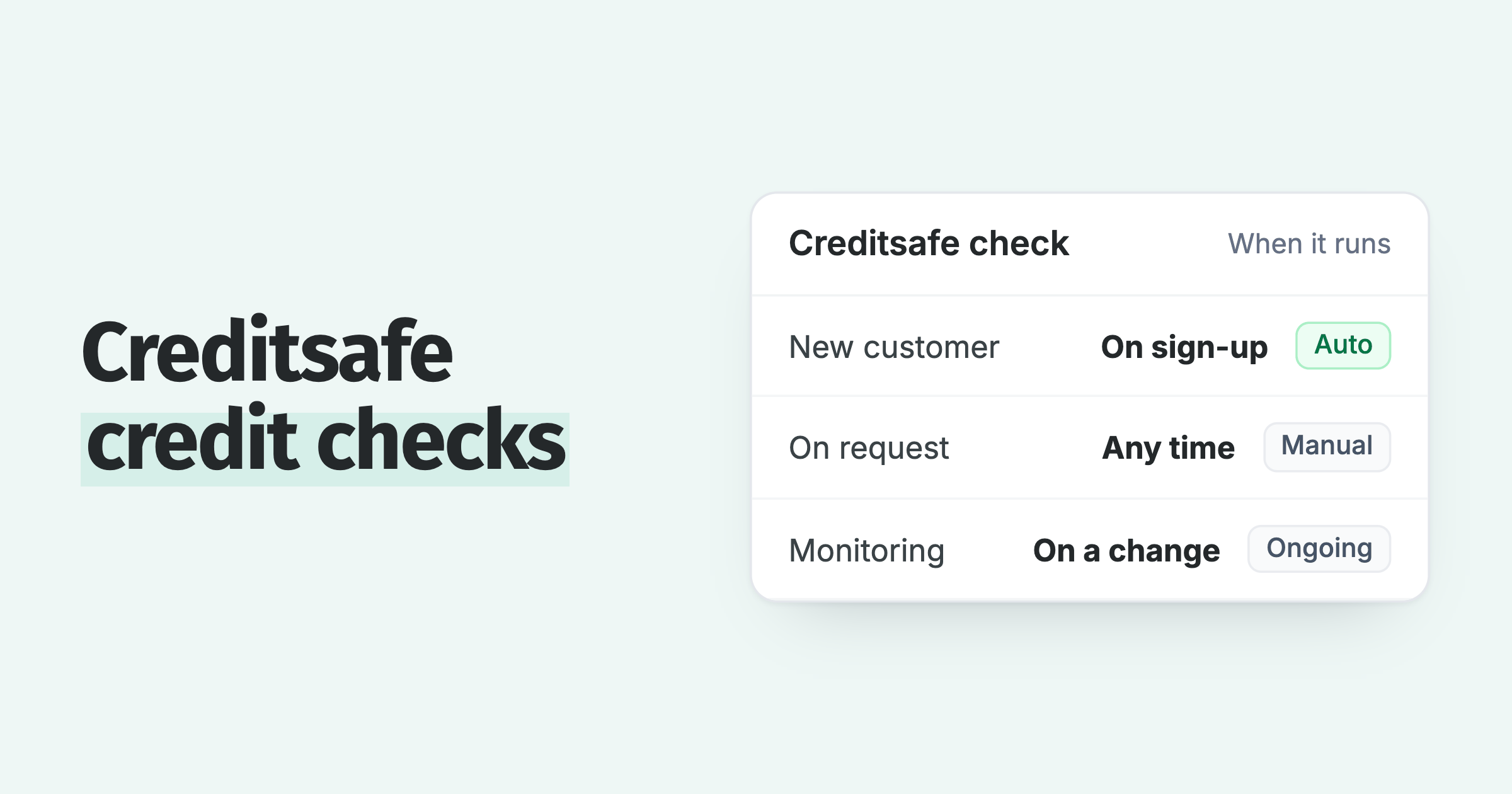
The third is a credit score: a number from 0 to 100 that starts at 100 and loses points for paying late and for the current overdue position, so it falls as invoices are paid later. Bands run from Excellent to High risk. Nothing on the Xero contact record plays this role.
Three customers, one overdue total, three directions
| Customer | Overdue today | Oldest overdue | Average days to pay | Score | Direction |
|---|---|---|---|---|---|
| Ashgrove Joinery | £3,600 | 9 days8 days last month | 3433 last quarter | 7778 three months ago | Steady |
| Penrose Print | £3,600 | 47 days21 days last month | 5238 last quarter | 6174 three months ago | Slipping |
| Larkfield Logistics | £3,600 | 12 days41 days last month | 2944 last quarter | 6657 three months ago | Improving |
On the Aged Receivables Summary these three rows show the same total. Only the columns Xero does not keep tell them apart.
On the ledgers we see, the account that ends up written off is rarely the largest balance. It is a mid-sized customer whose oldest overdue invoice moved from 20 days to 45 while the total stayed flat, which no report built on the total can show.
How do you see which customers' overdue balances are growing in Xero?
To see which customers' overdue balances are growing, connect Paidnice to Xero: it shows the overdue balance, oldest overdue age and average days to pay against every contact, next to a credit score from 0 to 100 that moves as behaviour changes. Paidnice runs debtor management for Xero from the invoices already in your ledger.
The dashboard shows the same figures for the whole ledger (Overdue, Days Sales Overdue, Average Overdue Age, on-time payment percentage, average days to pay, trend views), and two widgets do the sorting: slowest payers puts the customers who take longest to pay at the top, and oldest invoices lists the invoices that have waited longest.
To watch a set of customers over time, put them in a group, which shows their combined payer data, and save the contact view you check each week. A saved view reopens to show how the headline metrics have moved, which is the job the second spreadsheet tab was doing.
The Aged Receivables by Contact report shows the same picture in ageing buckets (1 to 30, 31 to 60, 61 to 90 and 90+ days) with outstanding and overdue totals and unpaid counts, across entities and currencies, and it exports. The Weekly Report, an opt-in email per user per organisation, summarises the receivables each week.
Invoices and contacts export to CSV, and a custom report builder is in beta. The three report types, the dashboard, the contact cards and the export are covered on the accounts receivable reporting page.
What Xero reports on its own and what a connected app adds is set out in credit control reporting in Xero. If several people share the watch list, how a team tracks overdue Xero invoices together covers roles, seats and one shared view.
Common questions
Will Xero tell me when an overdue balance passes a set figure?
No. Xero Central documents no internal notification for an overdue balance or a threshold. The credit limit shows a banner and blocks an invoice in new invoicing, only when you raise one. An alert to your team needs a connected app: Paidnice raises a task when an invoice, or the customer's total balance, passes the figure you set, including a credit limit.
Does a Xero credit limit stop a customer going overdue?
No. It caps what a customer can have unpaid before Xero blocks a new invoice in new invoicing. A customer under the limit can still be months overdue, and the limit does not change when they are.
Does Xero send reminders for overdue invoices?
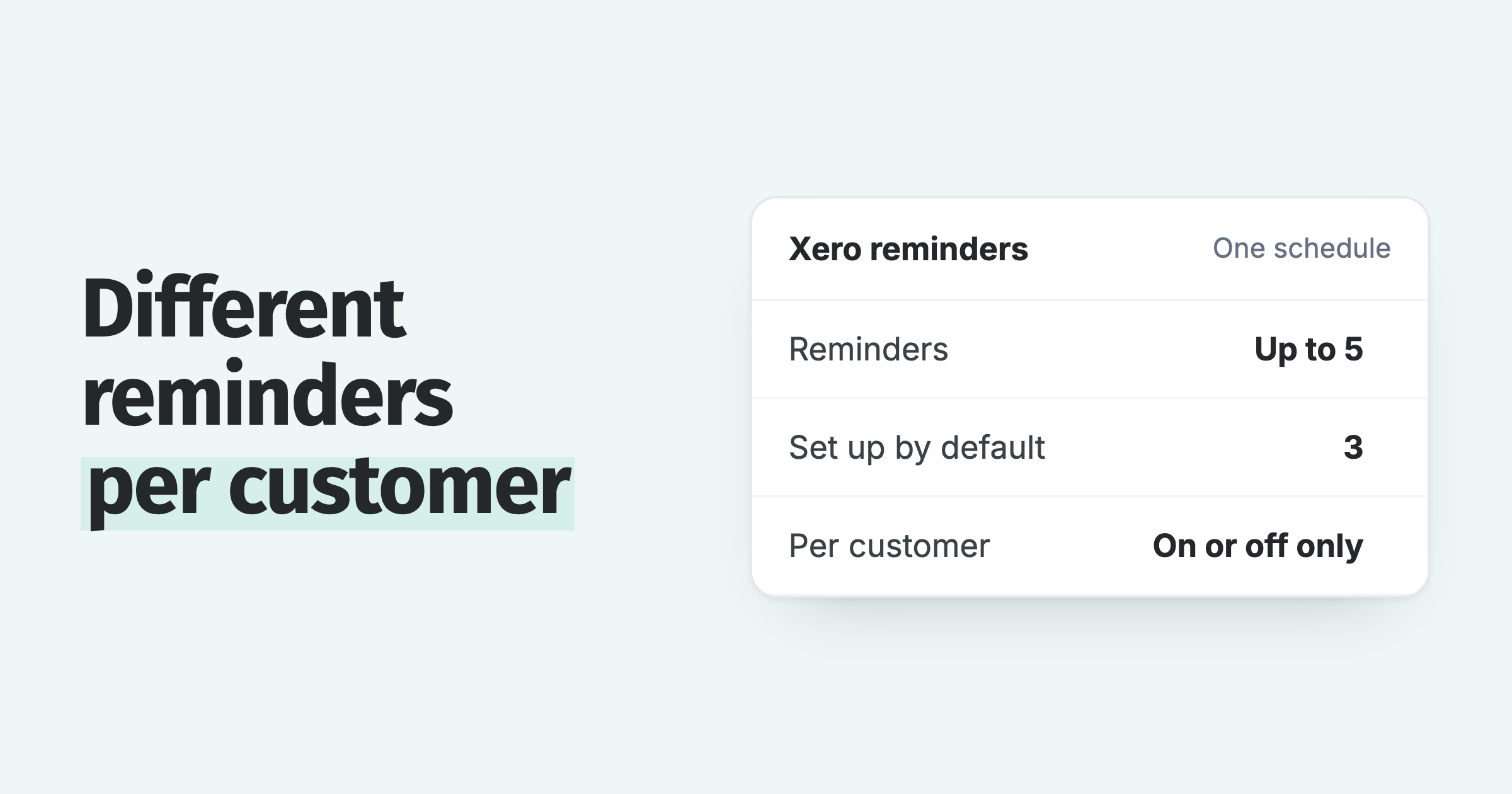
Yes. Xero's invoice reminders email the customer on the schedule you set, up to five reminders, for every invoice marked as sent. They go to the customer. Nobody inside your business is notified.
How do I switch Xero reminders off for one customer?
Turn the feature off for the organisation, or stop reminders going out to certain customers or for specific invoices, such as a part-paid invoice or one you have already spoken to the customer about.
How do I write an email reminder for an overdue invoice?
Hi Sam, invoice 2041 for £1,240 was due on 12 August and is 14 days overdue. Can you tell me when it is scheduled for payment? A copy is attached with a link to pay online. If it is already paid or in query, reply here and I will sort it out.
How do I send a payment reminder to my customer?
In Xero, turn on invoice reminders and the customer is emailed on the schedule you set. Paidnice sends reminders from your own domain, with timing and wording set per customer group, and can move to a senior sender as the debt ages.
About the editorial team
Denym started Paidnice in 2022 after customers paying late left his own business short on payroll. He has led it to $1 billion collected on time across more than 1 million invoices, and writes about credit control, late fees and getting paid on Xero and QuickBooks.
 App of the Year