



Summary
Keep AR notes on the customer's account, next to the invoices and the conversation they are about. Write who said what, what was agreed and the next date. Mention a teammate only when you need them to do or decide something, and the customer never sees any of it.
- Where notes belong: On the customer or the conversation, not in chat, a spreadsheet or a forwarded email.
- What a good note says: Who you spoke to, what they said, what you agreed, and the next date to check.
- When to mention someone: To approve a plan or credit, to answer a dispute, or to hand the account over.
A customer phones about an overdue invoice and tells you they will pay half now and half at the end of the month. You agree, then write it in the team chat. Later, a colleague sends the customer a firm reminder for the full amount, because the chat message scrolled out of sight and the invoice shows no note.
Here is where AR notes should live, what to write in one, when an @mention helps and when it is noise, and how to keep notes from turning into a second inbox.
Free: Payment reminder email templatesCopy the reminder emails for before, on and after the due date.Where should AR teams keep notes about a customer?
AR teams should keep notes on the customer's account, next to the invoices and the conversation the note is about. The next person to open that customer then sees the note before they send anything.
Notes kept anywhere else get lost at the moment they matter:
- Spreadsheets. One team we spoke to kept notes for every account in a large spreadsheet, and wanted promised payment dates in one place for cash flow. A spreadsheet is not open when a reminder goes out.
- Chat. A message in a team channel is read once, then scrolls away.
- Forwarded emails. A forward copies the customer's words but not what you said back on the phone.
- Labels and a separate task tool. One team ran collections from a shared Gmail inbox with labels and stars, plus a task tool beside it. Every update had to be made in two places.
What should an accounts receivable note say?
An AR note should say who you spoke to, what they said, what you agreed and the next date to check. Four lines are usually enough.
| Part | Example |
|---|---|
| Who and how | Spoke to Sam Lee (AP) by phone |
| What they said | Waiting on PO from their ops team for INV-1042 |
| What we agreed | We send a copy of the invoice to [email protected] today |
| Next date | Check for PO on Dec 3; call if none |
Leave out opinions about the customer and anything you would not want them to read. Notes are internal, but they can be shown in a dispute, and a new colleague will read them as fact.
When should you @mention a teammate in a note?
Mention a teammate when you need them to do or decide something. A mention sends them a notification, so it should carry a clear ask.
- Approvals. "@Jo can we offer a 3 month plan?" when someone else sets payment terms.
- Disputes. Ask the person who did the work, or sales, to confirm what was delivered.
- Credit holds. Tell the account manager before you stop supply.
- Handover. "@Dana taking over while I'm on leave; customer promised Friday."
Do not mention people "for visibility". If everyone is mentioned on everything, mentions stop being read. Write the ask in the first line, so the notification alone tells them what you need.
When is a note better than a reply to the customer?
A note is better whenever you are not sure of the answer yet. Ask the team in a note, agree the answer, then send one reply to the customer.
This is how teams avoid two people answering the same reply with different terms. Our guide to giving every reply an owner covers who sends that one reply.
How do you keep AR notes useful over time?
Keep notes useful by writing them straight after the call or reply, and by putting dates in the note, not just in your head.
- Write the note before you move to the next customer.
- Put the next check date in every note that has a promise or a pending document.
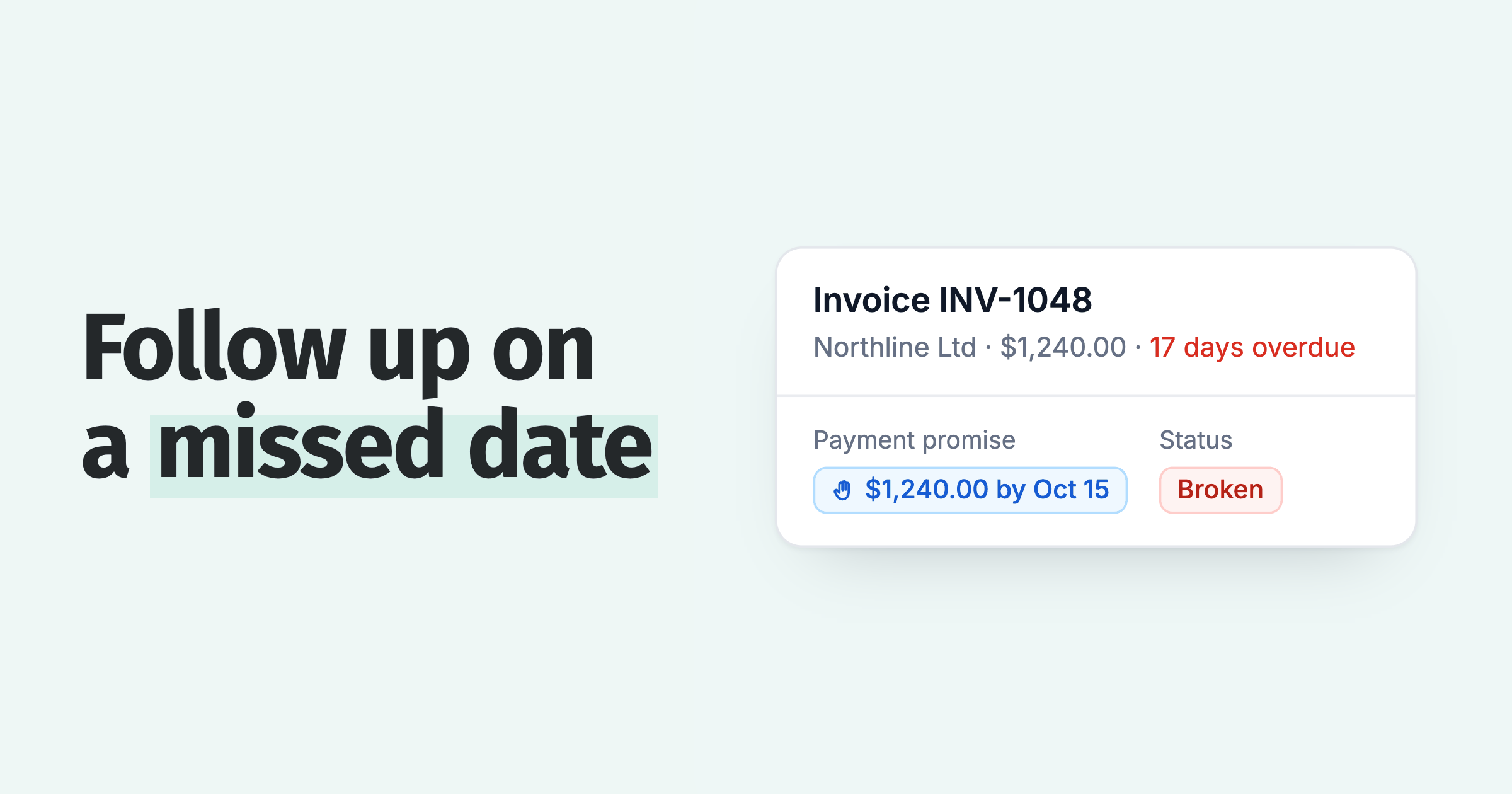
- Log promises as promises, not only as text, so reminders can wait for the date. See what to do when a promise to pay is broken.
- Close the conversation when the matter is done, so old notes do not crowd the open list.
A support question we hear shows why the last two steps matter: staff asked whether admin users could add payment-date promises to invoices, or only customers. They can, and logging the promise is what lets reminders hold until the date.
How do internal notes and mentions work in Paidnice?
In the Paidnice shared inbox, every conversation has an "Internal note" tab next to the reply box. Write a note, mention a teammate, and they are notified. The customer sees none of it.
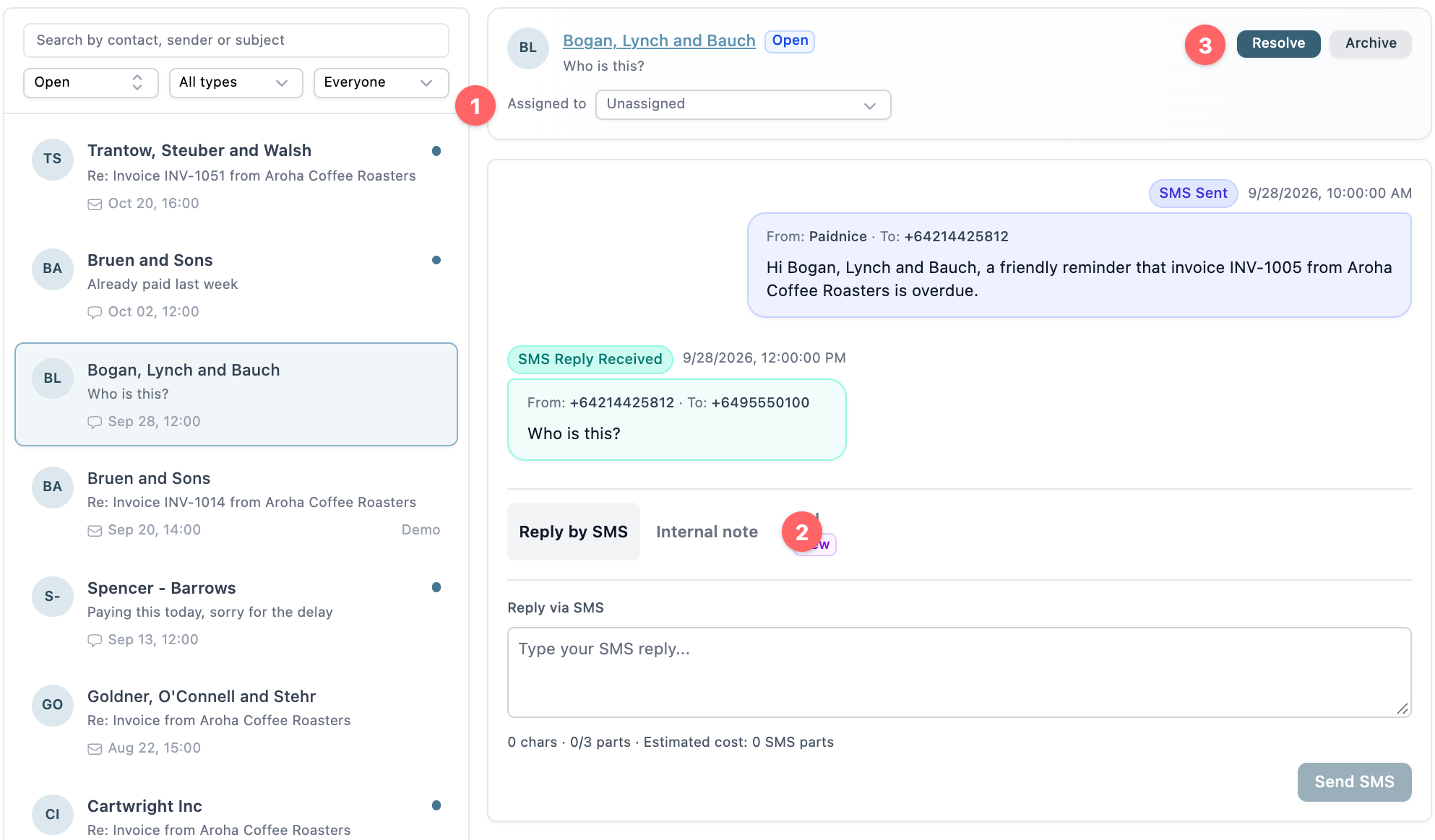
- Assigned to: the owner of the conversation, so a mention reaches the right person.
- Internal note: the tab to write a note or mention a teammate.
- Resolve: close the conversation when it is settled.
Calls placed from Paidnice with click to call get a short AI summary that is saved to the customer's timeline, and the summary goes to Xero or QuickBooks as a note. When a customer names a payment date on the call, Paidnice creates a task to update the expected payment date, which waits for approval.
💡 Paidnice insight
The note that matters most is the one with a date in it. A promise or a pending PO with no date in the note gets chased again by the next reminder, and the customer feels ignored.
Frequently asked questions
Can the customer see internal notes?
No. Internal notes are for your team only. In Paidnice the note sits in the conversation, but it is never sent to the customer.
Should AR notes go in Xero or QuickBooks?
Short notes that your accountant or bookkeeper needs, such as a call summary, belong in the ledger too. Paidnice sends call summaries to Xero or QuickBooks as a note. Day-to-day conversation notes are best kept with the conversation.
What is the difference between an internal note and a reply?
A reply goes to the customer by email or SMS. An internal note stays with your team. Use notes to agree an answer, then send one reply.
How many people should I mention in a note?
Usually one: the person who needs to act. Mention a second person only if they also need to do something.
Paidnice features in this article
- Shared inbox Puts every customer reply by email and SMS in one inbox, where your team assigns, notes and answers it.
- In-app calling Lets you call customers from Paidnice and keeps a transcript and summary.
- Roles and approvals Assigns accounts to people or an AI agent and asks for approval before each action.
About the editorial team
Ashley is a co-founder and lead developer of Paidnice and has built accounting software for more than 10 years. He builds the ledger connections that put reminders, late fees and payments into Xero, QuickBooks and ERPs such as NetSuite and Business Central. Before Paidnice he co-founded A2X, ecommerce accounting software for Xero and QuickBooks.
 App of the Year
