



Summary
A remittance advice is a note from your customer saying they have paid, or are about to pay, and which invoices the money covers. When one arrives, match it to those invoices, hold the reminders until the money is due to land, and check your bank before you mark anything paid.
- What it is: An email, PDF or slip from the payer listing the invoices paid, the amount, the date and the payment method.
- What it is not: Proof that the money has arrived. It shows a payment was sent or scheduled; your bank statement shows it cleared.
- What to do: Acknowledge it, pause the chase on the named invoices, check the bank on the payment date, then match the money to those invoices.
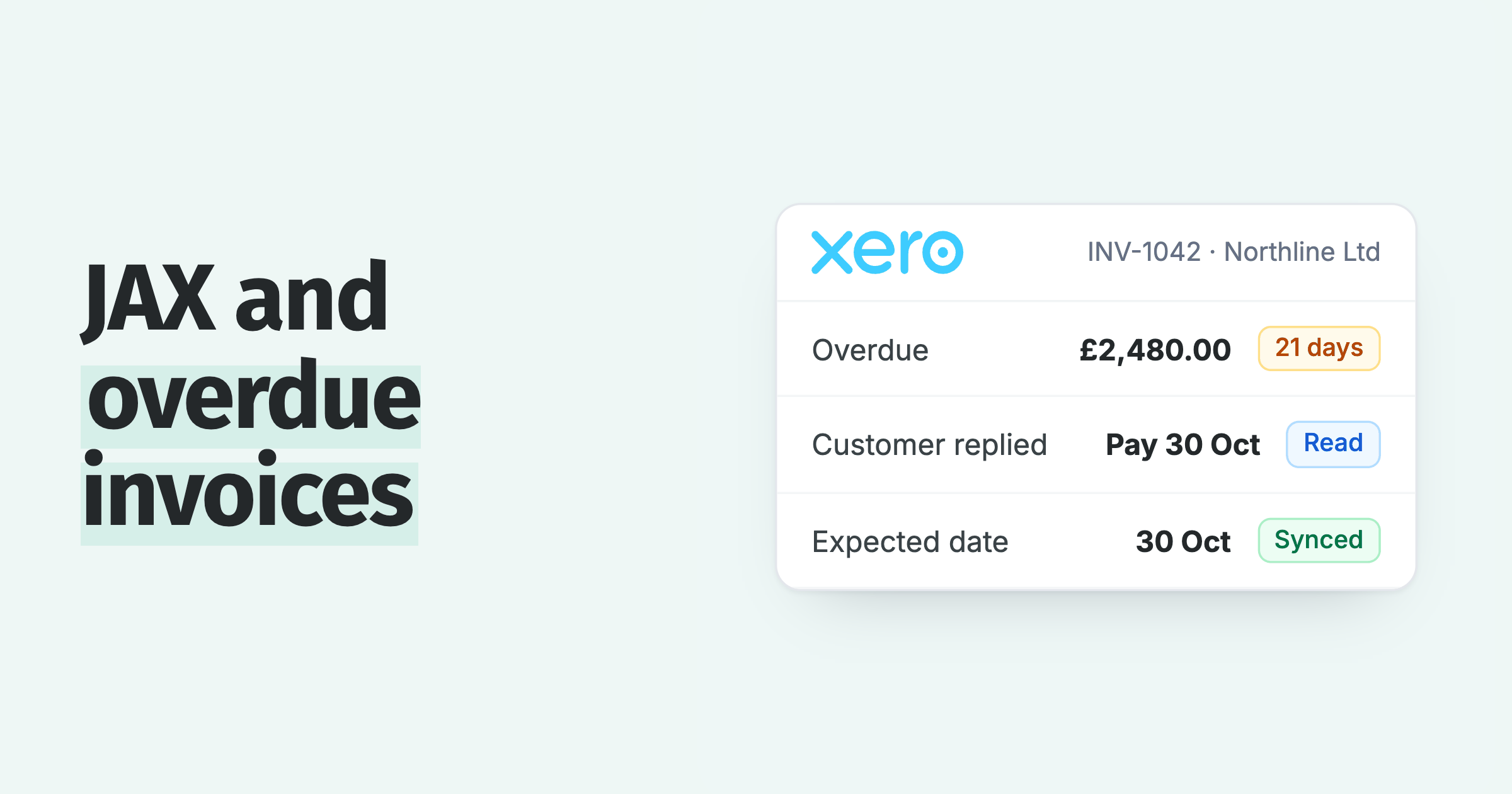
You send a reminder for an overdue invoice and the customer replies within the hour: "Paid, remittance attached." The PDF lists three invoice numbers and one total, and your bank feed shows nothing yet. Tomorrow another reminder is due to go out on one of those invoices.
Here is what a remittance advice is, what it should include, why it is not the same as money in the bank, and what to do on your side when one arrives.
Free: Payment reminder email templatesCopy the reminder emails for before, on and after the due date.What is a remittance advice?
A remittance advice is a document a customer sends to a supplier to say an invoice has been paid, or that a payment is on its way, and which invoices it covers. It is also called a remittance slip, a remittance note or a payment advice. See the short definition in our remittance advice dictionary entry.
It is a courtesy, not a legal requirement. Larger customers send one with every supplier payment run, often automatically from their accounting system. Smaller customers usually send nothing unless you ask.
A remittance advice can arrive as:
- an email from the customer's accounts payable team, often with a PDF attached
- an automatic notice from the customer's accounting or payments software
- a paper slip with a cheque
- a reply to your reminder, sometimes just "paid last week"
What does a remittance advice include?
A good remittance advice gives you everything you need to match the money to the right invoices. This is what to look for, and why each part matters on the supplier's side:
| Part of the remittance | Why you need it |
|---|---|
| Invoice numbers being paid | Tells you which invoices to clear, instead of guessing from the total. |
| Amount paid against each invoice | Shows short payments and deductions before you reconcile. |
| Payment date | The date to check your bank, and the date to hold reminders until. |
| Payment method and reference | Bacs, cheque, card or transfer, and the reference that will show on your statement. |
| Credit notes or deductions taken | Explains why the total is lower than the invoices add up to. |
| Purchase order numbers | Helps when the customer's system pays by PO rather than invoice number. |
Is a remittance advice proof of payment?
No. A remittance advice shows the customer has sent or scheduled a payment, not that the money has cleared into your account. Your bank statement is the proof.
The gap is often days, sometimes longer. One business told us their customer's money arrives about a week after the remittance advice, and their real question was how to stop the invoice being chased in that week. Payment runs scheduled for a future date, bank holidays and cheques in the post all widen the gap.
So treat a remittance advice as a promise with a date on it. Hold the chase until that date, then check.
What to do when a customer sends a remittance advice
When a remittance advice arrives, these steps keep the customer from being chased for money they have sent, and keep you from marking an invoice paid too early:
- Reply to thank the customer, so they know it reached someone.
- Find each invoice the remittance names, and note the amount against each one.
- Hold reminders on those invoices until the payment date, plus a couple of working days for the money to clear.
- On that date, check your bank feed for a payment with the matching amount or reference.
- Match the money to the invoices the customer named, not to the oldest invoices on the account.
- If the amount is short, or the remittance lists a deduction, raise it now while the customer's team remembers the payment.
- If nothing arrives, write back quoting their remittance, the date and the amount.
Step 5 matters more than it looks. If you apply the money to the oldest invoices instead, the invoice the customer believes is paid stays open, and your next reminder about it reads as a mistake.
What if the remittance arrives but the money does not?
A remittance advice with no payment behind it is usually a timing problem, not a dishonest customer. The payment run may have been moved, the bank details may be out of date, or the payment may have been rejected.
Reply with the remittance attached and ask the customer to check three things: the date the payment left, the account it was sent to, and whether it bounced back. If it went to an old account, send your bank details again in a way they can verify. Our guide to a change of bank details letter covers how.
If the amount arrives but does not match the invoices, you have a short payment. The steps for that are in what to do when a customer pays less.
How to ask customers to send a remittance advice
If customers often pay without saying what for, add one line to your invoices and reminders, and send this note to the ones who forget:
When you pay, could you send a remittance advice to this address listing the invoice numbers and amounts? It helps us match your payment straight away so you do not get a reminder for an invoice you have already paid.
Also check where your reminders come from. In one support case, a business's customers kept getting reminders after paying. Paidnice had sent only statements; the reminders were the accounting software's own, switched on by tick boxes in its settings.
How Paidnice handles a remittance advice
In Paidnice, replies to your reminders and statements come back into one shared inbox, by email or SMS. A "paid, remittance attached" email and an "Already paid last week" text sit in the same list, so nobody has to forward them around.
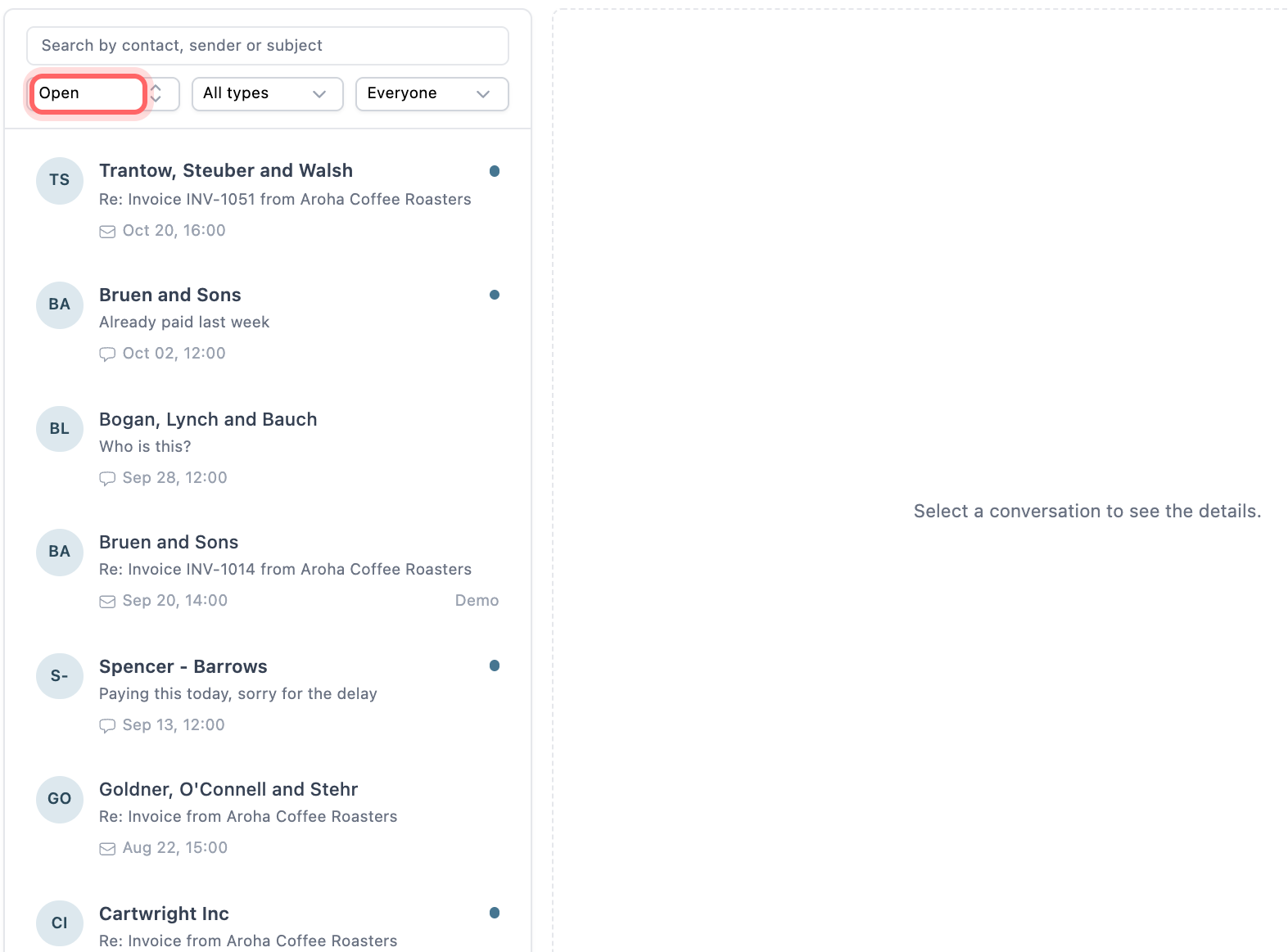
- The AI agent reads the remittance. It reads a remittance advice in the email body or an attached PDF, picks out which invoices are being paid and when, and logs that against those invoices.
- Reminders wait. Reminders skip those invoices while the payment is on its way, so the customer is not chased for money they have sent.
- One owner per reply. Assign the conversation to whoever reconciles the bank, leave an internal note with what you found, and resolve it when the money is matched.
- A thank-you when it lands. A thank-you email can go out when the invoice is marked paid in Xero or QuickBooks, so the customer gets confirmation without anyone writing it.
The AI agent is part of AI accounts receivable in Paidnice, and the shared inbox is on every plan.
💡 Paidnice insight
A remittance advice tells you the date the customer expects the money to land. Hold the reminder until that date, not until the day you happen to read the email.
Not every "already paid" reply comes with a remittance. If the customer says they paid but the invoice still shows as unpaid, follow the checks in customer says they paid, but the invoice is still unpaid. For other kinds of replies to your reminders, see how to answer a customer reply to a payment reminder.
Frequently asked questions
Is a remittance advice a legal requirement?
No. In the UK, Australia and most other markets a customer is not required to send one. It is a courtesy that makes the supplier's reconciliation easier, which is why many larger businesses send one automatically.
What is another name for a remittance advice?
It is also called a remittance slip, a remittance note, a payment advice or a payment notification. A cheque often comes with a tear-off remittance slip.
Who sends a remittance advice, the customer or the supplier?
The customer sends it to the supplier, because the customer is the one paying. The supplier may send a receipt or thank-you note back once the money arrives.
What is the difference between a remittance advice and a receipt?
A remittance advice comes from the payer and says a payment has been sent. A receipt comes from the supplier and confirms the money was received.
Should I mark an invoice paid when I get a remittance advice?
No. Mark it paid when the money shows in your bank and you have matched it. Until then, record the expected date and hold reminders on that invoice.
Paidnice features in this article
- Shared inbox Puts every customer reply by email and SMS in one inbox, where your team assigns, notes and answers it.
- AI reply handling Reads every customer reply and drafts the next step for you to approve.
- Email and SMS reminders Sends reminders by email and SMS on your schedule, each with a link to pay.
About the editorial team
Ashley is a co-founder and lead developer of Paidnice and has built accounting software for more than 10 years. He builds the ledger connections that put reminders, late fees and payments into Xero, QuickBooks and ERPs such as NetSuite and Business Central. Before Paidnice he co-founded A2X, ecommerce accounting software for Xero and QuickBooks.
 App of the Year
