



Summary
QuickBooks Online sends automatic invoice reminders by email only; it has no native feature for scheduled SMS reminders on overdue invoices. Connecting an app such as Paidnice adds SMS reminders that read your QuickBooks data and send on a schedule, from US$0.10 per message, to any valid mobile number worldwide.
- The gap: QuickBooks can share an invoice link by text as a one-off, which is not a scheduled reminder tied to days overdue.
- Not the same job: Generic SMS apps such as Text Request and SimpleTexting text invoices and receipts on a trigger; a reminder ladder escalates by days overdue and stops when the invoice is paid.
- The cost: SMS from US$0.10 a message on top of a plan from US$69 a month; the Essentials plan includes SMS reminders and email reminders are included in the plan.
Can QuickBooks Online send text reminders on its own?
QuickBooks Online does have a real reminder feature: Intuit's help article on automatic reminders describes up to three reminders per invoice, scheduled up to 90 days before or after the due date, each with an email subject and message you edit. There is no toggle that switches them to text.
There is a separate, narrower thing QuickBooks can do, and it causes the confusion. On the older invoice layout, a customer on QuickBooks Payments who opted in to text notifications could be sent an invoice by text. A QuickBooks Team reply on the Intuit community dated 2 January 2025 says that on the new invoice layout that option is replaced by sharing the invoice link: copy the link from the Review and send dropdown and text it yourself. Either way it is a one-off delivery of an invoice, not a scheduled overdue reminder that fires on your rules.
So if you want a text to go out when an invoice hits seven days overdue, you need something sitting on top of your QuickBooks data. That is what Paidnice does with QuickBooks Online.
Free: Payment reminder email templatesCopy the reminder emails for before, on and after the due date.Is a generic SMS app the same as SMS payment reminders?
The difference shows up on day 14. A texting app needs a trigger and a template for every step, and a person to stop it when the payment lands. A reminder ladder built on QuickBooks data already knows the invoice is 14 days overdue, that the customer sits in the repeat-late-payer group, and that the last email went unopened, so the text goes out on its own and the sequence ends when QuickBooks records the payment. A do-it-yourself Twilio route also asks the business to register and manage its own sending numbers. Paidnice sends worldwide to any valid mobile number, with dedicated sending routes for the US, UK, Australia and New Zealand, no alphanumeric sender ID, and nothing for a US customer to register with carriers.
How do you send SMS payment reminders from QuickBooks Online?
The steps below use Paidnice because it reads your QuickBooks invoices and contacts directly and sends both email and SMS. The general shape is the same for any tool that connects to QuickBooks Online.
- Connect QuickBooks OnlineSign in to Paidnice and authorize the QuickBooks connection. Paidnice reads your invoices, customers, and contact details. Most people are live in under 15 minutes, with no data migration.
- Check mobile numbers on your contactsPaidnice pulls the phone numbers already stored on your QuickBooks customers. Fill in the gaps so the customers you actually want to text have a valid mobile number.
- Record consent and set an opt-outOnly text customers who have agreed to it, and include a clear opt-out line. Set your sending window to business hours so a reminder never lands at 11pm.
- Write your SMS reminder templatesKeep texts short and factual, within the 320-character limit: invoice number, amount, and a pay link. You can start from the SMS payment reminder templates and adjust the wording to your voice.
- Set the schedule and route by customer groupDecide when each message sends relative to the due date, and split your contacts into groups. VIPs get a single gentle nudge; repeat late payers get the full escalation ladder of email and SMS.
- Preview in Safe Mode, then turn it onSafe Mode shows exactly what would send, to whom, without sending it. Once the preview looks right, switch it live and the reminders run on their own.
From QuickBooks Online
Synced from QuickBooks Online, updated 9:04am
Reminder sequence
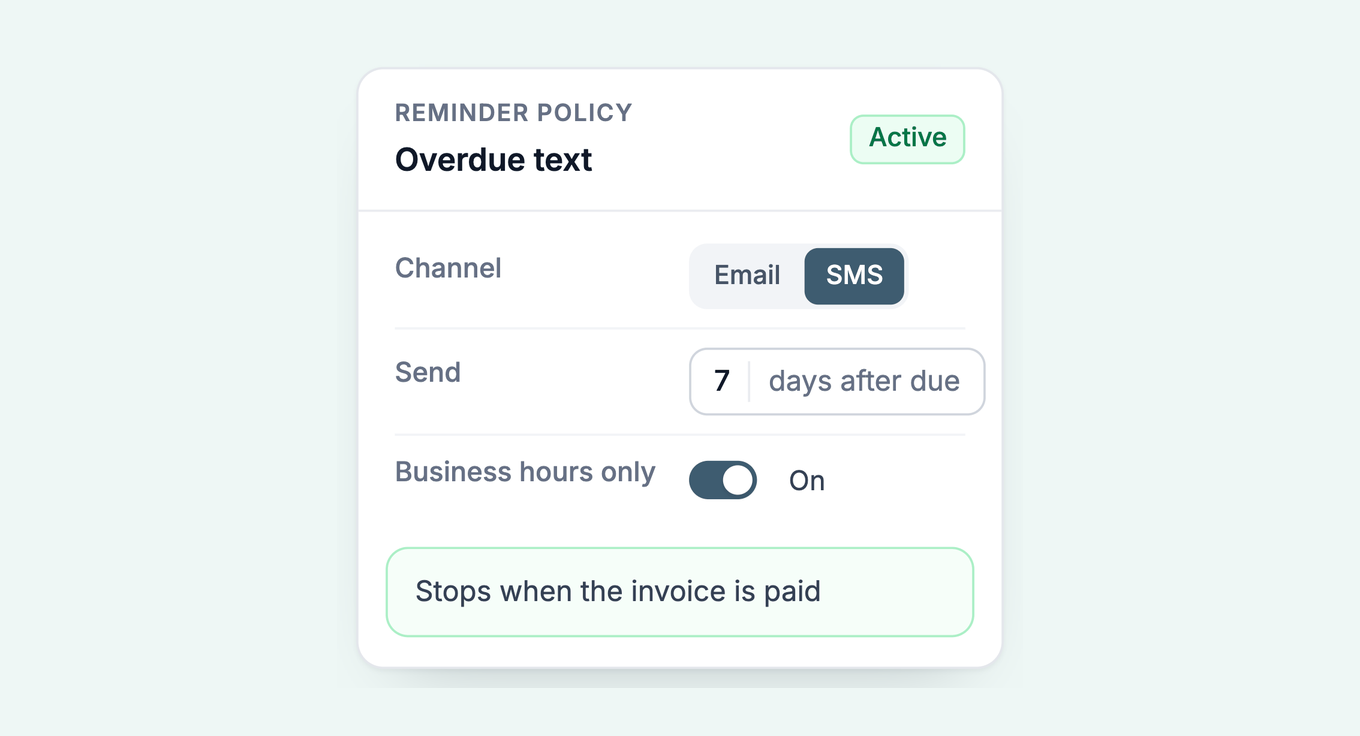
When should you send SMS instead of email?
SMS gets opened. That is its strength and its cost. A text is read within minutes, which is what you want on an invoice that is two weeks late. It is also more expensive than email and easier to overuse, so it works best as the message that cuts through, not the default channel for every nudge.
A practical split is email first, SMS later. The early, friendly reminders go by email, where there is room for the invoice, the terms, and a pay link. When an invoice crosses into properly overdue, the reminder switches to SMS so it is not sitting unread in a crowded inbox. Paidnice lets you run both from the same sequence, so email and SMS reminders escalate together instead of being two disconnected tools.
One caveat. If your customers already pay on time from a plain email reminder, you may not need SMS at all. QuickBooks' own email reminders cover a lot of cases, and there is no point paying per message to text people who were going to pay anyway. Add SMS where email has stopped working, not everywhere.
Can customers reply to an SMS payment reminder?
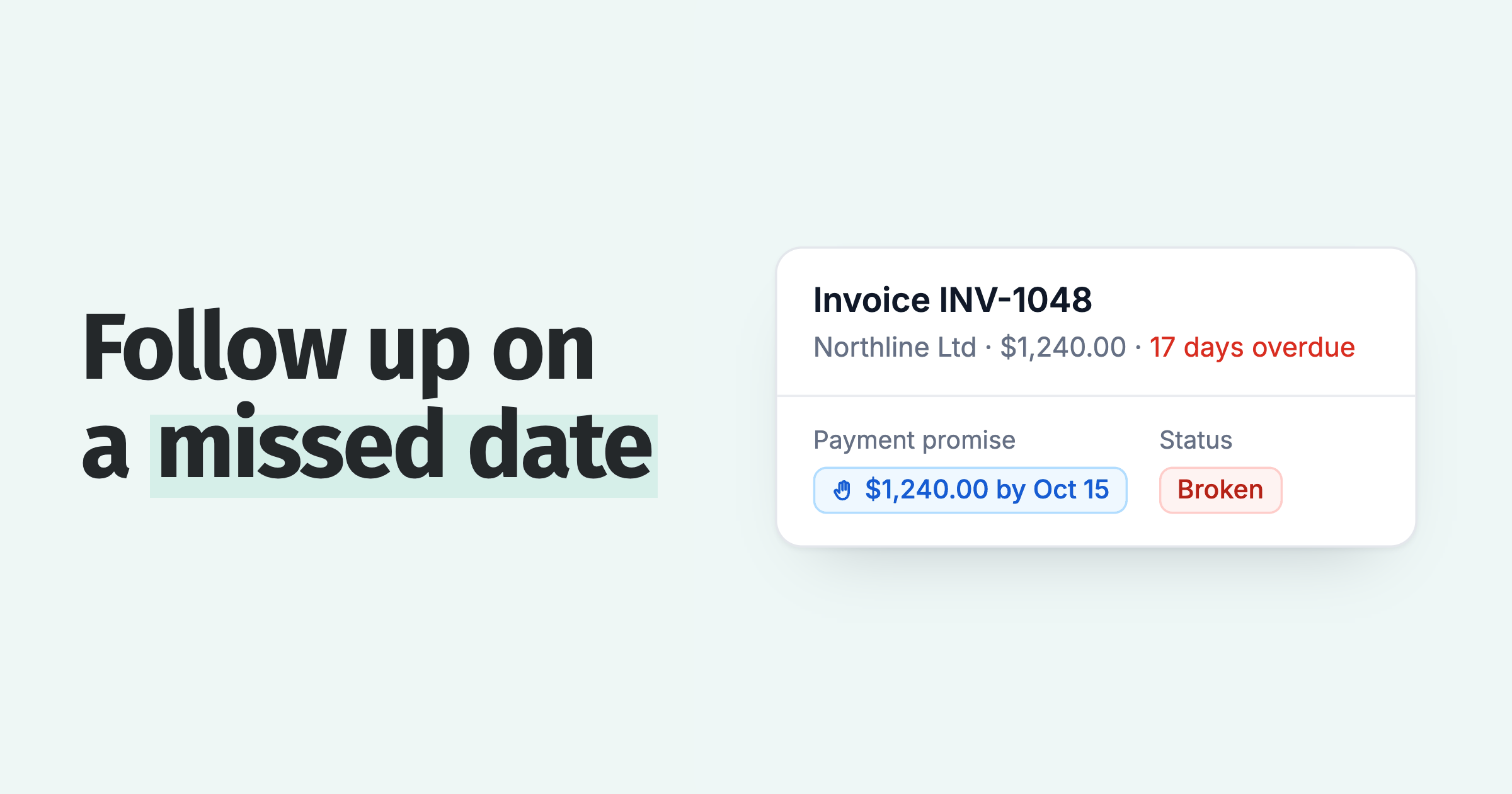
Replies are matched to the customer and the conversation, and your team can be notified when one arrives. If the reply gives a payment date, note it on the invoice. If it disputes the invoice, pass it to a person. What to do when a customer replies to a payment reminder covers each type of reply.
Paidnice also sends reminders on WhatsApp, and customers can reply there too. Their reply lands in Paidnice too. See WhatsApp payment reminders or the WhatsApp payment reminder message templates.
What are the compliance rules for payment reminder texts?
Business texting is regulated, and the rules vary by country. This is general information, not legal advice, so check the requirements for the markets you send to. The consistent principles across most of them are straightforward: get consent before you text, make it obvious who the message is from, send at reasonable hours, and give a simple way to opt out. Honor opt-outs immediately.
Paidnice keeps contact data tied to each QuickBooks customer, and a customer who switches off SMS Communications in the payment portal is blocked from further texts. Before each send, Paidnice checks the number format, enforces your monthly SMS cap and screens the message for likely spam. The judgment stays yours: you decide who is on the list.
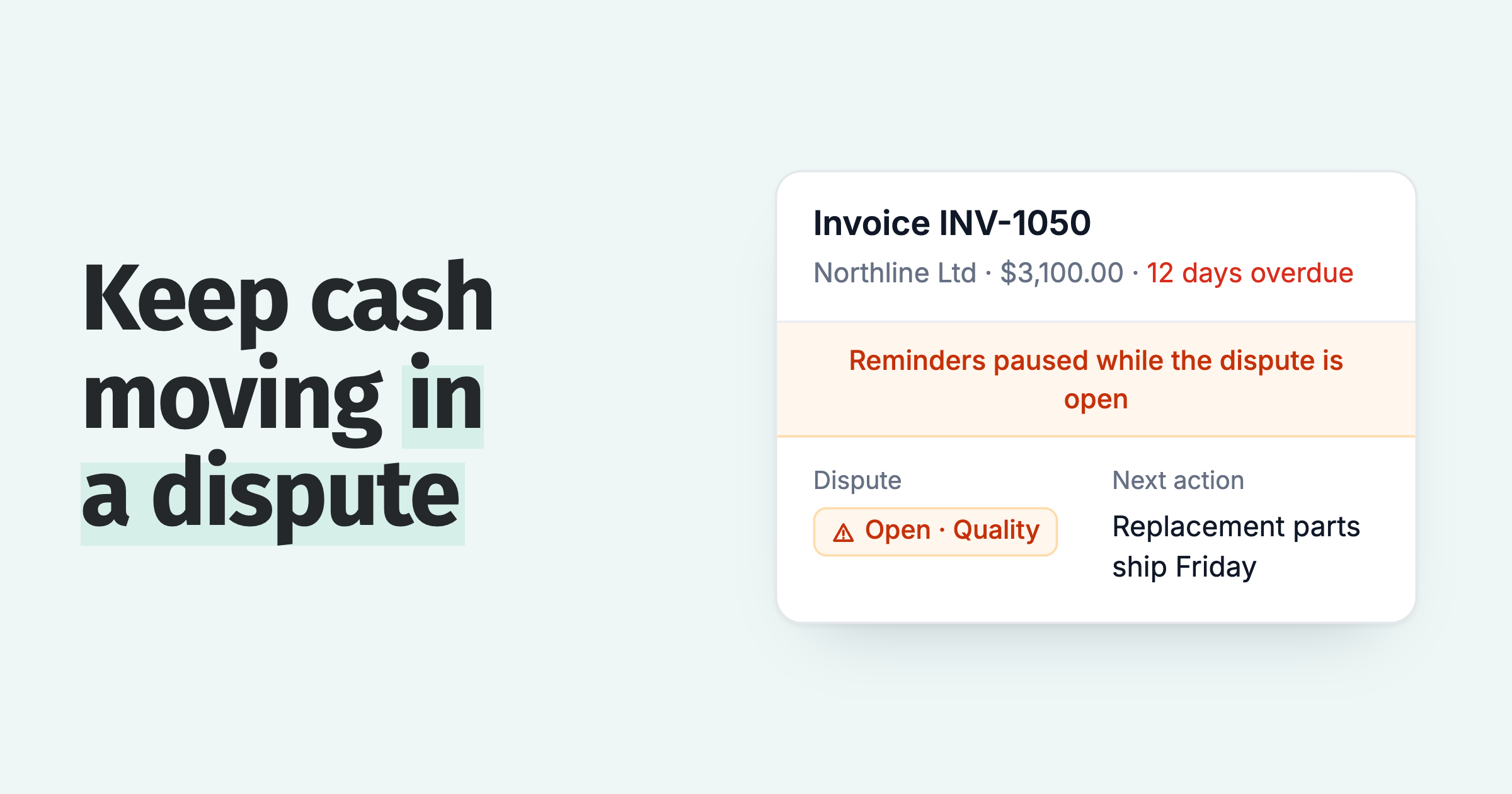
There is one thing SMS will not do, and it is the same limit email has. A reminder does not resolve a dispute. If a customer is withholding payment because they think the invoice is wrong, a firmer text will not fix it and can make things worse. Route disputes to a person who can look at the account and sort it out. Automation is for the invoices that are simply late, not the ones that are contested.
What mistakes cost you money when you text payment reminders?
Three mistakes open you to a claim or leave invoices unpaid.
Texting customers who never agreed to it. Under the US Telephone Consumer Protection Act, a person may sue for $500 per violation of the automatic-dialer rules, or actual loss if greater, and a court may treble that to $1,500 for a willful violation (47 U.S.C. 227(b)(3)). Texts sent by software can fall under those rules.
Fix: record consent per customer before the first send, and honor STOP.
Leaving the days after the due date silent. On the day an overdue reminder goes out, about 12 in 100 of those invoices get paid. With no reminder, only about 4 in 100 do. Source: our analysis of invoice data from over 1,000 Paidnice customers. See our reminder data.
Fix: send the first reminder on the first overdue day.
Trusting the email arrived. When a reminder bounces, the invoice is twice as likely to be unpaid 75 days after its due date (about 13 in 100, against 6 in 100). Source: our analysis of invoice data from over 1,000 Paidnice customers. See warning signs of a late payer.
Fix: text the customer when an email bounces.
What do SMS payment reminders cost?
Pricing has two parts. The Paidnice plan itself starts at US$69 per month on Essentials, which covers 150 invoices, 600 emails, and 2 team members, with no per-seat fees. SMS is billed per message from US$0.10 each (£0.05, A$0.15, NZ$0.15), with the exact rate set by your billing currency. Because email is included and SMS is metered, the cost-effective pattern is the one above: email for the routine reminders, SMS reserved for the messages that need to land.
For most SMBs the math is simple. A handful of texts on genuinely overdue invoices costs a few dollars a month and gets invoices paid faster. Paidnice customers see half as many late invoices in the first 30 days, and getting cash in the door sooner is worth far more than the per-message fee. You can see the full picture on the SMS payment reminders page.
See Paidnice for QuickBooks Online
Frequently asked questions
Can QuickBooks send text message reminders?
No. QuickBooks Online sends automatic invoice reminders by email only. It has no native feature that sends scheduled SMS reminders for overdue invoices. To text customers on a schedule you connect an app such as Paidnice, which reads your QuickBooks data and sends SMS from US$0.10 per message.
Does QuickBooks Online have an SMS invoice reminder feature?
Not for automated reminders. QuickBooks Online can get an invoice to a customer by text as a one-off, through QuickBooks Payments text notifications on the older invoice layout or by sharing the invoice link on the new one, but that is a delivery, not a scheduled overdue reminder. For automated SMS reminders you need a connected app.
How do I text customers about overdue invoices from QuickBooks?
Connect QuickBooks Online to Paidnice, add mobile numbers and consent to your contacts, write your SMS templates, then set a schedule. Reminders then send automatically when an invoice reaches the day overdue you choose. Setup takes under 15 minutes.
How much do SMS payment reminders cost?
With Paidnice, SMS reminders cost from US$0.10 per message, and the exact rate varies by currency. That sits on top of a plan starting at US$69 per month, which includes email reminders.
Should I use SMS or email for payment reminders?
Use email for routine reminders and anything with detail or attachments. Use SMS for the moments that need to be seen: an invoice that is well overdue, a final notice, or a customer who ignores email. Paidnice runs both from the same sequence so they escalate together.
Is it legal to text customers about invoices?
In most markets, yes, if you follow the rules. Text only customers who have consented, identify your business, send during business hours, and include an opt-out in every message. This is general information, not legal advice, so check the requirements for the markets you send to.
Paidnice features in this article
About the editorial team
Ashley is a co-founder and lead developer of Paidnice and has built accounting software for more than 10 years. He builds the ledger connections that put reminders, late fees and payments into Xero, QuickBooks and ERPs such as NetSuite and Business Central. Before Paidnice he co-founded A2X, ecommerce accounting software for Xero and QuickBooks.
Denym started Paidnice in 2022 after customers paying late left his own business short on payroll. He has led it to $1 billion collected on time across more than 1 million invoices, and writes about credit control, late fees and getting paid on Xero and QuickBooks.
 App of the Year