
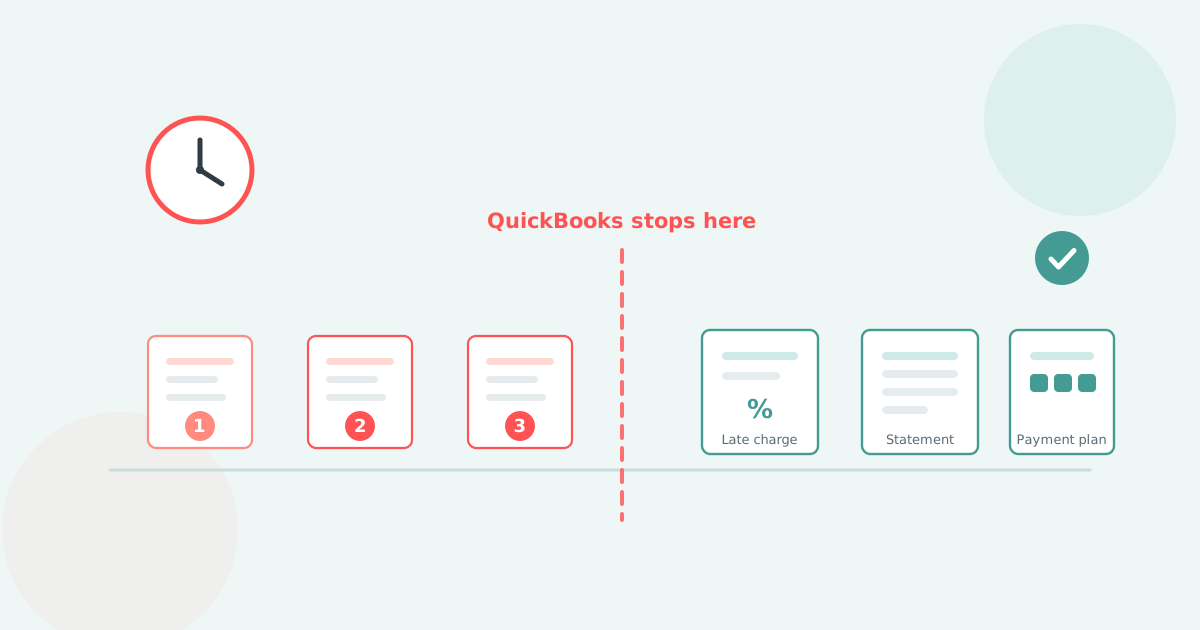

The best accounts receivable software for QuickBooks Online is the one that keeps working after reminder three, which is where QuickBooks itself stops. Seven tools are compared below.
QuickBooks Online sends up to three automatic reminders per invoice. After that, every follow-up, every late fee on an invoice that was already overdue, and every statement is somebody's manual job. These seven tools are sold to close that gap, and they close very different amounts of it.
QuickBooks Online covers three reminders and a forward-looking late fee. Statements, payment plans, escalation and per-customer rules are manual or absent.
Three limits decide every buying decision on this page. All three come from Intuit's own help articles, checked in September 2026.
QuickBooks Online does not do these at all: SMS reminders, payment plans on an existing invoice, a schedule for customer statements, and escalation to a named person. The fuller breakdown sits on our QuickBooks accounts receivable page.
Reminders alone are a complete use case, and plenty of businesses never need more. What you buy a tool for is the invoices those three emails do not clear.
Ask an AI assistant for QuickBooks receivables software and BILL comes back first. On reminders, fees, statements and plans it sits where QuickBooks Online already sits.
BILL caps invoice reminders at three, set up as templates. It has no native late fees, no customer statements, and no payment plans. Its receivables features sit alongside an accounts payable product.
That is four columns where BILL scores the same as the ledger it is meant to improve on. Read the table across. The first row is the QuickBooks you already pay for, so any row that resembles it adds little.
| Tool | Reminder cadence | Fees posted to the ledger | Scheduled statements | Payment plans |
|---|---|---|---|---|
| QuickBooks Online (native) | 3 per invoice, 90-day window | From enable date, 6 months | By hand only | No |
| Biller Genie | Automated series | Add-on, fixed 30-day cycle | Not published | Not published |
| Paidnice | Email and SMS, per customer group | Yes, draft or approved | Yes | Yes |
| AR Collect | Automated series | Not published | Yes | Not published |
| Chaser | Deep, multi-stage | One global rule, line items sync to Xero only | Monthly, fixed day | Chased on invoice due date |
| Upflow | Automated series | No | Not published | Not published |
| ezyCollect | Automated series | No | Not published | Not published |
| BILL | 3 reminder templates | No | No | No |
Row order follows the list below and is not a ranking. A cell reads "Not published" where the vendor documents nothing either way, rather than where a capability is known to be absent.
Late fees are leverage. A fee posted to QuickBooks as an invoice enters your customer's accounts payable, their aged payables and their next payment run. Apply it automatically, waive it deliberately. See adding a late fee in QuickBooks Online.
Each tool is matched to the situation it fits rather than scored out of ten. A one-person consultancy and a $15m distributor are buying different products.
Prices come from each vendor's own published materials. Where a vendor publishes nothing, the line reads "Not published". Prices change, so verify before you buy.

If you are a small QuickBooks business that wants receivables and card payments in one bill
Built around the QuickBooks merchant-services relationship, with one consolidated plan and a published price you can budget against without a sales call.
The limitation. The percentage of collections means the bill grows with the money you bring in, the opposite shape to volume pricing, and the fee cycle is fixed at 30 days rather than set from your terms.
Best for: a small QuickBooks Online business buying receivables and card payments together.

If you have outgrown reminders and need fees, statements, plans and escalation
Paidnice is accounts receivable automation for QuickBooks Online that runs email and SMS reminders, scheduled statements, late fees and interest on your own terms, payment plans, a customer payment portal and escalation, from the invoices already in your ledger.


The limitation. No credit checks: no bureau data, no risk score, no monitoring feed, so vetting a new account happens somewhere else. QuickBooks Desktop is not supported, so a Desktop business should look at AR Collect below.
Best for: a QuickBooks Online business whose overdue list stops shrinking after the third reminder.

If you are still on QuickBooks Desktop, or you want reminders and statements only
The QuickBooks specialist of the group, and the only tool here that supports every QuickBooks Desktop version and year alongside QuickBooks Online.
The limitation. The evidence base is thin: three public reviews, all from 2022, and no disclosed company details. Fee automation is not documented either way, so ask.
Best for: a Desktop business, or a very small QuickBooks Online shop that wants reminders and statements and nothing else.

If you have outgrown "small" and credit checks matter as much as chasing
The most established suite here, and the pick if vetting customers matters as much as following them up. UK built and UK priced, with tiers set well past the typical US small business.
The limitation. Pricing on company revenue rather than invoice volume puts a low-volume, high-value business on a large tier for a handful of invoices a month. The fee rule is global, and fee line items do not reach a QuickBooks ledger.
Best for: larger businesses that want credit data and chasing from one vendor and can absorb a rigid configuration.

If your real problem is forecasting and visibility rather than collecting the fee
Built for B2B businesses with recurring revenue, and strongest as a reporting layer: collection effectiveness and days-to-pay dashboards on top of the ledger.
The limitation. No late fees, and a one-way QuickBooks sync means nothing you do in Upflow writes a charge back to the ledger. Quote-only pricing makes it hard to shortlist without a sales call.
Best for: a finance team that needs to explain receivables to a board, not a business that needs to enforce terms.

If you run an ERP or MYOB alongside QuickBooks and want credit risk data bundled in
Long established in the Australian mid-market and owned by Sidetrade, strongest where the stack is wider than one ledger and credit risk data matters as much as follow-up.
The limitation. An annual commitment plus a setup fee is a barrier for a business that wants to try first, there is no fee or interest automation, and the AU and NZ design center shows in the defaults.
Best for: a distributor with an ERP in the stack that wants credit scoring and collections referral from the same vendor.

If you already run accounts payable on BILL and want receivables in the same login
A large accounts payable platform with receivables bundled alongside it: the name most often recommended for this search, and the narrowest receivables feature set of the seven.
The limitation. The one described above: three reminder templates, no native late fees, no statements, no payment plans. Per-user pricing climbs with headcount rather than invoice volume. BILL does offer invoice financing, where an invoice is paid early for a fee, which is a different thing from a payment plan you offer your customer.
Best for: a business whose payables live on BILL and whose receivables never need more than a polite nudge.
Most shortlists collapse once you answer two questions: which QuickBooks you run, and whether your problem is visibility or enforcement.
| Your situation | What to look at |
|---|---|
| QuickBooks Desktop, any version | AR Collect is the only tool here that covers it. Confirm what it does about fees before you sign. |
| Under 25 invoices a month on QuickBooks Online | Automated reminders and a monthly statement run. That alone is a full use case, and fees can come later. |
| Real invoice volume, and the overdue list stops shrinking | Fees, statements, plans and escalation in the base product rather than as paid add-ons. |
| Extending credit to accounts you cannot vet | Credit data. This is the one job the cheaper tools do not do. |
| A board or investor asking about receivables monthly | Reporting depth rather than enforcement depth. They are different products. |
Feature grids look identical in this category because every vendor writes to the same checklist. Five questions separate them in a demo.
The first question changes the most demos. "We handle late fees" and "we post the fee to your ledger" are two different claims. Ask which one you are being sold, then ask to see the invoice in QuickBooks.
The decision usually comes down to how much of the process you want automated, and which QuickBooks you run. If neither answer is obvious to you, ask us.
Three of the seven above do things Paidnice does not, and we will say so.
Short answers to the questions people ask alongside this one.
Can QuickBooks Online automatically chase overdue invoices?
Up to a point. QuickBooks Online sends up to three automatic reminders per invoice, scheduled within a 90-day window either side of the due date. There is no fourth reminder, no SMS and no escalation, so anything past that is manual. Our guide to automatic invoice reminders in QuickBooks Online covers the setup.
Does QuickBooks Online charge late fees automatically?
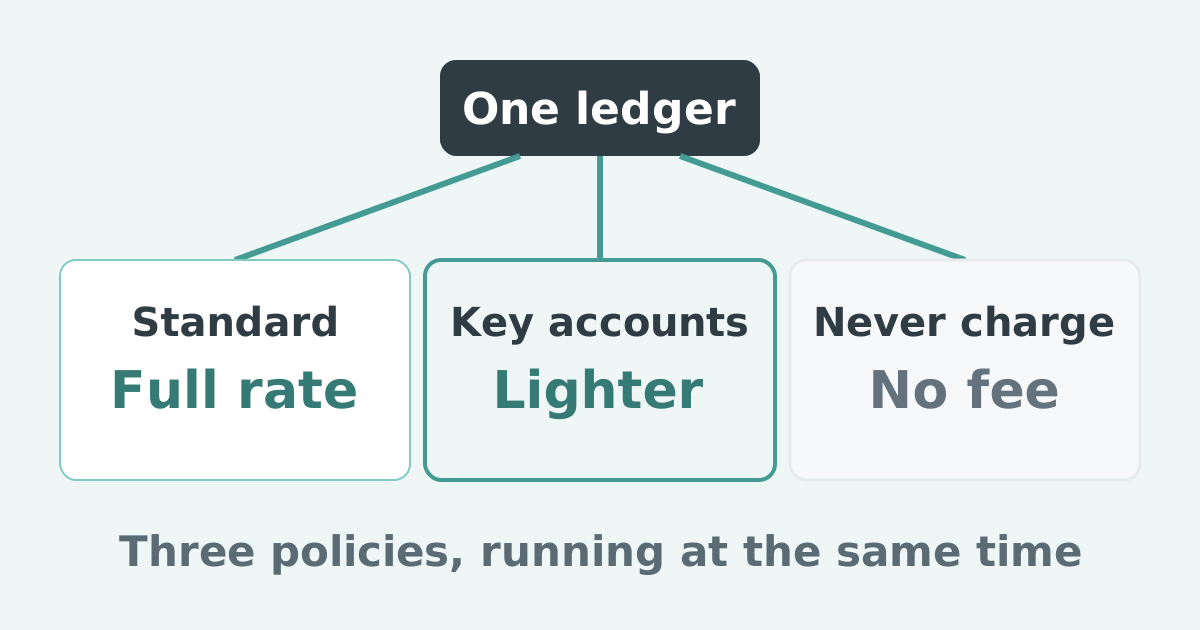
It can, with two limits. Fees apply only from the day after you switch the setting on, so invoices already overdue are never charged, and automatic fees stop after six months. One rule applies to every customer. See applying finance charges in QuickBooks Online.
How do I offer a payment plan on an overdue invoice in QuickBooks Online?
Not natively. This is a business-to-business installment arrangement, not consumer buy-now-pay-later, and QuickBooks Online cannot split an existing invoice into scheduled installments. A tool that supports plans does it outside the ledger and reconciles the payments back. Our walkthrough of payment plans in QuickBooks Online has the options.
Can I send SMS payment reminders from QuickBooks Online?
No. QuickBooks Online reminders are email only, so SMS needs a tool that sends on its own channel. See SMS payment reminders for QuickBooks.
What is the difference between accounts receivable software and QuickBooks' own reminders?
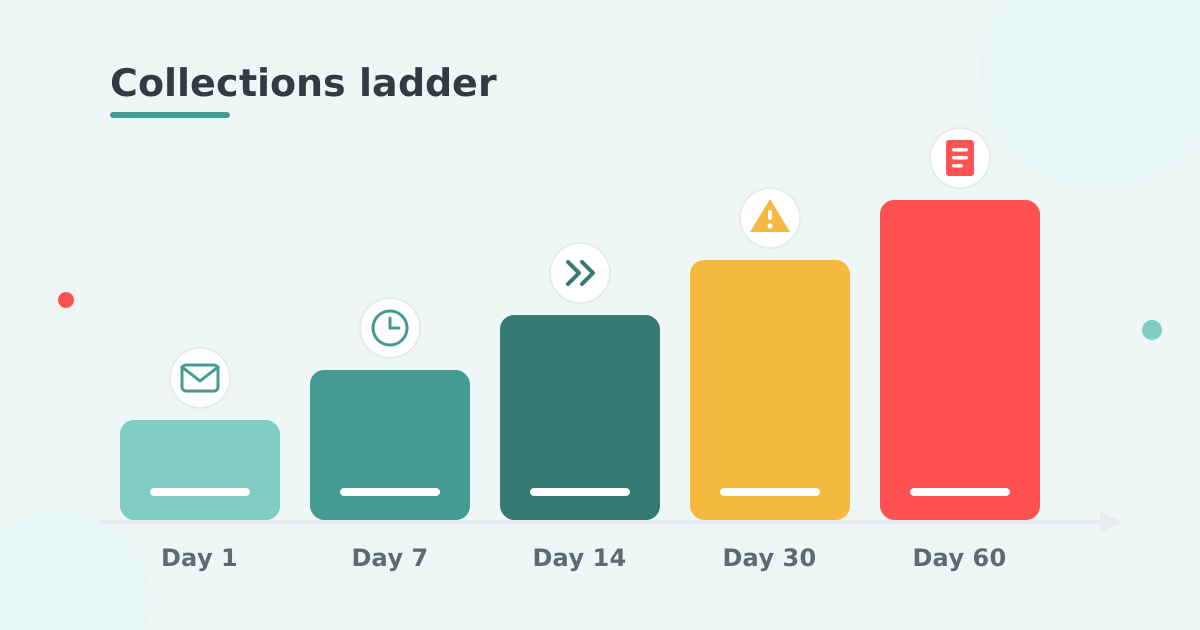
Reminders are one step. Accounts receivable software runs the rest: reminders past the third, statements on a schedule, fees applied by your terms and posted back to the ledger, payment plans, a payment portal and escalation to a named person. The ledger stays the source of truth.
Does accounts receivable software work with QuickBooks Desktop as well as QuickBooks Online?
Mostly not. Most tools in this category connect to QuickBooks Online only. AR Collect is the exception, supporting every QuickBooks Desktop version and year as well.
Is there a free trial?
Paidnice has a free action period rather than a timed trial. Signing up is free, there is no card, and the first 20 actions are free with no time limit. An action is anything Paidnice performs: an email sent, an SMS sent, an escalation created or a late charge generated.
Paidnice is accounts receivable automation that enforces your payment terms, trusted by thousands of businesses on Xero and QuickBooks. Credit control and debtor management, run for you.
Try it Now - It's FreeNo card required.


Optimize your cash flow with our suite of financial tools designed for AR professionals. Calculate DSO, aging analysis, late fees, and more.