



Summary
A call log template is a table that records each phone call: who you called, when, why, the outcome and the next step. For overdue invoices, add the invoice number, the amount, and the promised date and amount.
- The columns: The 10 standard columns (date and time through owner), then invoice number, amount overdue, promised date and promised amount.
- Fixed outcomes: Pick from paid, promised, disputed, voicemail left or needs callback, so the log can be filtered and the promise can be chased.
- In Paidnice: On the Pro plan and above, you call the customer from Paidnice, which records the call, writes a transcript and a short summary, and saves them to the customer's timeline.
The customer said "the 10th" on the phone last week. Today a colleague picks up the account and asks the customer the same question, because the promise lives in your head. The US business records rule admits a record made "at or near the time" of the event, and a same-day log entry is exactly that. Here is what a call log for overdue invoices needs.
What is a call log for overdue invoices?
A call log for overdue invoices is a table with one row per phone call about an unpaid invoice: the date and time, who you spoke to, the call direction, the outcome, the promise made and the next step.
A general call log template records the same core facts for any phone call: when it happened and for how long, who was on the line and their company, the number dialed, incoming or outgoing, why you called, how it ended, your notes and the follow-up date.
A collections call log adds what the call was about: the invoice number, the amount overdue, and the date and amount the customer promised. Those four columns turn a list of calls into a record of promises, which is the thing you follow up next week. The other columns support those four.
Free: Payment reminder email templatesCopy the reminder emails for before, on and after the due date.What columns should a call log have?
A call log needs 10 standard columns, from date and time through owner, and a collections log adds four more: invoice number, amount overdue, promised date and promised amount.
| Column | Why it is there | Example |
|---|---|---|
| Date and time | Fixes when the call happened. Start time and duration together show how long it ran. | Oct 14, 10:42, 4 min |
| Contact name and company | Who you spoke to and where they work. Add their role if it is not obvious. | Sam Lee, Northline Ltd (AP) |
| Phone number | The number that reached them, so the next caller uses it. | +1 415 555 0142 |
| Call direction | Outgoing (you called) or incoming (they called you). | Outgoing |
| Call type | What the call was for: first reminder, follow-up, promise check, dispute. | Follow-up |
| Duration | Length of the call. A 30-second call and a 10-minute call tell different stories. | 4 min |
| Outcome / status | One fixed value: paid, promised, disputed, voicemail left, needs callback. | Promised |
| Next steps / action item | What happens now and who does it. | Email to confirm date |
| Follow-up date | When someone checks again. For a promise, the day after the promised date. | Nov 11 |
| Owner / rep name | Who made the call and owns the follow-up. | Mark Ellis |
| Invoice number | The invoice the call was about. One row per call, so one invoice can have several rows. | INV-1042 |
| Amount overdue | The open amount at the time of the call. | $2,480.00 |
| Promised date | The date the customer said they would pay. | Nov 10 |
| Promised amount | How much they said they would pay. Part payments are common. | $2,480.00 |
Keep a short notes column for what the customer actually said, in their words. "Waiting on approval from the owner" is more useful next week than "will pay".
Call log template for overdue invoices you can copy
Copy the table below into Excel or Google Sheets, download it as a Word document (free to download, no sign-up), or keep the same columns on the customer record in your accounts receivable software.
The downloads are built from this table in your browser. Nothing is sent anywhere. Delete the three example rows and add one row per call.
Call log for overdue invoices
One row per call, even the ones nobody answered.
Scroll sideways to see all 15 columns.
| Date and time | Contact name and company | Phone number | Call direction | Call type | Duration | Outcome / status | Next steps | Follow-up date | Owner | Invoice number | Amount overdue | Promised date | Promised amount | Notes |
|---|---|---|---|---|---|---|---|---|---|---|---|---|---|---|
| Oct 7, 09:15 | Sam Lee, Northline Ltd | +1 415 555 0142 | Outgoing | First reminder | 1 min | Voicemail left | Call again | Oct 9 | Mark Ellis | INV-1042 | $2,480.00 | Left name, company, invoice number, callback number. | ||
| Oct 9, 14:02 | Sam Lee, Northline Ltd | +1 415 555 0142 | Outgoing | Follow-up | 4 min | Promised | Email to confirm date | Nov 11 | Mark Ellis | INV-1042 | $2,480.00 | Nov 10 | $2,480.00 | Invoice waiting on owner approval. Will pay in full on Nov 10. |
| Oct 9, 14:30 | Priya Nair, Cove Studio | +1 206 555 0188 | Incoming | Dispute | 6 min | Disputed | Send corrected invoice | Oct 12 | Mark Ellis | INV-1051 | $960.00 | Says PO number is wrong on the invoice. Will pay once reissued. |
Three formats work:
- Excel or Google Sheets gives you filters, so you can list every open promise in one click.
- Word or Google Docs, or a printed PDF, suits a team that logs calls on paper first.
- A CRM or the customer record in your accounts receivable software keeps the log where the invoice already lives.
Each call gets its own row, even the ones nobody answered. A voicemail at 9:15 and a conversation at 14:02 two days later are two rows, and the pattern across rows is what shows a customer who never picks up. For what to say when you reach them, see how to ask for payment over the phone.
How do you fill in the call log after each call?
Fill in the row before you make the next call: pick one outcome from the fixed list, write the promised date and amount if there was one, and set the follow-up date and owner.
The outcome column does the most work, so keep it to five values:
- Paid. The customer paid during or right after the call. Note the payment method and date.
- Promised. The customer gave a date and an amount. Both go in their own columns, and the follow-up date is the day after.
- Disputed. The customer says the invoice is wrong. Write the reason in their words, and stop asking for payment on that invoice until it is fixed.
- Voicemail left. Nobody answered and you left a message. Log the time and what you said, then set the next call date. The voicemail scripts for an unpaid invoice give you four messages by stage.
- Needs callback. The customer asked you to call back, or the person who pays was not available. Log who to ask for and when.
A promise to pay is a date, an amount and a method. If the customer offers half now and half later, that is two promises, and two follow-up dates. When the promised date passes with no payment, the next call starts from that row. What to do when a promise to pay is broken covers that call.
Write the notes in the customer's own words. "Our client has not paid us yet, expect it by the 10th" tells the next caller the real cause. "Chased, will pay" tells them nothing.
In Paidnice data on 6.9 million invoices, an invoice 7 days overdue has a 1 in 5 chance of still being unpaid at 180 days. At 30 days overdue the chance is 2 in 5, and at 90 days it is 3 in 4. The odds an invoice stays unpaid double between day 7 and day 30, so log and make the first call in week one.
Why log collection calls at all?
A call log settles disputes about what was said, hands the account to the next person with its history intact, and gives you same-day notes if an unpaid invoice ends up in small claims court.
- Disputes. A customer who said "the 10th" and now says "I never agreed to that" is arguing with your memory. A row with the date, the time, their name and their words is harder to argue with. The same row stops two people from your side calling the same customer with two different stories.
- Handover. Staff go on leave and accounts change hands. A log that lives in one person's notebook leaves with them. One that every collector writes the same way is the account's history.
- Evidence. The US business records rule, Federal Rule of Evidence 803(6), admits a record made at or near the time by someone with knowledge, kept as a regular practice. A same-day entry in a log the whole team uses fits that shape.
Rainey Collins, a collections firm, tells creditors to record who was on the call, who started it, what was said, and the date and time, because courts treat notes made at the time as reliable proof of what the customer admitted.
No US federal debt collection law makes the log a duty for a business collecting from another business. The FTC states that business debts are not covered by the FDCPA, and the CFPB says the act does not generally cover collection by the original creditor. A business calling its own customers keeps a log because it helps collect the invoice. State rules vary, so check yours.
How does Paidnice log collection calls for you?
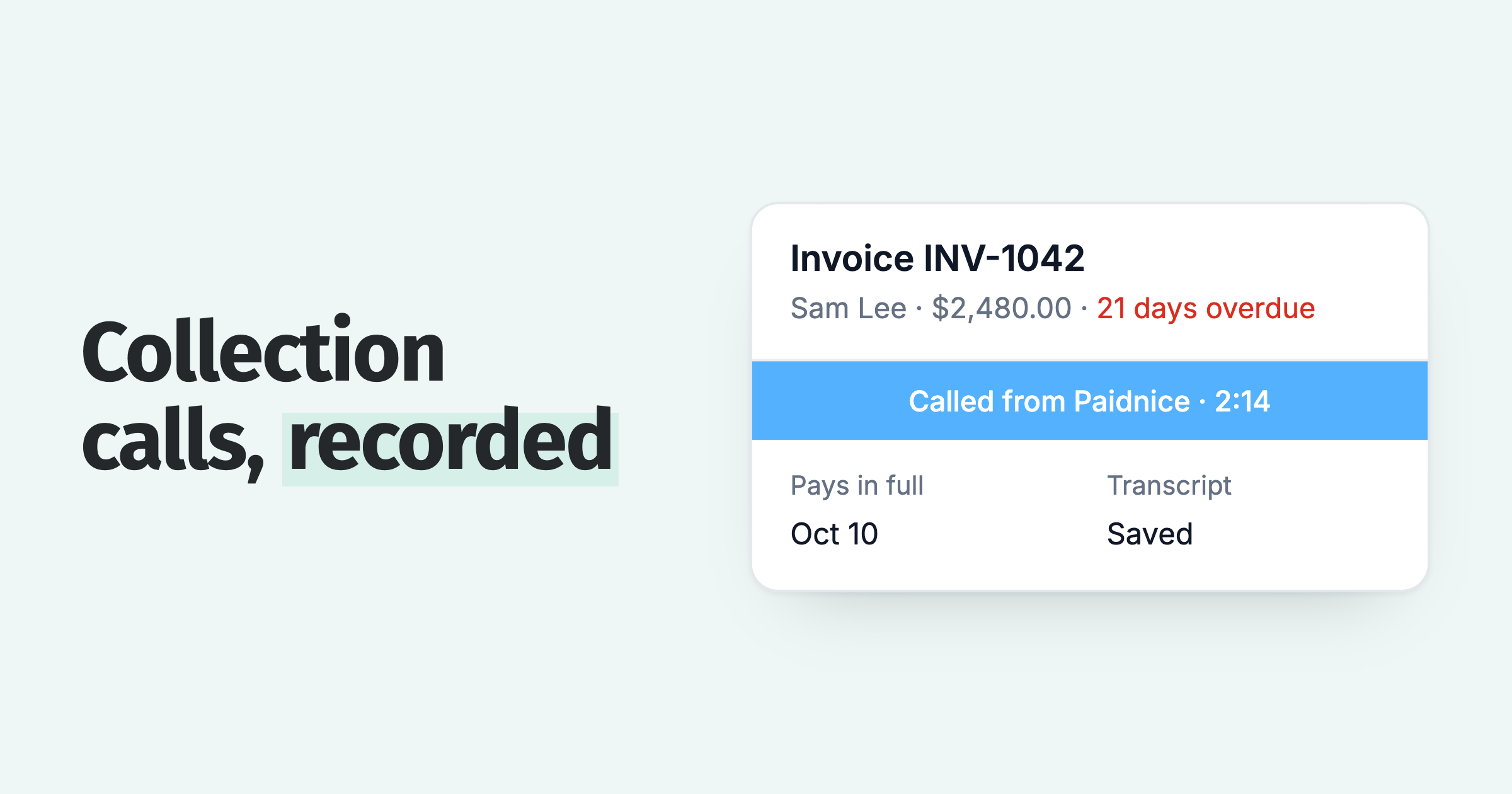
On the Pro plan and above, you call the customer from Paidnice. Paidnice records the call, writes a transcript and a short summary, and saves them to the customer's timeline, next to the invoice.
A spreadsheet log is written for the person who made the call. A call logged on the customer record is written for whoever opens that customer next.
- Press Call on the customer's page and pick the person and number. The call is recorded and transcribed.
- Paidnice writes a short summary of each call and saves it, with the transcript, to the customer's timeline. The summary goes to Xero or QuickBooks as a note on the invoice or the contact.
- The Calls page lists every call placed from Paidnice, with the date, contact, who called, duration and summary. Click a row for the transcript.
- Calls made from another phone can be logged on the customer's activity feed as a call log, next to notes and SMS logs.
When the customer names a payment date on the call, Paidnice creates a task from the transcript to update the expected payment date, and waits for your approval. The promise can also be recorded against the invoice with the date and amount. Paidnice customers see half as many late invoices in the first 30 days. See the in-app calling page for the call screen and the Calls page, and pricing for plans.
Paidnice shows a notice before each call: "This call is recorded for the transcript. Let the customer know if your region requires it." Some states and countries require every person on a call to agree to recording, so check the rule for where you and the customer are.
Questions about call log templates
A call log template records who you called, when, the outcome and the next step. For overdue invoices, add the invoice, the amount and the promise, and keep the log where the invoice lives.
How do I make a call log in Excel?
Put the 14 columns above, plus a notes column, in row 1, freeze that row, and set the outcome column to a dropdown with the five values. Add one row per call. Filter the outcome column by "Promised" to see every open promise.
What is a call log example?
One row of the template above: Oct 9 at 14:02, Sam Lee at Northline Ltd, outgoing follow-up call, 4 minutes, outcome Promised, INV-1042 for $2,480.00, promised in full on Nov 10, follow up Nov 11, owner Mark Ellis.
Should the call log be in a spreadsheet or on the customer record?
On the customer record, if your accounts receivable software has one, because that is where the next person looks. A spreadsheet works for a team of one. In Paidnice, notes, call logs and SMS logs sit on the customer's activity feed; see how to add notes to invoices and contacts.
What is a good script for a call recording disclosure?
One suggested line for the start of the call: "This call is recorded so we have an accurate note of what we agree. Is that OK?" Paidnice shows its own notice before each call: "This call is recorded for the transcript. Let the customer know if your region requires it." Consent rules differ by state and country; call recording laws for business covers the main ones.
How do I call a customer from Paidnice?
Press Call on the customer's page and pick the person and number. You can talk from your browser, or Paidnice rings your own phone first and then connects you to the customer. Either way, the call is recorded and transcribed. For the call itself, see how to make collection calls.
What is a phone call log?
A phone call log is a record of each call: when it happened, who was on the line, whether it was incoming or outgoing, how it ended and what happens next.
About the editorial team
Denym started Paidnice in 2022 after customers paying late left his own business short on payroll. He has led it to $1 billion collected on time across more than 1 million invoices, and writes about credit control, late fees and getting paid on Xero and QuickBooks.
 App of the Year