Summary
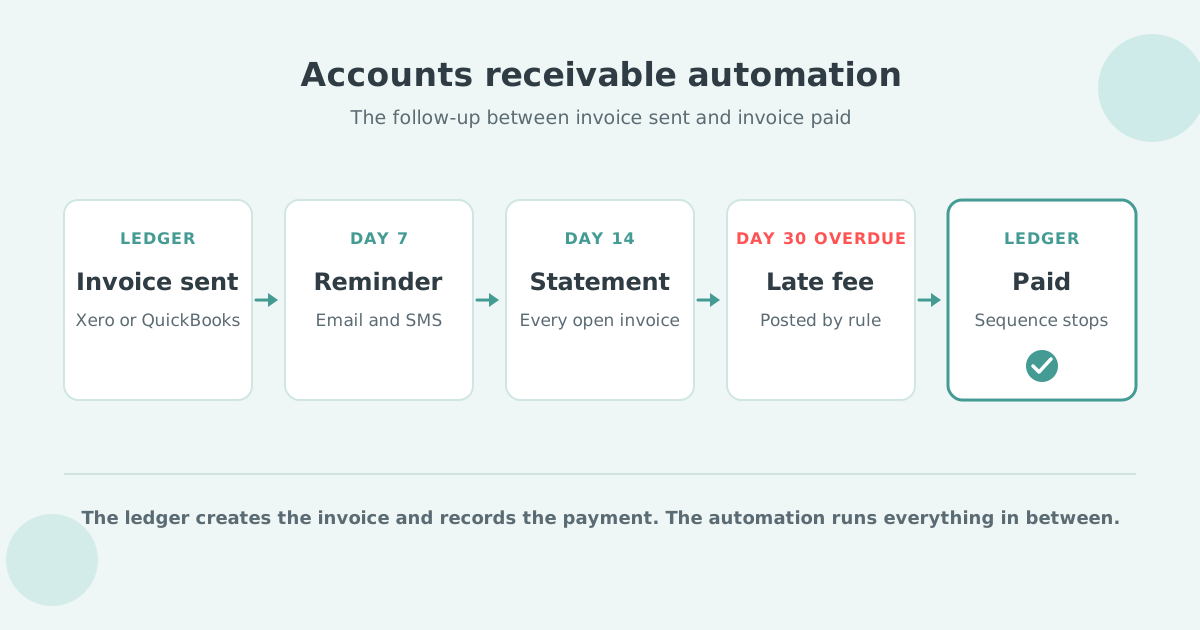
Accounts receivable (AR) automation is software that sends reminders, statements and late fees by rule, so invoices get paid on time. On Xero and QuickBooks Online the ledger creates the invoice and records the payment, and the automation runs the follow-up in between.
- What it automates: Reminders by email and SMS, customer statements, late fees and interest, payment plans, and a task for a named person when the rules run out.
- On Xero or QuickBooks: Xero allows up to five reminder emails on one schedule for the whole Xero organisation; QuickBooks Online allows up to three reminders per invoice.
- The result: Paidnice customers get half as many late invoices in the first 30 days.
In the video: the definition (0:15), how it works in four steps (0:30), what it covers (0:55), and accounts receivable vs accounts payable automation (1:17).
What is accounts receivable automation?
Accounts receivable automation manages the money customers owe a business: software applies your payment terms to every invoice by rule, so it sends reminders and statements, adds late fees, and hands the account to a person when a customer stops responding.
Most definitions start earlier, with invoice creation and cash application. On Xero or QuickBooks Online the ledger already does both, so AR automation is the work between "invoice sent" and "invoice paid".
Where the four functions sit:
- Invoicing: the ledger.
- Payment collection: the automation, with a pay link in every reminder.
- Cash application: the ledger, through bank feeds and matching.
- Reporting: the ledger for aged receivables, the automation for what was sent, promised and charged.
Accounts receivable automation handles incoming money, what customers owe you, and is the last part of the invoice-to-cash cycle; accounts payable automation handles outgoing money, the bills you pay.
The same job has a different name in each market:
| Term | Where people use it | Paidnice page |
|---|---|---|
| Accounts receivable automation | US and Canada | Accounts receivable software |
| Credit control | UK and Ireland | Credit control software |
| Debtor management | Australia and New Zealand | Debtor management software |
| Dunning | Invoice follow-up, mostly in the US | Dunning software |
How does accounts receivable automation work?
Accounts receivable automation works in four steps: connect the ledger, set the rules, let the schedule run, and stop when the invoice is paid or a person steps in.
- Connect the ledger. Xero, QuickBooks Online or another cloud ledger; invoices sync in, payments sync back.
- Set the rules. Your payment terms, a grace period, and customer groups, so key accounts get a softer schedule. Late fees are optional: reminders and statements on their own are a complete schedule.
- The schedule runs. Email and SMS reminders (dunning) go out on the days you chose, statements on schedule, and late fees post to the ledger past your grace period (the collections automation step).
- Stop or hand over. The sequence ends when the invoice is paid, can pause until a promised date or while a dispute is open (a policy setting), and hands the rest to a person as a task.
| Day | Step | Channel | Stops when |
|---|---|---|---|
| 3 days before due | Friendly reminder | Paid | |
| Due date | Due today reminder | Paid | |
| Day 7 overdue | Reminder with pay link | Email and SMS | Paid or promise |
| Day 14 overdue | Statement of open invoices | Paid or promise | |
| Day 30 overdue | Late fee to the ledger, account to a named person | Email, task | Paid, promise or dispute |
An example schedule, and the late fee step is optional; the collections process guide shows how to design yours.
What can accounts receivable automation do? 8 examples
Accounts receivable automation covers eight jobs between the invoice and the payment: reminders, statements, late fees, payment portals and plans, prompt payment discounts, reply handling, escalation and reporting.
- Reminders by email and SMS: before, on and after the due date, in your words, from your own domain on the Pro plan.
- Customer statements: every open invoice on one page, weekly or monthly.
- Late fees and interest: a flat fee, a percentage or compounding interest, posted to the ledger as a new invoice or a line on the overdue one.
- A payment portal and payment plans: the customer pays by card or bank from the reminder, or spreads a balance over installments with autopay on the Pro plan.
- Prompt payment discounts: a discount only when the invoice is paid early.
- Reply handling: Paidnice reads the customer's reply and drafts the next step for a person to approve.
- Escalation: a task for a named person, plus printed and posted letters on the Pro plan.
- Reporting: what was sent, who promised what, and fees charged against fees collected.
Paidnice runs these jobs on Xero and QuickBooks Online, and setup takes under 15 minutes: connect your ledger, approve the draft policies, and it runs. Start free: the first 20 actions are free, no credit card.
What is the difference between manual and automated accounts receivable?
Manual accounts receivable depends on a person remembering to act; automated accounts receivable acts on a date or a balance and records every step.
| Task | Manual | Automated |
|---|---|---|
| Who sends the reminder | Whoever has time | The schedule, from your domain |
| When it goes | When someone runs the aged report | On the day the rule says |
| Customer promises a date | A note in an inbox | Logged on the invoice; the sequence can pause until that date |
| Customer disputes | Chasing carries on by mistake | Logged on the invoice; the sequence can pause until it is resolved |
| Late fees | Rarely charged | Posted to the ledger by rule, waived when you choose |
| Statements | Sent when a customer asks | Sent on a set day |
| Record of what was sent | Sent items | Every email, SMS, fee and task on the timeline |
Credit control software vs Excel shows where the manual column breaks.
What are the benefits of accounts receivable automation?
Accounts receivable automation gets invoices paid closer to the due date, cuts the time spent chasing, and applies the same follow-up to every customer, with a record of every action.
US small businesses waited 29.1 days on average to be paid, and invoices were settled 8.3 days late on average, according to Xero Small Business Insights monthly data for June 2026 (see US accounts receivable statistics).
Behind those numbers:
- Faster cash flow: a pay link in every reminder.
- Lower cost to collect: the schedule does the chasing.
- Fewer errors: promised dates and disputes logged on the invoice, so a policy can pause chasing when it should.
- Better customer experience: one clear message, on the day the rule says.
Can AI do accounts receivable automation?
AI can do the reading and drafting part of accounts receivable automation, with a person approving each step; the rules still send the reminders, and people still make the credit decisions.
The reply is the step automation used to leave to a person: a customer writes back with a payment date, a wrong line item or a PO number request, and someone decides the next step.
Paidnice reads that reply, logs a promised payment date against the invoice, and drafts the next message. Nothing it drafts from a reply is sent until a person approves it.
What stays with a person: the credit decision, the dispute itself, agreeing a payment plan that a customer asks for by email, and the relationship. The AI accounts receivable page shows the approval step.
Which KPIs show that AR automation is working?
Five KPIs show whether accounts receivable automation is working: days sales outstanding, the share of invoices paid late, average days late, the collection effectiveness index, and aged debt over 60 days.
- Days sales outstanding (DSO): accounts receivable divided by total credit sales, times the number of days in the period.
- Share of invoices paid late: invoices paid after the due date, divided by all invoices paid in the period.
- Average days late: how many days after the due date invoices are settled, on average.
- Collection effectiveness index (CEI): what you collected in the period as a share of what was available to collect.
- Aged debt over 60 days: the balance more than 60 days overdue, most at risk of write-off.
See accounts receivable reporting for each as a report, and the accounts receivable aging report guide for the buckets.
Do Xero and QuickBooks Online automate accounts receivable?
Xero and QuickBooks Online automate part of accounts receivable: both send automatic reminder emails, and neither sends scheduled statements, SMS reminders, payment plans or escalation to a person.
Xero allows up to five automatic reminder emails, on one schedule for the whole Xero organisation; you can switch reminders off for a customer, but not give them a different timing. Xero has no native late fees, scheduled statements, payment plans or escalation. Xero can send an invoice by SMS manually; its automatic reminders are email only. See accounts receivable on Xero and the step-by-step guide to accounts receivable automation for Xero.
QuickBooks Online sends up to three automatic email reminders per invoice, only for invoices already emailed to the customer. QuickBooks Online's basic automatic late fee adds the fee to the existing invoice and does not email the customer about it. QuickBooks does not send statements on a schedule, send SMS reminders, offer payment plans on an existing invoice or route an overdue account to a person. See accounts receivable on QuickBooks Online.
How do you choose accounts receivable automation software?
Choose accounts receivable automation software by checking six things: the ledger it works on, rules per customer group, late fees, reply handling, statements, and how it is priced.
- Works on your ledger: a native Xero or QuickBooks Online connection.
- Rules per customer group: one schedule for key accounts, another for the long tail.
- Late fees posted to the ledger: so the balance is right everywhere.
- Reply handling with approval: the software drafts, a person approves.
- Statements on a schedule: weekly or monthly, to every account with a balance.
- Priced by invoice volume, not revenue: the price tracks your invoice count.
The accounts receivable automation software page shows how Paidnice covers each item; then read the best accounts receivable software roundup and the buyer's guide.
Accounts receivable automation FAQ
How much does accounts receivable automation cost?
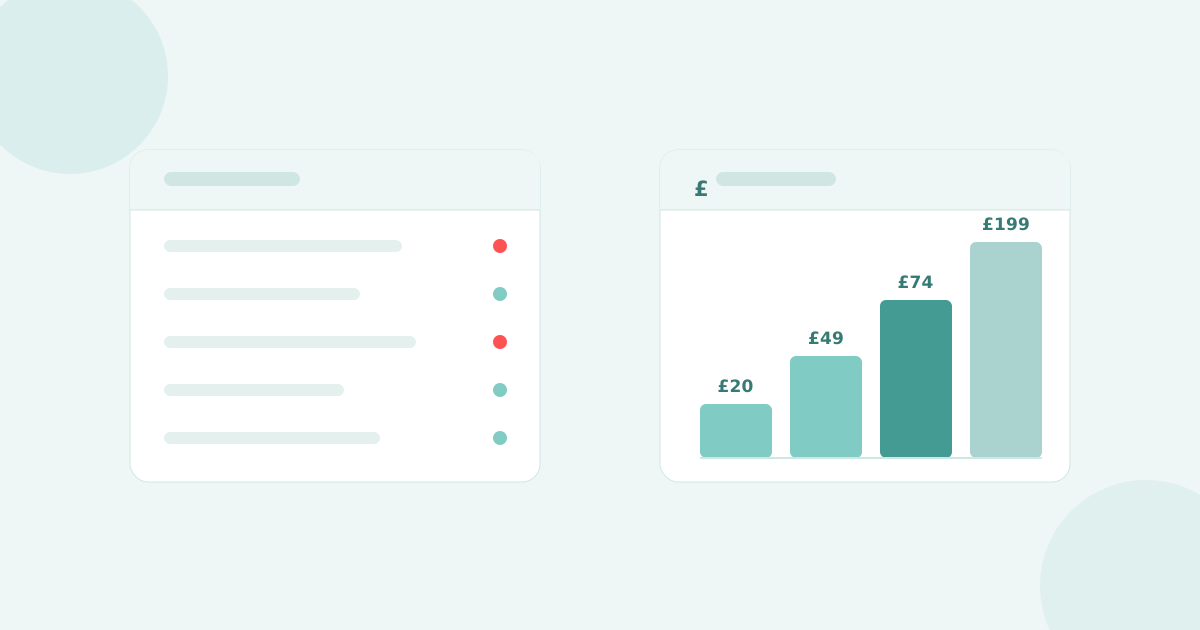
Paidnice Essentials is US$69 a month for 150 invoices and 2 team members; Pro starts at US$99 a month for 300 invoices. Plans are priced by invoice volume, and your first 20 actions are free without a credit card. See pricing.
Is there free accounts receivable automation software?
Xero and QuickBooks Online include basic automatic email reminders. Paidnice's first 20 actions are free, with no time limit and no credit card.
Is accounts receivable automation worth it for a small business?
Yes, accounts receivable automation is worth it as soon as someone spends time chasing invoices. Paidnice suits businesses from their first invoice up to $50m of annual revenue or 50,000 invoices.
Will automated reminders annoy my customers?
Automated reminders rarely annoy customers when they go from your own domain, in your words, on a schedule you set, and stop when the invoice is paid. Reminders can also pause until a promised date.
Does accounts receivable automation stop when an invoice is paid?
Yes, accounts receivable automation stops the sequence on an invoice as soon as the payment syncs from the ledger.
Is accounts receivable automation the same as accounts receivable software?
Not quite: accounts receivable software is the product you buy, and accounts receivable automation is the follow-up job that runs inside it without a person. See what is accounts receivable software.
What are the two types of accounts receivable?
Trade receivables are owed by customers who bought on credit; non-trade receivables are other amounts owed, such as staff loans or tax refunds. See the accounts receivable entry.
What are the 5 C's of credit?
The 5 C's of credit are character, capacity, capital, collateral and conditions. The 5 C's apply before you give credit; accounts receivable automation handles collection after.

Stop chasing invoices.
Start getting paid.
Paidnice is accounts receivable automation that enforces your payment terms, trusted by thousands of businesses on Xero and QuickBooks. Credit control and debtor management, run for you.
Try it Now - It's FreeNo card required.