



Summary
You can switch on automatic invoice reminders with no surprise for a customer. Reconcile payments in Xero first, turn off Xero's own reminders, keep every Paidnice policy in Draft for the first week, and approve only the actions that look right. Switch each policy to Active once its drafts are correct.
- Before go-live: Reconcile payments in Xero and turn off Xero's own reminders, because Paidnice does not control them and a customer could get both.
- First week: Keep policies in Draft, check the Draft tab and the Failed tab every day, and approve what looks right.
- Emergency stop: Safe Mode holds every automatic action for the whole organization, but Run now on a single action still sends.
You are about to switch on automatic reminders for every overdue invoice in your Xero organisation. One of your best customers paid yesterday, and that payment is not reconciled yet. If their first email from the new setup is a reminder for a paid invoice, you will hear about it.
Here is the checklist to finish before go-live day, the three states that control what sends, and a plan for the first week.
Free: Payment reminder email templatesCopy the reminder emails for before, on and after the due date.How do you switch on invoice reminders without surprising a customer?
Reconcile payments first, turn off Xero’s own reminders, keep every Paidnice policy in Draft for the first week, and approve only the actions that look right.
Each step removes one cause of a surprise:
- Reconcile first. A payment that is not in Xero looks like an overdue invoice to any reminder tool.
- One reminder system. Xero’s reminders and Paidnice reminders for Xero run separately, so turn one set off.
- Draft for a week. A policy in Draft creates each action and waits for approval before anything goes out.
- Active when the drafts are right. You switch one policy at a time, so a mistake stays inside one policy.
New Paidnice organizations start with sample policies in Draft and Safe Mode off. Nothing reaches a customer until you approve an action or make a policy Active.
Why do customers get a surprise reminder?
Customers get a surprise reminder for three reasons: Xero’s own reminders were on without you knowing, a payment was not reconciled, or reminders went to customers you never meant to chase.
Xero’s reminders are the first one to check. A Xero product idea asks for reminders to be off by default in new organisations. The poster says reminders are on by default and that the first one goes at 1 day overdue. Xero’s reply says a default-off setting “could help avoid unexpected emails to customers.”
The second cause is timing. A reminder runs against what the ledger shows as unpaid. If the customer paid and the payment is not reconciled, the invoice still looks overdue. Our guide to how Xero’s reminders work covers the schedule Xero follows.
The third cause is scope. Another Xero idea asks to turn reminders on for one customer. The poster has about 700 customers and wants reminders for about 10 of them. In Xero today you turn reminders on for everyone, then turn them off one customer or one invoice at a time.
What should you do before you go live?
Finish six checks before go-live day: reconcile, turn off Xero’s reminders, exclude the customers you never chase, freeze the exceptions, read your templates and choose a sender.
- Reconcile payments in Xero. Clear the bank feed first, so no paid invoice shows as overdue.
- Turn off Xero's own reminders. Paidnice does not control them, so a customer could get both: our post on Xero reminder statuses has the menu steps.
- Exclude key accounts and direct debit customers. Give them a contact tag and set Exclude contacts with tags on the policy, or move them to a separate group with its own policies.
- Freeze one customer or one invoice. A frozen invoice is skipped by every policy, and pausing one customer covers when to use a freeze.
- Read the email templates. Start with statements, because a statement policy can reach many customers on one day.
- Choose a sender. You can go live on the default sender and add your own domain later.
On the default sender, emails come from a Paidnice address with your From name. Sending from your own domain needs a Pro plan and DNS records from whoever manages your domain. It does not have to hold up go-live day.
What is the difference between Draft, Active and Safe Mode?
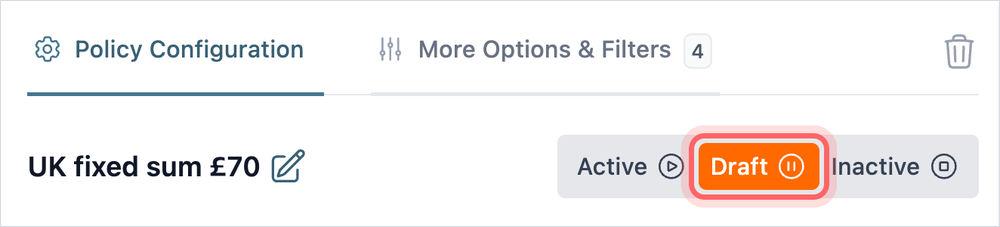
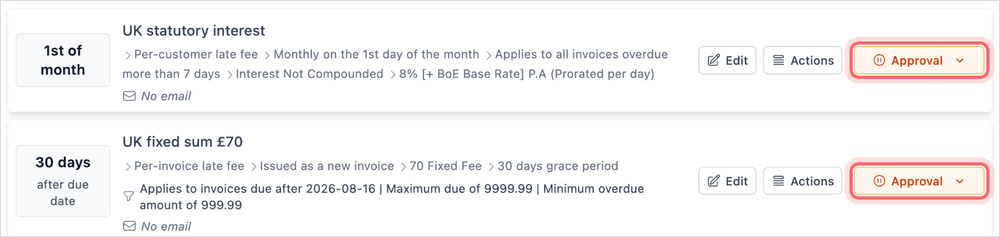
Draft and Active are set on each policy. Safe Mode is one switch for the whole organization. Draft waits for approval, Active runs on schedule, and Safe Mode holds every automatic action.
| State | What happens | When to use it |
|---|---|---|
| Draft (one policy) | Each action waits for someone to approve it | The first week of every policy |
| Active (one policy) | Actions run on schedule, unless Safe Mode is on | After several days of correct drafts |
| Safe Mode (whole organization) | Paidnice creates actions, and none run automatically | When everything has to stop at once |
Neither Draft nor Safe Mode stops Xero’s own reminders. Those are switched off in Xero only.
How do you check one customer first?
Open one of that customer’s invoices in Paidnice and read the Applicable Policy results table. It lists every policy with a tick or a cross and the reason.
Pick the customer you worry about most, such as the one who paid yesterday or the one on direct debit. If a policy shows a tick you did not expect, fix the filter, tag or group before go-live day.
To check from the policy side, open the policy and use its Test & Preview tab against one invoice or contact. Our guide to testing a reminder rule covers which awkward invoices to test with.
What does the first week look like?
In the first week every policy stays in Draft. You check the drafts once a day, approve what looks right, and switch a policy to Active only when its drafts have been correct for several days.
- Day 1. Reconcile, leave every policy in Draft, and start with reminders and statements only.
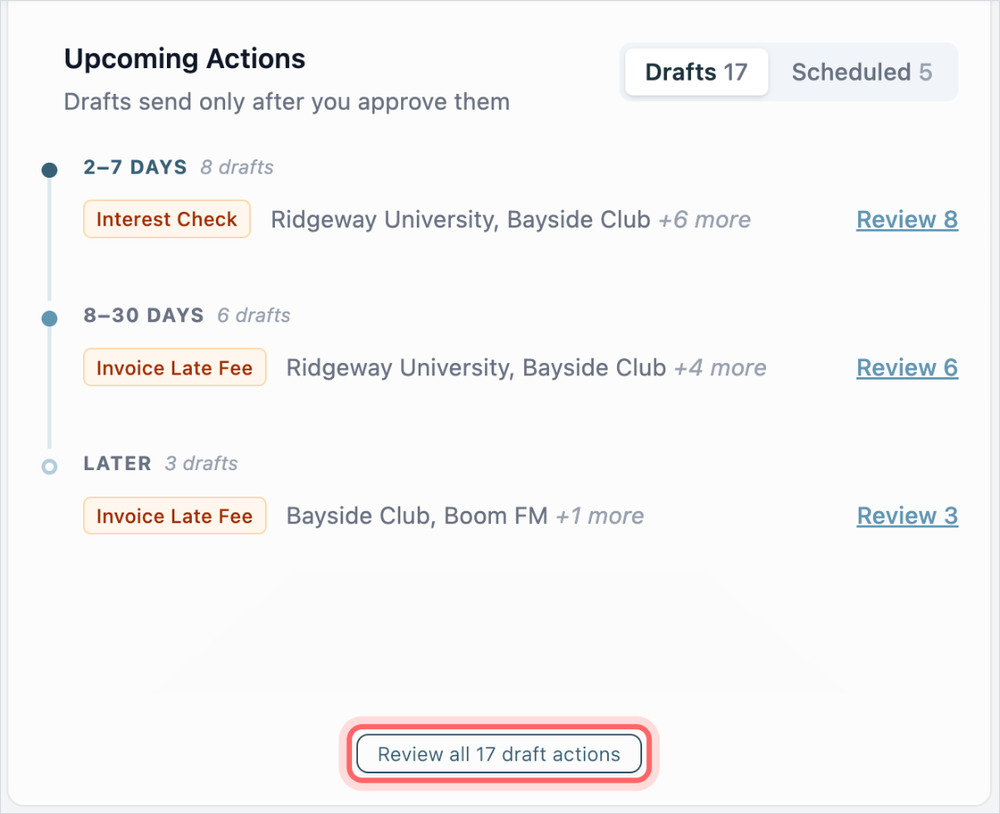
- Every day. Open the Draft tab on the Actions page, read the previews and approve the ones that are right.
- Every day. Open the Failed tab, where each failed action says why, such as a contact with no email address.
- End of the week. Switch one policy from Draft to Active when its drafts look right.
- The week after. Repeat for the next policy type, such as late fees.
Paidnice sends no notification when new drafts arrive, so put the daily check in your calendar. The steps for approving drafts each day are in a separate guide.
💡 Paidnice insight
Safe Mode and Draft hold Paidnice actions only. Reminders from Xero's own settings keep going until you turn them off in Xero, so we check that setting first when a customer reports a reminder nobody approved.
What if something goes wrong?
Most go-live problems have one of three fixes: reconcile the payment, switch on Safe Mode, or check the Actions page to see which system sent the email.
- A customer was chased after paying. Reconcile the payment in Xero, and Paidnice removes a pending action once the invoice is paid. If a late fee was charged, use Remove Late Fee on the completed action.
- You need everything to stop now. Switch on Safe Mode in the header of any page, and it applies at once. Run now on a single action still sends, so read the preview before you click it.
- A customer got a reminder you did not expect. Look for it on the Actions page. If nothing is there, the reminder came from Xero.
Safe Mode is also the switch for a planned break. See pausing all reminders for a holiday for what runs when you switch it off again.

Frequently asked questions
Do I have to turn off Xero’s invoice reminders when I use Paidnice?
Yes, if you do not want customers to get two sets. Paidnice does not control Xero’s reminders. A policy in Draft and Safe Mode hold Paidnice actions only, so Xero keeps sending until you switch its reminders off in Xero.
Can I turn reminders on for only some customers?
In Paidnice, yes. Put those customers in their own group with its own policies, or set Include only contacts with tags on a policy. In Xero, turning reminders on for one customer is an open product idea.
How many actions does the free trial include?
The free trial includes 20 free actions. Once they are used, scheduled actions wait until you choose a plan.
Can I go live before my own email domain is set up?
Yes. Go live on the default sender, which uses a Paidnice address with your From name. Add your own domain later, once the DNS records are in place. A custom domain needs a Pro plan.
Does Paidnice tell me when new drafts arrive?
No. New drafts send no notification. Check the Draft tab on the Actions page or Upcoming Actions on the Dashboard once a day while any policy is in Draft.
Can someone help me set this up?
Yes. Paidnice support can book a setup call to go through your groups, policies and templates before go-live day.
Paidnice features in this article
About the editorial team
Ashley is a co-founder and lead developer of Paidnice and has built accounting software for more than 10 years. He builds the ledger connections that put reminders, late fees and payments into Xero, QuickBooks and ERPs such as NetSuite and Business Central. Before Paidnice he co-founded A2X, ecommerce accounting software for Xero and QuickBooks.
 App of the Year